
Product Overview
The Woods 59404 Indoor Light Sensor Socket provides automatic dusk-to-dawn control for indoor lamps. This energy-efficient device utilizes a photocell to turn lights on when it gets dark and off when it becomes light, simplifying your home lighting.
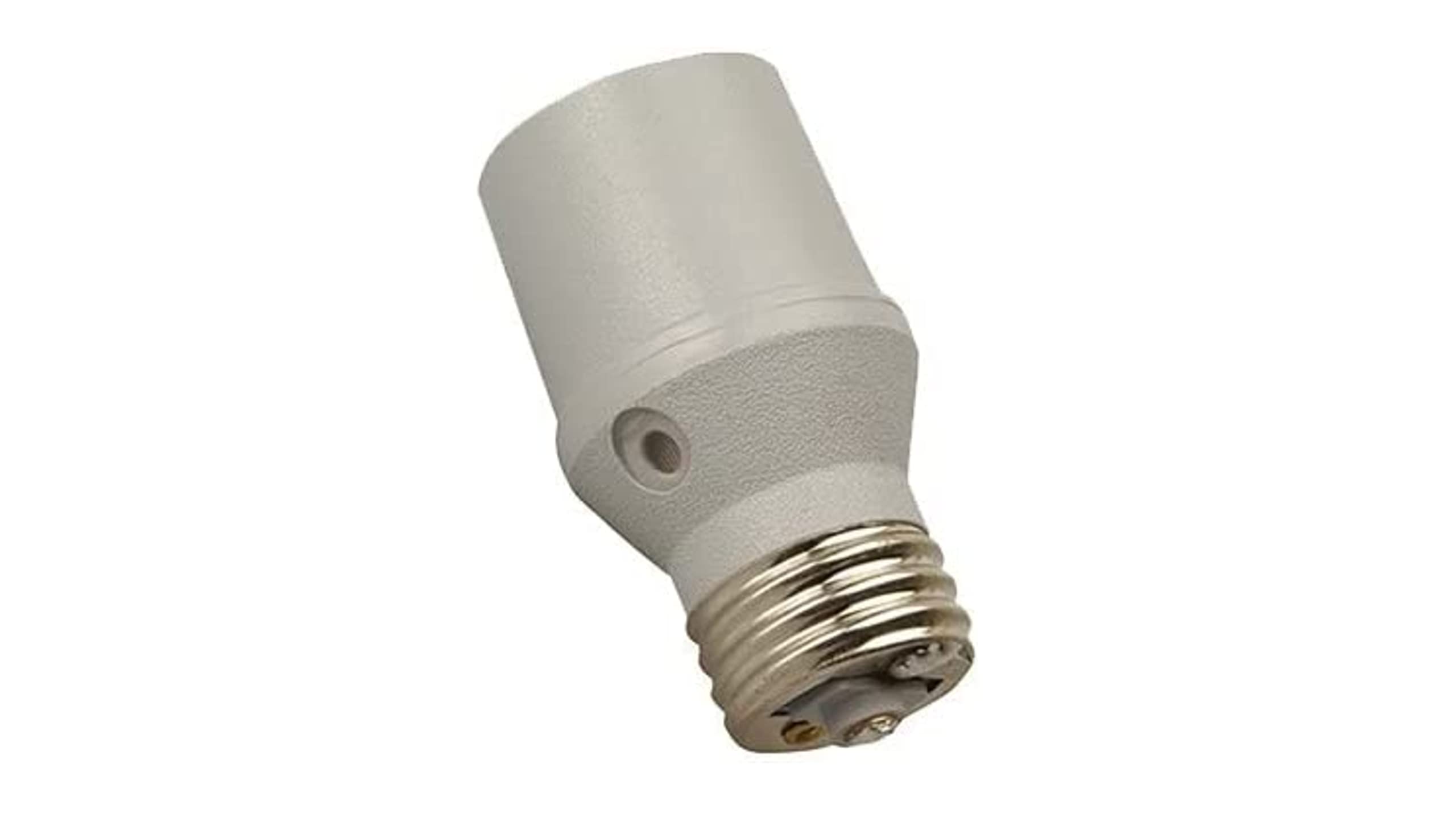
Image: The Woods 59404 Indoor Light Sensor Socket, a compact device designed to screw into a standard light socket, featuring a light sensor at its base.
Important Safety Information
- For indoor use only.
- Do not use with dimmer switches.
- Recommended maximum usage is with 100-watt incandescent light bulbs. Exceeding this wattage may damage the device or bulb. The absolute maximum listed wattage is 150 watts.
- Ensure the light switch controlling the socket remains in the "ON" position for the sensor to function correctly.
- Always turn off power to the lamp before installation or removal.
Package Contents
- 1 x Woods 59404 Indoor Light Sensor Socket (Photocell)
Setup and Installation
- Ensure the lamp's power switch is in the "OFF" position and the lamp is unplugged from the wall outlet.
- Carefully remove the existing light bulb from the lamp socket.
- Screw the Woods 59404 Photocell Light Sensor Socket into the empty lamp socket. Ensure it is securely tightened.
- Screw the light bulb (maximum 100 watts recommended) into the new photocell socket.
- Plug the lamp back into the wall outlet.
- Turn the lamp's power switch to the "ON" position. The sensor is now active.
Note: The light switch must remain in the "ON" position for the photocell to operate. The photocell will automatically turn the light on when it detects darkness and off when it detects sufficient light.
Operating Instructions
Once installed and the lamp's power switch is set to "ON", the Woods 59404 Light Sensor Socket operates automatically.
- Dusk Activation: As ambient light levels decrease (e.g., at dusk), the integrated photocell will detect the change and activate the light bulb.
- Dawn Deactivation: As ambient light levels increase (e.g., at dawn), the photocell will detect the change and deactivate the light bulb.
Ensure the photocell sensor is not obstructed by furniture, curtains, or other objects that could block ambient light, as this may affect its operation.
Specifications
| Brand | Woods |
| Model | 59404 |
| Material | Plastic |
| Voltage | 120 Volts |
| Max Wattage | 100 Watts (recommended), 150 Watts (maximum) |
| Base Type | Edison Screw |
| Item Weight | 0.05 Pounds |
| Included Components | Photocell |
Troubleshooting
- Light does not turn on at dusk:
- Ensure the lamp's power switch is in the "ON" position.
- Check if the light bulb is securely screwed in and functional.
- Verify that the photocell sensor is not obstructed by objects or positioned in an area that receives too much ambient light.
- Confirm the bulb wattage does not exceed 100 watts (recommended) or 150 watts (maximum).
- Light does not turn off at dawn:
- Ensure the photocell sensor is not obstructed and is receiving sufficient ambient light.
- The sensor might be in a location that remains too dark during the day. Consider repositioning the lamp.
- Light flickers or is dim:
- This product is not compatible with dimmer switches. Ensure no dimmer is in use.
- Some LED bulbs may not be fully compatible, leading to flickering. Try an incandescent bulb within the recommended wattage.
- Ensure the bulb wattage is within the recommended 100-watt limit.
Maintenance
The Woods 59404 Indoor Light Sensor Socket requires minimal maintenance.
- Periodically wipe the sensor area with a soft, dry cloth to ensure it remains free of dust and debris, which could interfere with light detection.
- Do not use liquid cleaners or abrasive materials on the device.
- Ensure the socket and bulb are securely tightened to prevent intermittent connections.
Warranty Information
The seller warrants this product for 1 year from the date of shipment against defects in material and workmanship under proper and normal use.
This warranty is exclusive and replaces all other warranties, express or implied, including merchantability or fitness for a particular purpose.
The seller's obligation is limited to repair or replacement of defective products or parts, not exceeding the original purchase price. Defective products must be shipped to the seller, freight prepaid. This warranty does not cover labor charges for removal or replacement. The seller is not liable for incidental or consequential damages beyond the actual cost of repair or replacement.
Customer Support
For further assistance or inquiries regarding your Woods 59404 Indoor Light Sensor Socket, please refer to the retailer's customer service channels or visit the official Woods website.