
Introduction
Thank you for choosing the Airmaster LC30AP 30-inch Pedestal Fan. This manual provides essential information for the safe operation, assembly, maintenance, and troubleshooting of your new fan. Please read these instructions thoroughly before use and retain them for future reference.
The Airmaster LC30AP is a robust 30-inch pedestal fan designed for efficient air circulation in various settings, including outdoor environments. It features three speed settings and an oscillation function for broad coverage.
Safety Instructions
To reduce the risk of fire, electric shock, or injury, observe the following safety precautions:
- Always unplug the fan from the power outlet before cleaning, servicing, or moving it.
- Do not operate the fan with a damaged cord or plug. If the cord or plug is damaged, contact a qualified service technician.
- Ensure the fan is placed on a stable, level surface to prevent tipping.
- Keep hands, hair, clothing, and other objects away from the fan blades during operation.
- Do not insert fingers or any objects through the fan guard.
- Do not use the fan in areas where flammable liquids or gases are stored or present.
- This fan is designed for outdoor use. Ensure proper electrical connections and protection from direct water exposure if used outdoors.
- Do not use the fan near a window or in direct sunlight for extended periods, as this may cause overheating.
- This product contains chemicals known to the State of California to cause cancer and birth defects or other reproductive harm. Wash hands after handling.
Package Contents
Verify that all components are present and undamaged upon opening the package:
- Fan Head Assembly (includes blades and protective grille)
- Pedestal Stand Pole
- Round Base
- Remote Control
- Mounting Hardware (screws, washers, nuts)
- User Manual (this document)
Assembly and Setup
Follow these steps to assemble your Airmaster LC30AP Pedestal Fan:
- Attach the Base to the Stand: Place the round base on a flat surface. Insert the bottom end of the pedestal stand pole into the central opening of the base. Secure it using the provided screws and washers from underneath the base. Tighten firmly.
- Attach the Fan Head to the Stand: Carefully lift the fan head assembly. Align the mounting bracket on the bottom of the fan head with the top of the pedestal stand pole. Secure it with the designated screws or locking mechanism. Ensure the fan head is stable and does not wobble.
- Position the Fan: Place the assembled fan on a firm, level surface, ensuring there is adequate space around it for optimal airflow and oscillation. Keep it away from curtains or other objects that could obstruct the fan blades.
- Connect to Power: Plug the fan's power cord into a standard electrical outlet. Ensure the outlet matches the fan's voltage requirements.
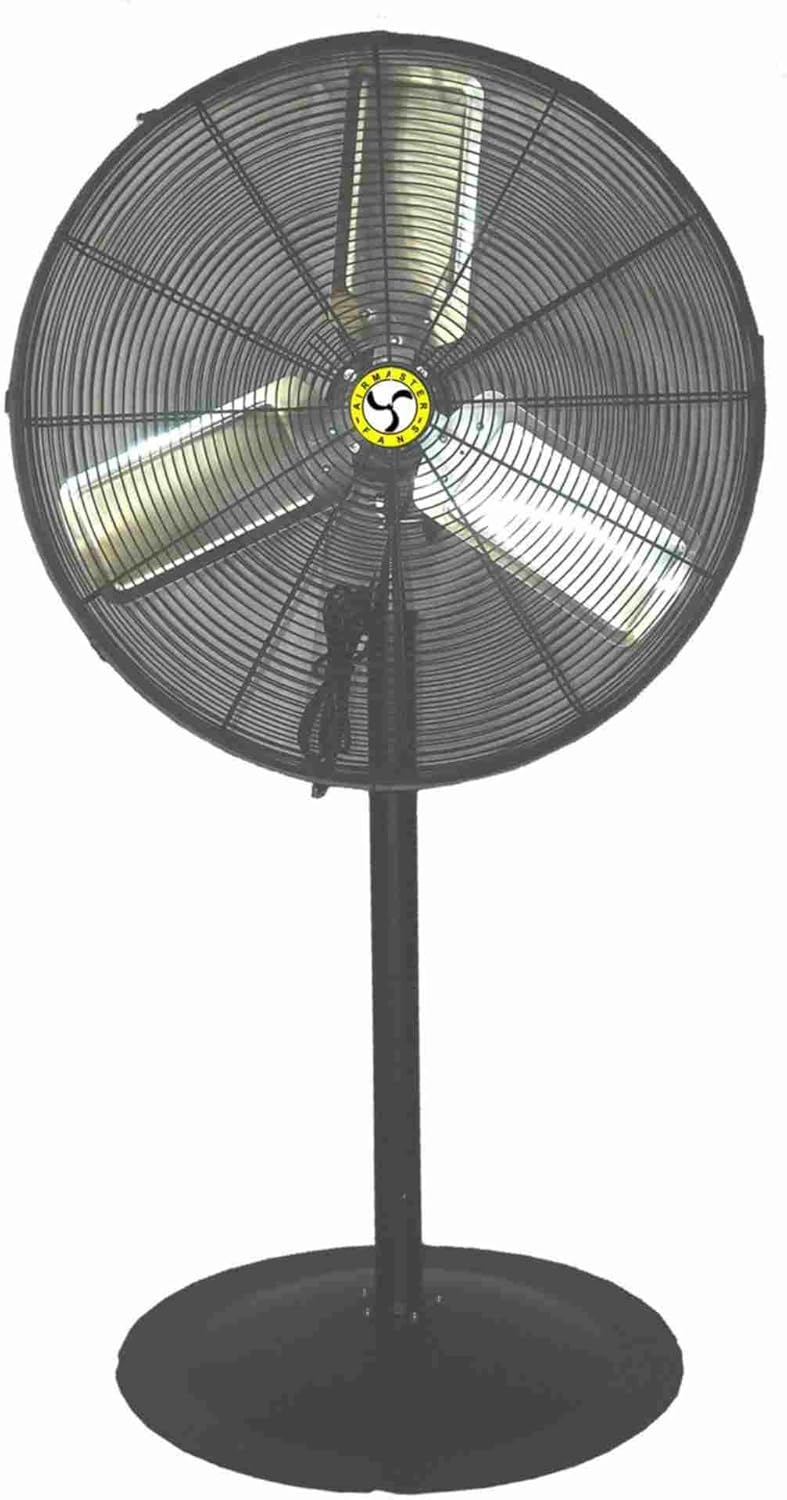
This image displays the Airmaster LC30AP 30-inch Pedestal Fan. It features a large circular fan head with a protective metal grille, three fan blades visible through the grille, and a central Airmaster logo. The fan head is mounted on a tall, sturdy black pedestal stand, which is attached to a wide, round black base for stability. A power cord is visible near the base of the fan head.
Operating Instructions
Your Airmaster LC30AP Pedestal Fan can be operated using the controls on the fan unit or the included remote control.
Power On/Off
- Press the 'Power' button on the control panel or remote to turn the fan on or off.
Speed Control
The fan has 3 speed settings: Low, Medium, and High.
- Press the 'Speed' button repeatedly on the control panel or remote to cycle through the available speeds.
Oscillation Function
The oscillation feature allows the fan head to sweep from side to side, distributing air over a wider area.
- Press the 'Oscillation' button on the control panel or remote to start or stop the oscillation.
Remote Control
The remote control allows convenient operation from a distance. Ensure the remote has working batteries and is pointed towards the fan's receiver.
Maintenance
Regular maintenance ensures optimal performance and extends the life of your fan.
Cleaning
- Always unplug the fan before cleaning.
- Use a soft, damp cloth to wipe the exterior surfaces of the fan. Do not use abrasive cleaners or solvents.
- To clean the fan blades, you may need to remove the front grille. Refer to the assembly instructions in reverse for safe removal and reattachment. Carefully wipe the blades with a soft cloth.
- Ensure all parts are completely dry before plugging the fan back in.
Storage
- If storing the fan for an extended period, clean it thoroughly and cover it to protect it from dust.
- Store the fan in a cool, dry place.
Troubleshooting
If you encounter issues with your fan, refer to the following common problems and solutions:
| Problem | Possible Cause | Solution |
|---|---|---|
| Fan does not turn on. | No power supply. Power cord not fully plugged in. Remote control batteries are dead. | Check if the power outlet is working. Ensure the power cord is securely plugged into the outlet and the fan. Replace remote control batteries. |
| Weak airflow. | Fan blades are dirty. Obstruction in front or behind the fan. Fan is on a low-speed setting. | Clean the fan blades and grille. Remove any obstructions. Increase the fan speed setting. |
| Fan makes unusual noise. | Loose parts. Fan not on a level surface. Debris caught in blades. | Check all assembly screws and tighten if necessary. Place the fan on a stable, level surface. Unplug the fan and carefully inspect for and remove any debris. |
| Oscillation not working. | Oscillation function not activated. Mechanical obstruction. | Press the 'Oscillation' button. Ensure nothing is blocking the fan head's movement. |
Specifications
| Brand | Airmaster |
| Model Name | LC30AP |
| Electric Fan Design | Floor Fan / Pedestal Fan |
| Product Dimensions | 30"D x 8"W x 6"H (Fan Head) |
| Item Weight | 50 Pounds |
| Power Source | Corded Electric |
| Wattage | 186 watts |
| Number of Blades | 3 |
| Number of Power Levels | 3 |
| Special Feature | Oscillating |
| Control Method | Remote |
| Indoor/Outdoor Usage | Outdoor |
| Finish Type | Metallic/Powder Coated |
| Specification Met | OSHA, UL |
| UPC | 783429715310 |
Warranty and Support
For warranty information and customer support regarding your Airmaster LC30AP Pedestal Fan, please contact the manufacturer, Airmaster Fan, directly. Details regarding specific warranty periods and terms are typically provided with your purchase documentation or can be obtained from the manufacturer's official website.
Please note that extended protection plans offered by third parties are separate from the manufacturer's warranty and should be consulted with the respective provider.


