
1. Introduction
This manual provides essential information for the safe installation, operation, and maintenance of your APC Smart-UPS SC 620 VA 230 V. Please read this manual thoroughly before installing or operating the UPS. Keep this manual for future reference.
2. Safety Information
Observe all warnings and operating instructions in this manual. Failure to do so may result in injury or damage to the unit.
- Electrical Safety: The UPS contains hazardous voltages. Do not attempt to disassemble the unit. Servicing should only be performed by qualified personnel.
- Battery Safety: Batteries can present a risk of electrical shock and high short-circuit current. Remove watches, rings, or other metal objects before handling batteries. Use tools with insulated handles.
- Weight: The UPS is heavy. Use proper lifting techniques and ensure adequate support when moving or installing the unit.
- Environment: Install the UPS indoors in a controlled environment, free from excessive dust, moisture, and extreme temperatures.
3. Product Overview
The APC Smart-UPS SC 620 VA 230 V is an Uninterruptible Power Supply (UPS) designed to provide power protection for your electronic equipment. It safeguards against power outages, voltage fluctuations, and surges, ensuring continuous operation and protecting data.
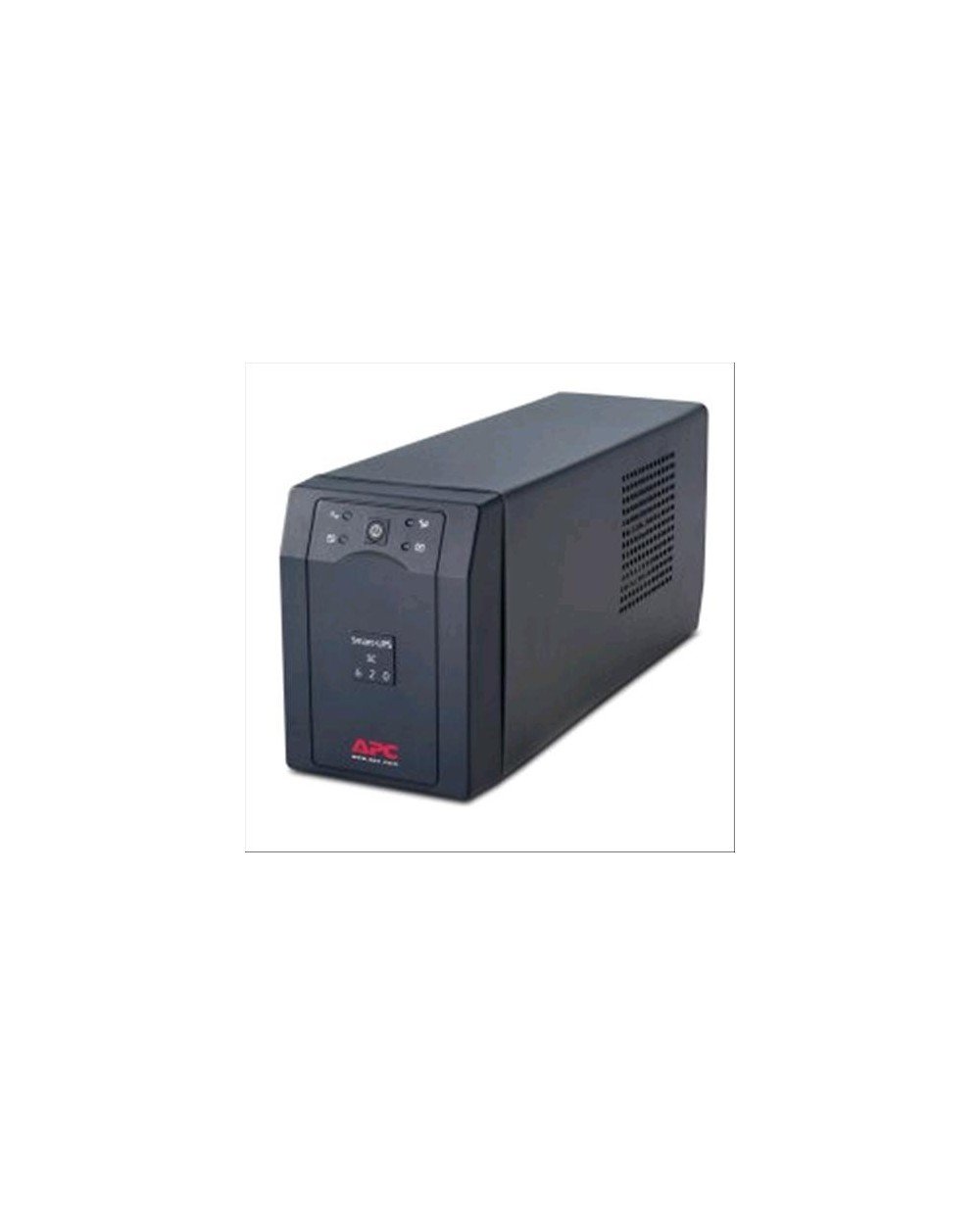
Figure 3.1: Front view of the APC Smart-UPS SC 620 VA 230 V. This image shows the main unit with its front panel, including the power button and indicator lights, and the APC logo at the bottom.
3.1. Key Features
- 620 VA / 390 W capacity
- 230 V nominal output voltage
- RS232 serial communication port for management
- Automatic Voltage Regulation (AVR)
- Battery backup outlets
3.2. Front Panel Indicators
The front panel features several indicators and a power button:
- Online Indicator: Illuminates when the UPS is supplying utility power to connected equipment.
- On Battery Indicator: Illuminates when the UPS is supplying battery power.
- Overload Indicator: Illuminates if connected equipment exceeds the UPS capacity.
- Battery Fault Indicator: Illuminates if there is an issue with the battery.
- Power Button: Used to turn the UPS on or off.
4. Setup
4.1. Unpacking
Carefully unpack the UPS and inspect it for any shipping damage. Retain the packaging for future use or return if necessary.
4.2. Battery Connection
The UPS battery may be shipped disconnected for safety. Refer to the quick start guide or internal diagrams for instructions on connecting the internal battery. Ensure the battery is securely connected before proceeding.
4.3. Placement
Place the UPS on a flat, stable surface. Ensure adequate airflow around the unit. Avoid placing it near heat sources or in direct sunlight. Maintain at least 10 cm (4 inches) of clearance on all ventilated sides.
4.4. Connecting Equipment
- Connect your critical equipment (e.g., computer, monitor) to the battery backup outlets on the rear of the UPS.
- Connect non-critical equipment (if available on your model) to surge-only outlets.
- Plug the UPS power cord into a grounded wall outlet. Avoid using extension cords or power strips.
4.5. Initial Power-Up and Charging
After connecting the UPS to utility power, allow the battery to charge for at least 24 hours before connecting any equipment to ensure full runtime capacity. The UPS will automatically begin charging when connected to utility power.
5. Operating the UPS
5.1. Turning On the UPS
Press and hold the power button on the front panel until a short beep is heard. The UPS will perform a self-test, and the Online indicator will illuminate.
5.2. Turning Off the UPS
To turn off the UPS, press and hold the power button until a long beep is heard. All indicators will turn off.
5.3. Understanding Operating Modes
- Online Mode: The UPS is supplying utility power to connected equipment and charging the battery. The Online indicator is lit.
- On Battery Mode: During a power outage, the UPS automatically switches to battery power. The On Battery indicator is lit, and the UPS may emit an audible alarm.
- AVR Mode: The UPS automatically corrects minor voltage fluctuations without using battery power.
5.4. Performing a Self-Test
A self-test can be initiated to check the battery and UPS functionality. Consult the detailed product documentation or APC support for specific instructions on initiating a self-test for your model.
6. Maintenance
6.1. Battery Replacement
The battery in your UPS is a user-replaceable component. The typical battery life is 3-5 years, depending on usage and environmental conditions. When the Battery Fault indicator illuminates, or the UPS indicates a weak battery, it is time for replacement. Use only APC-approved replacement batteries to ensure optimal performance and safety. Refer to the APC website or contact support for replacement battery models and instructions.
6.2. Cleaning
Clean the exterior of the UPS with a soft, dry cloth. Do not use liquid or aerosol cleaners. Ensure ventilation openings are free from dust and debris.
6.3. Storage
If storing the UPS for an extended period, ensure the battery is fully charged before storage. Recharge the battery every 3-6 months to prevent permanent damage. Store the unit in a cool, dry location.
7. Troubleshooting
This section provides solutions to common issues. For more complex problems, contact APC technical support.
| Problem | Possible Cause | Solution |
|---|---|---|
| UPS does not turn on | Battery not connected; No utility power; UPS fault | Ensure battery is connected; Check power cord and wall outlet; Contact support if fault persists. |
| UPS beeps frequently | On battery mode; Overload; Low battery | Check utility power; Reduce connected load; Allow battery to charge. |
| Battery Fault indicator is lit | Battery needs replacement; Battery disconnected | Replace battery; Ensure battery is connected. |
| Overload indicator is lit | Too much equipment connected | Disconnect non-essential equipment until the indicator turns off. |
8. Specifications
The following are the technical specifications for the APC Smart-UPS SC 620 VA 230 V (Model SC620I):
- Model: SC620I
- Capacity: 620 VA / 390 Watts
- Nominal Input/Output Voltage: 230 V
- Dimensions (H x W x D): 17.8 x 12.7 x 38.1 cm (7 x 5 x 15 inches)
- Weight: Approximately 12.25 kg (27 lbs)
- Communication Ports: RS232 Serial
- UPC: 731304666639
9. Warranty and Support
APC provides a limited warranty for this product. For detailed warranty information, including terms and conditions, please refer to the warranty card included with your product or visit the official APC website. For technical support, product registration, or to find authorized service centers, please visit www.apc.com.


