
Introduction
This manual provides detailed instructions for the proper use and maintenance of your Casio SL-300VC Solar Powered Standard Function Calculator. Designed for everyday basic math, this compact calculator features an 8-digit LCD display and dual power source (solar and battery backup).

Image: Front view of the Casio SL-300VC Solar Powered Standard Function Calculator in blue.
Setup
Power Source
The Casio SL-300VC calculator operates using a dual power system: solar power and a built-in battery. For optimal performance, ensure the solar panel is exposed to sufficient light. The battery provides power when light is insufficient, ensuring continuous operation.
- Initial Use: The calculator is ready for use upon purchase. No initial setup or battery installation is typically required.
- Power On/Off: The calculator automatically powers on when exposed to light or when any key is pressed. It will automatically power off after a period of inactivity to conserve energy.
Operating Instructions
Familiarize yourself with the key functions to perform various calculations.
Basic Arithmetic Operations
- Addition (+): Enter the first number, press +, enter the second number, then press =.
- Subtraction (-): Enter the first number, press -, enter the second number, then press =.
- Multiplication (×): Enter the first number, press ×, enter the second number, then press =.
- Division (÷): Enter the first number, press ÷, enter the second number, then press =.
- Clear Entry (C): Clears the last entered number or operation.
- All Clear (AC): Clears all entries and resets the calculator.
Memory Functions
The calculator includes independent memory functions:
- Memory Clear (MC): Clears the contents of the memory.
- Memory Recall (MR): Displays the current value stored in memory.
- Memory Minus (M-): Subtracts the displayed value from the memory.
- Memory Plus (M+): Adds the displayed value to the memory.
Special Functions
- Percentage (%): Used for percentage calculations. For example, to calculate 10% of 200, enter 200 × 10 %.
- Square Root (√): Calculates the square root of the displayed number. Enter the number, then press √.
- Tax Calculation (TAX+, TAX-): These keys are used for adding or subtracting tax.
- Setting the Tax Rate: Press RATE SET, enter the tax rate (e.g., 5 for 5%), then press TAX RATE.
- Adding Tax: Enter the amount, then press TAX+.
- Subtracting Tax: Enter the amount, then press TAX-.
Maintenance
- Cleaning: Wipe the calculator with a soft, dry cloth. Do not use abrasive cleaners or solvents.
- Storage: Store the calculator in a cool, dry place away from direct sunlight and extreme temperatures.
- Battery: The calculator uses a small button-cell battery for backup. If the display becomes dim in low light conditions, the battery may need replacement. Consult a qualified technician for battery replacement.
Troubleshooting
| Problem | Solution |
|---|---|
| Display is blank or dim. | Ensure the solar panel is exposed to sufficient light. If the problem persists, the internal battery may need replacement. |
| Incorrect calculation results. | Press the AC key to clear all previous entries and memory. Re-enter the calculation carefully. |
| Calculator does not respond to key presses. | Ensure the calculator has adequate power (light for solar, or check battery). Press AC. If unresponsive, try exposing it to bright light for a few minutes. |
Specifications
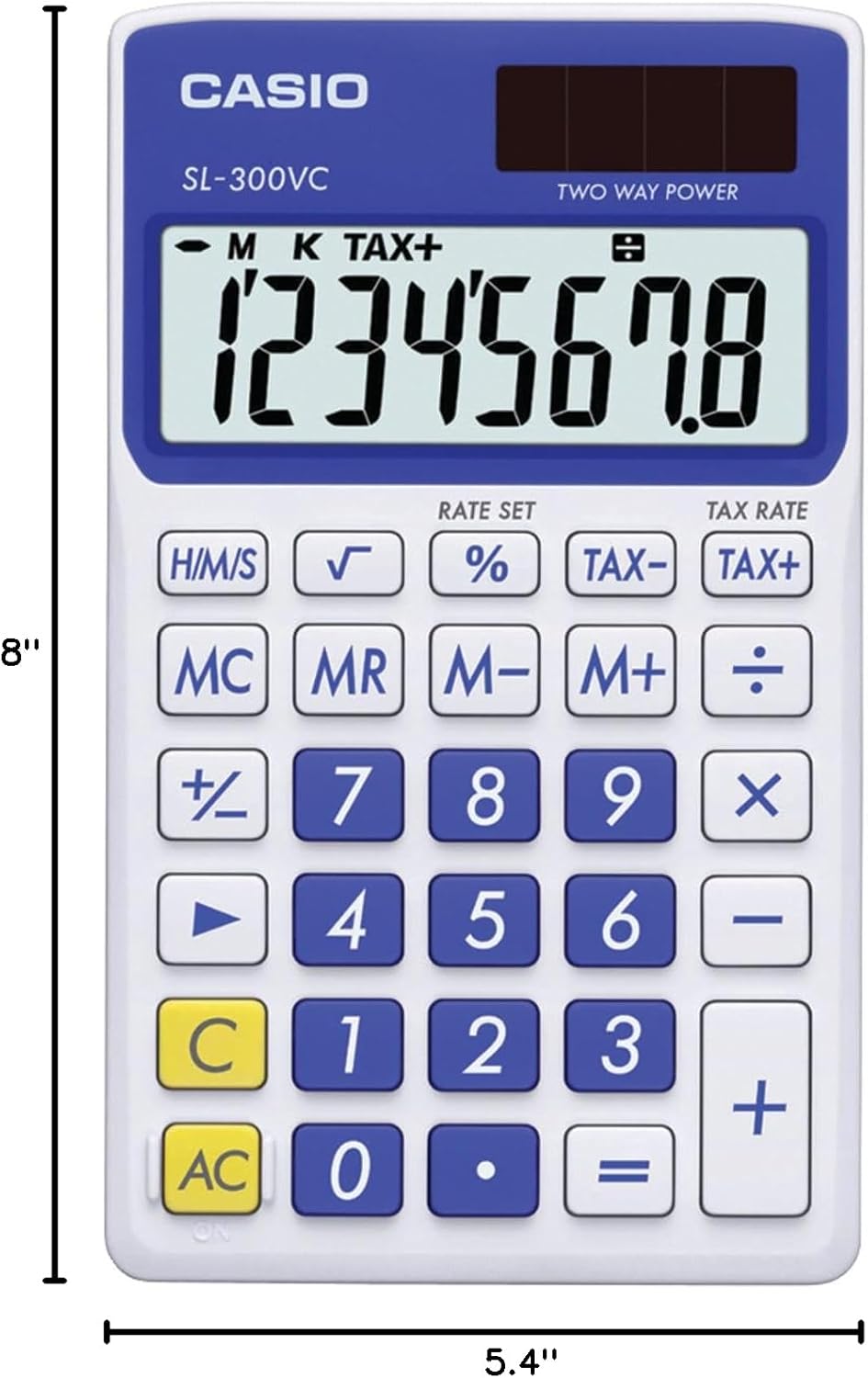
Image: Dimensions of the Casio SL-300VC calculator, showing 8"L x 5.4"W.
- Model: SL-300VC
- Brand: Casio
- Display: 8-Digit LCD
- Power Source: Solar Powered with Battery Backup
- Functions: Standard arithmetic, Percentage, Square Root, Memory (MC, MR, M-, M+), Tax Calculation (TAX+, TAX-)
- Dimensions (L x W): Approximately 8 inches x 5.4 inches
- Weight: Approximately 0.091 Kilograms
- Material: Plastic
Warranty Information
This product comes with a warranty as described by the manufacturer. For specific details regarding your warranty coverage, please refer to the documentation included with your purchase or visit the official Casio website. The warranty description provided is "SL-300VC-BE".
Legal Disclaimer: This product contains chemicals known to the State of California to cause cancer and birth defects or other reproductive harm.
Support
For further assistance, product information, or to explore other Casio products, please visit the official Casio Store: