
1. Introduction
This manual provides essential instructions for the safe and effective use of your Nikon Coolpix S3000 digital camera. The Coolpix S3000 is a compact 12.0-megapixel camera featuring a 4x wide-angle Zoom-NIKKOR glass lens, a bright 2.7-inch LCD, and a 4-way VR Image Stabilization System, designed for capturing high-quality photos and 640 x 480 movies with sound.
Please read this manual thoroughly before using the camera to ensure proper operation and to maximize your photographic experience.
2. Setup
2.1 Unpacking and Initial Inspection
Carefully unpack all items from the box. Ensure all components are present and undamaged. If any items are missing or damaged, contact your retailer.
2.2 Inserting the Battery
- Locate the battery chamber cover on the bottom of the camera.
- Slide the cover latch to open the battery chamber.
- Insert the supplied rechargeable battery, ensuring the correct orientation as indicated inside the chamber.
- Close the battery chamber cover until it clicks securely into place.

Figure 2.2.1: Front view of the Nikon Coolpix S3000 digital camera in green. This image shows the lens, flash, and the Nikon Coolpix branding.
2.3 Inserting a Memory Card
The camera supports SD and SDHC memory cards. A memory card is required to store photos and videos.
- Open the battery/memory card chamber cover.
- Insert the memory card into the slot with the label facing the correct direction (usually towards the front of the camera) until it clicks into place.
- Close the cover securely.
2.4 Charging the Battery
Connect the camera to the supplied AC adapter using the USB cable. The charging indicator will illuminate. Charging is complete when the indicator turns off.
2.5 Initial Power On and Date/Time Settings
Press the ON/OFF button to power on the camera. The first time you power on, you will be prompted to set the date, time, and time zone. Use the multi-selector to navigate and the OK button to confirm.
3. Operating the Camera
3.1 Camera Controls Overview
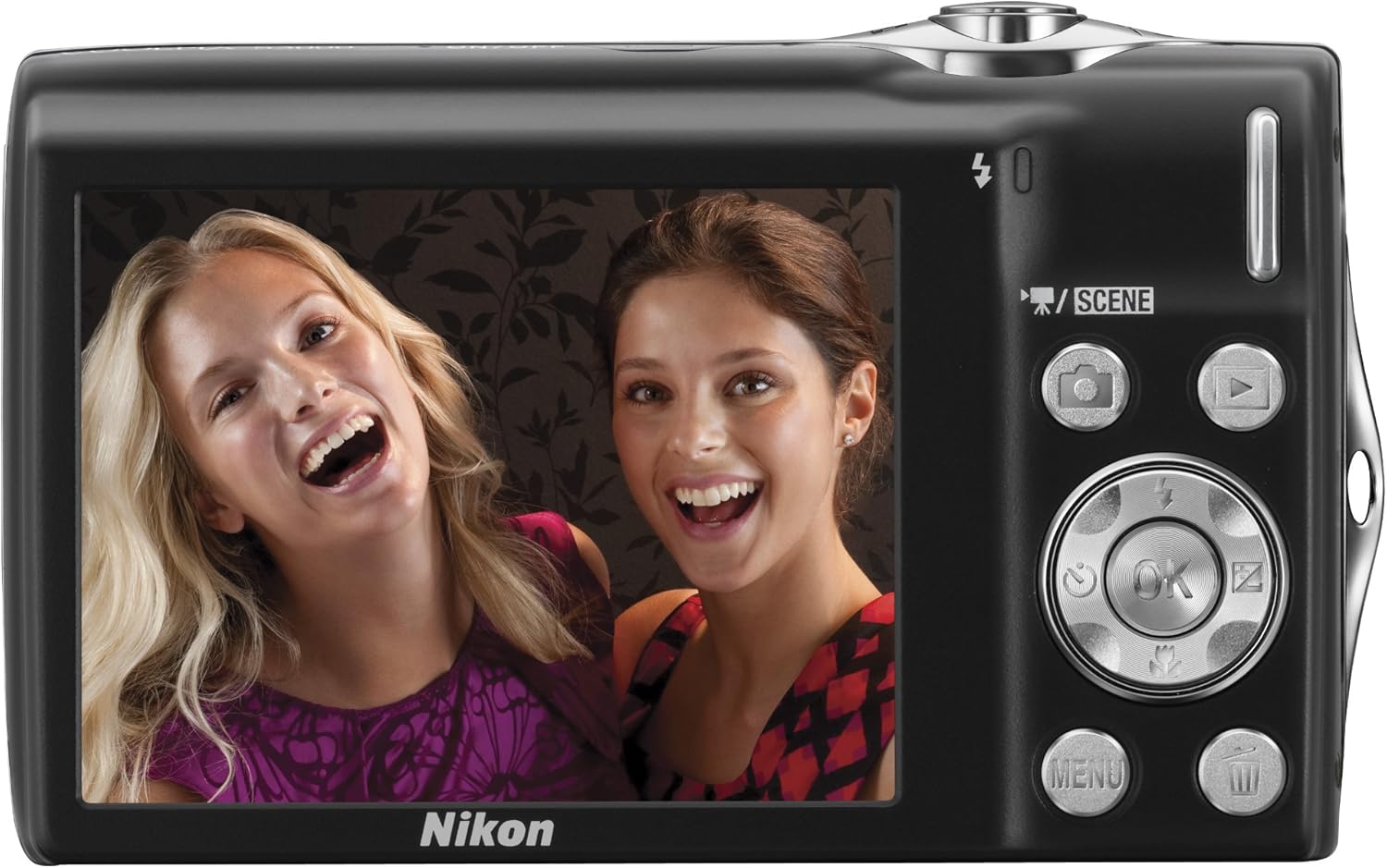
Figure 3.1.1: Rear view of the Nikon Coolpix S3000, showing the 2.7-inch LCD screen, multi-selector, and various control buttons like the camera, playback, menu, and OK buttons.
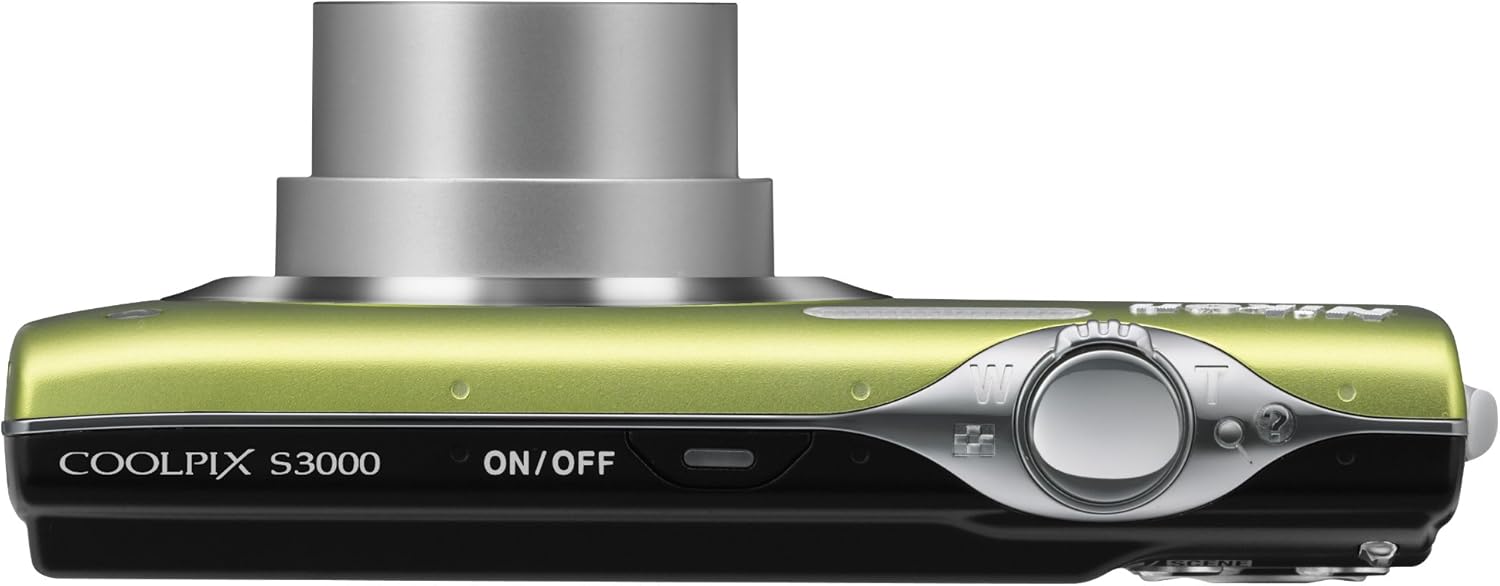
Figure 3.1.2: Top view of the Nikon Coolpix S3000, highlighting the ON/OFF button and the shutter release button with zoom control.
3.2 Taking Photos
- Power On: Press the ON/OFF button.
- Select Mode: Use the SCENE button or navigate through the menu to select a shooting mode (e.g., Auto, Scene modes like Portrait, Landscape, Night Portrait).
- Frame Your Shot: Use the LCD monitor to compose your image.
- Zoom: Use the zoom lever around the shutter button to adjust the optical zoom (4x).
- Focus: Press the shutter button halfway down to focus. The focus indicator will light up when focus is achieved.
- Capture: Press the shutter button fully down to take the picture.

Figure 3.2.1: Front view of the Nikon Coolpix S3000 with its 4x optical zoom lens extended, ready for shooting.
3.3 Recording Videos
The Coolpix S3000 can record videos at 640 x 480 resolution at 30 frames per second with sound.
- Switch to video recording mode (refer to the camera's menu or dedicated video button if available).
- Press the shutter button to start recording.
- Press the shutter button again to stop recording.
3.4 Playback Mode
Press the Playback button (often indicated by a triangle icon) to view your captured photos and videos. Use the multi-selector to scroll through images. Press the zoom buttons to zoom in on photos or view multiple images at once.
3.5 Menu Navigation
Press the MENU button to access camera settings. Use the multi-selector to navigate through options and the OK button to confirm selections. Settings include image quality, white balance, ISO sensitivity, and more.
4. Maintenance
4.1 Cleaning the Camera
- Lens: Use a soft, lint-free cloth specifically designed for camera lenses. Gently wipe in a circular motion. Avoid touching the lens with your fingers.
- LCD Monitor: Wipe gently with a soft, dry cloth. Do not apply pressure.
- Camera Body: Use a soft, dry cloth to wipe away dust and smudges. For stubborn dirt, slightly dampen the cloth with water and wipe, then dry thoroughly.
- Avoid using organic solvents like alcohol or benzene.
4.2 Battery Care
- Always use the genuine Nikon battery and charger.
- Do not expose the battery to extreme temperatures.
- If the camera will not be used for an extended period, remove the battery.
4.3 Storage
Store the camera in a cool, dry, well-ventilated area, away from direct sunlight, high humidity, and strong electromagnetic fields. Use a camera case for protection during transport.
5. Troubleshooting
| Problem | Possible Cause / Solution |
|---|---|
| Camera does not turn on. | Battery is depleted or incorrectly inserted. Ensure battery is charged and inserted correctly. |
| Images are blurry. | Camera shake: Hold the camera steady or use a tripod. Subject movement: Use a faster shutter speed. Lens is dirty: Clean the lens. |
| "Memory Card Error" message. | Memory card is damaged, full, or incorrectly inserted. Reinsert the card, try a different card, or format the card (this will erase all data). |
| Flash does not fire. | Flash is set to "Off" or "Red-eye reduction" mode. Ensure flash is set to "Auto" or "Fill-flash". Subject may be too far away. |
| Cannot record video. | Insufficient memory card space. Camera may be in photo mode. |
If the problem persists after trying these solutions, please contact Nikon customer support.
6. Specifications
| Feature | Detail |
|---|---|
| Model Name | Nikon Coolpix S3000 |
| Photo Sensor Resolution | 12 MP |
| Optical Zoom | 4x |
| Digital Zoom | 2x |
| Screen Size | 2.7 Inches |
| Image Stabilization | 4-way VR Image Stabilization System |
| Video Resolution | 640 x 480 (30 fps) |
| Supported File Format | JPEG |
| Memory Type | SD/SDHC memory cards, Internal |
| Connectivity Technology | USB |
| Item Weight | 4.16 ounces |
7. Warranty and Support
7.1 Warranty Information
Your Nikon Coolpix S3000 camera is covered by a limited warranty. Please refer to the warranty card included with your product for specific terms and conditions, including warranty period and coverage details. Keep your proof of purchase for warranty claims.
7.2 Customer Support
For technical assistance, service, or further information, please visit the official Nikon support website or contact their customer service department. You can find contact details and FAQs on the Nikon Store on Amazon or the official Nikon global website.


