
1. Introduction
Thank you for choosing the Kichler 300021AP Ceres Decor 56-Inch Ceiling Fan. This manual provides essential information for the safe installation, operation, and maintenance of your new ceiling fan. The 300021AP model features a 56-inch blade sweep, an integrated light kit with Cased Opal glass, and is controlled by the convenient CoolTouch II DC Control System. It is designed to enhance comfort and style in various indoor settings.
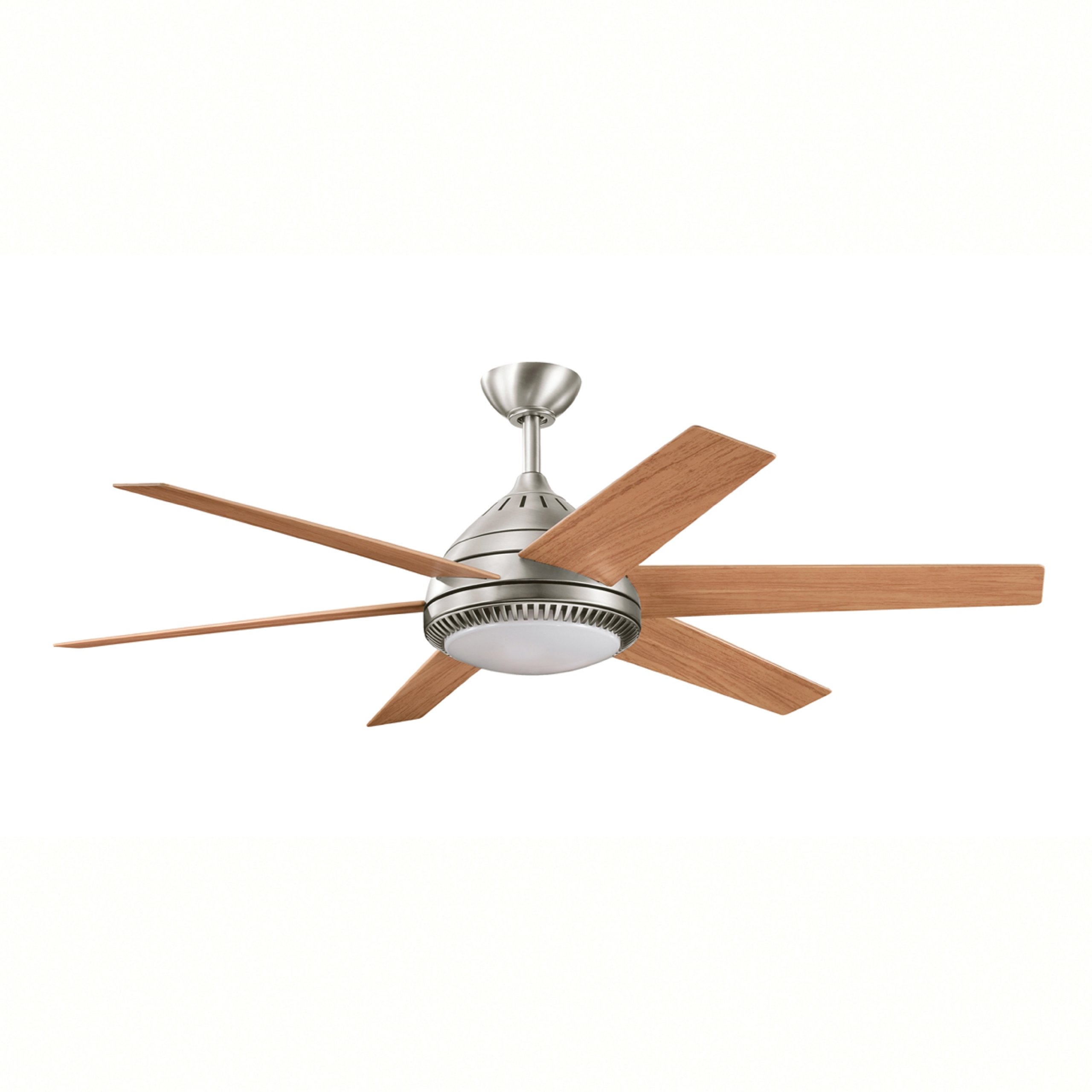
Image 1.1: Kichler 300021AP Ceres Decor 56-Inch Ceiling Fan. This image displays the assembled ceiling fan with its Antique Pewter finish, Light Cherry blades, and the integrated light kit with Cased Opal glass.
2. Safety Information
Please read and understand all safety instructions before beginning installation. Failure to follow these instructions may result in electric shock, fire, or personal injury.
- Electrical Safety: All electrical wiring must be performed by a qualified electrician and conform to all local and national electrical codes. Ensure the power is disconnected at the circuit breaker before installation or maintenance.
- Mounting: The fan must be mounted to a structurally sound ceiling outlet box capable of supporting the fan's weight (approximately 12.9 kg).
- Clearance: For safety and optimal performance, the tips of the fan blades must be at least 18 inches (45.7 cm) from any wall or obstruction. The fan blades must also be a minimum of 7 feet (2.13 meters) above the floor.
- Location: This fan is UL listed for dry location use only. Do not install in damp or wet locations.
- Bulbs: Use only the specified bulb type and wattage (three E-12 40-W Krypton T3 bulbs) for the integrated light kit.
3. Package Contents
Carefully unpack all components and ensure you have received the following items:
- Ceiling Fan Motor Assembly
- Five (5) Fan Blades (Light Cherry)
- Integrated Light Kit with Cased Opal Glass Shade
- Three (3) E-12 40-W Krypton T3 Bulbs
- One (1) 6-Inch Downrod
- CoolTouch II DC Control System (Remote Control)
- Mounting Hardware and Brackets
- 78-Inch Extra Lead Wire
- Instruction Manual
4. Setup and Installation
Professional installation by a qualified electrician is highly recommended for safety and proper functionality.
4.1 Mounting the Fan
- Turn off power at the circuit breaker.
- Install the mounting bracket to the ceiling outlet box, ensuring it is securely fastened and can support the fan's weight.
- Assemble the downrod to the fan motor assembly, feeding the electrical wires through the downrod.
- Carefully lift the fan assembly and hang it from the mounting bracket.
4.2 Electrical Wiring
- Connect the fan's electrical wires to the household wiring according to local codes (typically black to black, white to white, and ground to ground). Use the provided wire nuts.
- Ensure all connections are secure and properly insulated.
- Tuck all wires neatly into the outlet box and secure the canopy to the mounting bracket.
4.3 Attaching the Blades
- Attach each fan blade to the blade arms using the provided screws and washers.
- Secure the blade arms to the fan motor housing. Ensure all screws are tightened evenly to prevent wobbling.
4.4 Installing the Light Kit
- Connect the light kit wires to the corresponding wires from the fan motor assembly.
- Secure the light kit assembly to the bottom of the fan motor housing.
- Install the three E-12 40-W Krypton T3 bulbs into the sockets.
- Attach the Cased Opal glass shade to the light kit assembly.
5. Operating Instructions
Your Kichler 300021AP ceiling fan is operated using the included CoolTouch II DC Control System remote control.
5.1 Fan Operation
- Power On/Off: Press the fan power button to turn the fan on or off.
- Speed Control: Use the speed buttons (typically numbered 1-5 or with up/down arrows) to adjust the fan speed. There are 5 available speeds.
- Reverse Function: Locate the reverse button on the remote. Pressing this button changes the direction of the fan blades.
Seasonal Use of Reverse Function:
- Summer: Blades rotate counter-clockwise, pushing air down to create a cooling breeze.
- Winter: Blades rotate clockwise, drawing air up to circulate warm air near the ceiling throughout the room.
5.2 Light Operation
- Light On/Off: Press the light button on the remote control to turn the integrated light kit on or off.
- Dimming (if applicable): Some models may feature dimming capabilities. Refer to your remote control's specific instructions for dimming functions.
6. Maintenance
Regular maintenance ensures the longevity and optimal performance of your ceiling fan.
6.1 Cleaning
- Always turn off power at the circuit breaker before cleaning.
- Use a soft, lint-free cloth to clean the fan blades and motor housing. Do not use abrasive cleaners or solvents, as they may damage the finish.
- For the glass shade, wipe with a damp cloth and mild soap if necessary, then dry thoroughly.
6.2 Bulb Replacement
- Ensure power is off at the circuit breaker and the bulbs have cooled completely.
- Carefully remove the glass shade.
- Unscrew the old bulbs and replace them with new E-12 40-W Krypton T3 bulbs.
- Reattach the glass shade.
7. Troubleshooting
If you experience issues with your ceiling fan, refer to the following common problems and solutions:
| Problem | Possible Cause | Solution |
|---|---|---|
| Fan does not start | No power to the fan; Loose wire connections; Remote control battery dead. | Check circuit breaker; Verify all wire connections are secure; Replace remote control batteries. |
| Fan wobbles | Loose blade screws; Unbalanced blades; Loose mounting bracket. | Tighten all blade screws; Use a balancing kit (not included) to balance blades; Ensure mounting bracket is securely fastened. |
| Light does not work | Loose wire connections; Burnt out bulbs; Light switch off. | Check light kit wiring; Replace bulbs; Ensure light function is activated on remote. |
| Noisy operation | Loose screws; Motor housing rubbing; Incorrect installation. | Check and tighten all screws; Ensure no parts are rubbing; Re-check installation steps. |
8. Specifications
- Model Number: 300021AP
- Blade Sweep: 56 Inches
- Blade Pitch: 14 Degrees
- Number of Blades: 5
- Motor Type: DC Motor
- Power Source: Corded Electric
- Voltage: 120 Volts
- Fan Wattage (High Speed, excluding light): 17 Watts
- Airflow (High Speed): 5,567 Cubic Feet Per Minute (CFM)
- Airflow Efficiency: 337 Cubic Feet Per Minute Per Watt
- Light Kit: Integrated, includes three (3) E-12 40-W Krypton T3 bulbs
- Control System: CoolTouch II DC Control System (Remote Control)
- Number of Speeds: 5
- Downrod Included: 6 Inches
- Extra Lead Wire: 78 Inches
- Certification: UL Listed for Dry Location Use
- Item Weight: Approximately 12.9 kg (28.4 lbs)
- Color: Antique Pewter (finish), Light Cherry (blades)
9. Warranty and Support
The Kichler 300021AP Ceres Decor 56-Inch Ceiling Fan comes with a Limited Lifetime Warranty. For specific details regarding warranty coverage, please refer to the warranty card included with your product or visit the official Kichler website.
For technical assistance, replacement parts, or further inquiries, please contact Kichler customer support. Have your model number (300021AP) and date of purchase ready when contacting support.