
Product Overview
The Leviton 6631-LI SureSlide 600W Incandescent Slide Dimmer is designed for single-pole applications, providing smooth and precise control over incandescent lighting levels. This dimmer features a linear slide control for easy adjustment and an illuminated slide for visibility in low light conditions. It is rated for 600 watts at 120 volts AC, 60Hz, and is compatible with Decora brand wallplates.
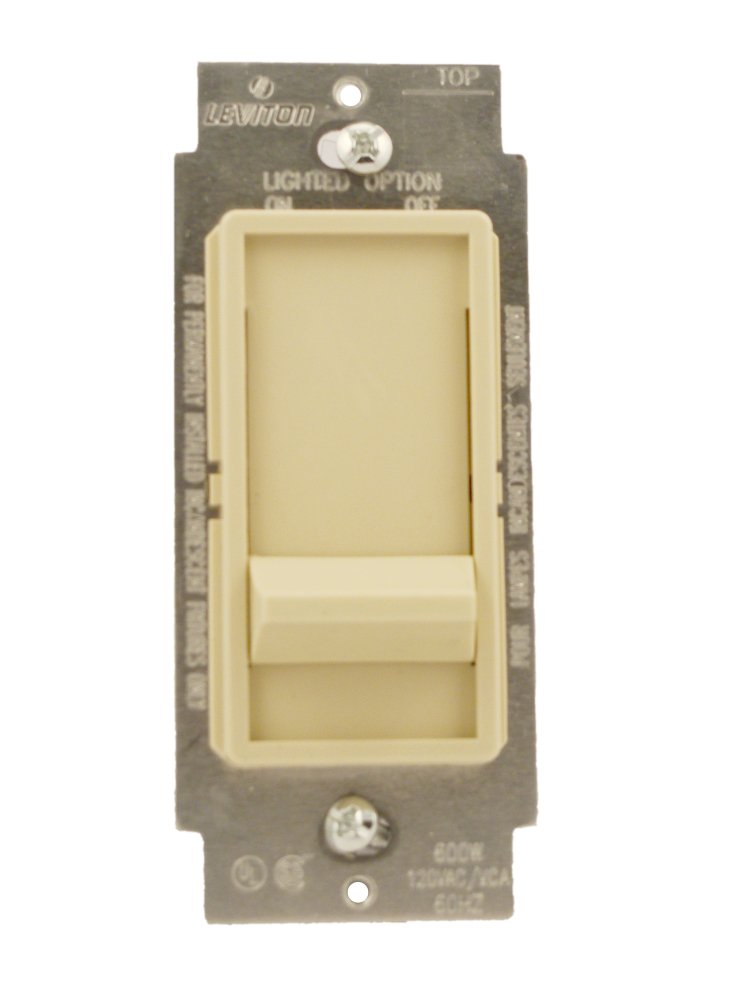
Image: Front view of the Leviton 6631-LI SureSlide 600W Incandescent Slide Dimmer, showing the slide control and ivory finish.
Important Safety Instructions
- WARNING: To avoid fire, shock, or death, turn off power at the circuit breaker or fuse box and test that power is off before wiring.
- Install in accordance with all national and local electrical codes.
- Use only with incandescent lamps. Do not use with LED, CFL, or other non-incandescent lighting types unless specifically rated for them.
- Ensure the total wattage of connected bulbs does not exceed the dimmer's maximum rating of 600W.
- If you are unsure about any part of these instructions, consult a qualified electrician.
Installation Guide
Tools Required
- Screwdrivers (Phillips and flathead)
- Wire strippers/cutters
- Electrical tape
- Voltage tester
Wiring Instructions (Single-Pole)
- Turn off power: Locate the circuit breaker or fuse that supplies power to the switch you are replacing and turn it OFF. Verify power is off using a voltage tester.
- Remove old switch: Unscrew and carefully pull the old switch from the wall box. Disconnect the wires from the old switch. Note which wire was connected to which terminal.
- Identify wires: In a single-pole setup, you will typically have two hot wires (one incoming from the power source, one going to the light fixture) and a ground wire.
- Connect dimmer:
- Connect the green or bare copper ground wire from the wall box to the green ground screw on the dimmer.
- Connect one of the black dimmer wires to the incoming hot wire from the power source.
- Connect the remaining black dimmer wire to the load wire going to the light fixture.
- Secure connections: Ensure all wire connections are tight. Use electrical tape to cover any exposed wire ends.
- Mount dimmer: Carefully push the wired dimmer into the wall box. Secure it with the mounting screws provided.
- Install wallplate: Attach the decorative wallplate (sold separately) over the dimmer.
- Restore power: Turn the power back ON at the circuit breaker or fuse box.
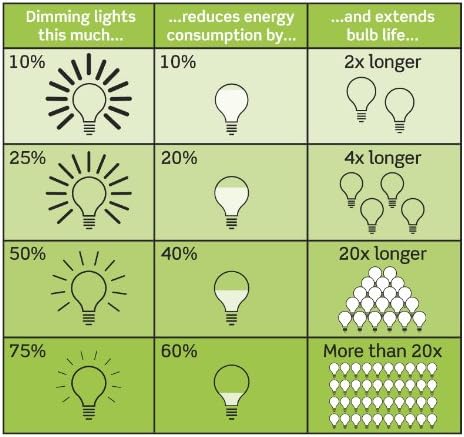
Image: Back view of the Leviton 6631-LI SureSlide 600W Incandescent Slide Dimmer, showing the screw terminals for wiring connections.
Operation
Dimming Control
To adjust the brightness of your incandescent lights, simply move the slide control up or down. Sliding the control upwards will increase the light intensity, while sliding it downwards will decrease it.
On/Off Function
The dimmer features a 'slide to off' function. To turn the lights completely off, slide the control all the way down to its lowest position. To turn the lights on, slide the control upwards to your desired brightness level.
Care and Maintenance
- Cleaning: To clean the dimmer, wipe it with a soft, damp cloth. Do not use abrasive cleaners, solvents, or sprays directly on the dimmer.
- Periodic Checks: Periodically check the dimmer and wallplate for any signs of damage or loose connections. If any issues are found, turn off power at the circuit breaker and address them immediately.
- Bulb Replacement: Always turn off the power to the fixture at the circuit breaker before replacing bulbs. Ensure replacement bulbs are incandescent and do not exceed the dimmer's wattage rating.
Troubleshooting
| Problem | Possible Cause | Solution |
|---|---|---|
| Lights do not turn ON. | No power to the dimmer; loose wiring; burned-out bulb; dimmer slide is in the 'OFF' position. | Check circuit breaker; verify wiring connections; replace bulb; slide control upwards. |
| Lights do not dim. | Incorrect bulb type (non-incandescent); dimmer not wired correctly; faulty dimmer. | Ensure incandescent bulbs are used; recheck wiring; replace dimmer if necessary. |
| Lights flicker or hum. | Loose wiring; incompatible bulbs; overloaded circuit; radio/TV interference. | Check wiring connections; ensure bulbs are incandescent; reduce total wattage; the dimmer has a built-in filter, but some interference may still occur. |
| Dimmer is hot to the touch. | Normal operation (dimmers generate heat); overloaded circuit. | Slight warmth is normal. If excessively hot, check total wattage of connected bulbs against the 600W rating. Reduce load if overloaded. |
Product Specifications
| Specification | Detail |
|---|---|
| Model Number | 6631-LI |
| Operation Mode | Slide Dimmer |
| Wattage | 600W |
| Operating Voltage | 120 Volts AC, 60Hz |
| Current Rating | 5 Amps |
| Switch Type | Dimmer Switch |
| Circuit Type | 1-way (Single-Pole) |
| Color | Ivory |
| Item Dimensions (L x W x H) | 4.7 x 3 x 2.5 inches |
| Certifications | CE, ETL, cULus |
Warranty Information
This Leviton product is covered by a 2 Year Limited Warranty. For specific terms and conditions, please refer to the warranty documentation included with your purchase or visit the official Leviton website.
Customer Support
For technical assistance, product inquiries, or warranty claims, please contact Leviton customer support. You can find contact information and additional resources on the official Leviton website: www.leviton.com.


