
1. Product Overview
The Ninestars DZT-70-11R is an 18.5-gallon (70-liter) automatic touchless motion sensor semi-round trash can/recycler made from stainless steel. It features advanced sensor technology for hygienic operation and a dual compartment design for efficient waste separation.

Figure 1: Front view of the Ninestars DZT-70-11R Automatic Touchless Motion Sensor Semi-Round Trash Can.
Key Features:
- Automatic Motion Sensor: Touch-free operation for hygiene.
- Dual Compartment: Designed for separating trash and recyclables.
- Stainless Steel Construction: Fingerprint-resistant and easy to clean.
- Removable Liner Ring: Secures trash bags and conceals overhang for a neat appearance.
- Quiet Close Lid: Ensures silent operation.
- Non-Skid Base: Provides stability and protects floors.
2. Setup
2.1 Unpacking
Carefully remove all components from the packaging. Ensure you have the trash can base, the lid assembly, and the removable liner ring.
2.2 Battery Installation
- Locate the battery compartment on the underside of the lid assembly.
- Open the battery compartment cover.
- Insert four (4) D-size batteries (not included), ensuring the positive (+) and negative (-) terminals are aligned correctly. Alkaline batteries are highly recommended for optimal performance.
- Close the battery compartment cover securely.

Figure 2: Location of the battery compartment on the lid.
2.3 Assembling the Lid and Base
- Place the lid assembly onto the trash can base, ensuring it is securely seated.
- Locate the power switch on the side of the lid assembly and turn it to the 'ON' position. The sensor should now be active.
2.4 Installing Trash Bags
- Remove the liner ring from the trash can.
- Place a standard trash bag (or Ninestars custom trash bags NSTB-10-30) into the compartment.
- Fold the top edge of the trash bag over the liner ring.
- Insert the liner ring with the secured trash bag back into the trash can. This keeps the bag hidden from view for a clean appearance.
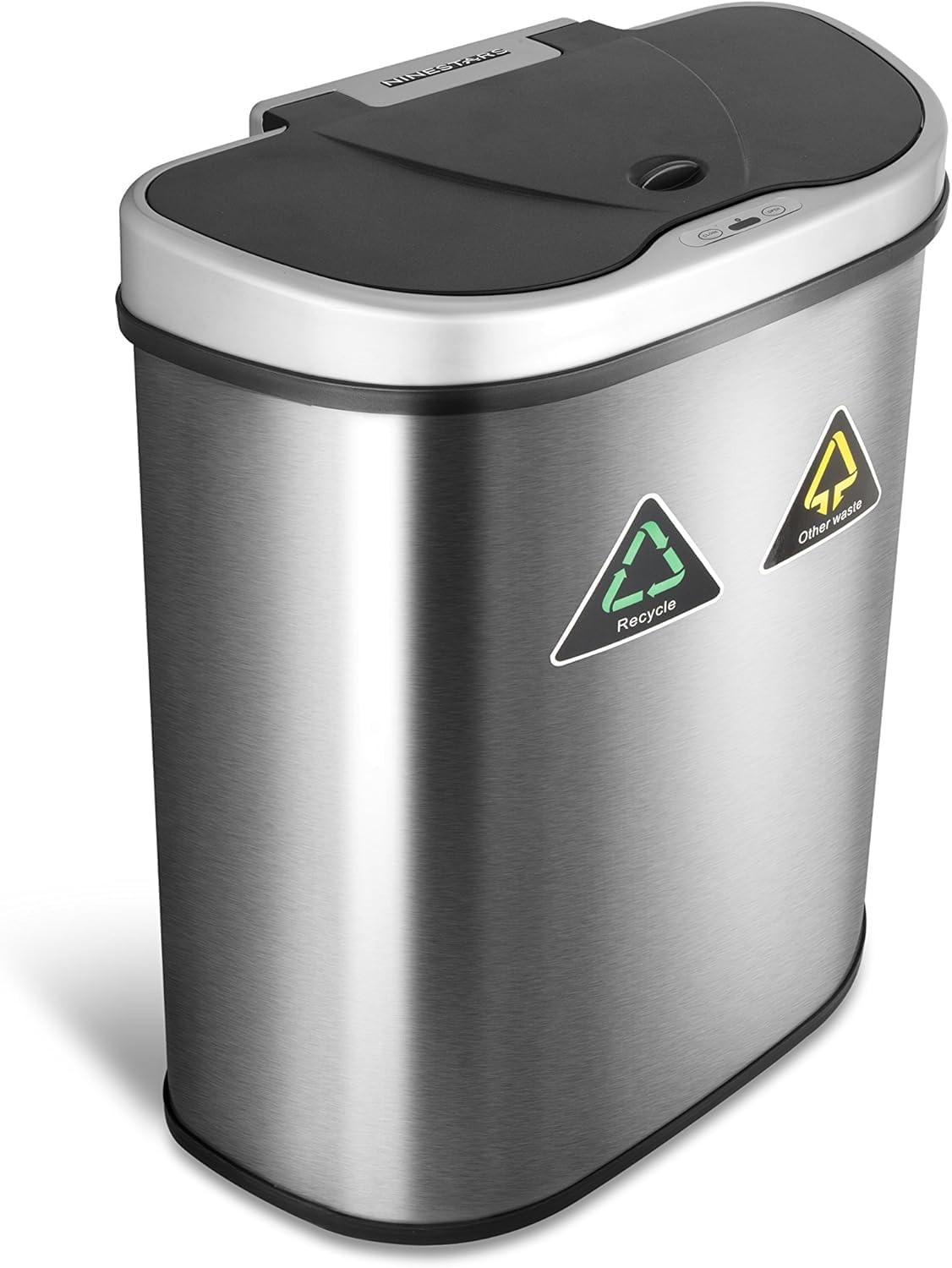
Figure 3: The removable liner ring helps secure the trash bag.
3. Operating Instructions
3.1 Automatic Motion Sensor Operation
- To open the lid, pass your hand or debris within ten inches or a 130° angle from the infrared sensor located on the lid. The lid will automatically open.
- The lid will remain open as long as your hand or debris stays within the range of the infrared sensor.
- Three seconds after your hand moves away from the sensor, the lid will automatically close.

Figure 4: The motion sensor is located on the front of the lid.
3.2 Manual Operation
- To manually open the lid, press the 'OPEN' button on the sensor panel. The lid will stay open.
- To manually close the lid, press the 'CLOSE' button on the sensor panel.

Figure 5: Manual Open and Close buttons on the sensor panel.
4. Maintenance
4.1 Cleaning
- Wipe the stainless steel exterior with a soft, damp cloth and a mild cleaner. The fingerprint-resistant finish helps maintain its clean appearance.
- Avoid using abrasive cleaners or scouring pads, as these can damage the finish.
- Clean the sensor window periodically with a soft, dry cloth to ensure optimal performance.
4.2 Battery Replacement
When the sensor's response becomes slow or inconsistent, it may be time to replace the batteries. Follow the battery installation steps in Section 2.2.
5. Troubleshooting
- Lid does not open automatically:
- Ensure the power switch on the lid is in the 'ON' position.
- Check that the batteries are installed correctly with the correct polarity.
- Replace old batteries with new D-size alkaline batteries.
- Clean the sensor window to remove any obstructions.
- Lid does not close completely or stays open:
- Ensure the trash can is not overfilled, preventing the lid from closing.
- Check for any obstructions around the lid's closing mechanism.
- If the lid is stuck, try turning the power switch 'OFF' for a few minutes, then turn it back 'ON' to reset the sensor.
- Unpleasant odors:
- Ensure the lid is closing completely to seal in odors.
- Regularly empty and clean the trash can.
If issues persist after following these steps, please contact customer support.
6. Specifications
| Feature | Detail |
|---|---|
| Brand | Ninestars |
| Model Number | DZT-70-R3 |
| Capacity | 70 Liters (18.5 Gallons) |
| Color | Stainless Steel |
| Opening Mechanism | Motion-Sensor |
| Material | Stainless Steel |
| Product Dimensions (L x W x H) | 21.3" x 13" x 26.2" |
| Item Weight | 11.46 pounds (5.21 Kilograms) |
| Batteries Required | 4 D batteries (not included) |
| Special Features | Automatic, Motion Sensor, Fingerprint Resistant, Non Skid Base, Removable Ring Liner, Quiet Close |
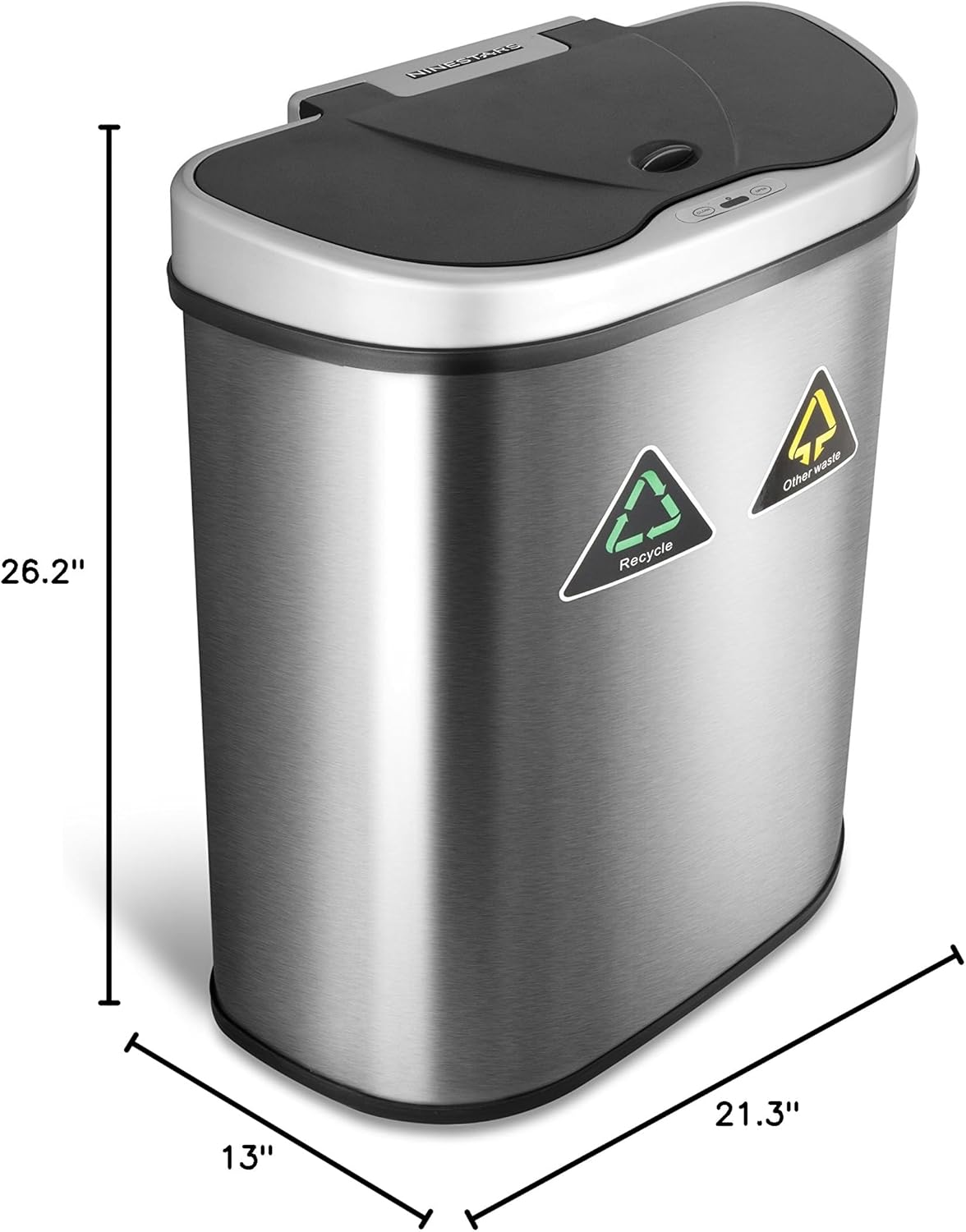
Figure 6: Product dimensions.
7. Warranty and Support
7.1 Warranty Information
This Ninestars product comes with a Hassle-Free Two-Year Warranty. This warranty covers manufacturing defects and ensures a straightforward process for defective parts.
7.2 Customer Support
For any questions, troubleshooting assistance, or warranty claims, please contact our dedicated customer service line. Refer to your product packaging or the official Ninestars website for contact details.


