
Introduction
This manual provides essential information for the safe and efficient use of your HP 1200W Cs B He Power Supply Kit. This hot-plug power supply is designed to deliver 1200 Watts of power with 94% efficiency, primarily for HP Proliant DL380 G7 and DL580 G7 servers. Please read this manual thoroughly before installation and operation.
Safety Information
Warning: Always disconnect power from the server before installing or removing the power supply. Failure to do so can result in personal injury or equipment damage.
- Ensure proper grounding to prevent electrical shock.
- Do not operate the power supply in wet or damp conditions.
- Only use the power supply with compatible HP server models as specified.
- Refer to your server's documentation for specific power supply bay instructions.
Package Contents
Verify that all components are present before proceeding with installation:
- HP 1200W Cs B He Power Supply Module (Model: 578322-B21)
- Documentation (this manual)
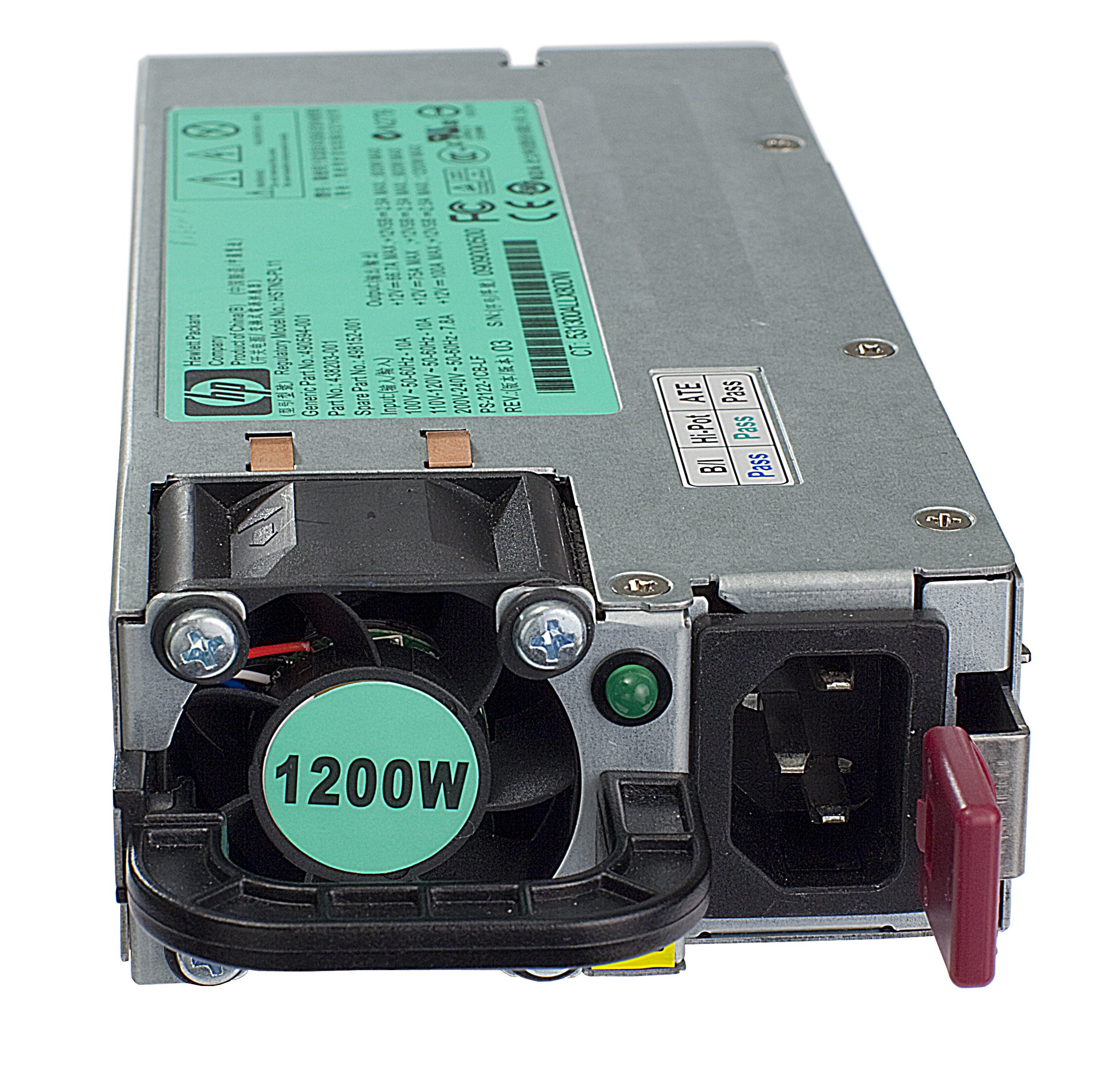
Figure 1: HP 1200W Cs B He Power Supply Kit module.
Setup and Installation
- Prepare the Server: Power down the server completely and disconnect all power cords from the power distribution unit (PDU) or wall outlet.
- Locate Power Supply Bay: Identify the empty or faulty power supply bay in your HP Proliant DL380 G7 or DL580 G7 server.
- Install the Power Supply: Grasp the handle of the new HP 1200W power supply. Align the module with the power supply bay and slide it in until it clicks securely into place. Ensure the module is fully seated.
- Connect Power: Reconnect the power cords to the server and the power source.
- Power On: Power on the server. The power supply status LED should indicate normal operation (typically green).
Operation
The HP 1200W Cs B He Power Supply operates automatically once installed and connected to a power source. It provides stable power to the server components. Hot-plug functionality allows for replacement without powering down the entire server, provided the server configuration supports it and sufficient redundant power is available.
Monitor the power supply status indicators on the server for proper operation. Refer to your server's documentation for specific LED interpretations.
Maintenance
- Cleaning: Periodically inspect the power supply and server ventilation areas for dust accumulation. Use compressed air to gently clean vents and fan inlets to ensure optimal airflow and cooling.
- Inspection: Check power cables for any signs of damage or wear. Ensure all connections are secure.
- Firmware: Keep server firmware updated, as power supply management may be integrated.
Troubleshooting
| Problem | Possible Cause | Solution |
|---|---|---|
| Power supply LED is off. | No power input; power supply not fully seated; power supply failure. | Check power cord connection. Ensure power supply is fully seated. Test with a known good power supply if available. |
| Server not powering on. | Insufficient power; power supply failure; other server component failure. | Verify power supply is correctly installed and receiving power. Check server diagnostics. |
| Power supply LED is amber/red. | Power supply fault; overcurrent/overvoltage condition. | Refer to server documentation for specific error codes. Replace power supply if faulty. |
Specifications
- Model Name: Cs B He
- Part Number: 578322-B21
- Brand: HP
- Device Type: Power supply - hot-plug
- Compatible Devices: HP Proliant DL380 G7, DL580 G7 servers
- Output Power: 1200 Watts (1.2 kW)
- Efficiency: 94%
- Form Factor: Plug-in Module (ATX)
- Cooling Method: Air
- Connector Type: Plug-in
- Item Dimensions (L x W x H): 7.38 x 10.38 x 16.31 inches
- Item Weight: 1.6 Kilograms
- UPC: 884962263549
Warranty and Support
For warranty information and technical support, please refer to the official HP website or contact HP customer service. Keep your purchase receipt and product serial number handy for faster service.
HP Support Website: www.hp.com/support

