1. Introduction
This manual provides essential information for the proper installation, function, and maintenance of the Briggs & Stratton 494439 Rotating Screen. This component is a genuine Original Equipment Manufacturer (OEM) replacement part designed to ensure the optimal performance and longevity of your outdoor power equipment engine.
Using genuine Briggs & Stratton parts helps maintain compliance with applicable EPA emission regulations and ensures your equipment operates as intended by the manufacturer.
2. Safety Information
Always observe the following safety precautions when working with engine components:
- Engine Off: Ensure the engine is completely off and cool before attempting any installation or maintenance.
- Disconnect Spark Plug: Disconnect the spark plug wire to prevent accidental starting.
- Wear Protective Gear: Use appropriate personal protective equipment, such as gloves and eye protection.
- Refer to Equipment Manual: Always consult your specific equipment's owner's manual for additional safety guidelines and detailed instructions.
- Proper Disposal: Dispose of old parts and fluids according to local regulations.
3. Product Overview
The Briggs & Stratton 494439 Rotating Screen is a critical component designed to protect the engine's cooling system and internal components from debris. It prevents grass clippings, dirt, and other foreign objects from entering the engine's air intake and cooling fins, which could lead to overheating and damage.
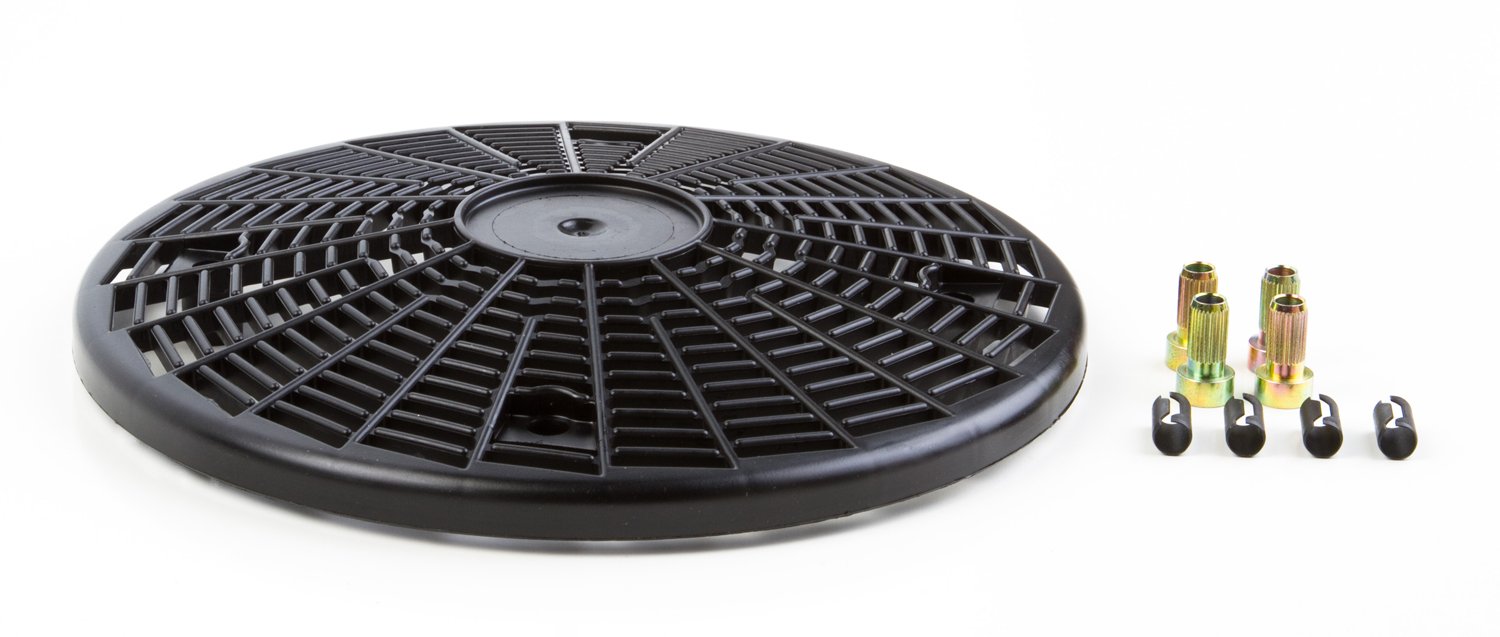
Figure 1: Briggs & Stratton 494439 Rotating Screen. This image displays the genuine OEM replacement part designed for engine protection.
This rotating screen replaces older Briggs & Stratton part numbers including 690749, 691055, 805723, 497417, 491793, 807566, 280829, and 224135.
4. Installation (Setup)
Follow these steps to install the Briggs & Stratton 494439 Rotating Screen:
- Prepare the Engine: Ensure the engine is turned off, cool, and the spark plug wire is disconnected.
- Locate Existing Screen: Identify the location of the old rotating screen on your engine. This is typically found near the flywheel or air intake area.
- Remove Old Screen: Carefully remove any fasteners (screws, clips) securing the old screen. Gently lift and remove the old screen. Note its orientation for correct installation of the new part.
- Clean Area: Clean any debris or dirt from the area where the screen mounts.
- Install New Screen: Position the new Briggs & Stratton 494439 Rotating Screen in place, ensuring it aligns correctly with the mounting points.
- Secure Screen: Reinstall any fasteners removed in step 3. Ensure the screen is securely attached and does not wobble. Note: Mounting screws are typically not included with the replacement screen and should be reused from the old part or purchased separately if damaged.
- Reconnect Spark Plug: Once the screen is securely installed, reconnect the spark plug wire.
- Test Operation: Start the engine and observe for proper function and any unusual noises.
5. Operation
The Briggs & Stratton 494439 Rotating Screen operates passively as part of the engine's cooling and air intake system. When the engine is running, the screen rotates, helping to shed light debris and prevent it from accumulating and blocking airflow. This continuous rotation ensures that the engine receives adequate cooling air and that vital components remain protected from larger foreign objects.
No direct user interaction is required for the operation of the rotating screen once installed correctly.
6. Maintenance
Regular inspection and cleaning of the rotating screen are crucial for maintaining engine performance and preventing overheating.
- Inspection Frequency: Inspect the rotating screen before each use or at least once a month, especially during periods of heavy use or in dusty/grassy environments.
- Cleaning:
- Ensure the engine is off and cool.
- Carefully remove any accumulated grass clippings, leaves, or other debris from the screen using a brush or compressed air.
- If the screen is heavily soiled, it may be necessary to remove it (refer to Section 4, "Installation") for a more thorough cleaning with mild soap and water. Ensure it is completely dry before reinstalling.
- Damage Check: Look for any cracks, bends, or missing sections on the screen. A damaged screen may not effectively protect the engine and should be replaced promptly.
7. Troubleshooting
If you encounter issues related to the rotating screen, consider the following:
- Engine Overheating: If the engine is overheating, check the rotating screen for excessive debris buildup. A clogged screen restricts airflow, leading to insufficient cooling. Clean the screen as described in the Maintenance section.
- Unusual Noises: Rattling or grinding noises from the screen area may indicate a loose or damaged screen. Inspect the mounting fasteners and the screen itself for integrity. Replace if damaged.
- Screen Not Rotating: If the screen is designed to rotate but is stationary, check for obstructions preventing its movement or damage to its mounting mechanism.
For persistent issues, consult a qualified service technician or refer to your engine's specific service manual.
8. Specifications
| Feature | Specification |
|---|---|
| Brand | Briggs & Stratton |
| Model Number | 494439 |
| Replaces Part Numbers | 690749, 691055, 805723, 497417, 491793, 807566, 280829, 224135 |
| Material | Plastic |
| Item Weight | 0.01 Ounces (approximately) |
| Product Dimensions | 10.8 x 10.3 x 3.2 inches (approximately) |
| Power Source | Manual (refers to the engine it's installed on) |
| Operation Mode | Automatic (once installed and engine is running) |
| Assembly Required | No (refers to the screen itself, installation is required) |
| UPC | 024847846041 |
9. Warranty and Support
As a genuine Briggs & Stratton part, this rotating screen is manufactured to exact OEM standards. For specific warranty information regarding genuine Briggs & Stratton replacement parts, please refer to the warranty documentation provided with your original engine or equipment, or visit the official Briggs & Stratton website.
For technical support or further assistance, please contact Briggs & Stratton customer service or an authorized service dealer. Using genuine parts ensures compatibility and performance as designed by the manufacturer.
Official Briggs & Stratton Website: www.briggsandstratton.com