Introduction
This manual provides detailed instructions for the replacement of the LCD display screen on KODAK EASYSHARE C743, C643, and C633 digital cameras. This replacement part is designed to restore functionality to cameras with damaged, faulty, or non-functional LCD screens. Please read all instructions carefully before proceeding with the installation.
Compatibility
This replacement LCD display screen is compatible with the following KODAK EASYSHARE digital camera models:
- KODAK EASYSHARE C743
- KODAK EASYSHARE C643
- KODAK EASYSHARE C633
Ensure your camera model matches one of the listed models to ensure proper fit and function.
Package Contents
Upon opening the package, verify that all components are present and undamaged. The standard package includes:
- 1x Replacement LCD Display Screen for KODAK EASYSHARE C743/C643/C633
Note: Some packages may include a basic repair tool kit. If not included, appropriate small screwdrivers and prying tools will be required for installation.
Safety Information
Please observe the following safety precautions during the repair process:
- Power Off: Always ensure the camera is powered off and the battery is removed before beginning any disassembly.
- Static Electricity: Work in a static-free environment to prevent damage to sensitive electronic components. Consider using an anti-static wrist strap.
- Small Parts: Keep track of all screws and small components. Work over a clean, well-lit surface, preferably with a white towel to easily spot dropped parts.
- Gentle Handling: Electronic components are delicate. Apply gentle force when prying or disconnecting parts. Do not force connections.
- Professional Assistance: If you are uncomfortable performing the repair, seek assistance from a qualified technician.
Installation Guide
This section outlines the general steps for replacing the LCD display screen. Specific disassembly procedures may vary slightly between camera models. It is recommended to search for model-specific disassembly guides or videos online for detailed visual assistance.
Required Tools (Not always included):
- Small Phillips head screwdriver
- Plastic prying tool (spudger)
- Tweezers (optional, for small connectors)
Step-by-Step Procedure:
- Prepare the Camera:
Ensure the camera is turned off. Remove the battery, memory card, and any external cables. Place the camera on a clean, well-lit, and stable surface.
- Locate and Remove Screws:
Carefully inspect the camera body for all visible screws, particularly around the edges, battery compartment, and under any rubber grips or stickers. Use the appropriate screwdriver to remove them. Keep screws organized, noting their original locations, as they may vary in size.
- Separate Camera Casing:
Gently use a plastic prying tool to separate the front and back casings of the camera. Start from a seam and work your way around. Be cautious of ribbon cables that may connect the two halves.
- Disconnect Old LCD:
Once the casing is open, locate the existing LCD display. It will be connected by one or more ribbon cables to the main circuit board. Carefully identify the connector type. Many connectors have a small black or brown clip that needs to be gently flipped up (or slid out) to release the ribbon cable. Do not pull on the cable itself.
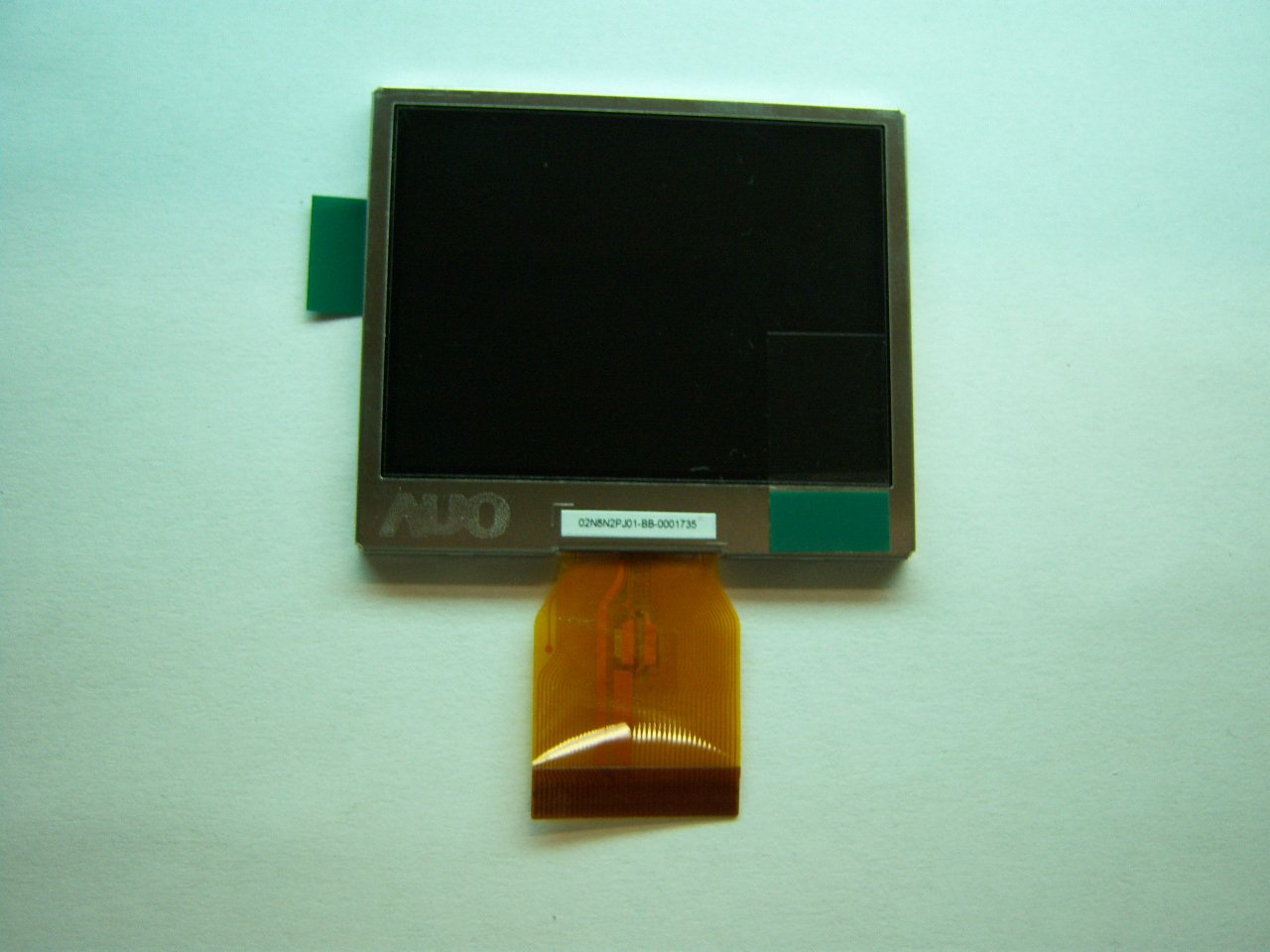
Image: The replacement LCD display screen. Note the ribbon cable for connection to the camera's main board.
- Remove Old LCD:
After disconnecting the ribbon cable(s), carefully remove the old LCD. It may be held in place by adhesive, small clips, or a frame.
- Install New LCD:
Position the new replacement LCD display screen into the camera's frame. Gently insert the ribbon cable(s) into the corresponding connector(s) on the main circuit board. Ensure the cable is fully seated, then carefully close the connector clip to secure it. Do not force the cable.
- Reassemble Camera:
Carefully align the camera casings and gently press them back together, ensuring no cables are pinched. Replace all screws in their original locations. Do not overtighten screws.
- Test Functionality:
Insert the battery and power on the camera. Verify that the new LCD display lights up and functions correctly. Test various camera modes to ensure full functionality.
For visual guides, search online for "KODAK EASYSHARE C743 LCD replacement" or similar terms on video platforms or repair websites.
Operation Verification
After successful installation, perform the following checks to ensure the new LCD is operating correctly:
- Power On: Turn on the camera. The LCD should illuminate and display the camera's interface.
- Image Display: Take a test photo or video. Review the captured media on the LCD to confirm clear image and video playback.
- Menu Navigation: Navigate through the camera's menu system to ensure all text and icons are displayed correctly and without distortion.
- Brightness/Contrast: If your camera has settings for LCD brightness or contrast, adjust them to ensure the display responds appropriately.
Maintenance
To ensure the longevity and optimal performance of your new LCD display:
- Cleaning: Use a soft, lint-free cloth, specifically designed for electronics, to gently wipe the screen. Avoid abrasive materials or harsh chemical cleaners.
- Protection: Consider applying a screen protector to prevent scratches and minor impacts.
- Storage: When not in use, store the camera in a protective case to prevent damage to the LCD.
- Avoid Pressure: Do not apply excessive pressure to the LCD screen, as this can cause internal damage.
Troubleshooting
If you encounter issues after installing the replacement LCD, refer to the following troubleshooting steps:
| Problem | Possible Cause | Solution |
|---|---|---|
| LCD does not light up or shows a blank screen. |
|
|
| Distorted image or lines on the screen. |
|
|
| Camera does not power on or lens extends partially then turns off. |
|
|
If troubleshooting steps do not resolve the issue, professional assistance may be required.
Specifications
| Feature | Detail |
|---|---|
| Product Type | Replacement LCD Display Screen |
| Compatibility | KODAK EASYSHARE C743, C643, C633 Digital Cameras |
| Manufacturer | KODAK (Replacement Part) |
| Color | Black (as part of camera assembly) |
| Model Number | C743 C643 C633 (referring to compatible camera models) |
Warranty and Support
This replacement part is typically covered by the retailer's return policy or a limited warranty from the seller. Please refer to your purchase documentation for specific warranty terms and conditions.
For technical support or inquiries regarding this replacement LCD, please contact the seller or the point of purchase. KODAK customer support may not provide direct assistance for third-party replacement parts.


