
Clatronic 263127
Clatronic KA 3327 Coffee Machine User Manual
Model: 263127
Important Safety Instructions
Please read these instructions carefully before using the appliance and keep them for future reference. Always observe the safety instructions when using electrical appliances.
- Do not immerse the appliance or its power cord in water or any other liquid.
- Ensure the voltage indicated on the appliance matches your local mains voltage.
- Keep the appliance out of reach of children.
- Unplug the appliance from the power outlet when not in use and before cleaning.
- Do not operate the appliance if the power cord or plug is damaged.
- Use the appliance only for its intended purpose, which is brewing coffee.
Product Overview
The Clatronic KA 3327 is a drip coffee machine designed for home or office use, featuring an insulated carafe to keep coffee warm for extended periods. It is a fully automatic operation with simple button controls.

Image: Front view of the Clatronic KA 3327 coffee machine, showing the water reservoir, filter basket area, and the insulated thermal carafe. Coffee beans and green leaves are arranged around the base.

Image: A person pouring coffee from the Clatronic KA 3327's insulated carafe into a mug. An inset shows a close-up of the aroma seal on the carafe lid, highlighting the double-walled thermal design.
Setup
- Unpacking: Carefully remove all packaging materials. Retain packaging for future storage or transport.
- First Use Cleaning: Before first use, clean all removable parts (carafe, filter basket) with warm soapy water. Wipe the exterior of the appliance with a damp cloth.
- Positioning: Place the coffee machine on a stable, level, and heat-resistant surface, away from water sources and direct heat.
- Power Connection: Ensure the appliance is unplugged. Plug the power cord into a suitable 230V electrical outlet.
- Initial Rinse Cycle: Fill the water reservoir with cold water up to the maximum level. Place an empty filter paper in the filter basket. Run a brewing cycle without coffee grounds to clean the internal components. Discard the water.
Operating Instructions
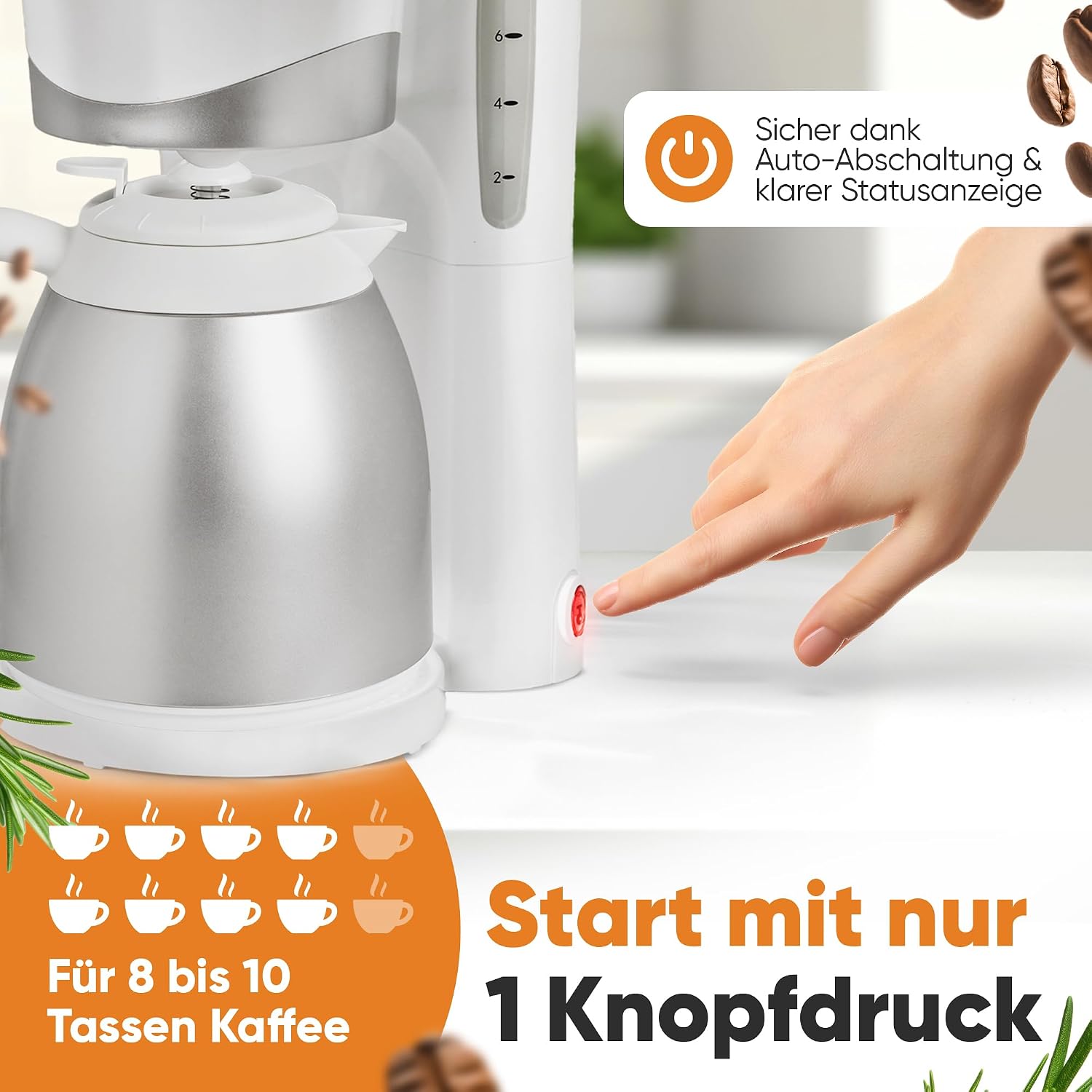
Image: Close-up of the Clatronic KA 3327 coffee machine showing the power button with an illuminated status indicator and the water level markings on the side, indicating capacity for 2 to 8 cups.
- Fill Water Reservoir: Open the lid of the water reservoir and fill it with fresh, cold water according to the desired number of cups. The water level indicator on the side helps with accurate measurement. The maximum capacity is 1 liter, suitable for 8 to 10 cups.
- Insert Filter: Place a standard paper filter (size 1x4 or similar, depending on model specifics) into the removable filter basket.
- Add Coffee Grounds: Add the desired amount of ground coffee into the filter. A general guideline is one tablespoon of coffee per cup, adjust to taste.
- Position Carafe: Ensure the insulated carafe is correctly placed on the warming plate, with its lid securely closed. The anti-drip feature prevents dripping when the carafe is removed during brewing.
- Start Brewing: Press the ON/OFF button. The indicator light will illuminate, signifying that the brewing process has started.
- Brewing Complete: Once all the water has passed through and the brewing cycle is complete, the appliance will automatically switch off. The insulated carafe will keep the coffee warm.
- Serve: Carefully remove the carafe and pour the freshly brewed coffee.

Image: The Clatronic KA 3327 coffee machine highlighting its anti-drip function and the removable filter basket for easy handling. The water level indicator is also visible.
Maintenance and Cleaning
Regular cleaning ensures optimal performance and extends the lifespan of your coffee machine.
- Daily Cleaning: After each use, unplug the appliance. Remove the filter basket and the carafe. Wash them with warm, soapy water and rinse thoroughly. Wipe the exterior of the coffee machine with a damp cloth. Do not use abrasive cleaners.
- Descaling: Depending on water hardness, descale the appliance regularly (e.g., every 2-4 weeks).
- Fill the water reservoir with a descaling solution (e.g., white vinegar and water in a 1:2 ratio, or a commercial descaler).
- Place an empty filter paper in the filter basket.
- Run a brewing cycle.
- After the cycle, let the solution sit in the carafe for 15-30 minutes.
- Discard the solution and rinse the carafe and filter basket thoroughly.
- Run 2-3 cycles with fresh, clean water to rinse out any remaining descaling solution.
- Storage: If storing the appliance for an extended period, ensure it is clean and dry. Store it in a cool, dry place.
Troubleshooting
| Problem | Possible Cause | Solution |
|---|---|---|
| Coffee does not brew. | Appliance not plugged in; power switch off; no water in reservoir. | Check power connection; turn on power switch; fill water reservoir. |
| Coffee tastes weak or too strong. | Incorrect coffee-to-water ratio; coffee grounds too coarse/fine. | Adjust coffee amount; use appropriate grind size for drip coffee. |
| Water overflows from filter basket. | Too much coffee grounds; filter clogged; carafe not positioned correctly. | Reduce coffee amount; replace filter; ensure carafe is fully seated. |
| Appliance makes unusual noise. | Mineral buildup (needs descaling). | Perform a descaling cycle. |
Specifications
- Brand: Clatronic
- Model: KA 3327 (Item model number: 263127)
- Type: Drip Coffee Machine
- Special Feature: Insulated Carafe
- Color: White
- Voltage: 230.0 V
- Operation Mode: Fully Automatic
- Capacity: 1 Liter (approx. 8-10 cups)
- Dimensions (L x W x H): 8.27 x 7.28 x 13.39 inches
- Item Weight: 4.05 pounds
- Included Components: Filter
- Filter Type: Paper
- GTIN: 04006160631272

Image: The Clatronic KA 3327 coffee machine with overlaid measurements indicating its dimensions: 17 cm (width), 34 cm (height), and 21 cm (depth).
Warranty and Support
For warranty information and customer support, please refer to the official Clatronic website or contact their customer service department. Keep your proof of purchase for warranty claims.
Manufacturer: Clatronic
For further assistance, please visit the Clatronic official website.
Ask a question about this manual
Ask about setup, troubleshooting, compatibility, parts, safety, or missing instructions. Manuals+ will review the question and use this page’s manual context to help answer it.