
Pyle PT8000CH
Pyle PT8000CH Multi-Zone Stereo Amplifier User Manual
Model: PT8000CH
1. Introduction
This user manual provides comprehensive instructions for the Pyle PT8000CH Multi-Zone Stereo Amplifier. It covers setup, operation, maintenance, and troubleshooting to ensure optimal performance and longevity of your device. The PT8000CH is an 8-channel home theater amplifier designed for high-powered audio control and multi-zone audio distribution.
Key features include 8-channel sound processing, integrated 4-channel bridgeable switches, front panel color LED graphic audio level display, independent channel rotary level control knobs, and gold-plated audio/speaker connectors. It is suitable for home theaters and multi-room audio control in various applications.
2. Important Safety Instructions
- Read all instructions carefully before operating the amplifier.
- Keep this manual for future reference.
- Do not expose the unit to rain or moisture.
- Ensure proper ventilation; do not block ventilation openings.
- Use only attachments/accessories specified by the manufacturer.
- Unplug the unit during lightning storms or when unused for long periods.
- Refer all servicing to qualified service personnel.
- Individual channels have built-in low impedance protection to prevent damage to speakers or the unit.
3. What's in the Box
- 1 x Pyle PT8000CH 8-Channel Amplifier
- 1 x Power Cable

4. Product Overview
4.1 Front Panel

The front panel features the main power button and a color LED graphic audio level display, allowing users to monitor audio levels visually.
4.2 Rear Panel

The rear panel provides all necessary connections for audio input, output, and speaker connections. It includes:
- Main Bus Input/Output: For connecting main audio sources and daisy-chaining to other amplifiers.
- Bridge Switch: Allows bridging two adjoining channels for higher power output.
- Level Control: Independent rotary knobs for adjusting the level of each channel.
- Input Selection: Switches for selecting between Bus/AUX input for each channel.
- Speaker Channel Output Binding Posts: 5-way binding posts (Banana Plug) for connecting speakers.
- Voltage Selector: Switchable 115/230V power input.
5. Setup
Proper setup is crucial for optimal performance and safety. Follow these steps carefully:
5.1 Placement
The PT8000CH is a 19-inch rack-mountable unit. Ensure it is placed in a well-ventilated area to prevent overheating. Avoid placing it near heat sources or in direct sunlight. Allow adequate space around the unit for airflow.

5.2 Power Connection
Before connecting the power cable, ensure the voltage selector on the rear panel is set to match your local power supply (115V or 230V). Connect the provided power cable to the AC input on the rear panel and then to a suitable wall outlet.
5.3 Audio Input Connections
Connect your audio sources (e.g., stereo receiver, CD/DVD player, TV) to the Bus Input or individual Channel Inputs on the rear panel using RCA cables. For multi-zone audio, you can use the Bus Input to distribute a single source to multiple channels, or use individual Channel Inputs for separate sources per channel.
5.4 Speaker Connections
Connect your speakers to the Speaker Channel Output Binding Posts. The amplifier supports 4-16 Ohm speakers. Ensure correct polarity (+ to + and - to -) for all speaker connections. For bridged mode operation, refer to the specific binding posts labeled "Bridged" for channels 1-2, 3-4, 5-6, and 7-8.

5.5 External Amplifier Linking (Daisy-Chaining)
The unit features a Pass-Through Output for external amplifier linking. This allows you to connect multiple PT8000CH units or other amplifiers to expand your audio system. Connect the Bus Output of one amplifier to the Bus Input of another.
6. Operating Instructions
6.1 Powering On/Off
Press the Master Power Button on the front panel to turn the amplifier ON or OFF. The LED display will illuminate when the unit is powered on.
6.2 Channel Configuration
Each channel can be configured for Left/Right/Mono output. Use the Input Selection switches on the rear panel to choose between Bus/AUX Input for each channel. The Bridge Switch allows combining two channels for a single, more powerful output.
6.3 Adjusting Volume Levels
Use the Independent Channel Rotary Level Control Knobs on the rear panel to adjust the volume for each individual channel. Monitor the Front Panel Color LED Graphic Audio Level Display to ensure optimal audio levels and prevent clipping.
For overall system volume control, it is recommended to adjust the volume from your audio source (e.g., receiver, media player) rather than constantly adjusting individual channel levels on the amplifier.
6.4 Multi-Room Audio
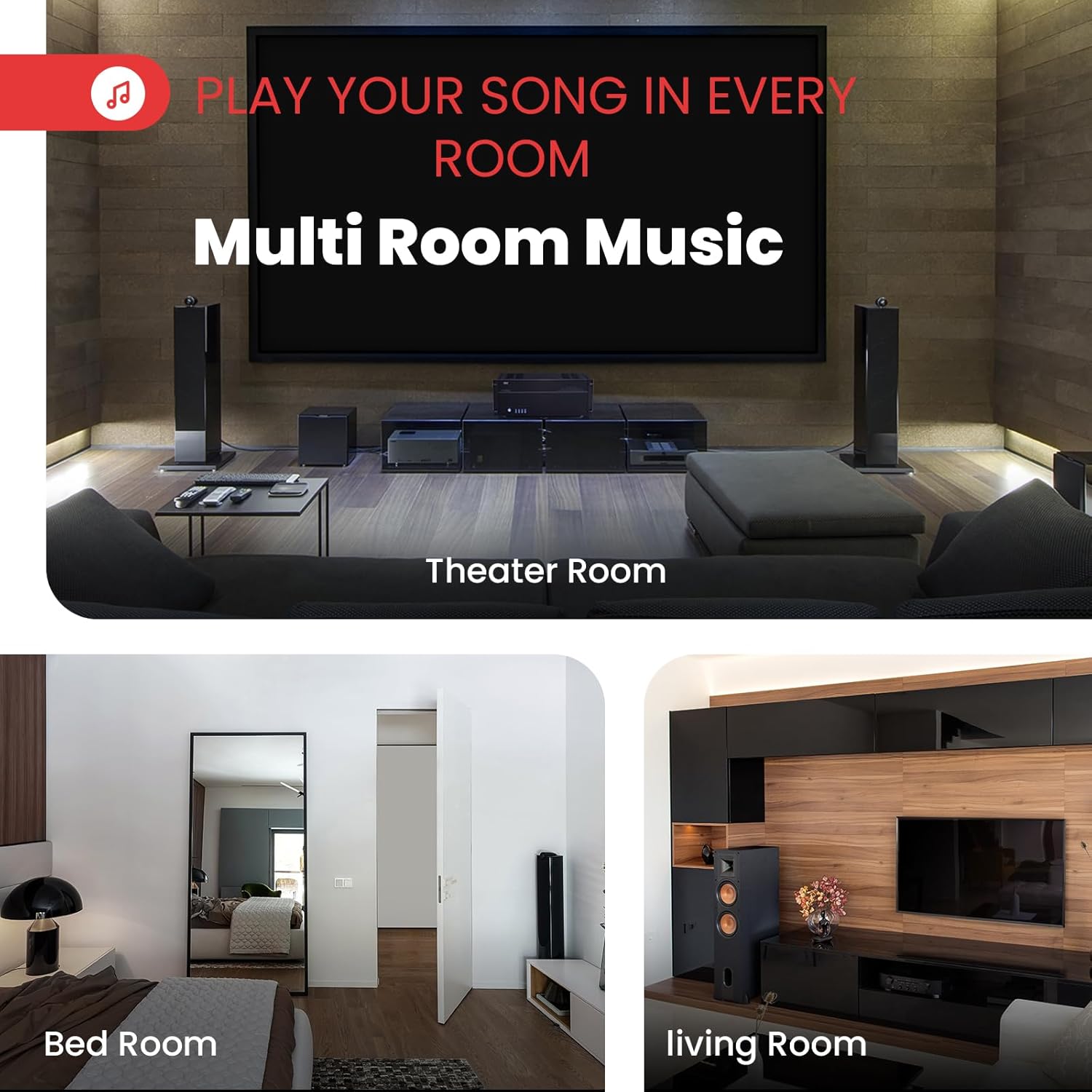
The PT8000CH is designed for multi-room audio distribution. By connecting speakers in different rooms to separate channels or zones, you can enjoy synchronized audio throughout your home or office. Use the Speaker Selector Volume Control features to manage audio in different areas.
7. Maintenance
- Cleaning: Use a soft, dry cloth to clean the exterior of the amplifier. Do not use liquid cleaners or aerosol cleaners.
- Ventilation: Regularly check that the ventilation openings are clear of dust and debris to ensure proper airflow and prevent overheating.
- Connections: Periodically check all cable connections to ensure they are secure and free from corrosion.
8. Troubleshooting
| Problem | Possible Cause | Solution |
|---|---|---|
| No power | Power cable not connected; Power outlet faulty; Voltage selector incorrect. | Ensure power cable is securely connected. Try a different outlet. Verify voltage selector matches local supply. |
| No sound output | Input source not connected; Speaker wires loose or incorrect polarity; Channel level too low; Input selection incorrect. | Check audio input connections. Verify speaker wire connections and polarity. Increase channel level. Ensure correct input selection (Bus/AUX). |
| Distorted sound | Input signal too high; Speaker impedance mismatch; Faulty speaker or cable. | Reduce input signal level. Ensure speakers are within 4-16 Ohm range. Check speaker and cable integrity. |
| Unit overheats | Insufficient ventilation; Overloaded channels. | Ensure adequate space around the unit for airflow. Reduce load or bridge channels appropriately. |
| Clicking noises or ground feedback | Ground loop issue; Interference from other devices. | Try plugging the unit into a different circuit than your main amplifier. Ensure all components are properly grounded. |
If problems persist after attempting these solutions, please contact Pyle customer support for assistance.
9. Specifications
| Feature | Detail |
|---|---|
| Power Output | 8-Ch. x 1000 Watt MAX (8000 Watts Total) |
| Rack Mountable | 4U Rack Space |
| Power Supply | 115/230V Switchable (DC 12-15V) |
| Dimensions (W x D x H) | 19.0'' x 19.3'' x 7.1'' |
| Weight | 48.5 lbs. (22 kg) |
| Channels | 8-Channel (4-Ch. Bridgeable Switches) |
| Speaker Impedance | 4-16 Ohm |
| Connectors | Gold-Plated Audio/Speaker Connectors, 5-Way Speaker Binding Posts (Banana Plug) |
| Special Features | Multi-Zone Audio Source Control, LED Audio Level Display, Independent Channel Level Control, Pass-Through Output, Protection & Overload Circuitry |
10. Warranty and Support
For warranty information and technical support, please refer to the official Pyle website or contact their customer service department. Keep your purchase receipt as proof of purchase for any warranty claims.
Pyle Customer Support: Visit PyleUSA.com/contactus.html
Product Documents: Additional documents, including a PDF user manual and certificate of compliance, may be available on the product's Amazon page or the manufacturer's website.
Related documentsPT8000CH


Ask a question about this manual
Ask about setup, troubleshooting, compatibility, parts, safety, or missing instructions. Manuals+ will review the question and use this page’s manual context to help answer it.