
1. Introduction
This manual provides comprehensive instructions for the installation, operation, and maintenance of your LUX Pro PSD010B Mechanical Non-Programmable Thermostat. This thermostat is designed for use with 1 Heat Only systems, including fireplaces, stoves, and in-floor radiant heating. It does not require a fan switch and is battery-powered for reliable operation.

Image 1.1: Front view of the LUX Pro PSD010B Thermostat, displaying a temperature of 72 degrees Fahrenheit on its digital screen, along with up and down arrow buttons for temperature adjustment.
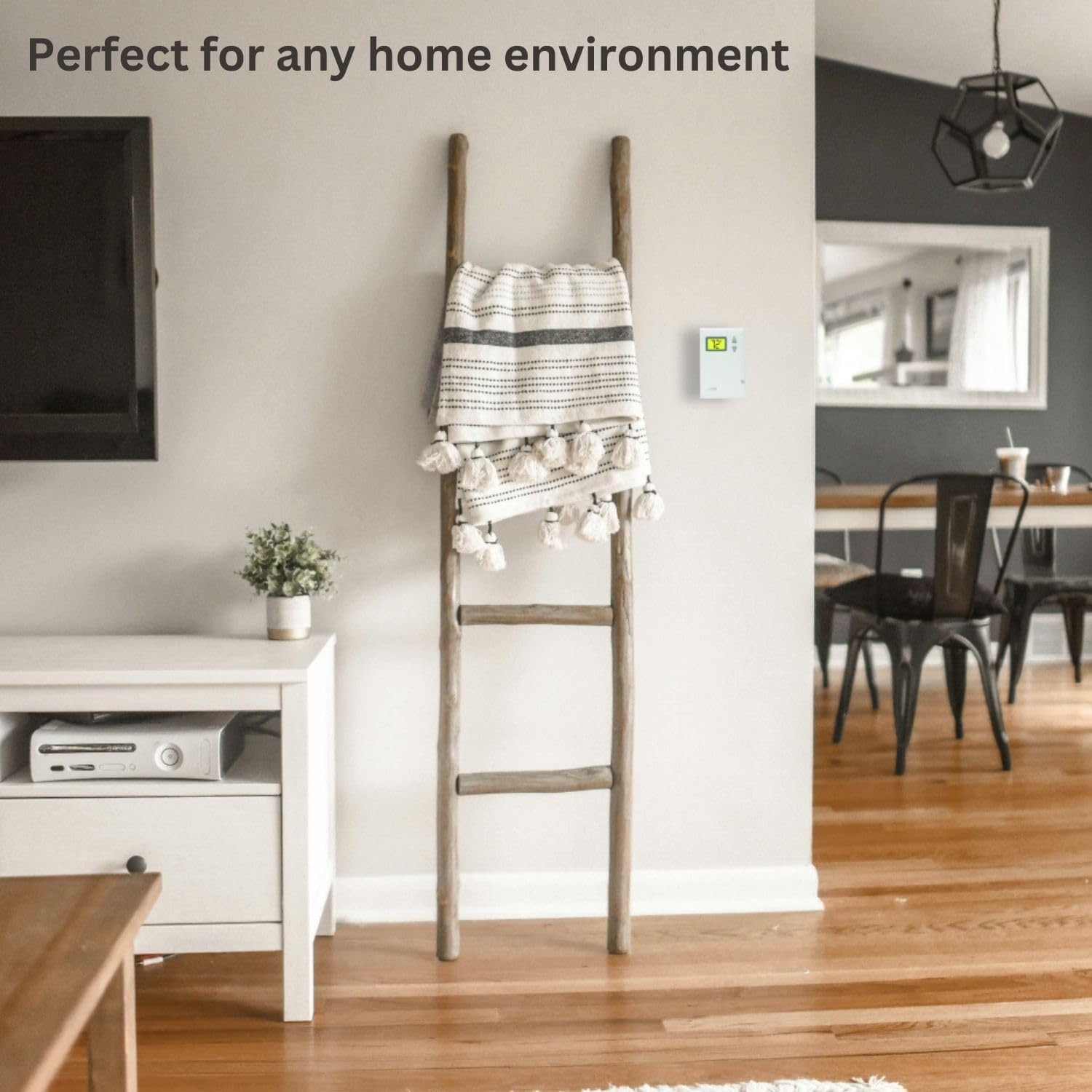
Image 1.2: The LUX Pro PSD010B Thermostat mounted on a wall in a contemporary living room, demonstrating its discreet integration into a home environment.
2. Safety Information
- Always turn off power to the heating system at the main fuse or circuit breaker panel before installing or servicing the thermostat.
- This thermostat is designed for low voltage (24V) heating systems or millivolt systems. Do not use with line voltage (120V/240V) systems.
- Ensure all wiring connections are secure and comply with local electrical codes.
- Dispose of batteries according to local regulations. Do not incinerate batteries.
3. Package Contents
Verify that your package contains the following items:

Image 3.1: Visual representation of the items included in the product box: the PSD010B thermostat, two AA LR6 batteries, two ST screws, two wall anchors, and wire labels.
- LUX Pro PSD010B Thermostat
- 2 AA LR6 Batteries
- 2 Mounting Screws (ST screws)
- 2 Wall Anchors
- Wire Labels
- Instruction Manual (this document)
4. Installation
4.1 Pre-Installation Checklist
- Ensure your heating system is compatible (see Section 6: System Compatibility).
- Gather necessary tools: Phillips screwdriver, wire strippers (if needed), drill (if installing wall anchors).
- Turn off power to your heating system at the circuit breaker or fuse box.
4.2 Removing Your Old Thermostat
- Turn off the power to your heating system.
- Remove the cover of your old thermostat.
- Note the wire connections. This thermostat is designed for 2-wire heat-only systems. Label the wires (e.g., R and W) using the provided wire labels.
- Disconnect the wires and remove the old thermostat base from the wall.
4.3 Mounting the New Thermostat
- Separate the front cover from the thermostat base.
- Position the thermostat base on the wall where the old thermostat was located. Ensure it is level.
- Mark the mounting holes. If new holes are required, drill pilot holes and insert wall anchors if mounting into drywall.
- Secure the thermostat base to the wall using the provided screws.
4.4 Wiring
The PSD010B is compatible with 2-wire heat-only systems. Connect the wires from your heating system to the terminals on the thermostat base. Typically, these are R (power) and W (heat call) wires. Ensure connections are tight.
4.5 Battery Installation
- Insert the two AA batteries into the battery compartment on the back of the thermostat, observing the correct polarity (+/-).
- Snap the front cover onto the thermostat base.
- Restore power to your heating system at the main fuse or circuit breaker panel.
5. Operation
5.1 Display and Controls Overview
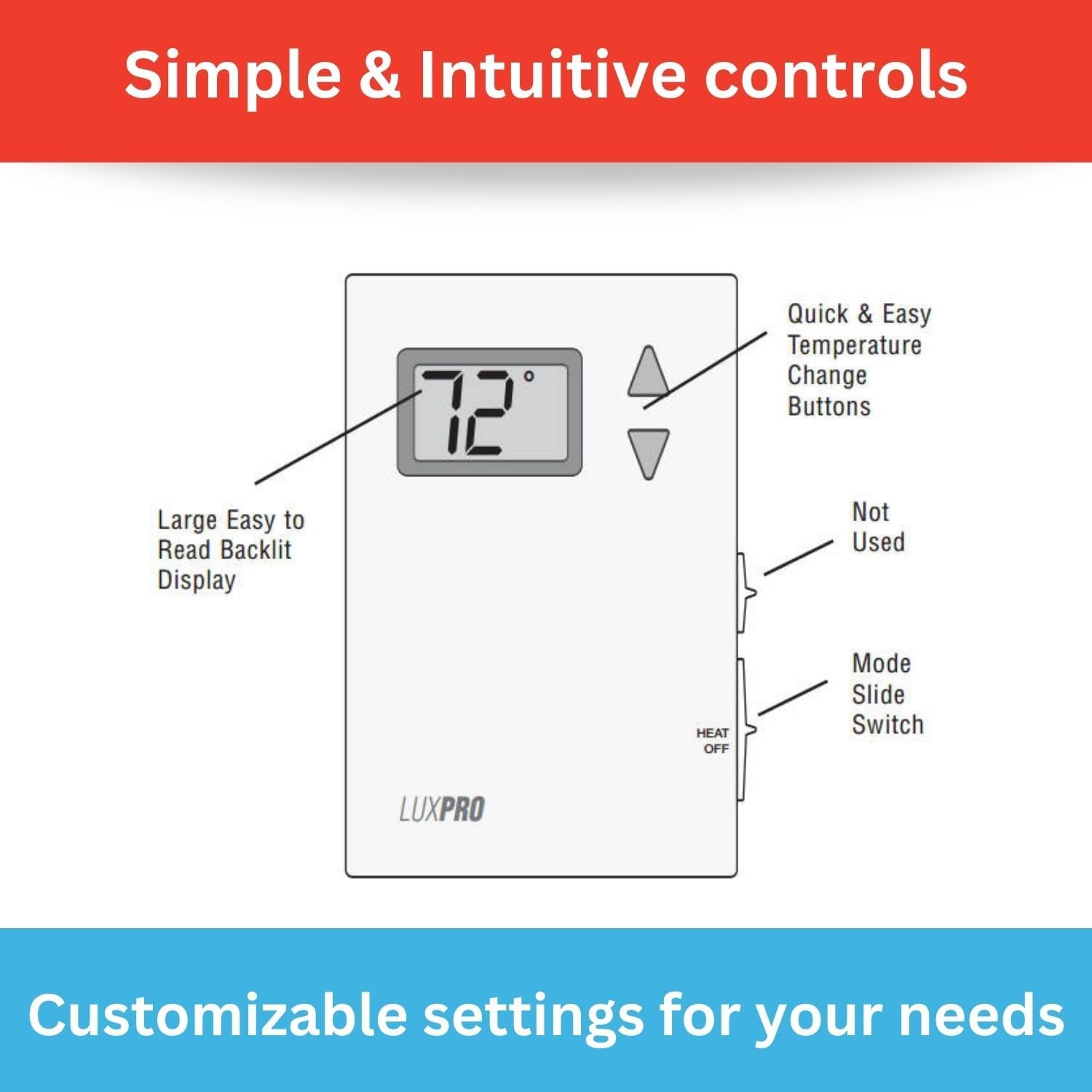
Image 5.1: Diagram illustrating the controls of the LUX Pro PSD010B Thermostat, highlighting the large backlit display, quick and easy temperature change buttons (up/down arrows), and the Heat/Off mode slide switch on the side.
- Digital Display: Shows the current room temperature and the set temperature. It is backlit for easy reading.
- Up/Down Buttons: Used to adjust the desired temperature setting.
- Mode Slide Switch: Located on the side of the thermostat. Select 'HEAT' for heating operation or 'OFF' to turn the system off.
5.2 Setting the Temperature
To adjust the desired temperature, use the Up or Down arrow buttons. The display will show the set temperature as you adjust it, then revert to showing the current room temperature after a few seconds. The thermostat will automatically activate your heating system when the room temperature falls below your set temperature.
5.3 Mode Selection
Use the slide switch on the side of the thermostat to select the operating mode:
- HEAT: The thermostat will control your heating system to maintain the set temperature.
- OFF: The heating system will remain off.
5.4 Fahrenheit/Celsius Selection
The thermostat allows selection between Fahrenheit and Celsius temperature display. Refer to the detailed specifications or the full manual for instructions on how to switch this setting, typically involving a button combination or a switch on the circuit board.
5.5 Adjustable Temperature Limits
The thermostat features adjustable temperature limits, allowing you to set a minimum and maximum temperature range. This prevents the temperature from being set too high or too low. Consult the full manual for instructions on how to configure these limits.
6. System Compatibility
The LUX Pro PSD010B thermostat is designed for specific heating systems. Please review the compatibility information below before installation.

Image 6.1: A chart detailing the system compatibility of the LUX Pro PSD010B Thermostat. It is compatible with 2-wire Hydronic (Hot Water), 750 Millivolt, and Gas Fireplaces (24V). It is not compatible with Heat Pump Multistage, Radiant Ceiling Heat, Electric Baseboards, Heat Pump w/ Auxiliary Heat, Portable space heaters, 3-wire Hydronic (Hot Water), Gas/Oil/Electric Furnace - Multistage, Cool Multistage, Cooling only, Plug-in air conditioners, Heat Pump w/o Auxiliary Heat, Gas/Oil/Electric Furnace - Heating only, and Gas/Oil/Electric Furnace - Single Stage.
Compatible Systems (Heat Only - 24V or Millivolt)
- 2-wire Hydronic (Hot Water) systems
- 750 Millivolt systems (e.g., gas fireplaces, floor furnaces)
- Gas Fireplaces (24V)
Not Compatible With
- Heat Pump Multistage systems
- Radiant Ceiling Heat
- Electric Baseboards
- Heat Pump with Auxiliary Heat
- Portable space heaters
- 3-wire Hydronic (Hot Water) systems
- Gas/Oil/Electric Furnace - Multistage
- Cool Multistage systems
- Cooling only systems
- Plug-in air conditioners
- Heat Pump without Auxiliary Heat
- Gas/Oil/Electric Furnace - Heating only (if it requires a fan control)
- Gas/Oil/Electric Furnace - Single Stage (if it requires a fan control)
7. Maintenance
7.1 Battery Replacement
The thermostat is powered by two AA batteries. When the battery power is low, a low battery indicator will appear on the display. Replace batteries annually or when the low battery indicator appears to ensure continuous operation.
- Gently pull the bottom of the thermostat cover forward to release it from the base.
- Remove the old AA batteries.
- Insert two new AA alkaline batteries, ensuring correct polarity.
- Snap the cover back onto the thermostat base.
7.2 Cleaning
Clean the thermostat's exterior with a soft, damp cloth. Do not use abrasive cleaners or solvents. Avoid spraying liquids directly onto the thermostat.
8. Troubleshooting
| Problem | Possible Cause | Solution |
|---|---|---|
| No display or blank screen | Dead or incorrectly installed batteries | Replace batteries with new AA alkaline batteries, ensuring correct polarity. |
| Heating system not turning on |
|
|
| Inaccurate temperature reading | Thermostat located near heat source/draft, or internal sensor issue. | Ensure thermostat is not exposed to direct sunlight, drafts, or heat sources. If problem persists, contact support. |
9. Specifications

Image 9.1: A detailed list of features for the LUX Pro PSD010B Thermostat, including digital, non-programmable operation, battery power, temperature range of 40°F to 90°F, clean design, large backlit display, easy installation, F/C selectable display, 5-minute minimum run/off time, and adjustable temperature stop.
- Model: PSD010B
- Type: Mechanical, Non-Programmable
- System Compatibility: 1 Heat Only (2-wire Hydronic, 750 Millivolt, 24V Gas Fireplaces)
- Power Source: 2 AA Batteries (included)
- Temperature Range: 40°F to 90°F (4°C to 32°C)
- Display Type: Digital, Backlit LCD
- Control Type: Button Control (Up/Down arrows), Slide Switch (Heat/Off)
- Dimensions: 1.13"D x 5"W x 3.5"H
- Item Weight: 0.4 Pounds (6.4 ounces)
- Voltage: 24 Volts (compatible with millivolt systems)
- Material: Plastic
- Mounting Type: Wall Mount
- UPC: 021079070107
10. Warranty and Support
The LUX Pro PSD010B Thermostat comes with a 5-Year Limited Warranty, ensuring reliable performance and peace of mind. For warranty claims, technical assistance, or further inquiries, please refer to the contact information provided with your product packaging or visit the official LUX website.

Image 10.1: The LUX Pro PSD010B Thermostat displayed with icons highlighting its key features: a backlit display, adjustable temperature limits, battery-only power, and a 5-year limited warranty.


