
1. Introduction
The Nikon D3S is a professional-grade 12.1-megapixel FX-format Digital SLR camera designed for photographers whose assignments demand exceptional performance and reliability. Engineered for demanding use, it offers uncompromising multimedia versatility, high-speed continuous shooting, and superior low-light capabilities.
This manual provides essential information for setting up, operating, and maintaining your D3S camera to ensure optimal performance and longevity.

Figure 1.1: Front view of the Nikon D3S camera body with lens mount cap.
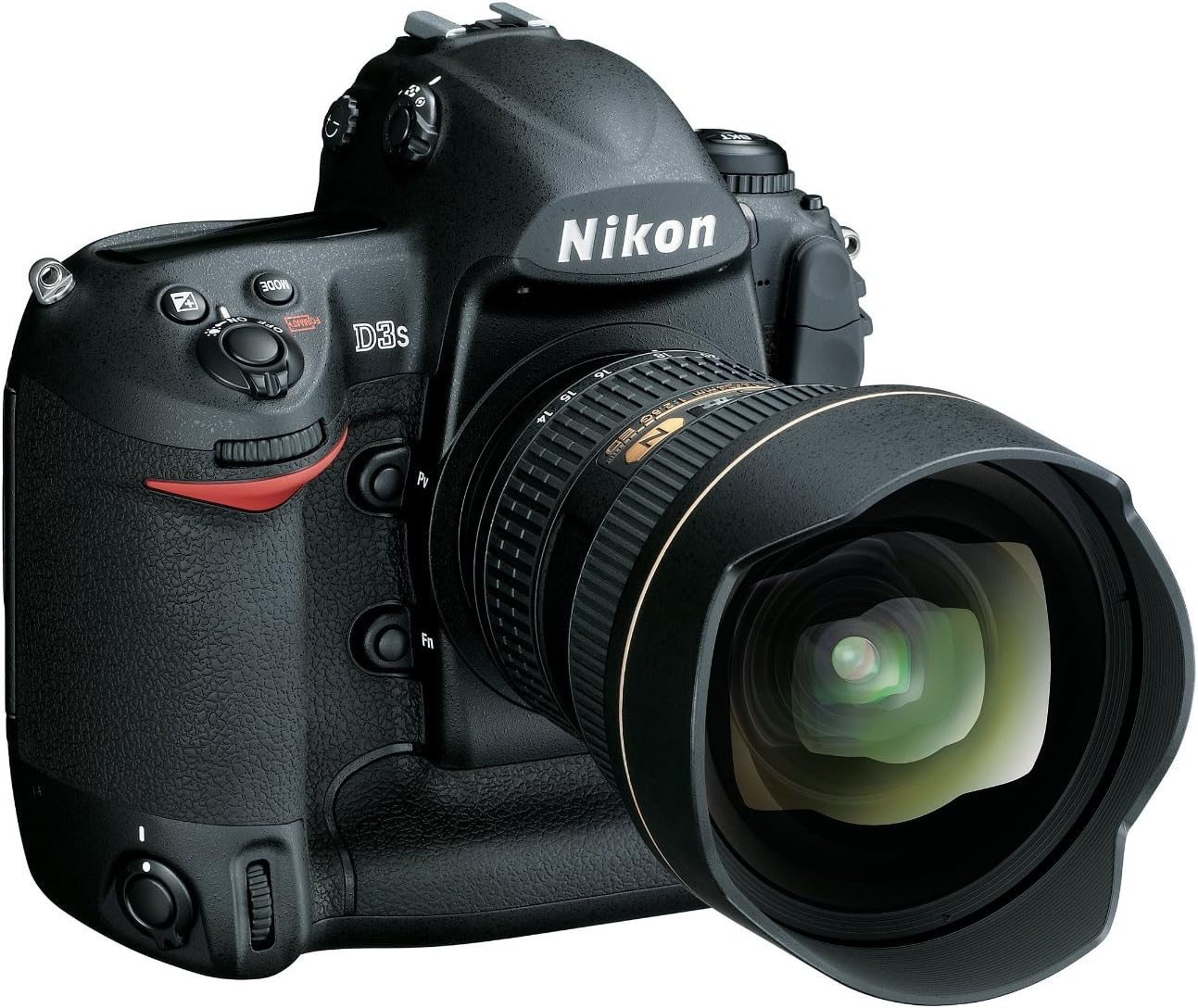
Figure 1.2: Angled view of the Nikon D3S camera with a wide-angle lens attached.
2. Setup
2.1. Unpacking and Initial Inspection
Carefully unpack all components and verify that all items listed in the 'What's in the Box' section are present. Inspect the camera and accessories for any signs of damage.
2.2. Attaching the Strap
Securely attach the camera strap to the strap lugs on both sides of the camera body. Ensure it is firmly fastened to prevent accidental drops.
2.3. Charging and Inserting the Battery
- Charge the EN-EL4a Lithium-Ion rechargeable battery using the supplied charger until the charge indicator shows full.
- Open the battery chamber cover on the bottom of the camera.
- Insert the charged battery into the chamber, ensuring correct orientation, and close the cover securely.
2.4. Inserting Memory Cards
The D3S features dual CompactFlash (CF) card slots. These slots support UDMA for high-speed data transfer.
- Open the memory card slot cover on the side of the camera.
- Insert the CF card(s) into the slot(s) with the correct orientation until they click into place.
- Close the memory card slot cover.
2.5. Attaching a Lens
The Nikon D3S uses the Nikon F (FX) mount. Ensure your lens is compatible.
- Remove the body cap from the camera and the rear lens cap from the lens.
- Align the mounting mark on the lens with the mounting mark on the camera body.
- Rotate the lens counter-clockwise until it clicks into place.
3. Operating the Camera
3.1. Powering On/Off
To power on the camera, rotate the power switch around the shutter-release button to the 'ON' position. To power off, rotate it to 'OFF'.
3.2. Basic Photography Modes
The D3S offers various shooting modes accessible via the mode dial:
- P (Programmed Auto): Camera sets shutter speed and aperture for optimal exposure.
- S (Shutter-Priority Auto): You set shutter speed, camera sets aperture. Ideal for controlling motion.
- A (Aperture-Priority Auto): You set aperture, camera sets shutter speed. Ideal for controlling depth of field.
- M (Manual): You control both shutter speed and aperture.
3.3. Autofocus System
The D3S features a fast and accurate 51-point AF system with 4 Dynamic modes and 15 cross-type sensors, ensuring precise focus even with fast-moving subjects.

Figure 3.1: Rear view of the Nikon D3S, showing the 3.0-inch LCD monitor and control buttons.
3.4. ISO Sensitivity
The camera offers a native ISO sensitivity range of 200 to 12,800, with expanded settings available from ISO 100 (Lo 1) to an astounding ISO 102,400 (Hi 3 equivalent). This allows for excellent image quality in diverse lighting conditions, particularly in low light.
3.5. Continuous Shooting
Capture fast-paced action with continuous shooting speeds of up to 9 frames per second (FPS). The expanded buffer allows for continuous capture of up to 82 JPEG (fine) or 36 14-bit NEF (RAW) images.
3.6. HD Video Capture
Record smooth 720p HD video at 24 frames per second. The D3S includes a built-in microphone for audio recording, with support for an external microphone for higher fidelity stereo sound.
3.7. Live View
Activate Live View with a dedicated button. Two shooting modes are available: Tripod Mode (offers 27x magnification for precise focus) and Handheld Mode.

Figure 3.2: Top view of the Nikon D3S, highlighting the mode dial and various control buttons.
4. Maintenance
4.1. Sensor Cleaning
The D3S features a Dynamic Integrated Dust Reduction System, which uses an ultrasonic process to combat dust accumulation on the optical low-pass filter. This can be activated via the camera's menu system.
4.2. Cleaning the Camera Body and Lens
- Use a soft, lint-free cloth to clean the camera body. For stubborn dirt, slightly dampen the cloth with water.
- For lenses, use a lens brush to remove dust, then a lens cleaning solution and a microfiber cloth. Avoid touching the lens surface with your fingers.
4.3. Battery Care
- Store batteries in a cool, dry place when not in use.
- Avoid fully discharging the battery regularly to prolong its lifespan.
- If storing for extended periods, charge the battery to about 50% capacity.
5. Troubleshooting
5.1. Camera Not Powering On
- Ensure the battery is fully charged and correctly inserted.
- Check the battery contacts for dirt or corrosion.
5.2. Autofocus Issues
- Verify the lens is securely attached and the AF/MF switch on the lens (if applicable) is set to AF.
- Ensure sufficient light for the autofocus system to operate effectively.
- Clean the lens and camera sensor if dust is interfering with focus.
5.3. Image Quality Concerns
- Check ISO settings; high ISO can introduce noise.
- Ensure correct exposure settings (aperture, shutter speed).
- Clean the lens and sensor if spots or smudges appear on images.
For further assistance, please refer to the Nikon support website or contact customer service.
6. Specifications
| Feature | Detail |
|---|---|
| Sensor Type | CMOS, Full Frame (35mm) |
| Photo Sensor Resolution | 12.1 MP |
| ISO Sensitivity | Native: 200-12,800; Expanded: 100-102,400 (equivalent) |
| Continuous Shooting | Up to 9 FPS |
| Autofocus Points | 51 |
| Video Resolution | HD 720p |
| LCD Screen Size | 3 Inches |
| LCD Resolution | 921,000 dots |
| Storage | Dual Compact Flash (Type I or II) x 2, UDMA |
| Battery Type | Lithium-Ion EN-EL4a rechargeable battery |
| Battery Life | Up to 4,300 images per charge |
| Compatible Mountings | Nikon F (FX) |
| Item Weight | 2.73 Pounds |
7. What's in the Box
The Nikon D3S (Body Only) package typically includes:
- Nikon D3S Camera Body
- EN-EL4a Lithium-Ion Rechargeable Battery
- Battery Charger
- Body Cap
- Eyepiece Cap
- USB Cable
- Strap
- User Manual (this document)
Note: Lenses and CompactFlash (CF) cards are sold separately.
8. Warranty and Support
8.1. Product Warranty
Your Nikon D3S camera is covered by a limited warranty. Please refer to the warranty card included in your product packaging for specific terms, conditions, and duration of coverage. Keep your proof of purchase for warranty claims.
8.2. Customer Support
For technical assistance, service, or additional information, please visit the official Nikon support website or contact Nikon customer service in your region. Online resources often include FAQs, software downloads, and detailed guides.
Visit the Nikon Store for more products and accessories.


