
1. Introduction
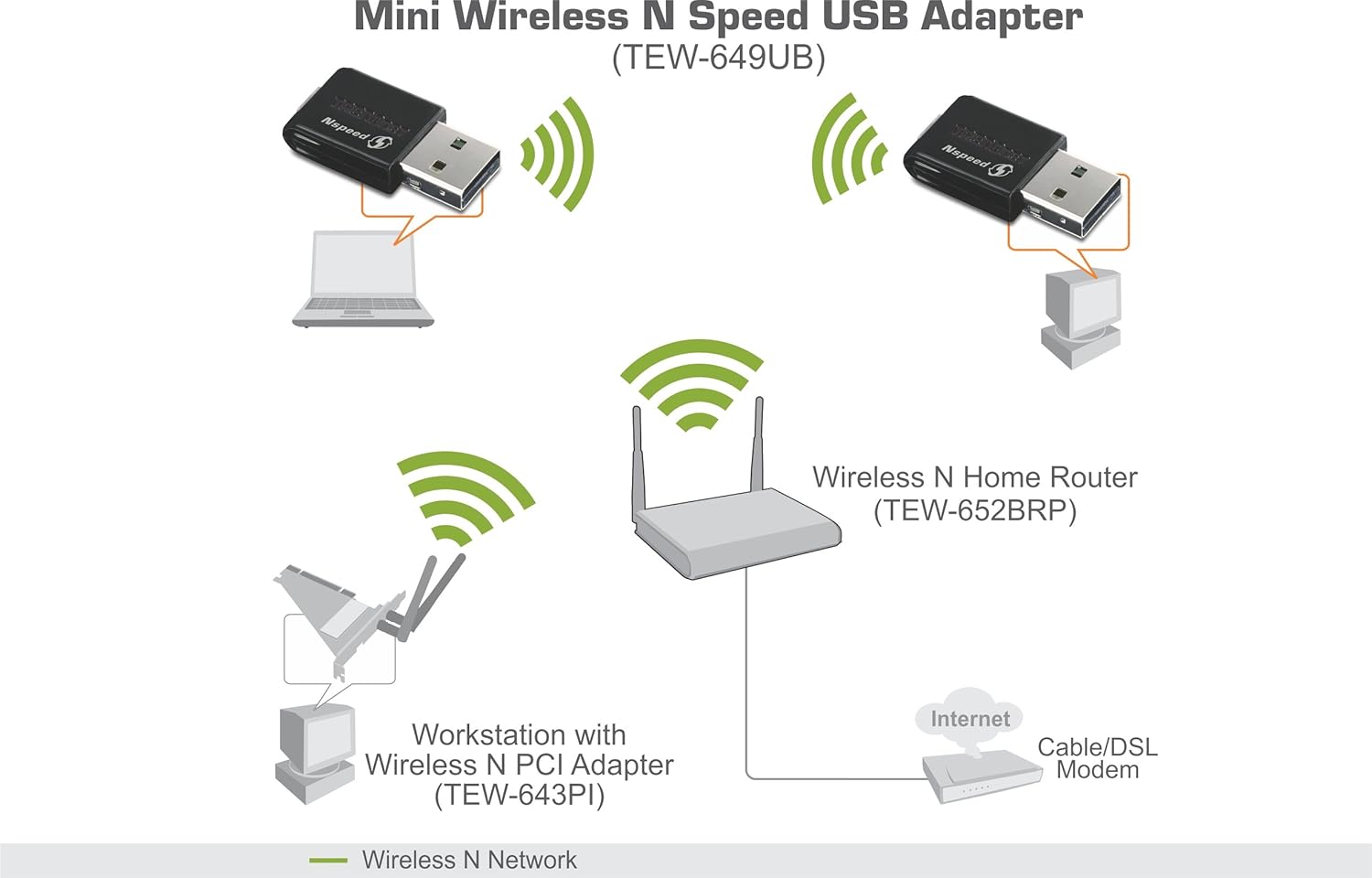
The TRENDnet TEW-649UB Mini Wireless N 150 Mbps USB 2.0 Adapter provides high-speed wireless connectivity for your laptop or desktop computer. Its ultra-compact design allows for discreet integration, offering enhanced speed and coverage compared to older wireless G standards. This manual provides essential information for setting up, operating, and maintaining your adapter.

2. Package Contents
Verify that your package contains the following items:
- TEW-649UB Mini Wireless N 150 Mbps USB 2.0 Adapter
- CD-ROM (containing Utility and Driver)
- Multi-Language Quick Installation Guide
3. Key Features
- Ultra-Compact Design: Slightly larger than a US quarter, minimizing protrusion when plugged in.
- Wireless N Speed: Connects at up to 150 Mbps, offering faster data transfer rates than Wireless G.
- Extended Coverage: Provides up to 4 times the coverage of Wireless G technology.
- Wi-Fi Protected Setup (WPS): One-touch setup for secure and easy connection to a wireless network.
- MIMO Antenna Technology: Utilizes Multiple Input Multiple Output technology for improved range and reduced dead spots.
- Wi-Fi Multimedia (WMM) Quality of Service (QoS): Prioritizes important data traffic such as video streaming, online gaming, and voice calls.
- Advanced Wireless Encryption: Supports WPA2-PSK for secure data transmission.
- Broad Compatibility: Compatible with IEEE 802.11a/b/g/n standards and various operating systems including Windows 7, Vista, XP, 2000, and Mac OS X.

4. Setup and Installation
Follow these steps to install and set up your TRENDnet TEW-649UB adapter:
- Install Drivers: Before plugging in the adapter, insert the included CD-ROM into your computer's optical drive and follow the on-screen instructions to install the utility and drivers. Alternatively, download the latest drivers from the official TRENDnet website.
- Insert Adapter: Once the drivers are installed, plug the TEW-649UB adapter into an available USB 2.0 port on your laptop or desktop computer.
- Connect to Network (WPS Method):
- Press the WPS button on your compatible wireless router.
- Within two minutes, press the WPS button on the TEW-649UB adapter.
- The adapter will automatically connect to your wireless network without requiring manual password entry.
- Connect to Network (Manual Method): If your router does not support WPS or you prefer manual setup, use the installed utility to scan for available wireless networks, select your network, and enter the security key (password) when prompted.

Setup Demonstration Video
Official TRENDnet product spotlight video demonstrating the features and simple WPS setup process for the TEW-649UB Mini Wireless N USB Adapter.
5. Operation
Once successfully installed and connected to a wireless network, the TRENDnet TEW-649UB adapter operates automatically to provide internet and network access. The adapter's internal antennas and MIMO technology work to maintain a stable and fast connection. The Wi-Fi Multimedia (WMM) Quality of Service (QoS) feature intelligently prioritizes network traffic, ensuring smooth performance for bandwidth-intensive applications like video streaming, online gaming, and VoIP calls, even when multiple devices are active on the network.
6. Technical Specifications
| Model Number | TEW-649UB |
| Brand | TRENDnet |
| Hardware Interface | USB 2.0 |
| Data Transfer Rate | 150 Megabits Per Second |
| Compatible Devices | Desktop, Laptop |
| Compatible Operating Systems | Windows (7, Vista, XP, 2000), Mac OS X |
| Product Dimensions | 10.5 x 8.5 x 2.5 inches |
| Item Weight | 8.5 ounces |
| UPC | 777786396527, 710931600674 |
7. Troubleshooting
- No Connection After Plugging In: Ensure drivers are installed before inserting the USB adapter. If you plugged it in first, unplug it, install the drivers, then re-insert the adapter.
- Slow Connection Speed:
- Check the distance between the adapter and your wireless router. Obstacles like walls and large appliances can reduce signal strength.
- Verify that your router is configured for Wireless N mode for optimal performance.
- Ensure there are no other devices causing interference on the same frequency band.
- WPS Connection Fails: Make sure both the router's WPS button and the adapter's WPS button are pressed within the specified time frame (usually 2 minutes). If issues persist, try the manual connection method.
- Adapter Not Recognized: Reinstall the drivers from the CD-ROM or the latest version from the TRENDnet website. Try a different USB port on your computer.
- Intermittent Connectivity: Update your router's firmware to the latest version. Ensure the adapter's drivers are up to date.
8. Warranty Information
The TRENDnet TEW-649UB Mini Wireless N 150 Mbps USB 2.0 Adapter comes with a generous 3-year limited warranty. Please refer to the warranty card included in your package or visit the official TRENDnet website for full terms and conditions.
9. Customer Support
For further assistance, technical support, or to download the latest drivers and firmware, please visit the official TRENDnet website:
You may also refer to the Quick Installation Guide provided with your product for additional setup details.


