
ProMaster Quick Release Plate
ProMaster Quick Release Plate Instruction Manual
Model: Quick Release Plate
For use with SystemPro 6160 Pan Head, FW29T, 7100, 7150, 7400, & 7450 Tripods
1. Product Overview
The ProMaster Quick Release Plate is a replacement accessory designed to facilitate rapid attachment and detachment of cameras or other compatible devices to specific ProMaster tripods and pan heads. Its robust design ensures a secure connection, enhancing efficiency during photography and videography sessions.
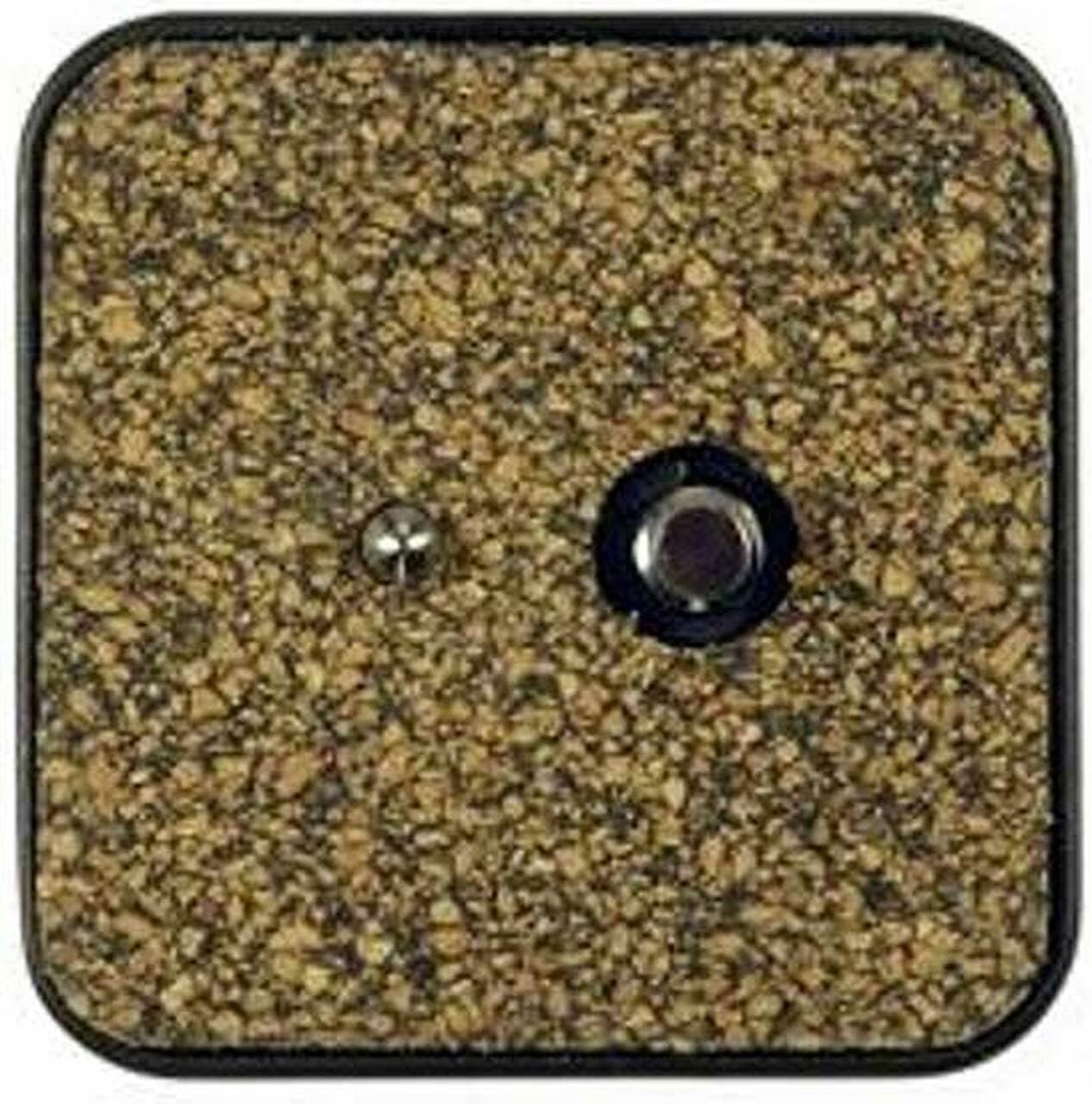
Figure 1: Top view of the ProMaster Quick Release Plate, showing the camera mounting screw and anti-rotation pin.
2. Setup and Installation
- Attach to Camera: Locate the 1/4"-20 threaded screw on the quick release plate. Align this screw with the tripod mounting hole on the base of your camera or device.
- Secure the Plate: Turn the screw clockwise until the plate is firmly attached to your camera. Ensure the anti-rotation pin (if present on your plate) is engaged with the corresponding hole on your camera to prevent twisting.
- Insert into Tripod Head: With the quick release plate attached to your camera, open the quick release clamp on your compatible ProMaster tripod head (e.g., SystemPro 6160, FW29T, 7100, 7150, 7400, or 7450).
- Lock in Place: Slide the quick release plate, with the camera attached, into the tripod head's receiver. Close the quick release clamp securely until it locks into position. Verify that the camera is stable and cannot be easily removed without releasing the clamp.

Figure 2: The quick release plate inserted into a compatible tripod head, demonstrating a secure connection.
3. Operating Instructions
- Quick Release Function: To quickly remove your camera from the tripod, simply open the quick release clamp lever on the tripod head. The plate and camera can then be lifted out.
- Re-attaching: To re-attach, align the plate with the receiver and close the clamp. Always ensure the clamp is fully engaged before leaving your camera unattended.
- Multiple Devices: For users with multiple cameras or devices, it is recommended to have a dedicated quick release plate for each. This allows for swift swapping between equipment without needing to unscrew plates.
Video 1: Demonstration of attaching and detaching a quick release plate to a tripod head. This video illustrates the quick release mechanism and how to secure a camera.
Video 2: Visual guide on how to install a quick release plate onto a camera and then mount it onto a tripod. This video also shows measuring the plate for compatibility.
4. Maintenance
- Cleaning: Wipe the quick release plate and tripod head receiver with a soft, dry cloth to remove dust and debris. Avoid using harsh chemicals or abrasive materials.
- Inspection: Regularly inspect the plate for any signs of wear, damage, or loose components. Ensure the camera mounting screw is tight and the rubberized grip surface is intact.
- Storage: Store the quick release plate in a clean, dry environment when not in use. If detached from the camera, keep it in a protective pouch to prevent loss or damage.
5. Troubleshooting
- Plate does not fit: Ensure the quick release plate is compatible with your specific ProMaster tripod model. Refer to the product specifications for compatible models. The plate is designed for SystemPro 6160 Pan Head, FW29T, 7100, 7150, 7400, & 7450 Tripods.
- Camera feels loose: Double-check that the camera mounting screw is fully tightened to the camera body. Also, ensure the quick release clamp on the tripod head is fully closed and engaged.
- Difficulty inserting/removing plate: Ensure the quick release clamp on the tripod head is fully open before attempting to insert or remove the plate. If there is resistance, check for any obstructions or debris in the receiver.
6. Specifications
| Brand | ProMaster |
| Model Number | Quick Release Plate |
| Product Dimensions | 2 x 0.5 x 2 inches |
| Item Weight | 0.353 ounces |
| Color | Black |
| Compatible Devices | Camera |
| UPC | 029144029654 |
| Date First Available | September 9, 2009 |
7. Warranty and Support
Specific warranty information for the ProMaster Quick Release Plate is not provided in the available product data. For detailed warranty terms, technical support, or replacement parts, please contact ProMaster customer service directly or visit their official website.
You can visit the official ProMaster store for more information: ProMaster Store on Amazon.
Related documentsQuick Release Plate


Ask a question about this manual
Ask about setup, troubleshooting, compatibility, parts, safety, or missing instructions. Manuals+ will review the question and use this page’s manual context to help answer it.