1. Important Safety Instructions
When using electrical appliances, especially when children are present, basic safety precautions should always be followed, including the following:
- DANGER – Any appliance is electrically live even when the switch is off. To reduce the risk of death by electric shock:
- Always unplug this appliance from the electrical outlet immediately after using.
- Do not use while bathing or in a shower.
- Do not place or store appliance where it can fall or be pulled into a tub or sink.
- Do not place in or drop into water or other liquid.
- Do not reach for an appliance that has fallen into water. Unplug immediately.
- WARNING – To reduce the risk of burns, electrocution, fire, or injury to persons:
- This appliance should never be left unattended when plugged in.
- Close supervision is necessary when this appliance is used by, on, or near children or individuals with certain disabilities. Avoid use on infants.
- Use this appliance only for its intended use as described in this manual. Do not use attachments not recommended by the manufacturer.
- Never operate this appliance if it has a damaged cord or plug, if it is not working properly, or if it has been dropped or damaged, or dropped into water. Return the appliance to an authorized service center for examination and repair.
- Keep the cord away from heated surfaces.
- Never drop or insert any object into any opening.
- Do not use outdoors or operate where aerosol (spray) products are being used or where oxygen is being administered.
- Always attach plug to appliance first, then to outlet. To disconnect, turn all controls to OFF, then remove plug from outlet.
- This product contains chemicals known to the State of California to cause cancer and birth defects or other reproductive harm.
2. Product Overview and Package Contents
The ConairMAN All-in-One Rechargeable Trimmer is designed for versatile grooming needs, including beard, mustache, face, nose, and ear hair trimming. This 12-piece kit provides a comprehensive solution for personal grooming.

Image 2.1: The main ConairMAN All-in-One Rechargeable Trimmer unit, showcasing its ergonomic design and power switch.
Package Contents:
- Cordless/Rechargeable Trimmer Unit
- Nose/Ear Trimmer Attachment
- Detailing Blade Attachment
- Shaving Foil Attachment
- 5-Position Adjustable Comb
- 3 Jawline Combs (various lengths)
- Storage Pouch
- Mustache Comb
- Cleaning Brush
- Lubricating Oil
- Charging Adapter
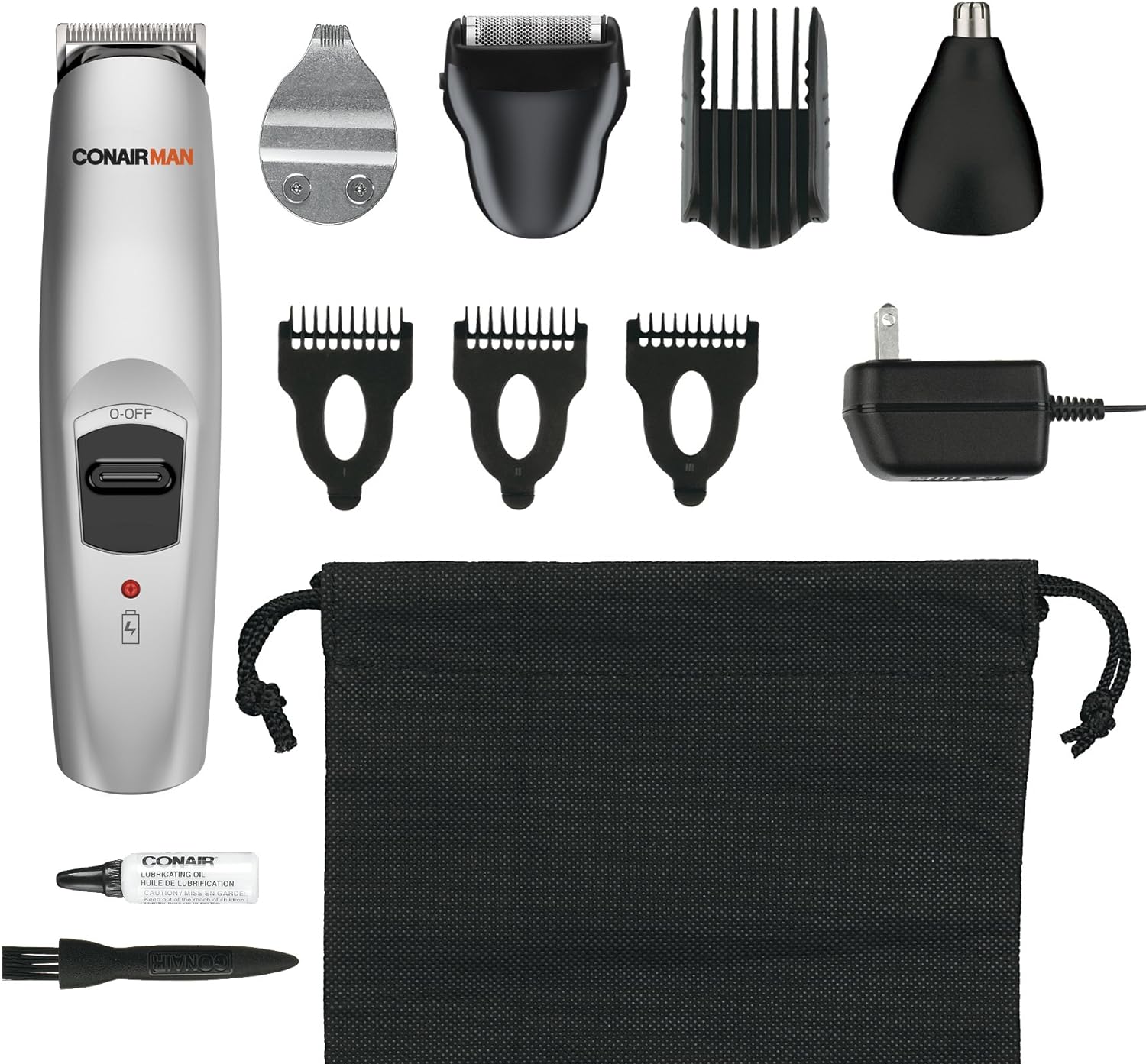
Image 2.2: All components of the ConairMAN All-in-One Trimmer 12-piece kit, including the trimmer, various attachments, combs, and accessories.
3. Setup and Charging
Initial Charge:
Before using your ConairMAN All-in-One Trimmer for the first time, it is essential to charge it for a full 16 hours. This ensures optimal battery performance and longevity.
Charging Procedure:
- Ensure the trimmer is switched to the 'OFF' position.
- Connect the charging adapter to the trimmer's charging port.
- Plug the adapter into a standard electrical outlet.
- A red indicator light on the trimmer will illuminate, indicating that the unit is charging. Please note that this light does not change color or turn off when the trimmer is fully charged.
- After the initial 16-hour charge, subsequent charges typically require less time, but a full charge is recommended for consistent performance.
Important: This trimmer is designed for cordless operation. It cannot be operated directly from the power outlet while charging. Always unplug the unit before use.
4. Operating Instructions
Attaching and Detaching Trimmer Heads:
To change trimmer heads (e.g., from the main trimmer to the nose/ear trimmer or shaving foil):
- Ensure the trimmer is switched 'OFF'.
- To remove a head, gently pull it upwards and away from the trimmer body.
- To attach a new head, align the desired attachment with the trimmer body. Ensure the white 'drive pin' from the trimmer body is aligned with, and fits into, the corresponding plastic tube in the attachment.
- Press firmly until the attachment clicks securely into place. Do not force it if it does not align easily.
Using Guide Combs:
The kit includes a 5-position adjustable comb and 3 jawline combs for various hair lengths.
- Select the appropriate jawline comb or adjust the 5-position comb to your desired hair length setting.
- Slide the comb securely onto the trimmer head until it locks into position.
- Always start with a longer comb setting if you are unsure, and gradually reduce the length until the desired result is achieved.
General Trimming Tips:
- For best results, use the trimmer on clean, dry hair.
- Hold the trimmer at a slight angle and move it slowly against the direction of hair growth.
- For beard and mustache trimming, use the appropriate guide comb to achieve an even length.
- For nose and ear hair, gently insert the nose/ear trimmer attachment into the nostril or ear canal and move it in a circular motion. Do not insert too deeply.
- The detailing blade is ideal for precise lines and shaping around the edges of your beard or hairline.
- The shaving foil can be used for clean-ups on small areas, but it is not intended for full-face shaving.
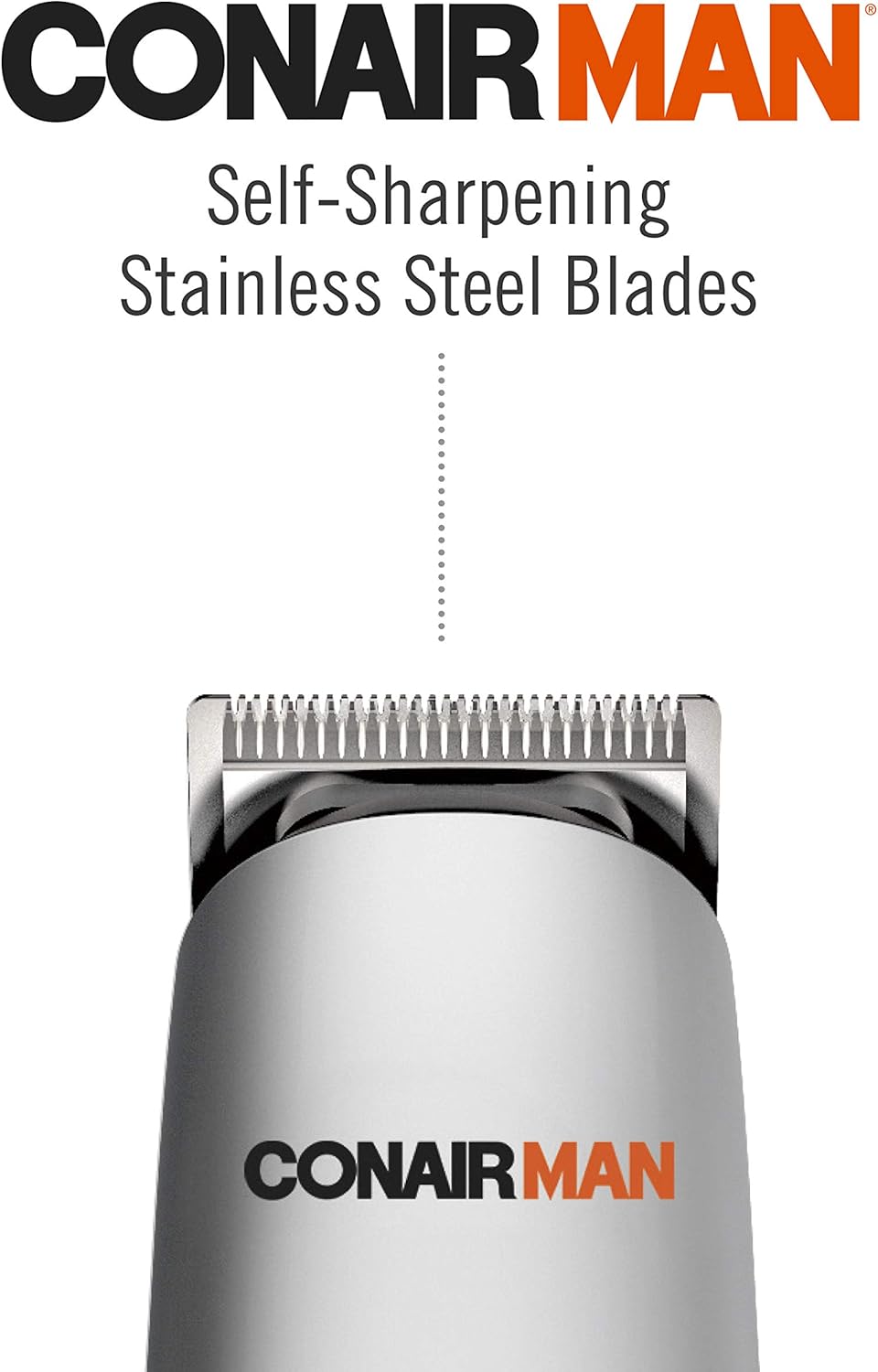
Image 4.1: Close-up view of the self-sharpening stainless steel blades, designed for precision and durability.
5. Maintenance
Cleaning the Blades:
Regular cleaning ensures optimal performance and hygiene.
- After each use, ensure the trimmer is switched 'OFF' and unplugged.
- Remove the trimmer head attachment.
- Use the provided cleaning brush to gently brush away any accumulated hair from the blades and the trimmer body.
- Do not rinse the trimmer body under water. The attachments may be rinsed under running water, but ensure they are completely dry before reattaching.
Lubricating the Blades:
To maintain the sharpness and smooth operation of the blades:
- After every few uses, or as needed, apply one or two drops of the provided lubricating oil onto the blades.
- Turn the trimmer on for a few seconds to allow the oil to distribute evenly across the blades.
- Wipe off any excess oil with a soft cloth.
Storage:
When not in use, store the trimmer and all its accessories in the provided storage pouch. Keep it in a cool, dry place, out of reach of children.
6. Troubleshooting
If you encounter issues with your ConairMAN All-in-One Trimmer, refer to the following common solutions:
| Problem | Possible Cause / Solution |
|---|---|
| Trimmer does not turn on or stops during use. |
|
| Poor trimming performance or pulling hair. |
|
| Attachments do not fit or are difficult to change. |
|
7. Specifications
- Model Number: GMT189R
- Power Source: Battery Powered (1 Lithium Ion battery included)
- Product Dimensions: 6.1 x 1.4 x 1.5 inches
- Item Weight: 0.89 Pounds
- Manufacturer: Conair
- Color: Silver
- Blades: Self-Sharpening Stainless Steel
8. Warranty and Support
Limited 24-Month Warranty:
Conair will repair or replace (at our option) your appliance free of charge for 24 months from the date of purchase if the appliance is defective in workmanship or materials. To obtain service under this warranty, return the defective product to the service center listed below, together with your sales slip and $3.00 for postage and handling. California residents need only provide proof of purchase and should call 1-800-3-CONAIR for shipping instructions.
Customer Support:
For warranty claims, product support, or further assistance, please contact Conair customer service. Detailed contact information and the full warranty statement can be found in the official user manual.
Official User Manual (PDF): For a complete and detailed user manual, please refer to the downloadable PDF document: ConairMAN All-in-One Trimmer User Manual PDF


