
Introduction
Thank you for choosing the Cherub WST-550G Guitar Mate Clip-On Tuner. This device is designed to provide accurate and easy tuning for your guitar. Its compact size and clip-on design make it convenient for use in various environments, including noisy settings.
Product Features
- Vibration Sensor: Allows for accurate tuning even in noisy environments by detecting vibrations directly from the instrument.
- Auto-Detect Function: Automatically identifies the note name being played.
- Easy-to-Read LEDs: Clear LED indicators show whether the note is flat, sharp, or in tune.
- Auto-Off Feature: Extends battery life by automatically turning off the tuner after 5 minutes of inactivity.
- 180-Degree Clip-On Design: The tuner can be rotated for optimal viewing from any angle.
Package Contents
The Cherub WST-550G package includes:
- Cherub WST-550G Clip-On Tuner
- CR2032 Lithium Battery (pre-installed)
- User Manual (this document)

Image: The Cherub WST-550G tuner shown with its original packaging, highlighting the product's presentation.
Setup
1. Attaching the Tuner
- Gently open the clip of the WST-550G tuner.
- Attach the tuner securely to the headstock of your guitar. Ensure the clip has a firm grip without damaging the instrument's finish.
- Adjust the tuner's display angle for optimal visibility. The 180-degree rotatable clip allows for flexible positioning.

Image: The Cherub WST-550G tuner attached to the headstock of a guitar, demonstrating its clip-on functionality.
2. Powering On/Off
- Locate the power switch on the side of the tuner.
- Slide the switch to the "ON" position to power on the device.
- To power off, slide the switch to the "OFF" position. The tuner will also automatically power off after 5 minutes of no input to conserve battery life.
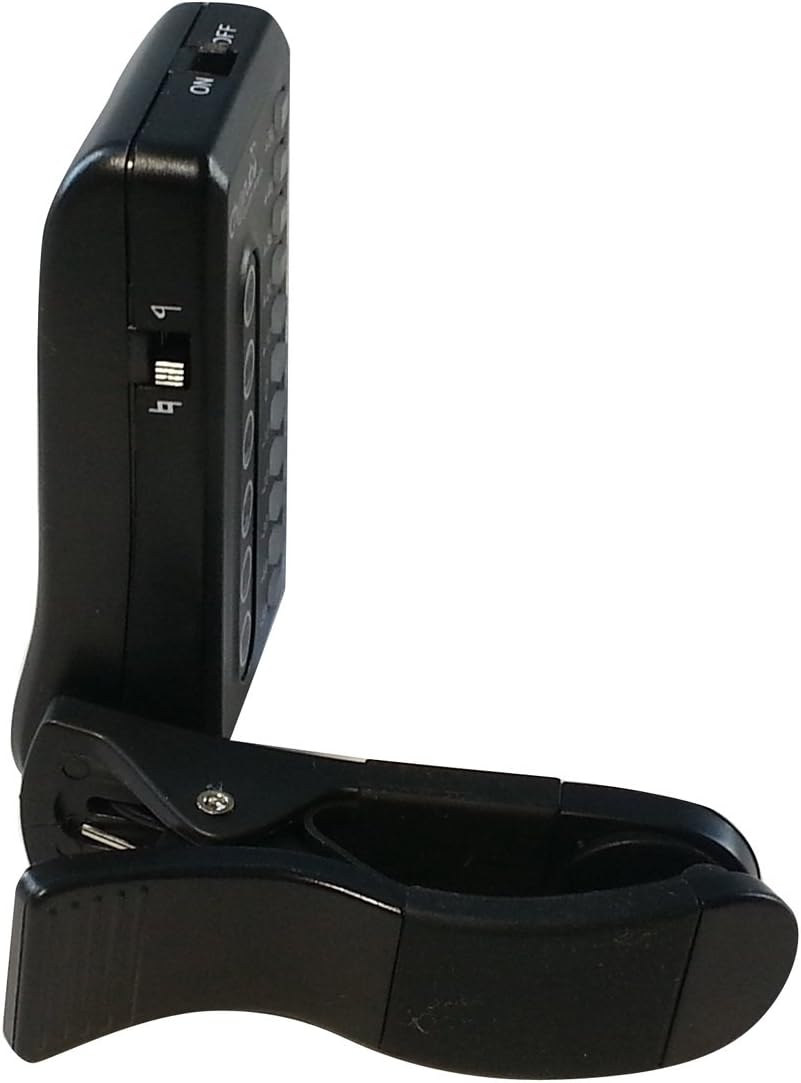
Image: A side view of the Cherub WST-550G tuner, clearly showing the power ON/OFF switch for operation.
Operating Instructions
Tuning Your Guitar
The WST-550G uses a vibration sensor to detect the pitch of your guitar strings. This ensures accurate tuning even in noisy environments.
- Ensure the tuner is securely clipped to the headstock and powered on.
- Pluck a single string on your guitar. The tuner's display will show the detected note name (e.g., E, A, D, G, B, E for standard guitar tuning).
- Observe the LED indicators:
- If the LED is to the left of the center (e.g., -10, -20), the note is flat. Tighten the string until the LED moves towards the center.
- If the LED is to the right of the center (e.g., +10, +20), the note is sharp. Loosen the string until the LED moves towards the center.
- When the LED is at the center (0) and turns green, the string is in tune.
- Repeat this process for all strings until your guitar is perfectly in tune.

Image: The Cherub WST-550G tuner's display with a red LED illuminated, indicating that the current note is out of tune and requires adjustment.

Image: A clear front view of the Cherub WST-550G tuner, showing its LED display and the clip mechanism.
Maintenance
- Cleaning: Use a soft, dry cloth to clean the tuner. Avoid using abrasive cleaners or solvents.
- Storage: When not in use for extended periods, store the tuner in a cool, dry place. Remove the battery if storing for several months to prevent leakage.
- Handling: Avoid dropping the tuner or exposing it to extreme temperatures or moisture.
Battery Replacement
The WST-550G tuner is powered by one CR2032 Lithium battery. When the display becomes dim or the tuner does not respond, it's time to replace the battery.
- Locate the battery compartment on the back of the tuner.
- Gently slide open the battery tray.
- Remove the old CR2032 battery.
- Insert a new CR2032 battery with the positive (+) side facing upwards.
- Slide the battery tray back into the compartment until it clicks securely into place.

Image: The rear view of the Cherub WST-550G tuner with the battery compartment open, revealing a CR2032 coin cell battery being inserted or removed.
Troubleshooting
| Problem | Possible Cause | Solution |
|---|---|---|
| Tuner does not power on. | Battery is depleted or incorrectly installed. | Replace the CR2032 battery or ensure it is installed with the correct polarity (+ side up). |
| Tuner does not detect vibrations or notes. | Tuner is not securely clipped to the headstock; instrument is not vibrating sufficiently; tuner malfunction. | Ensure the tuner is firmly clipped to the headstock. Pluck the string more assertively. If the issue persists after checking the battery and attachment, contact support. |
| Inaccurate tuning readings. | External noise interference; loose tuner clip; faulty unit. | Ensure the tuner is securely attached. The vibration sensor is designed for noisy environments, but extreme noise might still affect it. Try tuning in a quieter area. If the problem continues, consider contacting support. |
Specifications
| Model Number | WST-550G |
| Tuning Range | A0 (27.5Hz) - C8 (4186Hz) |
| Tuning Mode | Vibration (Clip) |
| Tuning Accuracy | ±1 cent |
| Power | 1 x CR2032 Lithium Battery (3V) |
| Dimensions | 10.16 x 2.79 x 15.24 cm (Product) |
| Weight | 45.3 g |
| Auto-Off | After 5 minutes of no signal detection |
| Manufacturer | Cherub |
| Country of Origin | China |
Warranty and Support
For warranty information or technical support regarding your Cherub WST-550G tuner, please refer to the warranty card included with your purchase or visit the official Cherub website. Contact details for customer service are typically available on the product packaging or the manufacturer's website.

