Introduction
The Line 6 Spider IV 75 guitar amplifier is designed to provide a versatile and responsive playing experience. This modeling amplifier recreates authentic characteristics and tonal nuances of various classic amplifiers, offering exceptional depth and sophisticated touch response. It delivers complex distortions and valve-style compression, enhancing each note's sustain and feel.
Setup
- Power Connection: Connect the amplifier to a standard AC power outlet using the provided power cord. Ensure the amplifier's power switch is in the 'OFF' position before connecting.
- Guitar Connection: Plug your guitar into the 1/4-inch input jack located on the front panel.
- Foot Controller (Optional): For enhanced control and access to advanced features, connect an FBV foot controller (e.g., FBV Express MkII, FBV Shortboard MkII) to the FBV foot controller jack on the rear panel. This allows for switching tones, controlling volume, wah, and other effects.
- External Audio (Optional): For playing along with music, connect an external audio device (CD/MP3 player) to the 1/8-inch CD/MP3 input jack.
- Headphones/Direct Output (Optional): For silent practice or direct recording, connect headphones or a recording device to the 1/4-inch headphone/direct output.
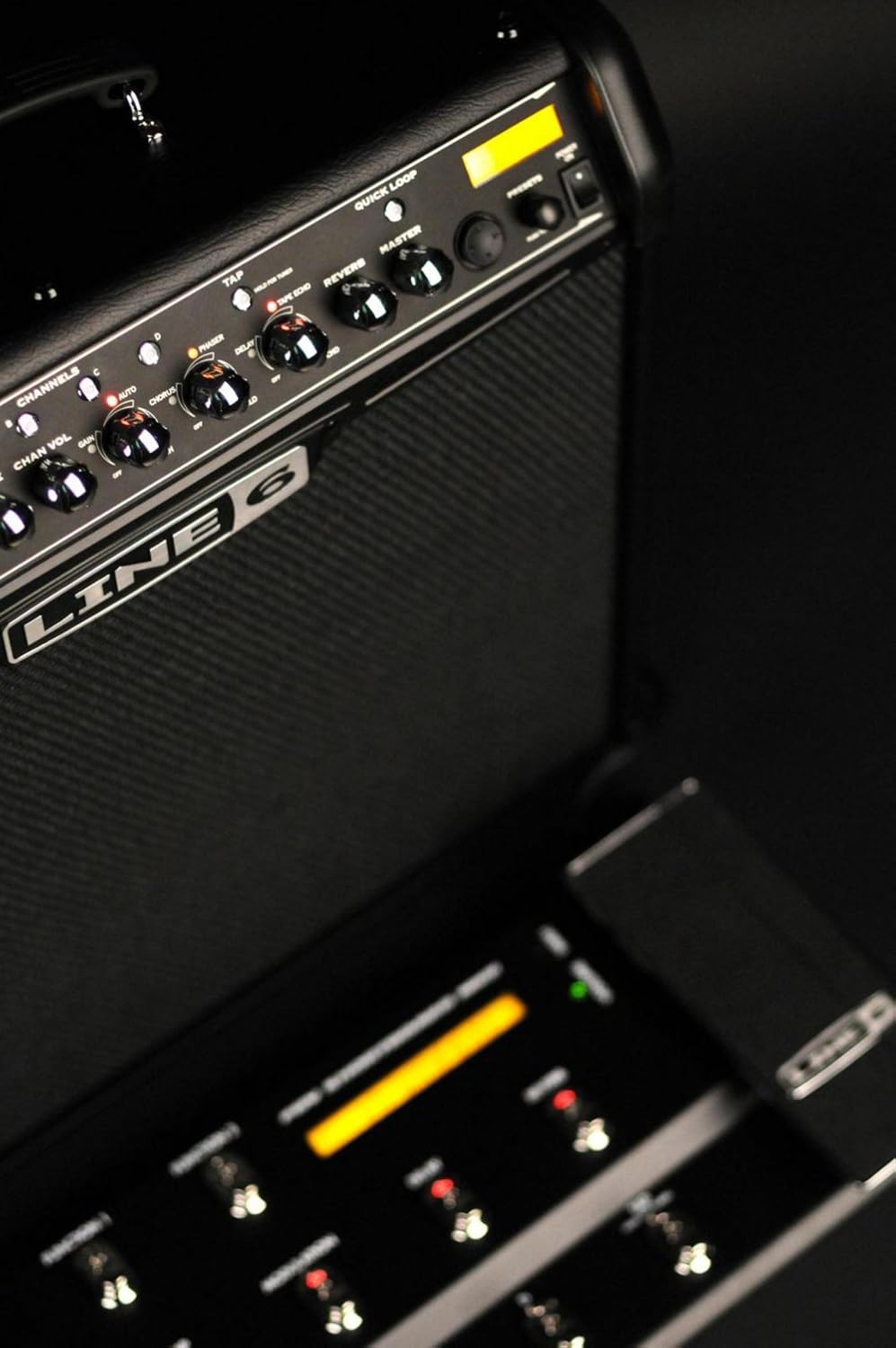
Image: Front panel of the Line 6 Spider IV 75 amplifier, highlighting the guitar input and various control knobs.

Image: Angled view of the Line 6 Spider IV 75 amplifier's control panel, with a connected FBV foot controller visible in the foreground, demonstrating the setup for external control.
Video: Demonstrates the connection and basic functionality of the FBV foot controller with the Spider IV amplifier, showing how to plug it in and interact with the amp.
Operating Instructions
Basic Controls
- Drive Knob: Adjusts the amount of gain or distortion.
- Bass, Mid, Treble Knobs: These behave like the EQ controls from each modeled amplifier, allowing for precise tonal shaping.
- Channel Volume: Controls the volume of the currently selected channel.
- Master Volume: Controls the overall output volume of the amplifier.
Amp Models and Presets
The Spider IV 75 features 16 tonally superior amp models and over 300 hand-crafted presets from world-famous bands and guitarists, plus 200+ dialed-in song-based presets. You can also create and save up to 64 user-created presets.

Image: Close-up of the Line 6 Spider IV 75 amplifier's control panel, detailing the amp model selection (Clean, Crunch, Metal, Insane) and the Drive, Bass, Mid, Treble, and Channel Volume knobs.
Video: An overview of the artist presets available on the Spider IV amplifier, demonstrating various tones and their applications.
Smart FX
The amplifier includes 20 Smart FX (4 at once) with deep editing capabilities. These include Quick Loop, Auto-Wah, Intelligent Pitch-Shifter, echoes, mods, delays, and reverbs. Effects can be easily adjusted using dedicated knobs.

Image: Close-up of the Line 6 Spider IV 75 amplifier's effects section, displaying the knobs for Phaser, Tape Echo, Tremolo, and Reverb, along with the 'Quick Loop' and 'Master' controls.
Video: A demonstration of the various effects available on the Spider IV amplifier, showcasing their sound and adjustability.
Built-in Chromatic Tuner
The amplifier includes a built-in chromatic tuner for convenient and accurate tuning of your instrument.
Maintenance
- Cleaning: Use a soft, dry cloth to clean the exterior of the amplifier. Avoid using abrasive cleaners or solvents.
- Storage: Store the amplifier in a dry, temperature-controlled environment away from direct sunlight and extreme temperatures.
- Ventilation: Ensure proper ventilation around the amplifier to prevent overheating. Do not block any vents.
- Transportation: When transporting the amplifier, ensure it is securely packed to prevent damage from impacts.
Troubleshooting
- No Sound: Check all cable connections (guitar, power, speaker). Ensure the amplifier is powered on and volume knobs are turned up. Verify the guitar's volume is also up.
- Distorted/Unwanted Sound: Adjust the 'Drive' knob and 'Channel Volume'. Check for faulty cables or guitar pickups. If using an FBV controller, ensure it is properly connected and configured.
- Foot Controller Issues: Ensure the FBV foot controller is securely connected to the dedicated jack. If issues persist, consult the Line 6 Spider Online resources for firmware updates or troubleshooting guides.
- Humming/Buzzing: This can sometimes be caused by electrical interference. Try plugging the amplifier into a different power outlet or using a power conditioner. Check for loose connections.
Specifications
| Feature | Detail |
|---|---|
| Output Wattage | 75 watts |
| Speaker | 1x12" Celestion Custom speaker |
| Cabinet Type | Three-quarter closed-back |
| Amp Models | 16 |
| Smart FX | 20 (4 simultaneous) |
| User Presets | 64 |
| Inputs | 1/4-inch guitar input, 1/8-inch CD/MP3 input |
| Outputs | 1/4-inch headphone/direct output |
| Additional Features | Built-in chromatic tuner, FBV foot controller jack, Quick Loop |
| Item Weight | 21 pounds |
| Product Dimensions | 15 x 24.7 x 23.06 inches |
| Material | Wood |
Warranty & Support
For detailed warranty information, please refer to the documentation included with your purchase or visit the official Line 6 website. For additional support, including guitar lessons, jam tracks, amp tones, and artist content, register your amplifier and explore Spider Online.
Video: An overview of the Line 6 Spider Online platform, detailing resources like lessons, jam tracks, and tone libraries available to registered users.


