Introduction
The TEMPO Communications 468 Wiremap Tester is designed to quickly and accurately verify the wiring integrity of LAN, telephone patch cords, and structured cabling. It identifies common wiring faults such as opens, shorts, reversals, and transposed pairs. The tester consists of a transmitter and a receiver unit, providing clear, simple-to-understand results through sequencing LEDs.
Safety Information
- Do not connect the tester to live AC power circuits.
- The unit is protected against active circuits up to 52 VDC / 90V p-p for up to 10 minutes (Transmitter) and 52 VDC momentary (Receiver).
- Use only the specified battery type (9V).
- Remove the battery if the unit will not be used for an extended period.
Package Contents
Verify that all items are present:
- 468T Transmitter Unit
- 468R Receiver Unit
- Carrying Case

Image shows the TEMPO Communications 468T Transmitter and 468R Receiver units, connected by a short patch cable, resting in their black carrying case.
Product Overview
468T Transmitter
The transmitter unit initiates the test sequence and tone generation. It features an 8-position modular jack for connecting cables and LED indicators for T568A, USOC, and T568B wiring configurations. An ON/OFF switch controls power.

Close-up view of the TEMPO Communications 468T Transmitter, showing the T568A, USOC, T568B labels, the "468T TRANSMITTER" text, four green LED indicators (1, 2, 3, 4), and the ON/OFF switch.
468R Receiver
The receiver unit completes the test circuit and displays the results. It also has an 8-position modular jack and LED indicators (1, 2, 3, 4) that show normal (green) or reversed (red) wiring.
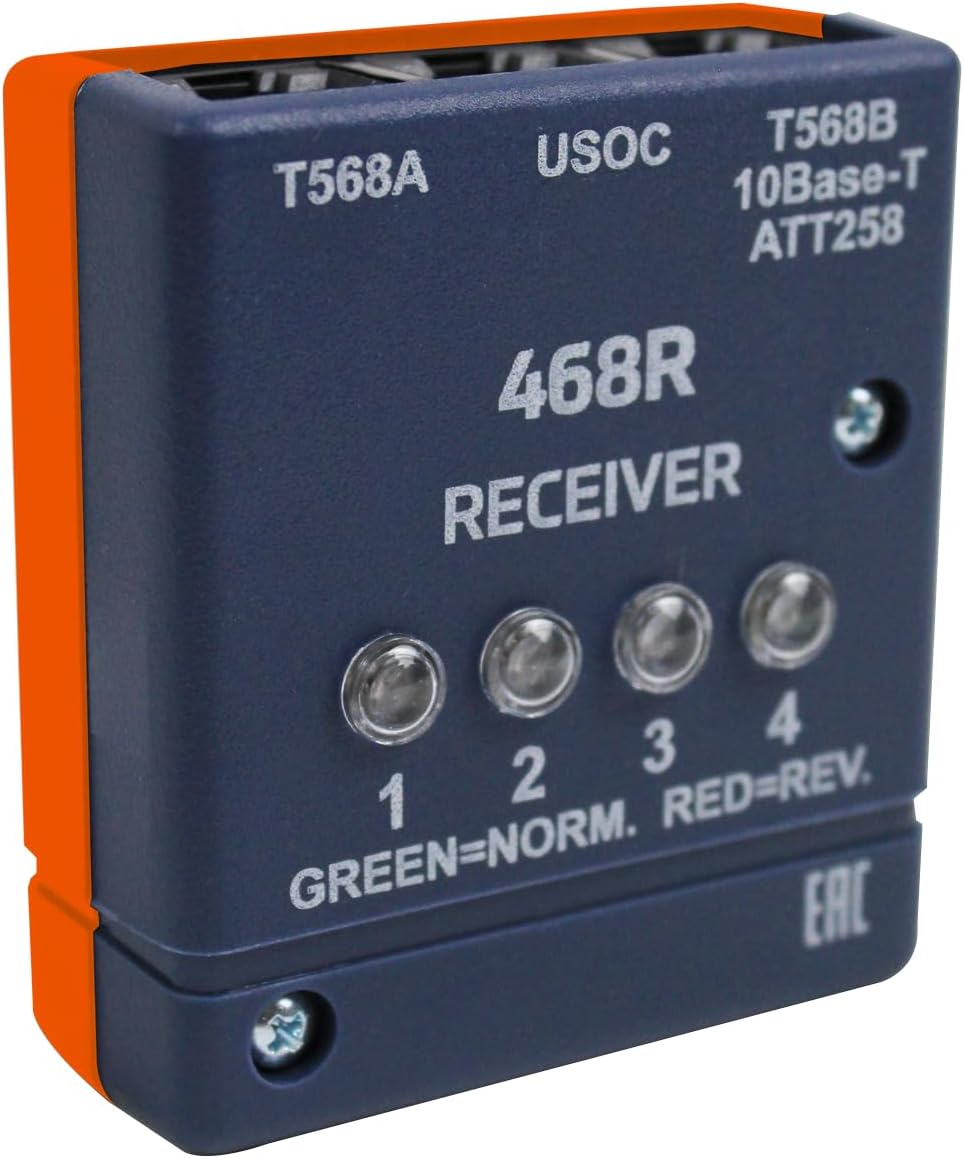
Close-up view of the TEMPO Communications 468R Receiver, showing the T568A, USOC, T568B labels, the "468R RECEIVER" text, four LED indicators (1, 2, 3, 4) with "GREEN=NORM. RED=REV." legend.
Setup
Battery Installation
The 468 Wiremap Tester requires one 9V battery (not included) for operation in each unit.
- Locate the battery compartment on the back of both the Transmitter and Receiver units.
- Open the battery compartment cover.
- Connect a 9V battery to the battery clip, observing polarity.
- Place the battery into the compartment and close the cover securely.
Note: Remove batteries if the unit is not in use for extended periods to prevent leakage.
Operating Instructions
Wiremap Testing
The 468 Wiremap Tester can test T568A, T568B (AT&T 258A/10 Base T), and USOC wiring configurations.
- Ensure a 9V battery is installed in both the Transmitter and Receiver units.
- Connect one end of the cable to be tested into the 8-position modular jack on the 468T Transmitter.
- Connect the other end of the cable into the 8-position modular jack on the 468R Receiver.
- Turn the 468T Transmitter ON using the ON/OFF switch. The test process activates automatically upon connection of the receiver.
- Observe the sequencing red and green LEDs on both units.
- Interpret the results based on the LED patterns:
- Normal Wiring: All LEDs on both units will light up sequentially in green, indicating correct pin-to-pin continuity.
- Open Circuit: If an LED fails to light up, it indicates an open circuit on that specific wire pair.
- Short Circuit: If multiple LEDs light up simultaneously or in an incorrect sequence, it indicates a short circuit between those wire pairs.
- Reversed Pairs: LEDs on the receiver will light up red for reversed pairs.
- Transposed Pairs: Incorrect sequencing of green LEDs on the receiver indicates transposed pairs.
- After testing, turn the 468T Transmitter OFF.
Tone Generation for Cable Identification
The 468 Wiremap Tester can generate a tone to help identify cables at remote locations.
- Connect any 8-position modular plug of the cable to be identified into the appropriate jack on the 468T Transmitter.
- Turn the 468T Transmitter ON. A sweeping tone signal (850 and 950 Hz alternating nominal) will be applied to all pairs.
- At the far end of the cable, use a compatible inductive amplifier (probe, not included) to locate the corresponding cable by detecting the tone.
- After identification, turn the 468T Transmitter OFF.
Troubleshooting
| Problem | Possible Cause | Solution |
|---|---|---|
| No LEDs light up | Dead or improperly installed battery | Replace 9V battery; ensure correct polarity. |
| No LEDs light up | Transmitter not turned ON | Ensure the ON/OFF switch on the transmitter is in the ON position. |
| Inconsistent LED patterns | Poor cable connection | Re-seat the modular plugs firmly into the jacks on both units. |
| Tester alerts to active circuit | Cable connected to an active network device | Disconnect the cable from the active circuit before testing. The unit is protected but prolonged exposure is not recommended. |
| Tone not detected | Inductive amplifier not working or incorrect frequency | Check the inductive amplifier's battery and settings. Ensure it is compatible with 850/950 Hz tones. |
Maintenance
Cleaning
Wipe the unit with a soft, damp cloth. Do not use abrasive cleaners or solvents.
Storage
Store the tester in its carrying case in a cool, dry place when not in use. Remove the 9V battery if storing for extended periods.
Specifications
| Feature | Detail |
|---|---|
| Model | 468 |
| Wiring Standards Tested | T568A, T568B (AT&T 258A/10 Base T), USOC |
| Faults Detected | Opens, Shorts, Reversed Pairs, Transposed Pairs |
| Tone Frequency | 850 and 950 Hz alternating nominal |
| Tone Output | 9V p-p open circuit |
| Voltage Protection (Transmitter) | 52 VDC, 90V p-p (up to 10 minutes) |
| Voltage Protection (Receiver) | 52 VDC momentary |
| Power Source | One 9V battery (not included) |
| Battery Life | Approximately 2000 hours (no load) |
| Dimensions (L x W x H) | 7.1 x 3.75 x 2 inches |
| Weight | 11.7 ounces |
| Included Components | Receiver, Transmitter, Case |
Warranty and Support
Warranty Information
This TEMPO Communications 468 Wiremap Tester comes with a one-year warranty from the date of purchase. Please retain your proof of purchase for warranty claims. The warranty covers defects in materials and workmanship under normal use. It does not cover damage resulting from misuse, accidents, unauthorized modifications, or improper battery installation.
Customer Support
For technical assistance or warranty inquiries, please visit the official TEMPO Communications website or contact their customer service department.


