1. Important Safety Information
Please read all safety instructions carefully before operating the projector. Retain this manual for future reference.
- Do not block ventilation openings. Ensure adequate space around the projector for proper airflow.
- Do not expose the projector to rain or moisture to prevent fire or electric shock.
- Use only attachments/accessories specified by the manufacturer.
- Unplug the projector during lightning storms or when unused for long periods.
- Refer all servicing to qualified service personnel.
- The lamp inside the projector contains mercury. Dispose of in accordance with local regulations.
High Voltage / High Temperature / High Pressure Warning: The lamp operates under high voltage, high temperature, and high pressure. Do not attempt to replace the lamp immediately after use. Allow the projector to cool for at least one hour before attempting lamp replacement. Failure to do so may result in severe burns or injury.
2. Product Overview
The Hitachi CP-X2510 is an LCD projector designed for various presentation environments. It features a brightness of 2,600 lumens and a 2000:1 contrast ratio, providing clear and vibrant images. The projector includes 16 watts of built-in audio, eliminating the need for external speakers in many setups. Its hybrid filter offers a long lifespan of 5,000 hours before replacement, and the lamp life extends up to 6,000 hours in Eco mode.
2.1 Projector Components
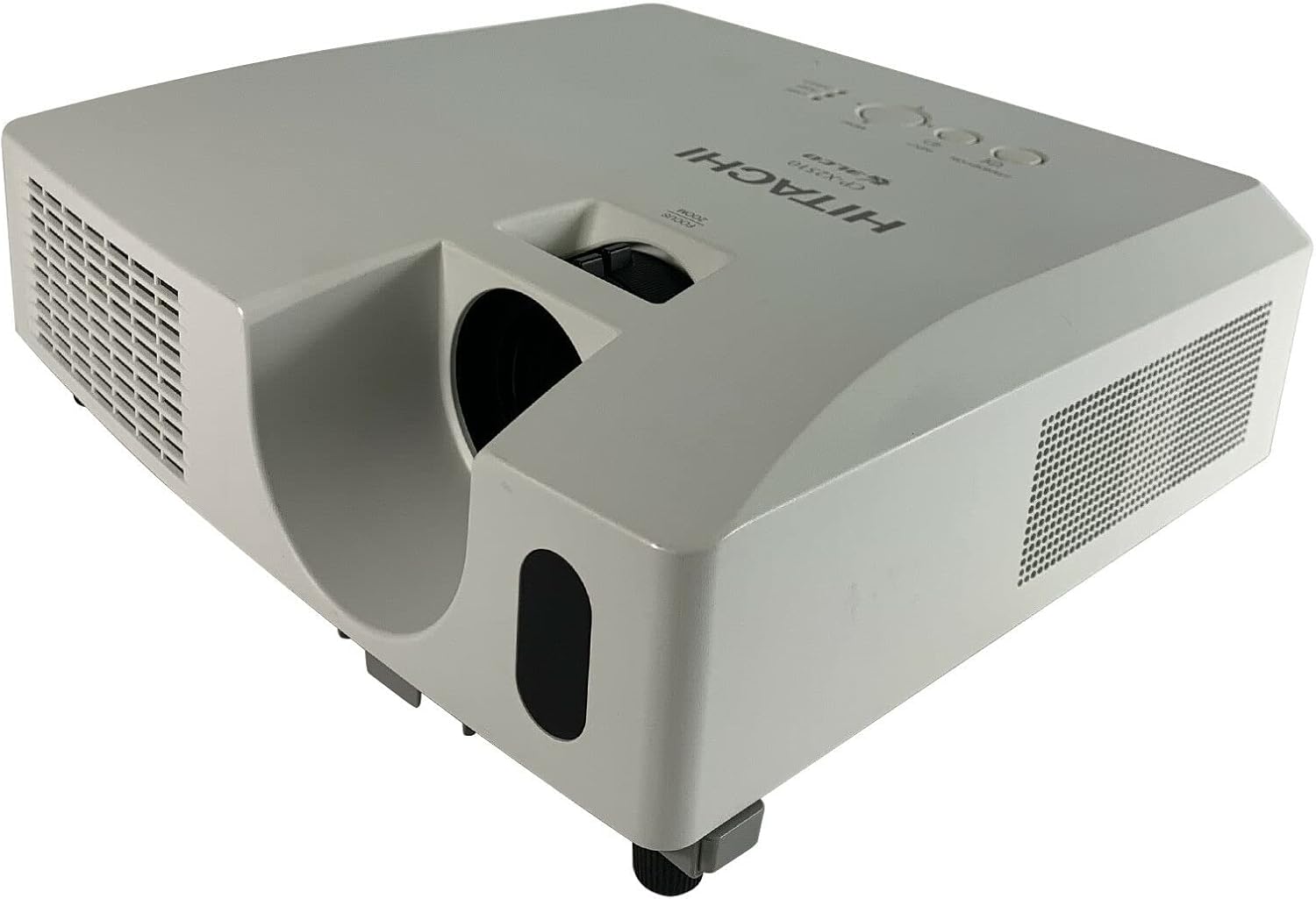
Figure 2.1: Top-front view of the Hitachi CP-X2510 projector, showing the lens and focus/zoom controls.

Figure 2.2: Top control panel of the Hitachi CP-X2510, featuring Standby/On, Input, Menu buttons, and navigation controls. Status indicators for Lamp, Temp, and Power are also visible.
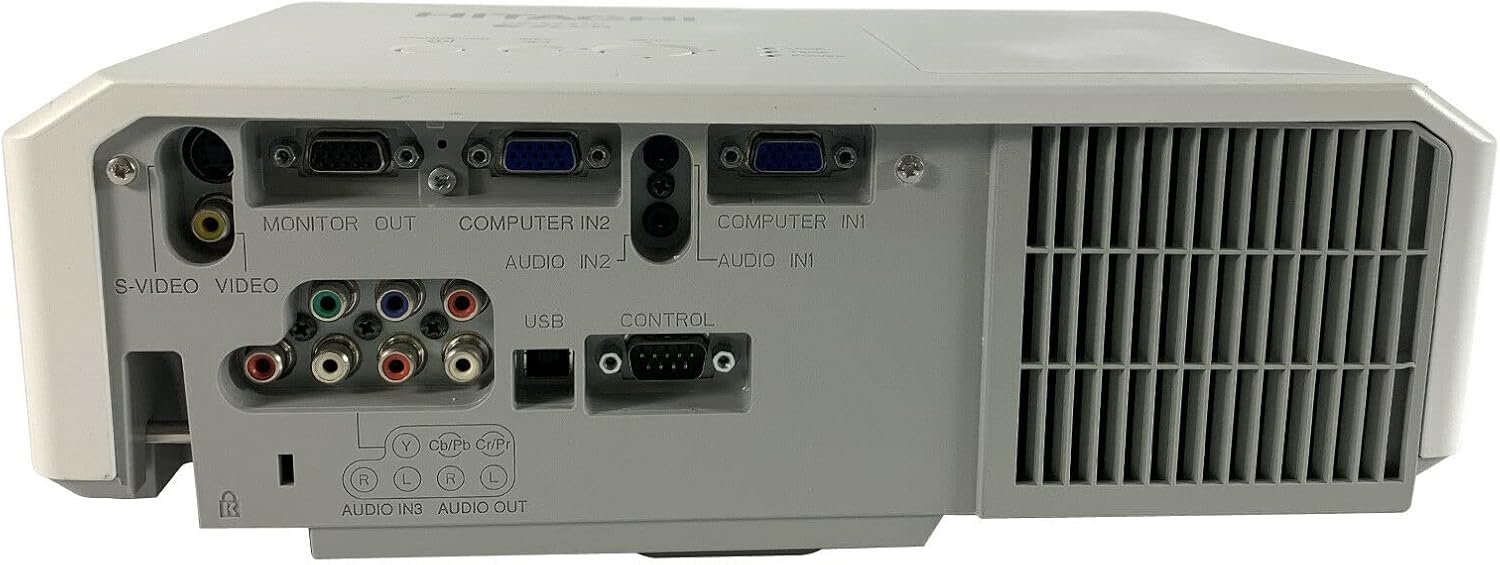
Figure 2.3: Rear panel of the Hitachi CP-X2510, displaying various input and output ports including S-Video, Video, Monitor Out, Computer In (VGA), Audio In/Out, USB, and Control ports.
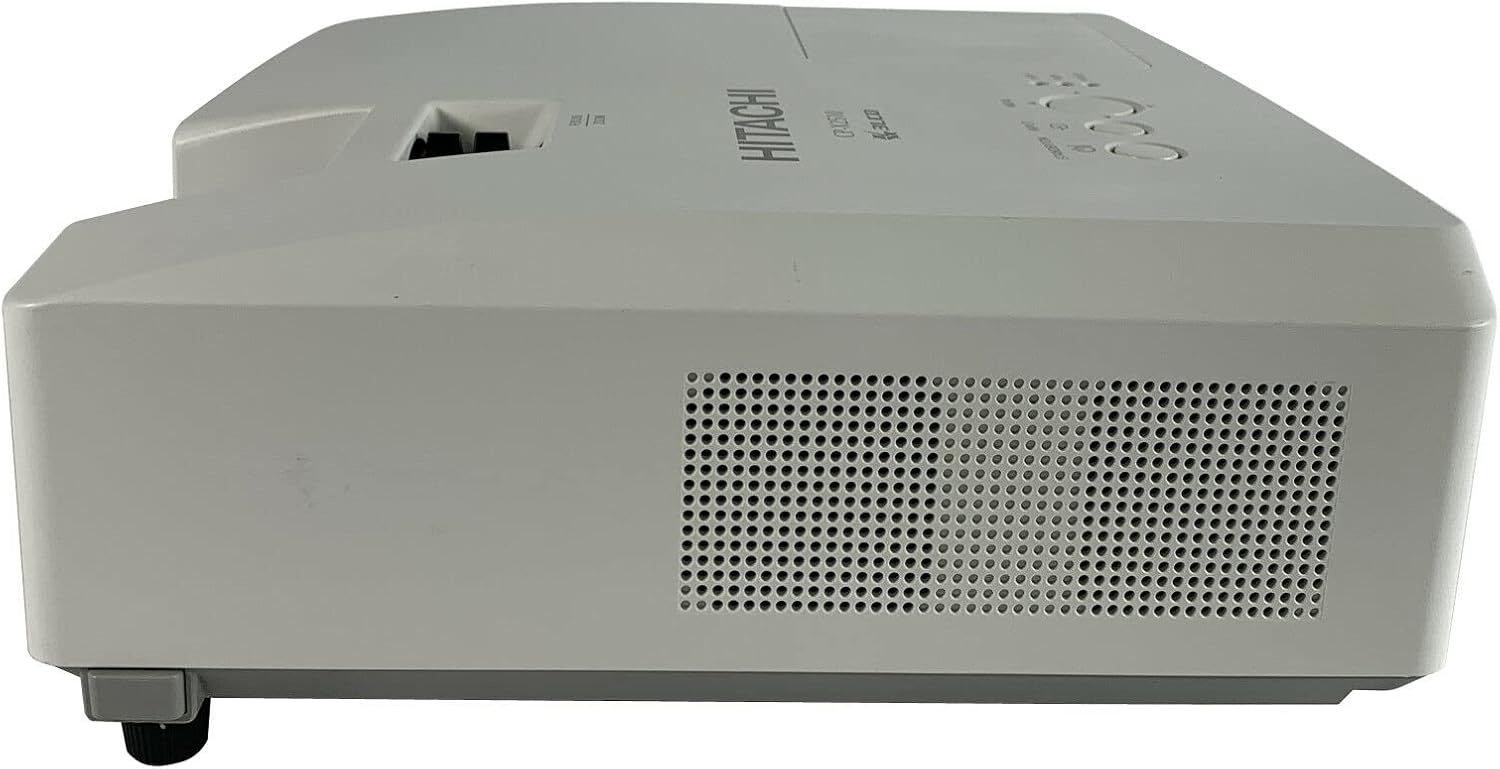
Figure 2.4: Side view of the Hitachi CP-X2510 projector, showing the ventilation grille for heat dissipation.

Figure 2.5: Bottom view of the Hitachi CP-X2510, showing warning labels, the AC power input, and mounting points.

Figure 2.6: Detailed view of the product label on the bottom of the Hitachi CP-X2510, indicating model number CP-X2510, serial number F9KU07666, power requirements, and various certifications.
3. Setup
3.1 Projector Placement
Place the projector on a stable, level surface or mount it securely. Ensure the projection path is clear and the projector is positioned at an appropriate distance from the screen for the desired image size.
3.2 Connecting Input Sources
Refer to Figure 2.3 for the location of input ports. Connect your source devices (e.g., computer, DVD player) to the appropriate ports on the projector.
- Computer (VGA): Use a VGA cable to connect your computer to either the "COMPUTER IN 1" or "COMPUTER IN 2" port.
- Video: Connect composite video sources to the "VIDEO" (yellow RCA) port.
- S-Video: Connect S-Video sources to the "S-VIDEO" port.
- Audio: Connect audio cables to the corresponding "AUDIO IN" ports for each video input. The projector features 16 watts of built-in audio.
- USB: The USB port can be used for control or specific data transfer functions as outlined in advanced settings.
- Control: The RS-232C port allows for external control of the projector.
3.3 Power Connection
Connect the supplied power cord to the "AC IN" port on the projector (refer to Figure 2.5) and then to a grounded electrical outlet.
4. Operating Instructions
4.1 Powering On/Off
- To Power On: Press the STANDBY/ON button on the control panel (Figure 2.2) or the remote control. The power indicator will illuminate.
- To Power Off: Press the STANDBY/ON button again. A confirmation message may appear. Press it a second time to confirm shutdown. The projector will enter a cooling cycle before fully powering off.
4.2 Adjusting Focus and Zoom
Rotate the FOCUS and ZOOM rings located around the lens (Figure 2.1) until the projected image is clear and fills the screen as desired.
4.3 Selecting Input Source
Press the INPUT button on the control panel (Figure 2.2) or the remote control repeatedly to cycle through available input sources (e.g., Computer 1, Computer 2, Video, S-Video). The projector also supports Input Source Naming, allowing you to rename inputs for easier identification.
4.4 Menu Navigation
Press the MENU button (Figure 2.2) to access the on-screen display (OSD) menu. Use the arrow buttons to navigate through menu options and the ENTER button (often integrated with the arrow pad) to select. Press MENU again to exit.
The projector features My Buttons functionality, allowing two buttons on the projector to be programmed to execute frequently used commands. Consult the OSD menu for configuration.
4.5 Security Features
The CP-X2510 includes several security features:
- Transition Detector: Requires a password to operate the projector if it is moved from a fixed position.
- PIN Lock: Protects the projector from unauthorized use by requiring a PIN code.
- MyScreen Function: Allows a custom image to be displayed at startup.
- Security Bar: Enables the use of a heavy chain to physically secure the projector.
5. Maintenance
5.1 Lamp Replacement
The lamp has an estimated life of 3,000 hours in Standard mode and 6,000 hours in Eco mode. When the lamp life is nearing its end, a warning message may appear, and the LAMP indicator (Figure 2.2) may illuminate. Always allow the projector to cool down completely before attempting lamp replacement.
- Power off the projector and disconnect the power cord.
- Wait at least one hour for the projector and lamp to cool down.
- Locate the lamp cover (refer to the full product manual for exact location).
- Remove the screws securing the lamp cover and then the lamp module.
- Install the new lamp module, ensuring it is seated correctly.
- Replace the lamp cover and secure it with screws.
- Reset the lamp timer through the projector's OSD menu.
Warning: The lamp contains mercury. Dispose of used lamps according to local environmental regulations. Do not dispose of in household waste.
5.2 Filter Cleaning/Replacement
The CP-X2510 uses a hybrid filter with a lifespan of approximately 5,000 hours. Regular cleaning of the air filter is essential for maintaining projector performance and preventing overheating. A warning message may appear when filter cleaning is required.
- Power off the projector and disconnect the power cord.
- Locate the air filter cover (refer to the full product manual for exact location).
- Remove the filter and gently clean it with a soft brush or vacuum cleaner. If the filter is heavily soiled or damaged, replace it with a new one.
- Reinsert the clean or new filter and replace the cover.
- Reset the filter timer through the projector's OSD menu.
6. Troubleshooting
This section provides solutions to common issues you may encounter with your projector.
6.1 No Image Displayed
- Ensure the projector is powered on and the power indicator is solid.
- Verify that the input source is correctly connected to the projector.
- Press the INPUT button to select the correct input source.
- Check the source device (computer, DVD player) to ensure it is powered on and outputting a signal.
- Adjust the focus and zoom rings.
- If using a computer, ensure the display output is enabled for the external monitor (e.g., Fn+F7 or similar key combination on laptops).
6.2 No Sound
- Ensure audio cables are correctly connected to the appropriate "AUDIO IN" ports.
- Check the volume settings on both the projector and the source device.
- Verify that the audio output from the source device is active.
6.3 Projector Overheating / Shuts Down
- Ensure ventilation openings are not blocked.
- Clean the air filter as described in Section 5.2.
- Ensure the ambient temperature is within the projector's operating range.
- If the TEMP indicator (Figure 2.2) is lit or flashing, allow the projector to cool down.
6.4 Lamp Indicator Lit
- The lamp may be nearing the end of its life. Prepare for lamp replacement as described in Section 5.1.
- If the lamp has been replaced, ensure the lamp timer has been reset.
7. Specifications
| Feature | Specification |
|---|---|
| Model Number | CP-X2510 |
| Display Resolution | 1024 x 768 (XGA) |
| Brightness | 2,600 lumens |
| Contrast Ratio | 2000:1 |
| Lamp Life (Standard/Eco) | 3,000 hours / 6,000 hours |
| Filter Life (Hybrid Filter) | 5,000 hours |
| Built-in Audio | 16 watts |
| Power Consumption (Saving Mode) | Less than 5W |
| Connectivity Technology | USB, VGA (D-sub 15-pin), S-Video, Composite Video, Audio (RCA, 3.5mm) |
| Special Features | Input Source Naming, My Buttons functionality, Transition Detector, PIN Lock, MyScreen, Security Bar, Closed Captioning |
| Product Dimensions | 17.5 x 14.75 x 7.75 inches |
| Item Weight | 7.9 pounds |
| Manufacturer | Hitachi America |
| Date First Available | December 19, 2005 |
8. Warranty and Support
For warranty information, please refer to the warranty card included with your product or visit the official Hitachi website. For technical support, service, or inquiries regarding your Hitachi CP-X2510 LCD Projector, please contact Hitachi customer support directly.
Please have your model number (CP-X2510) and serial number (e.g., F9KU07666, found on the product label) available when contacting support.