
1. Overview
This manual provides essential instructions for the safe and effective use of your Sony 55-200mm f/4-5.6 SAM DT Telephoto Zoom Lens (Model: SAL55200/2). This versatile lens is designed for Sony Alpha Digital SLR Cameras, offering an extended telephoto reach for capturing distant subjects with clarity. Please read this manual thoroughly before using the lens and retain it for future reference.
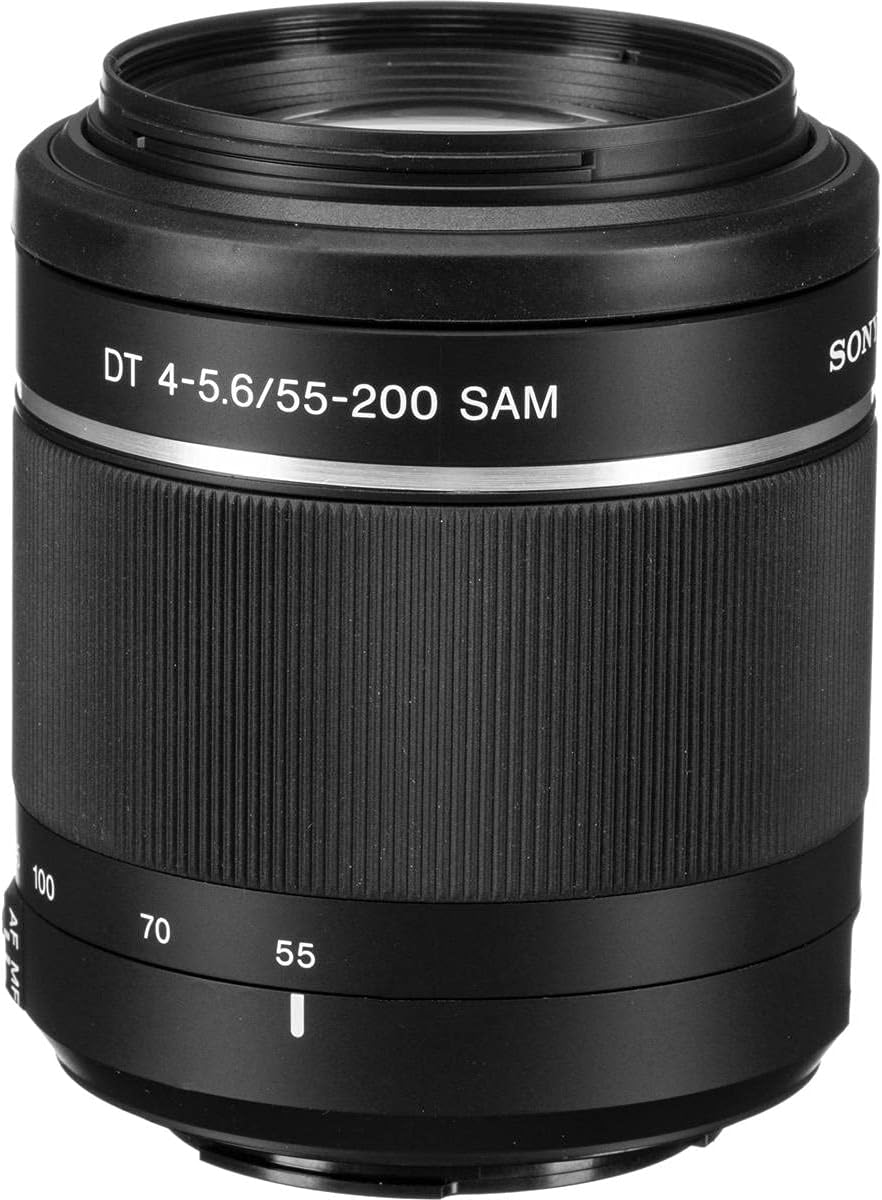
Figure 1: Sony 55-200mm f/4-5.6 SAM DT Telephoto Zoom Lens mounted on a Sony Alpha DSLR camera.
2. Package Contents
Verify that all the following items are included in your product package:
- Sony 55-200mm f/4-5.6 SAM DT Telephoto Zoom Lens (SAL55200/2)
- Lens front cap
- Lens rear cap
- Circular lens hood
- Carrying case
3. Key Features
- Compatibility: Designed for Sony A-mount cameras, compatible with both 35mm full-frame and APS-C format cameras. Note: Not recommended for use with the DSLR-A900 camera model.
- Design: A compact and lightweight telephoto zoom lens, featuring a circular aperture for smooth background blur (bokeh).
- Focal Length: Offers a versatile 55-200mm focal range, providing an equivalent of 82.5-300mm on APS-C format cameras.
- Autofocus: Equipped with a Smooth Autofocus Motor (SAM) for quiet and efficient autofocus operation.
- Close Focus: Achieves a minimum focus distance of 0.95 meters (approximately 3.1 feet) and a maximum magnification of 0.29x.
4. Parts Identification
Familiarize yourself with the different parts of your lens:
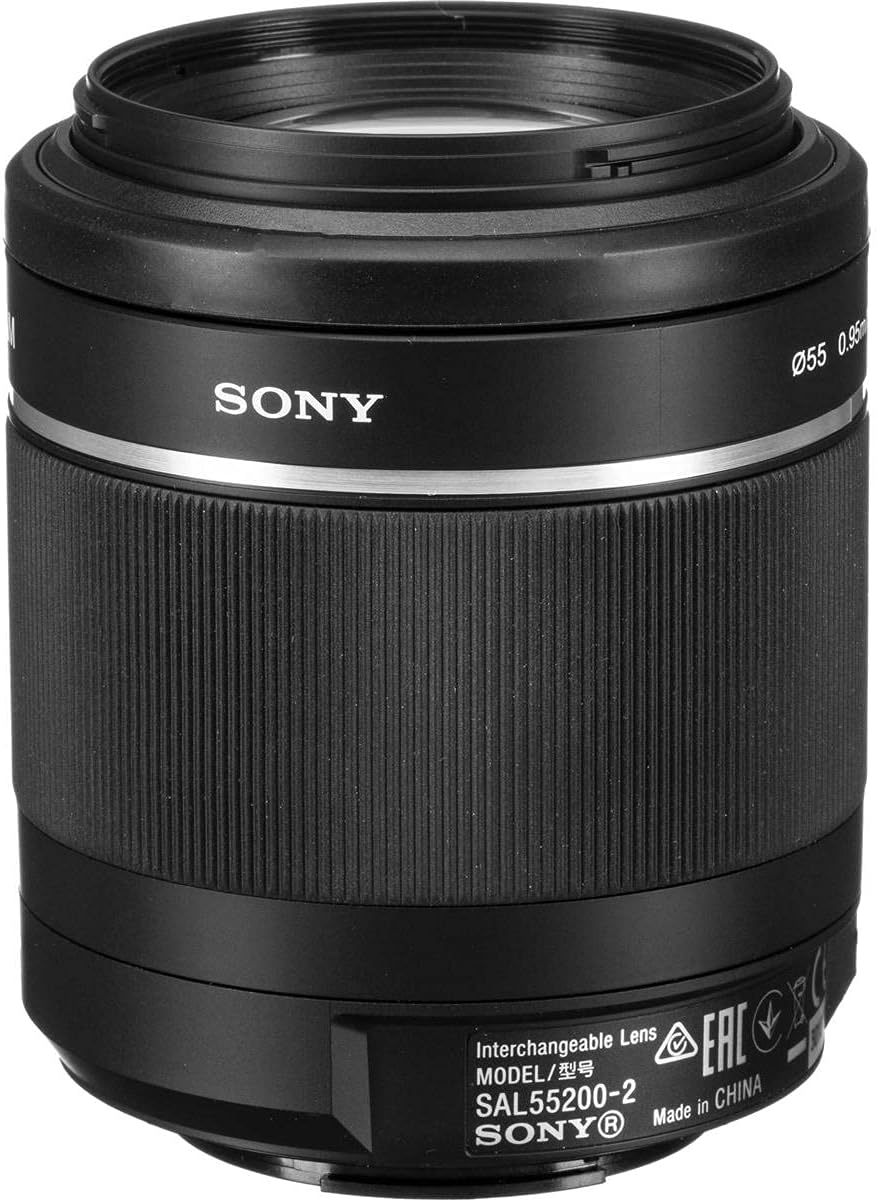
Figure 2: Front view of the lens. Key components include the zoom ring (marked with focal lengths), focus ring, and AF/MF switch.

Figure 3: Rear view of the lens. This shows the lens mount, which connects to the camera body, and the electrical contacts for communication between the lens and camera.
- Front Element: The outermost glass element at the front of the lens.
- Focus Ring: Used for manual focusing.
- Zoom Ring: Used to adjust the focal length (55mm to 200mm).
- AF/MF Switch: Toggles between Autofocus and Manual Focus modes.
- Lens Mount: The part of the lens that attaches to the camera body.
- Electrical Contacts: Pins on the lens mount that transmit data between the lens and camera.
- Lens Hood Attachment: Grooves or bayonet mount for attaching the circular lens hood.
5. Setup
5.1 Attaching the Lens
- Ensure the camera is turned off before attaching or detaching the lens.
- Remove the rear lens cap from the lens and the body cap from the camera.
- Align the white index mark on the lens barrel with the white index mark on the camera body.
- Insert the lens into the camera mount and rotate it clockwise until it clicks into place. Do not force the lens.
5.2 Removing the Lens
- Ensure the camera is turned off.
- While pressing the lens release button on the camera body, rotate the lens counter-clockwise until it stops.
- Gently remove the lens from the camera body.
- Attach the rear lens cap to the lens and the body cap to the camera to protect them from dust and damage.
5.3 Attaching the Lens Hood
The circular lens hood helps to reduce flare and ghosting caused by extraneous light and provides some protection to the front element.
- Align the red dot on the lens hood with the red dot on the front of the lens barrel.
- Insert the lens hood onto the lens and rotate it clockwise until it clicks into place.
- To store the lens hood, reverse its orientation and attach it to the lens by rotating it counter-clockwise until it clicks.
6. Operation
6.1 Selecting Focus Mode (AF/MF)
Use the AF/MF switch on the lens barrel to select your desired focus mode:
- AF (Autofocus): For automatic focusing. The camera will automatically focus on your subject.
- MF (Manual Focus): For manual focusing. Rotate the focus ring to adjust focus manually.
Note: Ensure the camera's focus mode setting matches the lens's AF/MF switch for proper operation.
6.2 Zooming
To change the focal length, rotate the zoom ring on the lens barrel. The focal lengths (55, 70, 100, 135, 200) are marked on the ring. Rotate towards 200mm for telephoto (magnified) views and towards 55mm for wider views.
6.3 Image Stabilization (SteadyShot)
This lens does not feature built-in optical image stabilization. However, many Sony Alpha DSLR cameras include in-body SteadyShot image stabilization, which will effectively reduce camera shake when using this lens. Refer to your camera's instruction manual for details on its SteadyShot function.
Video 1: This video demonstrates the use of a Sony A-mount zoom lens, similar to the SAL55200/2, highlighting its telephoto capabilities and the benefits of camera-based image stabilization for capturing distant subjects.
7. Maintenance
7.1 Cleaning the Lens
- Lens Surfaces: Use a lens blower brush to remove dust and loose particles. For smudges or fingerprints, use a soft, clean microfiber lens cloth and a small amount of lens cleaning solution. Wipe gently in a circular motion from the center outwards.
- Lens Body: Wipe the lens barrel with a soft, dry cloth. Do not use organic solvents such as thinner or benzene.
- Electrical Contacts: If the electrical contacts on the lens mount become dirty, they can interfere with communication between the lens and camera. Wipe them gently with a clean, dry cloth. Do not touch them directly with your fingers.
7.2 Storage
- Always attach the front and rear lens caps when the lens is not in use.
- Store the lens in its carrying case or a dry, well-ventilated area away from direct sunlight, high temperatures, humidity, and corrosive chemicals.
- Avoid storing the lens with mothballs or other insect repellents, as these can damage the lens coatings.
8. Troubleshooting
| Problem | Possible Cause | Solution |
|---|---|---|
| Lens cannot be attached to the camera. | Incorrect alignment of mounting marks. | Ensure the white index mark on the lens aligns with the white index mark on the camera body. Rotate clockwise until it clicks. |
| Autofocus does not work. | AF/MF switch set to MF; dirty electrical contacts; camera focus mode mismatch. | Set the lens AF/MF switch to AF. Clean the electrical contacts on both the lens and camera. Check camera's focus mode settings. |
| Images are blurry or out of focus. | Camera shake (especially at telephoto lengths); incorrect focus; dirty lens element. | Use a faster shutter speed or a tripod. Ensure proper focus. Clean the lens elements. Utilize your camera's SteadyShot feature if available. |
| Lens hood does not attach securely. | Incorrect alignment. | Align the red dot on the lens hood with the red dot on the lens barrel and rotate until it clicks. |
9. Specifications
| Model Number | SAL55200/2 |
| Focal Length | 55-200mm |
| Maximum Aperture | f/4-5.6 |
| Minimum Focus Distance | 0.95 m (3.1 ft) |
| Maximum Magnification | 0.29x |
| Filter Diameter | 55 mm |
| Dimensions (Diameter x Length) | Approx. 71.4 x 85 mm (2.81 x 3.35 inches) |
| Weight | Approx. 306 g (10.8 ounces) |
| Lens Type | Telephoto Zoom |
| Compatible Mountings | Sony/Minolta Alpha A-mount |
| Manufacturer | Sony |
| Date First Available | May 17, 2009 |

Figure 4: MTF (Modulation Transfer Function) chart illustrating the optical performance of the lens at 55mm and 200mm focal lengths, indicating contrast and resolution.
10. Warranty and Support
For information regarding the product warranty, please refer to the warranty card included with your purchase or visit the official Sony support website. For technical assistance, repairs, or further inquiries, please contact Sony customer support.
Note: The product may include a 90-day parts and labor warranty provided by the seller. Please check your purchase documentation for specific warranty terms.