
Minolta 7s
Contents
Minolta 7s 35mm Camera User Manual
Model: 7s | Brand: Minolta
1. Introduction
This manual provides detailed instructions for the proper use, setup, operation, and maintenance of your Vintage Minolta 7s 35mm Camera. The Minolta 7s is a classic 35mm rangefinder camera known for its robust build and the high-quality Rokkor-PF 45mm lens, offering full manual exposure control for photographers.
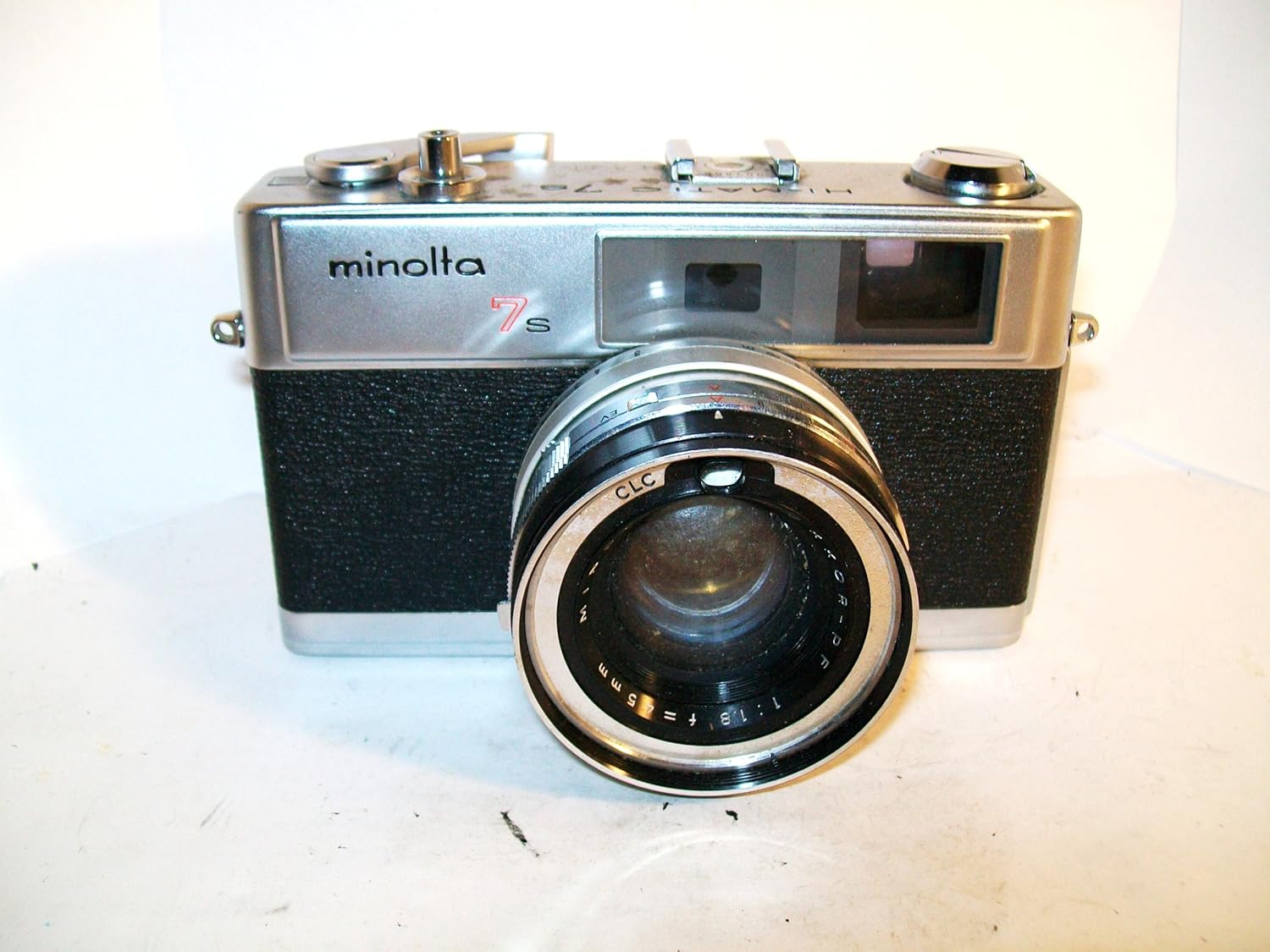
Figure 1: Front view of the Minolta 7s camera, showcasing its classic design and the Rokkor-PF 45mm lens.
2. Setup
2.1 Loading 35mm Film
- Open the Camera Back: Locate the film door latch on the left side of the camera (when viewed from the back). Pull it upwards to release and open the camera back.
- Insert Film Cartridge: Place a 35mm film cartridge into the film chamber on the left side. Push the rewind crank down to secure the cartridge.
- Attach Film Leader: Pull the film leader across to the take-up spool on the right. Insert the tip of the film leader into one of the slots on the take-up spool.
- Advance Film: Slowly turn the take-up spool using the film advance lever until the film perforations engage with the sprockets. Ensure the film lies flat.
- Close Camera Back: Close the camera back firmly until it latches securely.
- Advance and Check: Advance the film two frames by pressing the shutter button and winding the film advance lever. Check the rewind crank; it should rotate as you advance the film, indicating proper film loading.

Figure 2: Rear view of the Minolta 7s camera, illustrating the film compartment and rewind crank.
3. Operating the Camera
3.1 Focusing
The Minolta 7s features a rangefinder focusing system. Look through the viewfinder and align the split image in the center. Rotate the focusing ring on the lens until the two images merge into one, indicating accurate focus.
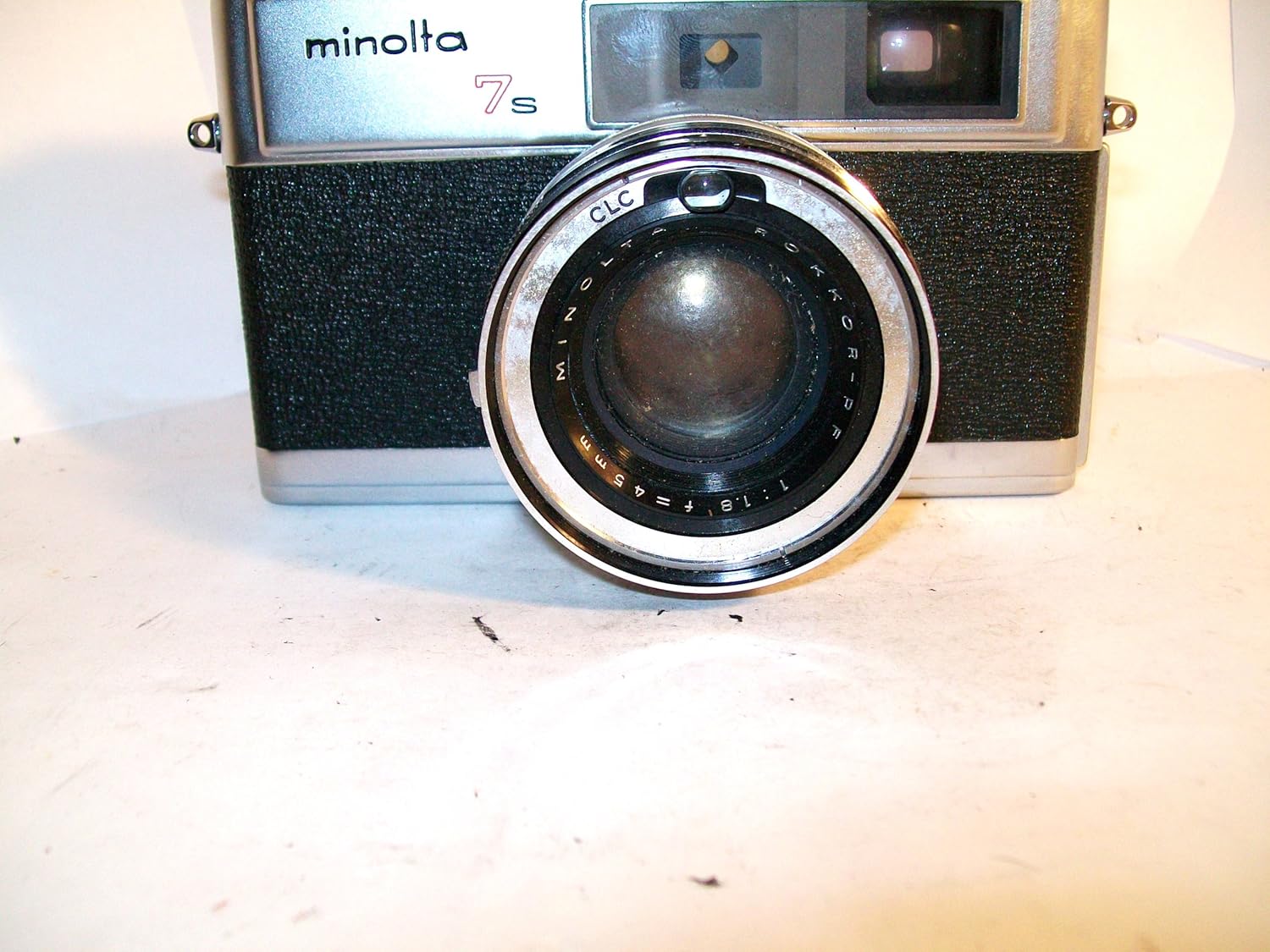
Figure 3: Close-up of the Minolta 7s lens, highlighting the focusing and aperture controls.
3.2 Setting Exposure (Manual Control)
The Minolta 7s offers full manual exposure control. You will need to set both the aperture and shutter speed based on your lighting conditions and desired depth of field.
- Aperture (f-stop): Rotate the aperture ring on the lens to select your desired f-stop (e.g., f/1.8 for shallow depth of field, f/16 for greater depth of field).
- Shutter Speed: Rotate the shutter speed dial on the top of the camera to select your desired shutter speed (e.g., 1/125s for general use, 1/500s for fast action).

Figure 4: Top view of the Minolta 7s camera, illustrating the shutter speed dial and film advance mechanism.
3.3 Taking a Picture
- Frame your shot through the viewfinder.
- Focus the lens as described in Section 3.1.
- Set the aperture and shutter speed as described in Section 3.2.
- Advance the film using the film advance lever until it stops.
- Gently press the shutter button located on the top plate to take the picture.
3.4 Rewinding Film
Once all exposures on the film roll have been used:
- Press the film rewind release button located on the bottom of the camera.
- Fold out the rewind crank on the top left of the camera and turn it clockwise until you feel the tension release, indicating the film is fully rewound into its cartridge.
- Open the camera back and remove the film cartridge.
4. Maintenance
- Cleaning the Lens: Use a soft, lint-free cloth or a lens brush to gently remove dust from the lens. For smudges, use a specialized lens cleaning solution applied to the cloth, not directly to the lens.
- Cleaning the Camera Body: Wipe the camera body with a soft, dry cloth. Avoid using harsh chemicals or abrasive materials.
- Storage: Store the camera in a cool, dry place away from direct sunlight and extreme temperatures. It is recommended to store it in a camera bag or case to protect it from dust and impacts.
- Film Compartment: Periodically check the film compartment for dust or debris that could scratch the film. Use a blower brush to remove any particles.
5. Troubleshooting
| Problem | Possible Cause | Solution |
|---|---|---|
| Film advance lever won't move. | Film not loaded correctly; shutter not released. | Ensure film is properly spooled. Press the shutter button if it's cocked. |
| Shutter won't fire. | Film not advanced; self-timer engaged. | Advance the film completely. Check if the self-timer lever is in the off position. |
| Images are blurry. | Incorrect focus; camera shake; slow shutter speed. | Ensure rangefinder images are merged. Hold camera steady. Use a faster shutter speed or tripod in low light. |
| Film rewind crank doesn't turn. | Rewind release button not pressed. | Press the film rewind release button on the camera bottom before turning the crank. |
6. Specifications
| Feature | Detail |
|---|---|
| Model Name | Minolta 7s |
| Film Format Type | 35mm |
| Lens | Rokkor-PF 45mm f/1.8 |
| Exposure Control Type | Manual |
| Max Shutter Speed | 1/500s |
| Focusing System | Rangefinder |
| Included Components | Camera Body & Lens |
| Item Weight | 1.3 pounds |
| Package Dimensions | 6.3 x 4.9 x 3.3 inches |
7. Warranty and Support
Specific warranty information for vintage products may vary. For general support, product inquiries, or to explore other Minolta products, please visit the official Minolta brand store or contact their customer service channels.
Minolta Brand Store: Visit Minolta Store on Amazon
Documents and downloads
Ask a question about this manual
Ask about setup, troubleshooting, compatibility, parts, safety, or missing instructions. Manuals+ will review the question and use this page’s manual context to help answer it.