
1. Introduction
The Benro Tripster is a versatile reverse-folding travel tripod that also converts into a monopod. Designed for portability and stable performance, it accommodates various camera types from small lightweight models to full-frame DSLRs with larger lenses. This manual provides detailed instructions for setup, operation, and maintenance of your Tripster tripod.
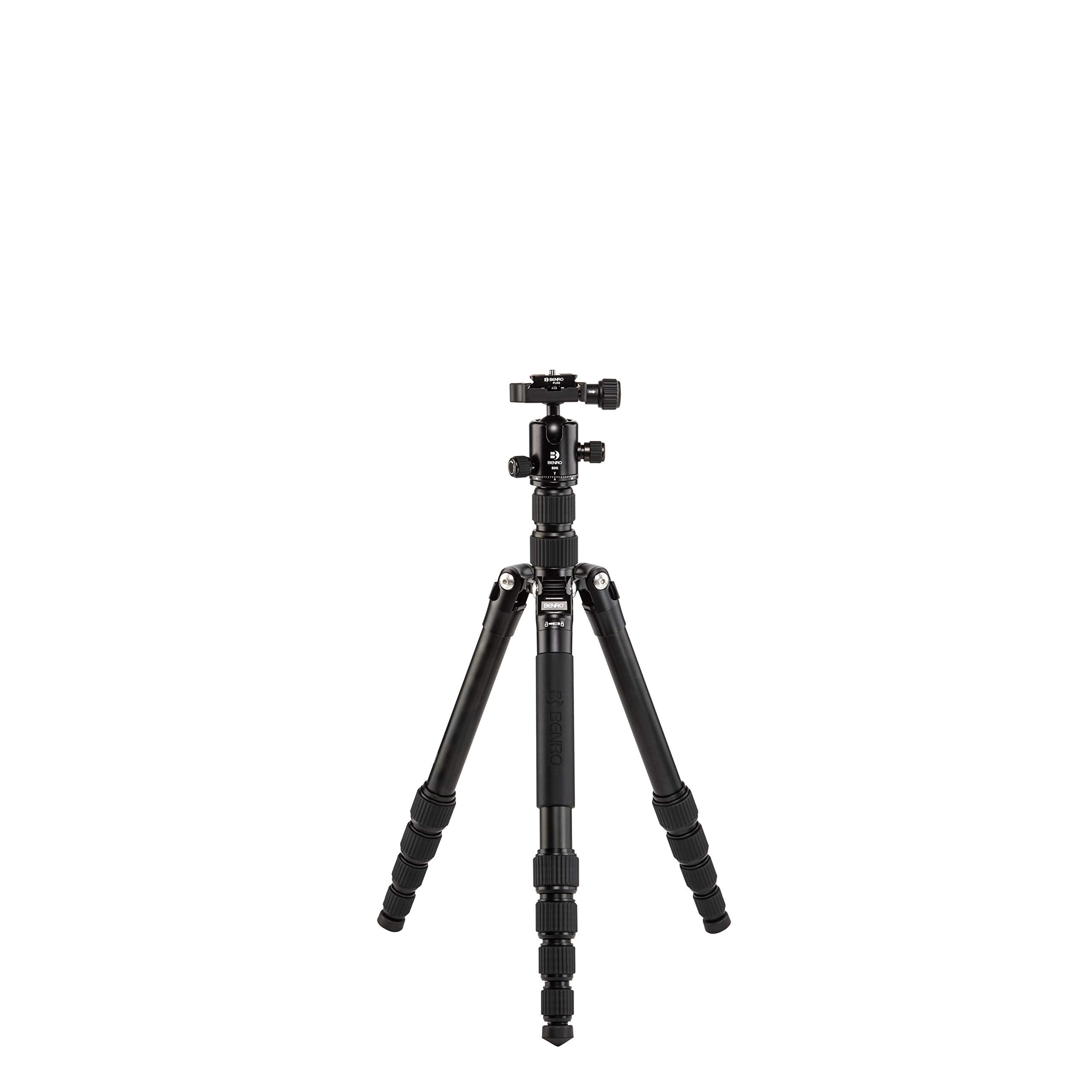
Figure 1: Benro Tripster 1 Series Travel Tripod in its compact, folded state.
2. Key Features
- Ultra-compact Travel Design: Folds to 14.2 inches and weighs 3.4 lb for easy portability.
- Full-size Capability: Extends to 59.3 inches and supports up to 18 lb of gear.
- Tripod-to-Monopod Conversion: Quickly converts by combining the center column with a removable leg.
- Durable Aluminum Construction: Features five-section aluminum legs and secure twist locks.
- Arca-Swiss Compatible Ball Head: Includes a ball head with a quick-release plate.
- Accessory Mount: A 1/4"-20 mount on the shoulder for additional accessories.
3. What's in the Box
- Benro Tripster Travel Tripod/Monopod, 1 Series Black AL (FTR19AB0GBLK)
- Arca-Swiss Compatible Ball Head
- Quick Release Plate
- Drawstring Carrying Bag
- Spiked Feet (for replacement)
4. Setup Instructions
4.1 Unfolding the Tripod
- Grasp the tripod firmly.
- Rotate the legs 180 degrees from their folded position until they lock into place.
- Extend each leg section by twisting the rubber twist locks counter-clockwise to loosen, pulling the section out, and then twisting clockwise to secure.

Figure 2: Tripod legs partially extended for initial setup.
4.2 Adjusting Leg Angles
The tripod features three leg positions, allowing each leg to be positioned individually for stability on uneven terrain.
- Locate the leg angle adjustment tabs at the top of each leg.
- Press the tab and move the leg to the desired angle. Release the tab to lock the leg in position.

Figure 3: Detail of the leg angle adjustment mechanism for adapting to various surfaces.
4.3 Extending the Center Column
The two-stage adjustable center column provides additional height and flexibility.
- Loosen the center column locking knob.
- Raise the center column to the desired height.
- Tighten the center column locking knob to secure it.
4.4 Attaching the Camera
The included ball head features an Arca-Swiss compatible quick-release plate.
- Attach the quick-release plate to the bottom of your camera using the 1/4"-20 camera screw with D-ring. Ensure it is securely tightened.
- Open the quick-release clamp on the ball head.
- Slide the camera with the attached plate into the clamp.
- Close the quick-release clamp to secure the camera.
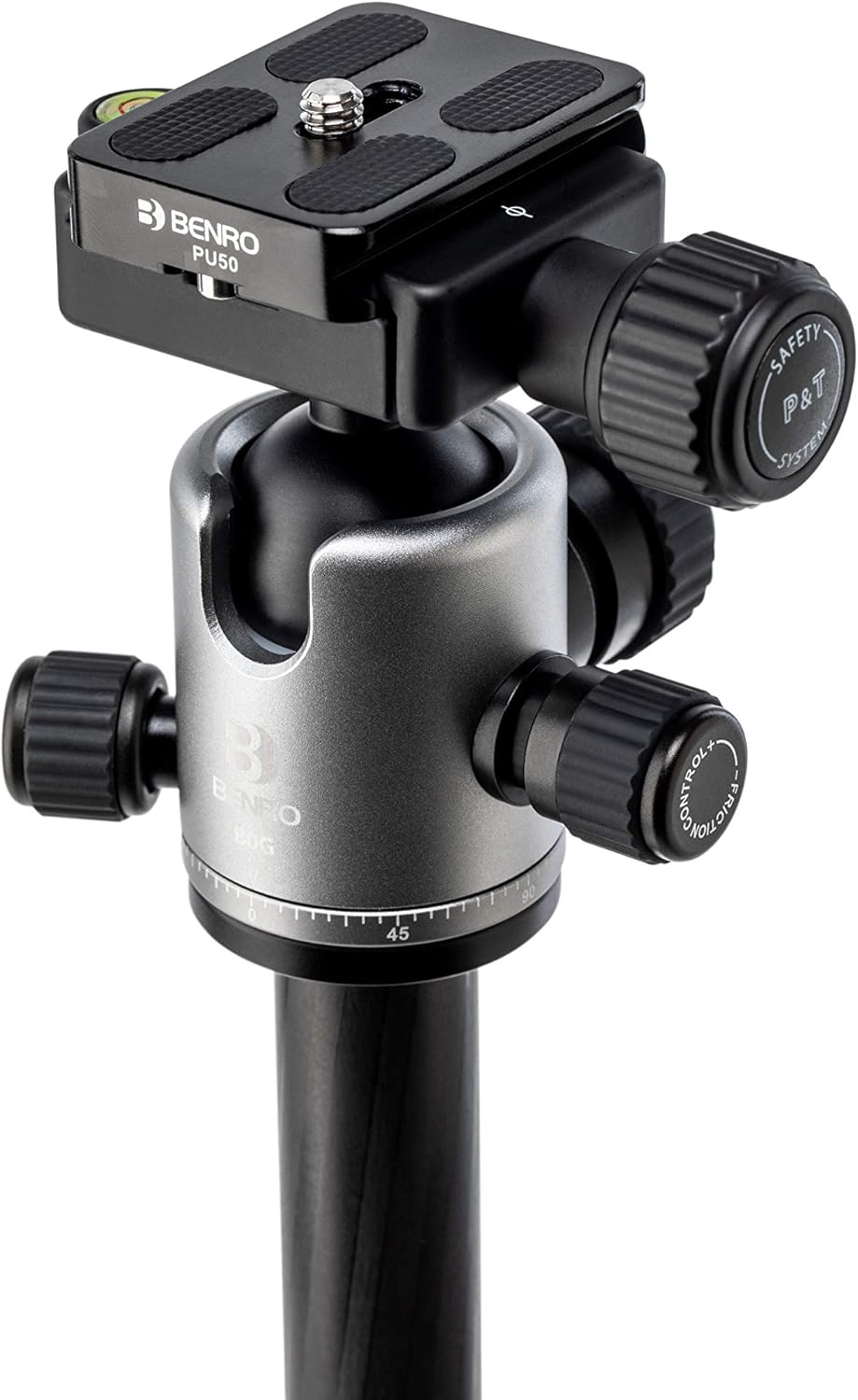
Figure 4: The ball head with its Arca-Swiss compatible quick-release plate for camera attachment.
4.5 Converting to Monopod
The Tripster can be converted into a full-size monopod for increased versatility.
- Unscrew and remove one of the tripod legs.
- Remove the center column from the tripod body.
- Attach the removed leg to the bottom of the center column.
- Attach the ball head (with camera) to the top of the assembled monopod.

Figure 5: The Benro Tripster configured as a monopod, offering flexible shooting options.
4.6 Using Spiked Feet
For enhanced stability on soft or uneven outdoor surfaces, replace the rubber feet with the included spiked feet.
- Unthread the existing rubber feet from the bottom of the tripod legs.
- Thread the spiked feet into place until secure.
5. Operating Instructions
5.1 Adjusting Ball Head (Pan, Tilt, Friction)
The ball head provides independent controls for precise camera positioning.
- Ball Lock Knob: Loosen to allow free movement of the ball for tilting and angling the camera. Tighten to lock the camera in position.
- Pan Lock Knob: Loosen to allow horizontal rotation (panning) of the camera. Tighten to lock the panning motion.
- Friction Control Knob: Adjusts the tension of the ball movement. Turn clockwise to increase friction for heavier cameras, or counter-clockwise to decrease friction for lighter cameras.
5.2 Portrait Orientation
The 90-degree notch on the ball head allows for quick and easy switching to portrait orientation.
- Loosen the ball lock knob.
- Tilt the camera into the 90-degree notch.
- Tighten the ball lock knob to secure the camera in portrait mode.
5.3 Panoramic Photography
Achieve accurate 360-degree panoramas using the graduated pan scale.
- Ensure the ball lock knob is tightened to prevent tilting.
- Loosen the pan lock knob.
- Rotate the camera horizontally, using the graduated scale for precise increments.
- Tighten the pan lock knob after each segment of your panorama.
6. Maintenance
- Regularly clean the tripod legs and twist locks to prevent dirt and debris from affecting their operation. Use a soft, damp cloth.
- Avoid using harsh chemicals or abrasive materials for cleaning.
- Ensure all knobs and locks are tightened before transporting the tripod to prevent damage.
- Store the tripod in its included carrying bag when not in use to protect it from dust and scratches.
7. Troubleshooting
- Legs not extending/retracting smoothly: Clean the leg sections and twist locks thoroughly. Ensure no sand or grit is present.
- Camera not stable on ball head: Ensure the quick-release plate is securely attached to the camera and the quick-release clamp on the ball head is fully tightened. Adjust the friction control knob if the ball movement is too loose for your camera's weight.
- Tripod wobbles: Ensure all leg sections are fully extended and all twist locks are securely tightened. Verify that the leg angle adjustments are properly engaged. On soft ground, consider using the spiked feet.
8. Specifications
| Feature | Specification |
|---|---|
| Brand | Benro |
| Model Number | FTR19AB0GBLK |
| Material | Aluminum |
| Item Weight | 4.2 Pounds |
| Weight Limit | 18 Pounds |
| Maximum Height | 59.3 Inches |
| Minimum Height | 13.97 Inches |
| Folded Size | 14.2 Inches |
| Number of Leg Sections | 5 |
| Tripod Head Type | Ball Heads |
| Compatible Devices | Camera |
9. Official Product Video
Video 1: An overview of the Benro Tripster Series, demonstrating its compact design, monopod conversion, and various features for photographers on the go.
10. Warranty Information
The standard limited warranty for the Benro Tripster is 3 years from the date of purchase for the original owner. If you register the product online, the warranty is extended by an additional 2 years, totaling 5 years, in applicable regions. Please refer to the Benro website for specific warranty registration details and terms.
11. Support
For further assistance, technical support, or inquiries regarding your Benro Tripster, please visit the official Benro website or contact their customer service department. Contact information can typically be found on the Benro website's support section.