
Introduction
This manual provides instructions for the safe installation, operation, and maintenance of the Malibu Intermatic ML88TL 88-Watt Low Voltage Power Pack with Timer. This unit is designed to power 12-Volt low voltage outdoor landscape lighting systems up to a maximum of 88 Watts. It features a weather-resistant housing, an automatic on and off timer, and a manual override switch.
Important Safety Instructions
- Read all instructions thoroughly before installing or operating the power pack.
- This power pack is for outdoor use only.
- Connect the power pack only to a Ground Fault Circuit Interrupter (GFCI) protected electrical outlet.
- Do not exceed the maximum total load of 88 Watts for connected 12-Volt lighting systems.
- Ensure all low voltage wiring connections are secure and properly insulated to prevent electrical hazards.
- Do not immerse the power pack in water.
- Keep children away from electrical components.
Package Contents
- One (1) ML88TL Low Voltage Power Pack
- Two (2) sets of timer trippers (one 'ON' and one 'OFF' tripper per set)
- User Manual
Setup and Installation
Mounting the Power Pack
Select a suitable outdoor location near a GFCI protected electrical outlet. The power pack must be mounted vertically to a sturdy surface using appropriate hardware (not included). Ensure the unit is positioned to prevent water accumulation and allow for proper ventilation.
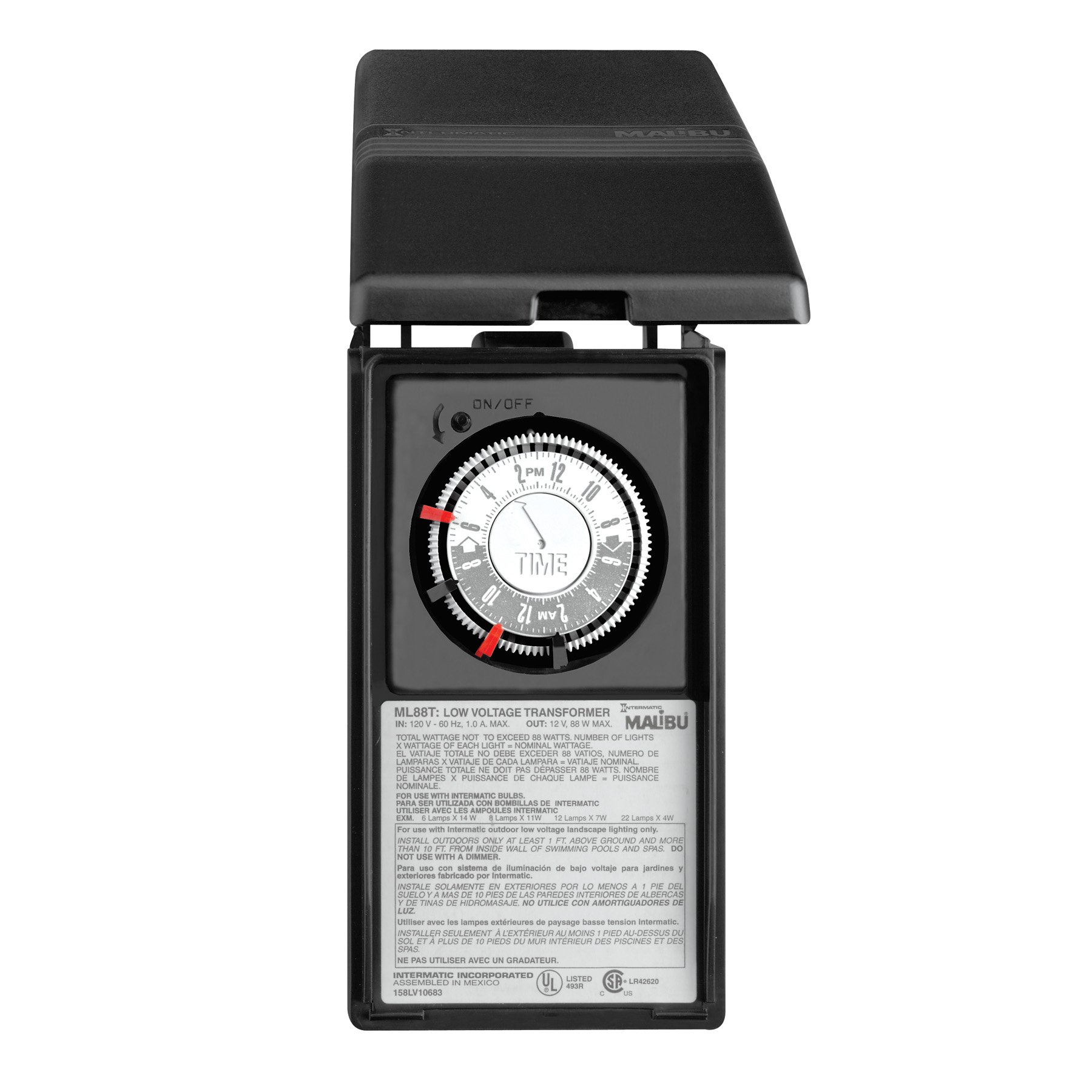
Image showing the ML88TL power pack mounted vertically on an outdoor wall, demonstrating proper installation orientation.
Wiring the Low Voltage Lighting System
Connect your 12-Volt low voltage landscape lighting cables to the output terminals of the power pack. Ensure all connections are secure and waterproof. This unit is designed for low voltage systems only; do not connect to high voltage wiring. Refer to your lighting system's instructions for specific wiring details.
Operating Instructions
Setting the Automatic Timer
The ML88TL features an automatic on and off timer. To set the timer, locate the timer dial on the front of the unit and use the included trippers.
- Insert the 'ON' tripper into the desired time slot on the timer dial when you want your lights to turn on.
- Insert the 'OFF' tripper into the desired time slot on the timer dial when you want your lights to turn off.
- Rotate the entire timer dial clockwise to set the current time, aligning it with the indicator arrow.
- The timer will now cycle daily, turning lights on and off at the set times.
A detailed view of the power pack's timer dial, showing how to insert the 'ON' and 'OFF' trippers for automatic operation.
Manual On/Off Override
The unit includes a manual on and off override switch, allowing you to temporarily control the lights without affecting the programmed timer settings.
- To manually turn lights ON, move the override switch to the "ON" position.
- To manually turn lights OFF, move the override switch to the "OFF" position.
- To return to automatic timer operation, move the override switch to the "TIMER" position.
Maintenance
Periodically inspect the power pack and all associated wiring for any signs of damage, wear, or corrosion. Keep the unit clean and free from debris, leaves, or other obstructions that could impede ventilation. Ensure all low voltage connections remain secure. No user-serviceable parts are inside the sealed housing.
Troubleshooting
Lights Not Turning On
- Check Power Supply: Ensure the power pack is securely plugged into a working GFCI protected electrical outlet.
- Check Override Switch: Verify the manual override switch is in the "ON" or "TIMER" position.
- Check Timer Settings: Confirm the 'ON' tripper is correctly placed on the timer dial and the current time is accurately set.
- Check Wiring: Inspect all low voltage connections for looseness, damage, or corrosion.
- Check Total Wattage: Ensure the total wattage of all connected lights does not exceed the 88-Watt capacity of the power pack.
Lights Not Turning Off
- Check Override Switch: Verify the manual override switch is in the "OFF" or "TIMER" position.
- Check Timer Settings: Confirm the 'OFF' tripper is correctly placed on the timer dial and the current time is accurately set.
Specifications
| Feature | Detail |
|---|---|
| Model | ML88TL |
| Brand | Malibu |
| Manufacturer | Intermatic, Inc. |
| Max Wattage | 88 Watts |
| Input Voltage | Standard Household (120V AC) |
| Output Voltage | 12 Volts AC |
| Construction | Weather Resistant, Surge Resistant |
| Dimensions | Approximately 9.8 x 5.2 x 5.1 inches |
| Item Weight | 3.4 pounds |
Warranty Information
This Malibu Intermatic ML88TL Power Pack is covered by a 1-Year limited parts warranty from Intermatic, Inc. For complete details regarding warranty terms, conditions, and limitations, please refer to the official warranty documentation provided by Intermatic, Inc. or visit their official website.
Customer Support
For technical assistance, troubleshooting guidance, or to inquire about warranty claims, please contact Intermatic, Inc. customer support directly. You can typically find their contact information, including phone numbers and support portals, on their official company website.


