
Introduction
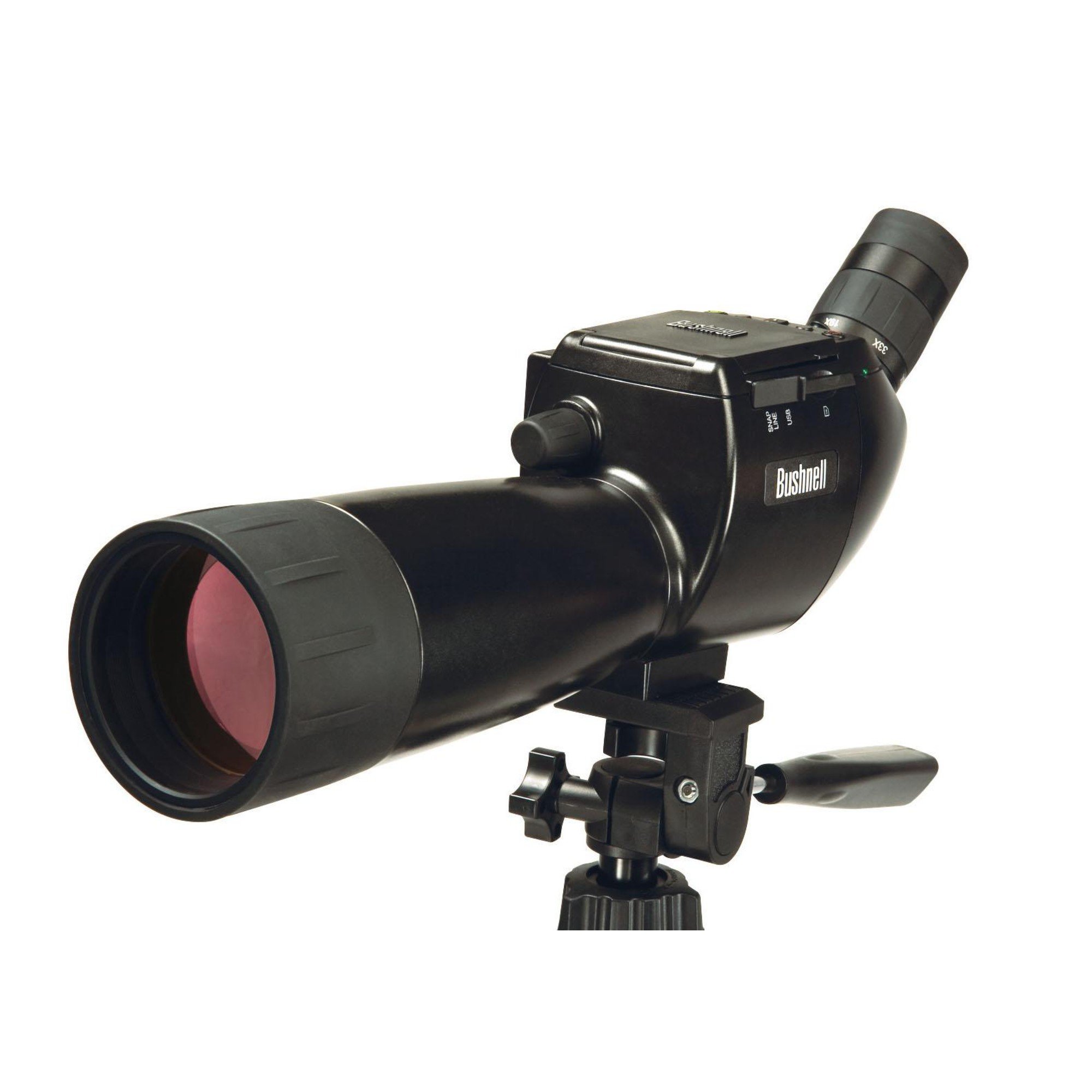
The Bushnell Imageview 15-45x70mm 5MP Camera Spotting Scope is a versatile optical instrument designed for both observation and digital image capture. It combines a high-magnification spotting scope with a 5-megapixel digital camera, allowing users to view distant subjects and record them as high-resolution photos or videos. This manual provides essential information for the proper setup, operation, maintenance, and troubleshooting of your device.
Key features include 15-45x magnification, a 70mm objective lens, a 5.0 Megapixel camera, and a flip-up 2.5-inch LCD screen for viewing and playback. The device is powered by two AA batteries and supports storage on an SD card. It also comes with a table tripod and a remote shutter cable for enhanced usability.
Setup
1. Unpacking
Carefully remove all components from the packaging. Ensure you have the spotting scope, table tripod, remote shutter cable, and soft case.
2. Battery Installation
- Locate the battery compartment on the device.
- Open the compartment cover.
- Insert two (2) AA batteries, ensuring correct polarity (+/-).
- Close the battery compartment cover securely.
3. SD Card Installation
- Locate the SD card slot.
- Insert a compatible SD card (not included) into the slot until it clicks into place. Ensure the card is inserted in the correct orientation.
4. Attaching the Tripod
- Extend the legs of the table tripod.
- Locate the tripod mounting screw on the bottom of the spotting scope.
- Align the scope with the tripod and gently screw the scope onto the tripod until secure. Do not overtighten.
5. Connecting the Remote Shutter Cable
- Locate the remote shutter port on the spotting scope.
- Plug one end of the remote shutter cable into this port.
- The other end connects to the remote control (if applicable) for hands-free image capture.
Operating Instructions
1. Powering On/Off
Press and hold the ON/OFF button (labeled with a power symbol) to turn the device on or off.
2. Adjusting Magnification
Rotate the magnification ring located near the eyepiece to adjust the zoom level from 15x to 45x.
3. Focusing
The Imageview features a sync focus system. Rotate the focus knob to simultaneously sharpen the image seen through the eyepiece and on the LCD screen for optimal clarity.
4. Using the LCD Screen
The 2.5-inch flip-out color LCD screen can be opened for viewing subjects, navigating menus, and reviewing captured media. Adjust its angle for comfortable viewing.
5. Switching Between Eyepiece and Camera Modes
Use the slider switch labeled Eyepiece and Camera to select your desired viewing/capture mode.
6. Capturing Images and Videos
- Ensure the device is in Camera mode.
- Press the MODE button to switch between photo and video capture modes.
- Frame your subject using the LCD screen.
- Press the SNAP button (with a camera icon) to take a photo or start/stop video recording.
- Use the directional arrow buttons to navigate menus or adjust settings. Press OK to confirm selections.
This image shows the Bushnell Imageview spotting scope from an angled top-down perspective. The device is black, with a large objective lens at the front and an eyepiece at the rear. A 2.5-inch flip-out LCD screen is open, displaying a clear image of an elk in a grassy field. Below the screen, control buttons are visible, including 'ON/OFF', 'MODE', directional arrows, 'OK', and 'SNAP' (with a camera icon). A slider switch allows selection between 'Eyepiece' and 'Camera' modes. The Bushnell logo with 'B ESTD 1948' is prominently displayed.
Maintenance
1. Cleaning Optics
Use a soft, lint-free cloth specifically designed for optical lenses to clean the objective lens and eyepiece. Avoid using abrasive materials or harsh chemicals. Gently wipe in a circular motion to remove dust and smudges.
2. Battery Care
Remove batteries if the device will not be used for an extended period to prevent leakage. Use fresh, high-quality AA batteries for optimal performance.
3. Storage
Store the spotting scope in its soft case in a cool, dry place, away from direct sunlight and extreme temperatures. Ensure the lens caps are in place to protect the optics.
4. Water Resistance
This device is waterproof. While it can withstand exposure to moisture, avoid submerging it in water for prolonged periods. Always dry the device thoroughly after exposure to water.
Troubleshooting
- Device does not power on: Check battery installation and ensure batteries are fresh.
- Blurry image: Adjust the focus knob. Ensure the eyepiece diopter (if present) is set correctly for your vision.
- Cannot take photos/videos: Ensure an SD card is inserted and has sufficient free space. Check that the device is in Camera mode.
- LCD screen not displaying: Ensure the screen is fully flipped out and the device is powered on.
- Remote shutter not working: Verify the cable is securely connected to both the scope and the remote. Check remote battery if applicable.
Specifications
| Model Name | Bushnell Imageview 15-45x70mm 5 MP 2.5"LCD |
| Magnification | 15-45x |
| Objective Lens Diameter | 70mm |
| Camera Resolution | 5.0 Megapixel |
| LCD Screen | 2.5 inch Flip-up Color LCD |
| Field of View (at 1000 yards) | 121.5 ft (at 15x) / 17.5 ft (at 45x) |
| Close Focus | 26 feet |
| Eye Relief | 11mm |
| Exit Pupil | 1.1mm |
| Lens Coating | Multi-Coated |
| Water Resistance | Waterproof |
| Power Source | 2x AA Batteries |
| Weight | 0.71 kg (25.4 ounces) |
| Length | 11.6 inches |
| Model Number | 111545 |
Warranty and Support
Warranty Information
This Bushnell Imageview Spotting Scope includes a limited two-year manufacturer's warranty. Please retain your proof of purchase for warranty claims. For specific terms and conditions, refer to the warranty card included with your product or visit the official Bushnell website.
Customer Support
For technical assistance, troubleshooting beyond this manual, or warranty service, please contact Bushnell customer support. You can find contact information and additional resources on the official Bushnell website: www.bushnell.com