
1. Introduction
The Suncourt HC500 Flush Fit Register Booster Fan is designed to improve airflow in rooms that are too hot or too cold. It quietly boosts heated or cooled air from your HVAC system, ensuring more consistent temperatures and enhanced comfort throughout your home. Featuring smart technology, this fan automatically adjusts its operation based on your system's heating and cooling patterns.
2. Safety Information
Please read all instructions carefully before installation and use. Failure to follow these instructions may result in electric shock, fire, or other hazards.
- Ensure the power cord is not pinched or damaged during installation.
- Do not operate the fan with a damaged cord or plug.
- Do not immerse the unit in water or other liquids.
- Keep foreign objects out of the fan grille.
- This product is for indoor use only.
3. Specifications
| Brand | Suncourt |
| Model Name | HC500-W Flush Fit |
| Color | White |
| Power Source | Corded Electric |
| Product Dimensions | 5.62"D x 11.62"W x 1.75"H |
| Air Flow Capacity | Up to 132 Cubic Feet Per Minute (CFM) |
| Number of Power Levels | 5 |
| Special Feature | Automatic (Smart Technology) |
| Installation Type | Plug-in, Floor/Wall Mount |
| Voltage | 24V |
| Wattage | 3.90W |
Product Dimensions

Image: Detailed dimensions of the Suncourt HC500 Flush Fit Register Booster Fan, indicating it fits 4"x10" registers, with overall dimensions of 11-5/8" length, 5-5/8" width, and 1-1/2" height, and a 6-foot power cord.
4. Installation
The Suncourt HC500 Flush Fit Register Booster Fan is designed for easy, tool-free installation in standard 4"x10" floor or wall register openings.
Installation Steps:
- Measure Your Vent Opening: Ensure your floor or wall register opening measures 4"x10". This fan is designed to fit flush within this standard size.
- Place the Booster Fan: Insert the booster fan directly into the register boot. The flush fit design allows it to sit seamlessly.
- Connect Power: Plug the fan's power cord into the booster fan unit, then plug the adapter into any standard wall receptacle.

Image: A visual guide demonstrating the simple three-step installation process: placing the booster fan into the register boot, connecting the power cord to the fan, and plugging the power adapter into a wall outlet.
Installation Examples:
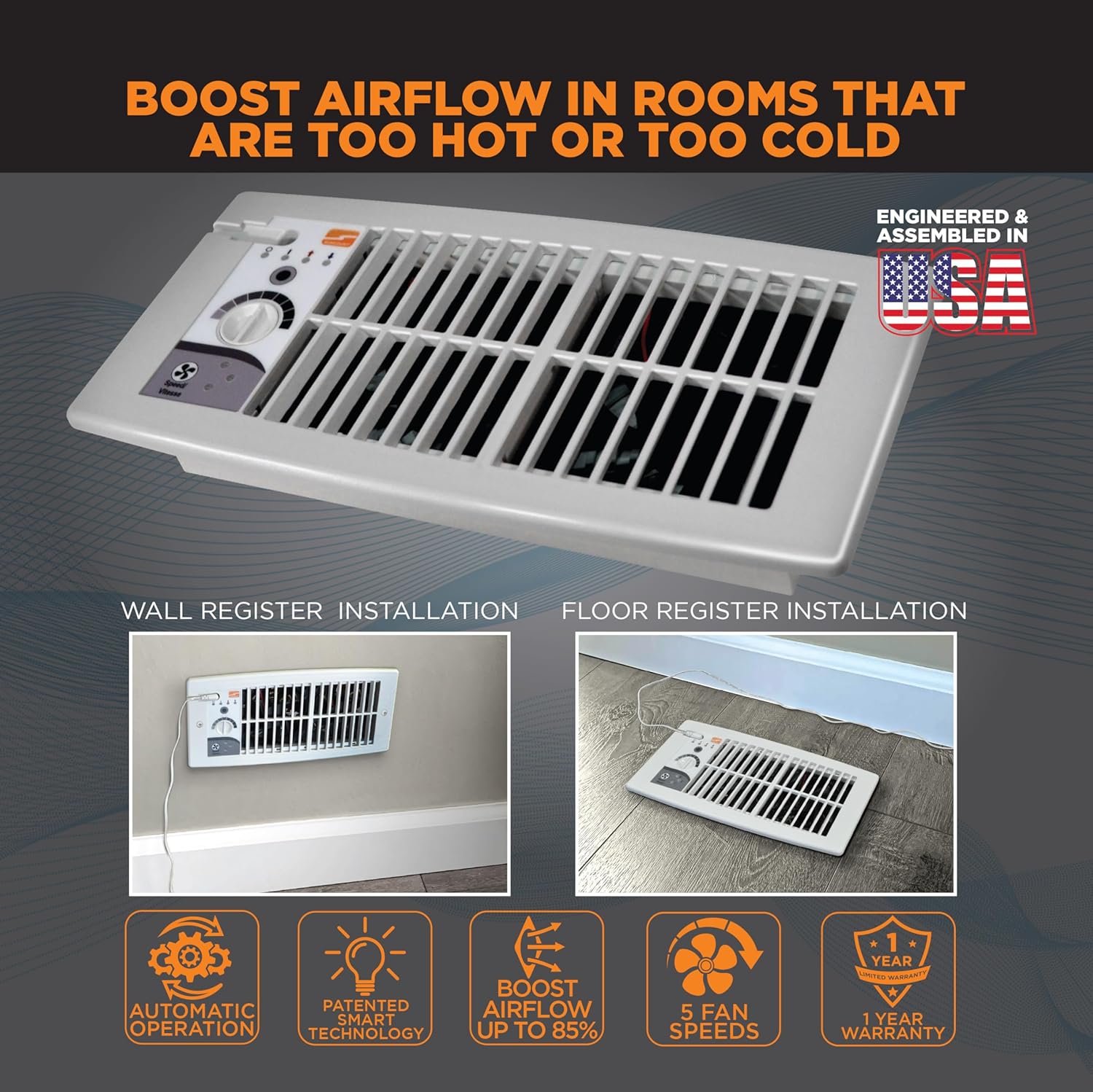
Image: Demonstrations of the booster fan installed in both a wall register and a floor register, highlighting its flush fit and discreet appearance.
5. Operation
The HC500 features patented smart technology for automatic operation and 5 adjustable fan speeds for customized comfort.
Automatic Operation (Smart Technology):
The fan automatically turns on/off when your HVAC system is heating or cooling, eliminating the need for manual or seasonal adjustments. It learns your system's patterns to deliver hands-off functionality year-round.

Image: Visual representation of the fan's automatic operation, detecting and boosting heated or cooled air from the HVAC system.
Setting Cool Mode:
- Ensure the unit is in the OFF position. Turn the dial counter-clockwise until it stops.
- Press the mode button three times. The blue cool light will illuminate, and the fans will not be operating initially.
- Wait for your air conditioning to start. Allow 75 seconds of central blower operation.
- Slowly turn the rotary set point dial clockwise in a continuous motion until the fans turn on. Stop immediately once the fans begin to operate.
- The booster is now set to turn on when the air from the AC reaching the register is sufficiently cool.
Video: Instructions on how to program the Suncourt Flush Fit Register Booster for Cool Mode operation.
Setting Heat Mode:
- Ensure the unit is in the OFF position. Turn the dial clockwise until it stops.
- Press the mode button twice. The red heat light will illuminate, and the fans will not be operating initially.
- Wait for your furnace to start. Allow 60 seconds of central blower operation.
- Slowly turn the rotary set point dial counter-clockwise in a continuous motion until the fans turn on. Stop immediately once the fans begin to operate.
- The booster is now set to turn on when the air from the furnace reaching the register is sufficiently warm.
Video: Instructions on how to program the Suncourt Flush Fit Register Booster for Heat Mode operation.
Fan Speed Adjustment:
The fan features 5 adjustable speeds, providing up to 132 CFM for customized airflow. Adjust the dial to your desired speed setting.

Image: Noise level comparison demonstrating the ultra-quiet operation of the Suncourt booster fan, rated as low as 40dBA.

Image: An internal view of the fan, showcasing its dual DC brushless motors designed for reliable, quiet, and efficient operation.
6. Maintenance
To ensure optimal performance and longevity of your Suncourt HC500 Flush Fit Register Booster Fan, follow these simple maintenance guidelines:
- Cleaning: Periodically clean the fan grille and blades to prevent dust buildup, which can impede airflow and efficiency. Use a soft, dry cloth or a vacuum cleaner with a brush attachment. Ensure the unit is unplugged before cleaning.
- Inspection: Regularly inspect the power cord for any signs of damage. If the cord is damaged, discontinue use and contact customer support.
- No Lubrication Required: The fan motors are permanently lubricated and do not require additional oiling.
7. Troubleshooting
| Problem | Possible Cause | Solution |
|---|---|---|
| Fan does not turn on. | No power, incorrect mode setting, or temperature not met. | Check if the unit is plugged in and the outlet is functional. Verify the correct heat/cool mode is selected and the set point dial is adjusted correctly. Ensure the HVAC system is actively running and providing air at the set temperature. |
| Fan runs continuously. | Set point dial too sensitive or constant airflow. | Adjust the set point dial to a less sensitive setting. Ensure the HVAC system is cycling off as expected. |
| Fan is noisy. | Dust buildup or obstruction. | Unplug the unit and clean the fan blades and grille. Ensure no objects are obstructing the fan. |
| Insufficient airflow boost. | Fan speed too low or ductwork issues. | Increase the fan speed setting. Check for obstructions in the ductwork or ensure the main HVAC system is functioning optimally. |
8. Warranty & Support
Suncourt register booster fans are backed by a 12-month warranty, ensuring trusted performance. For technical support, warranty claims, or further assistance, please refer to the contact information provided on the Suncourt official website or your product packaging.


