
1. Introduction
This manual provides comprehensive instructions for the iLuv iSP100 Portable Speaker. This ultra-portable stereo speaker is designed for use with iPods, MP3 players, laptops, and any other audio devices equipped with a standard 3.5mm audio jack. Please read this manual carefully before using your speaker to ensure proper operation and longevity.
2. Package Contents
Verify that all items are present in your package:
- iLuv iSP100 Portable Speaker
- Carrying Pouch
3. Product Overview
The iLuv iSP100 is engineered for portability and clear audio output. Key features include:
- Loud and high-quality stereo sound.
- Compatibility with any audio devices featuring a 3.5mm jack.
- A protective carrying pouch for transport.
- Powerful built-in speakers.
- A power indicator light for operational status.
- Operation using 2 AA batteries (not included).
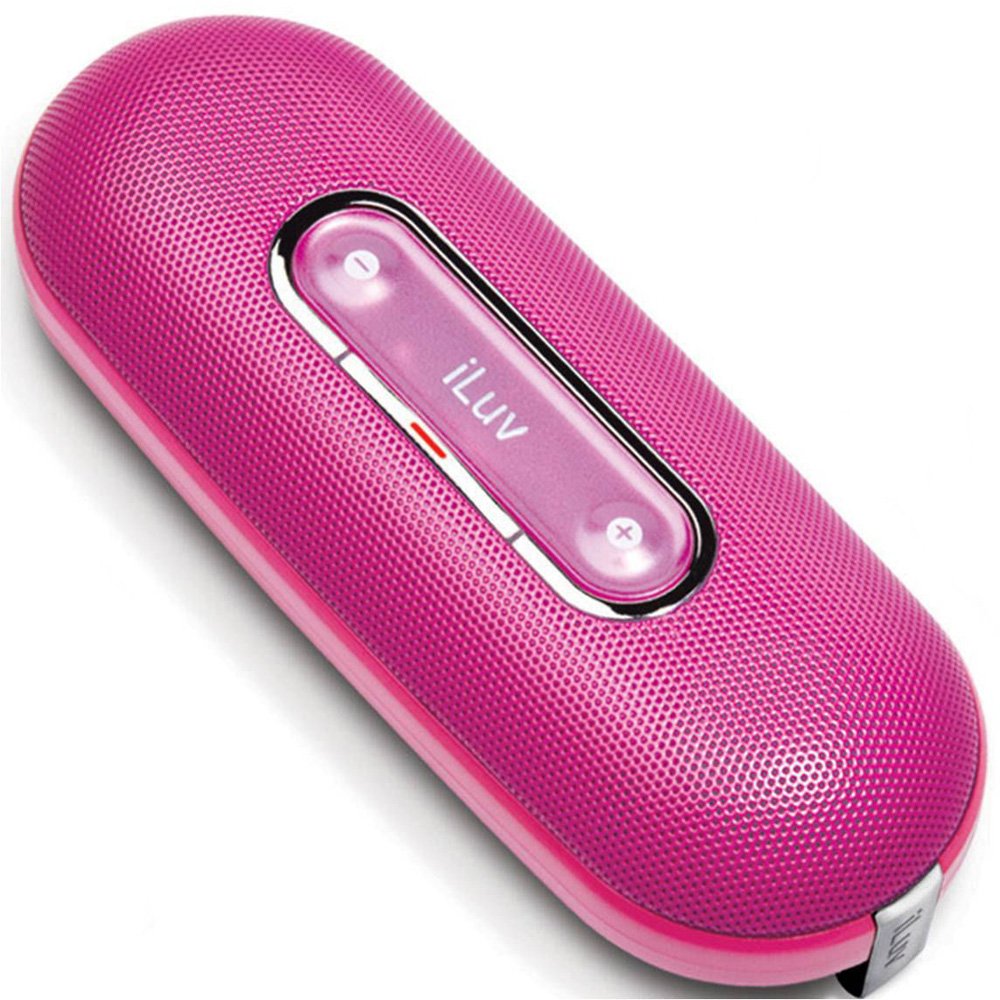
Image of the iLuv iSP100 portable speaker, showcasing its compact design and pink color.
4. Setup
4.1 Battery Installation
- Locate the battery compartment on the speaker.
- Open the compartment cover.
- Insert 2 AA batteries, ensuring correct polarity (+/-).
- Close the battery compartment cover securely.
4.2 Connecting Your Audio Device
- Extend the integrated 3.5mm audio cable from the speaker.
- Plug the 3.5mm audio jack into the headphone or audio output port of your iPod, MP3 player, laptop, or other compatible audio device.
5. Operating Instructions
5.1 Power On/Off
- To turn the speaker ON, slide the power switch to the 'ON' position. The power indicator light will illuminate.
- To turn the speaker OFF, slide the power switch to the 'OFF' position. The power indicator light will turn off.
5.2 Volume Control
Adjust the playback volume directly on your connected audio device (e.g., iPod, MP3 player, laptop).
6. Maintenance
6.1 Cleaning
Wipe the speaker's exterior with a soft, dry cloth. Do not use liquid cleaners or abrasive materials.
6.2 Storage
When not in use, store the speaker in its protective carrying pouch to prevent dust and scratches. If storing for an extended period, remove the batteries to prevent leakage.
6.3 Battery Replacement
Replace the batteries when the sound quality degrades, the volume becomes low, or the speaker fails to power on. Always use fresh AA batteries.
7. Troubleshooting
- No Sound:
- Ensure the speaker is powered on and the power indicator light is illuminated.
- Check that the 3.5mm audio jack is fully inserted into both the speaker and your audio device.
- Verify that your audio device's volume is turned up and not muted.
- Replace the batteries if they are low or depleted.
- Distorted Sound:
- Lower the volume on your audio device.
- Replace the batteries with fresh ones.
- Ensure the audio cable is not damaged or kinked.
- Speaker Turns On/Off Accidentally During Transport:
- Ensure the power switch is in the 'OFF' position when transporting.
- Consider placing a small piece of non-conductive material (e.g., paper) between one of the battery terminals and the battery to break the circuit when not in use, especially during travel.
8. Specifications
| Model Name | iSP100pnk |
| Brand | iLuv |
| Speaker Type | Portable |
| Recommended Uses | Music Players, Smartphones, Tablets |
| Compatible Devices | Laptop, MP3 Player, Smartphone, Tablet |
| Color | Pink |
| Included Components | Carrying Pouch |
| Item Weight | 7.5 ounces |
| Power Source | Battery Powered (2 AA batteries required) |
| Connectivity Technology | Auxiliary (3.5mm jack) |
| Audio Output Mode | Stereo |
| Product Dimensions | 2 x 4.5 x 7 inches |
| Date First Available | March 15, 2009 |
9. Warranty and Support
9.1 Warranty Information
This product comes with a Limited Warranty. For specific terms and conditions, please refer to the warranty card included with your purchase or visit the official iLuv website.
9.2 Customer Support
For technical assistance, product inquiries, or warranty claims, please visit the official iLuv website or contact their customer service department. Contact information can typically be found on the manufacturer's website or product packaging.


