
1. Introduction
This manual provides detailed instructions for the safe and efficient operation of your Lasko 3542 20" Cyclone Fan with Remote Control. The Lasko 3542 Cyclone fan is a versatile 20-inch fan designed for floor or wall mounting, featuring a multi-function remote control. It offers three powerful speeds and an electronic auto-off timer with 2, 4, or 8-hour settings. The fan comes fully assembled with convenient top-mounted controls and a carry handle, and includes a space-saving wall-mount option.
2. Important Safety Instructions
When using electrical appliances, basic precautions should always be followed to reduce the risk of fire, electric shock, and injury to persons. Read all instructions before using this fan.
- Always unplug the fan from the power outlet before cleaning, moving, or performing any maintenance.
- Do not use the fan near water or in wet locations.
- Ensure proper ventilation around the fan.
- Keep fingers and other objects away from moving parts to prevent injury.
- Do not operate the fan with a damaged cord or plug. If the cord or plug is damaged, contact qualified service personnel for repair or replacement.
- Do not run cord under carpeting. Do not cover cord with throw rugs, runners, or similar coverings. Arrange cord away from traffic area and where it will not be tripped over.
- This fan is for indoor use only.
3. Package Contents
Verify that all components are present in the package:
- Lasko 3542 20" Cyclone Fan
- Remote Control
- User Guide (this manual)
4. Setup
The Lasko 3542 Cyclone Fan comes fully assembled and ready for use. No assembly is required.
4.1 Initial Placement
Place the fan on a stable, flat surface. Ensure the power cord is not obstructed and is easily accessible to a standard 120V AC electrical outlet. The fan can be tilted to direct airflow as needed.

Image: Lasko 3542 Cyclone Fan in a typical floor placement, showing its adjustable tilt feature.
5. Operating Instructions
The fan can be operated using the control panel located on the top of the unit or with the included remote control.
5.1 Control Panel
The control panel features buttons for Power, Speed, and Timer settings. Indicator lights will illuminate to show the current speed and timer setting.

Image: Detailed view of the fan's top-mounted control panel, showing the power, fan speed, and timer buttons.
5.2 Remote Control
The remote control provides convenient access to all fan functions from a distance. Insert two AAA batteries (not included) into the remote control, ensuring correct polarity. Point the remote control directly at the fan's control panel for optimal response.
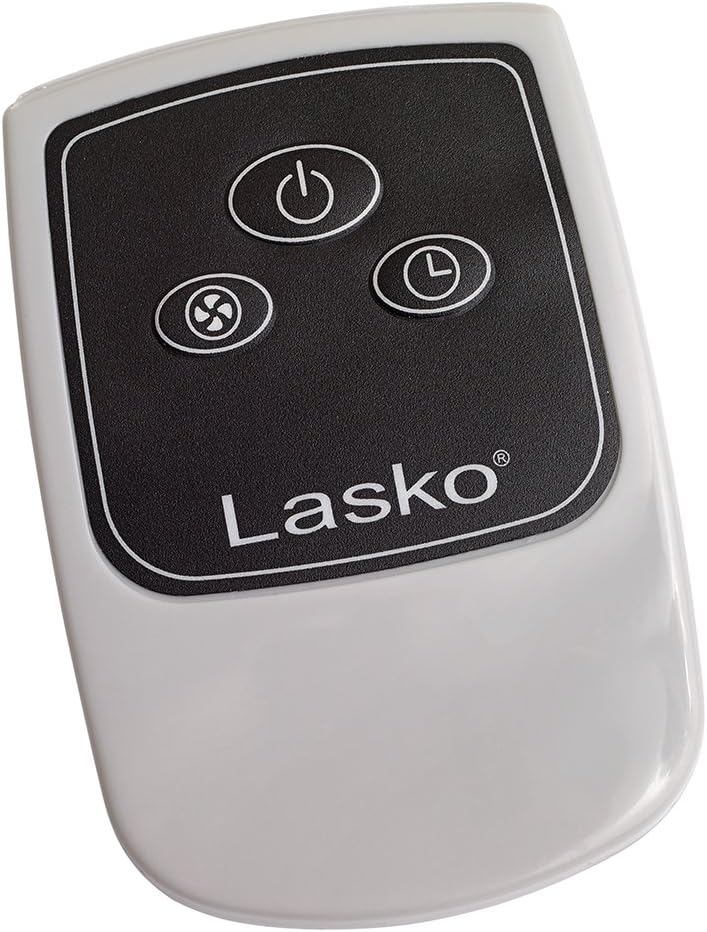
Image: The compact remote control for the Lasko 3542 fan, featuring buttons for power, fan speed, and timer functions.
5.3 Speed Settings
Press the fan speed button to cycle through three powerful speed settings: Low, Medium, and High. The corresponding indicator light on the control panel will illuminate.
5.4 Timer Function
Activate the electronic auto-off timer by pressing the timer button. You can set the fan to operate for 2, 4, or 8 hours before automatically shutting off. The selected timer duration will be indicated by the illuminated light.
6. Wall Mount Option
The Lasko 3542 Cyclone Fan can be mounted on a wall to save floor space. For detailed instructions on how to safely and securely mount the fan, please refer to the specific wall mounting section in the comprehensive user guide included with your product. Ensure the mounting surface is suitable and capable of supporting the fan's weight.

Image: The Lasko Cyclone fan shown in a wall-mounted configuration, highlighting its versatility.
7. Maintenance
Regular maintenance helps ensure the longevity and optimal performance of your fan.
7.1 Cleaning
Always unplug the fan before cleaning. Use a soft, damp cloth to wipe down the exterior surfaces of the fan. Do not use abrasive cleaners or harsh chemicals, as these may damage the finish. Do not immerse the fan in water or allow water to drip into the motor housing.
7.2 Storage
When not in use for extended periods, store the fan in a cool, dry place. It is recommended to cover the fan to protect it from dust accumulation.
8. Troubleshooting
If your fan is not operating as expected, please refer to the following common issues and solutions:
| Problem | Possible Cause | Solution |
|---|---|---|
| Fan does not turn on. | Not plugged in; power outlet not working; power button not pressed. | Ensure the fan is securely plugged into a functional 120V AC outlet. Test the outlet with another appliance. Press the power button on the fan or remote. |
| Remote control not working. | Dead or incorrectly installed batteries; remote not pointed at sensor. | Replace batteries in the remote control, ensuring correct polarity. Point the remote directly at the fan's control panel. |
| Reduced airflow. | Dust accumulation on fan blades or grille. | Unplug the fan and carefully clean the fan blades and grilles as described in the Maintenance section. |
9. Specifications
- Brand: Lasko
- Model Name: 3542
- Product Dimensions: 6.75"D x 23.5"W x 23.2"H
- Item Weight: 10 Pounds
- Power Source: Corded Electric
- Voltage: 120 Volts
- Wattage: 120 watts
- Number of Blades: 3
- Blade Length: 20 Inches
- Control Method: Remote
- Special Feature: Remote Controlled, Electronic Auto-off Timer
- Installation Type: Floor Mount, Wall Mount
- Indoor/Outdoor Usage: Indoor
- Specification Met: ETL
10. Warranty and Support
This Lasko product is covered by a one-year limited warranty from the date of purchase. This warranty covers manufacturing defects in materials and workmanship under normal use. For warranty claims, technical support, or any questions regarding your product, please contact Lasko customer service. Keep your proof of purchase for warranty validation.


