
Introduction
The uni Posca PC-1M Acrylic Paint Markers are versatile, water-based paint pens designed for a wide range of creative projects. Featuring an extra-fine 0.7mm bullet tip, these markers are suitable for detailed work, outlining, coloring, and adding precise markings on over 50 different surfaces. The non-toxic, water-based pigment formula is alcohol-free, waterproof, and lightfast, ensuring vibrant and lasting results.
Setup
- Shake Well: Before each use, ensure the cap is securely on and shake the marker vigorously. This mixes the paint pigment for consistent color flow.
- Prime the Tip: Press the tip down several times on a scrap piece of paper until the paint begins to flow. This saturates the tip with ink.
- Reversible Tip: The PC-1M markers feature a reversible tip. If the tip becomes worn or dry, you can pull it out and flip it to use the other side.

Image: A set of 12 uni Posca PC-1M acrylic paint markers, showcasing the assorted colors and packaging.
Video: A demonstration of shaking and priming a Posca marker to ensure proper ink flow before use.
Operating
Posca PC-1M markers are designed for precision and versatility. Their extra-fine tip allows for detailed work, while the opaque, water-based paint provides excellent coverage.
- Surface Compatibility: These markers work on a wide variety of surfaces including wood, metal, paper, rocks, plastic, canvas, ceramic, glass, and fabric.
- Application: The 0.7mm bullet tip is ideal for drawing fine lines, outlining, and filling in small areas. You can achieve graphic calligraphy effects or color wide areas with precision.
- Layering and Blending: Posca paint is layerable. For best results when layering colors, allow each layer to dry completely before applying the next to prevent blending. The water-based ink can also be diluted with water for blending effects before it dries.
- Drying Time: The paint dries quickly. On porous surfaces, it becomes permanent. On most smooth, non-porous materials, it can be erased.
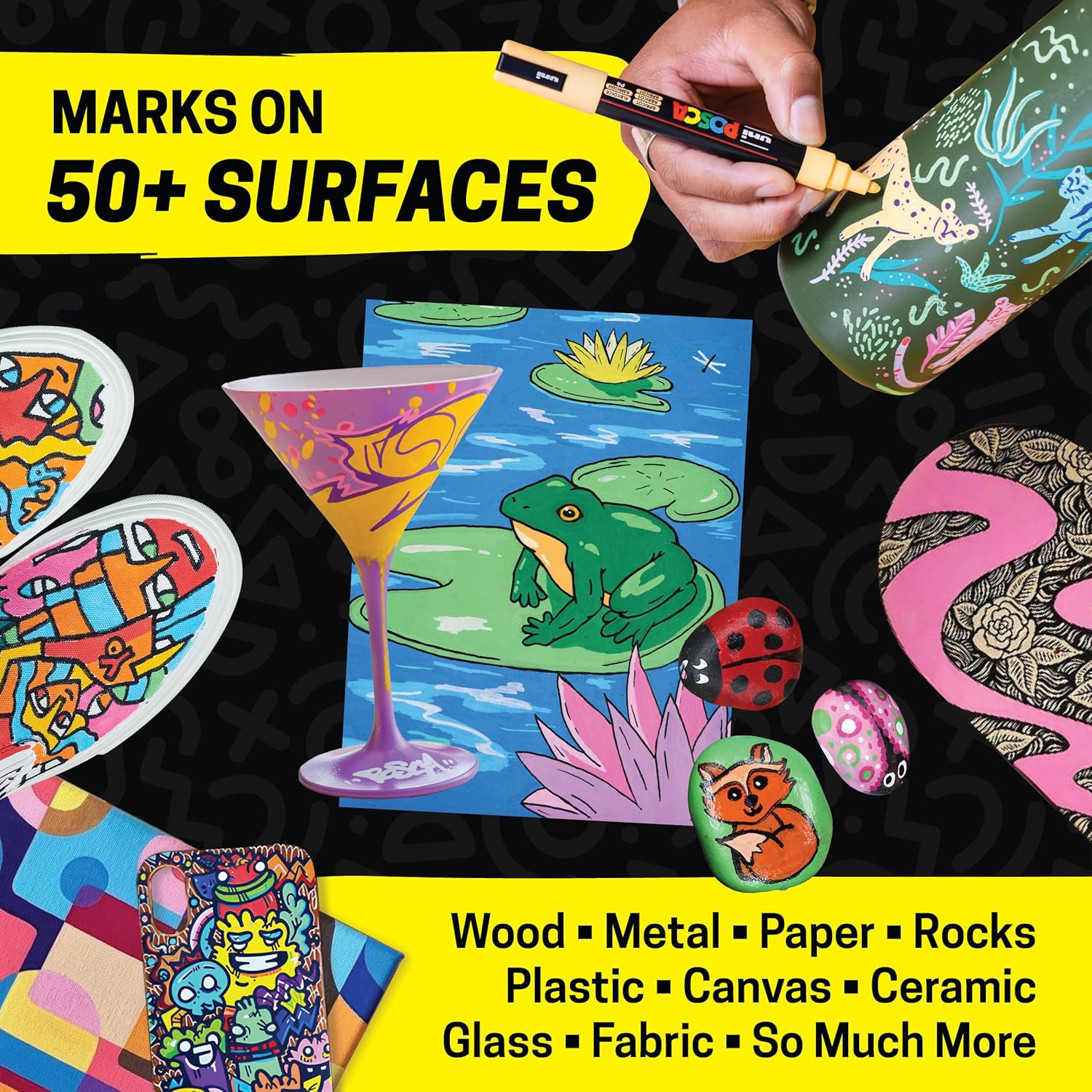
Image: An illustration demonstrating the versatility of Posca markers on various surfaces, including wood, metal, paper, rocks, plastic, canvas, ceramic, glass, and fabric.

Image: A close-up of a uni Posca PC-1M marker, emphasizing its extra-fine bullet tip, ideal for detailed work.
Video: A user creating a Halloween-themed sign on a chalkboard using various Posca markers, demonstrating their application on non-porous surfaces.
Video: A step-by-step guide on customizing a sketchbook cover with Posca paint pens, showing layering and detailing techniques.
Video: A time-lapse demonstration of creating a hand-drawn calendar using Posca markers, highlighting their precision for grid lines and text.
Maintenance
- Cap Securely: Always replace the cap tightly after use to prevent the tip from drying out and to preserve the ink.
- Clean Tips: If the tip becomes clogged or dirty, it can be removed and rinsed with water. Ensure it is completely dry before reinserting.
- Storage: Store markers horizontally to ensure even ink distribution to the tip.
Troubleshooting
- No Ink Flow: If the marker is new or has not been used for a while, shake it well and re-prime the tip by pressing it down on scrap paper until the paint flows.
- Uneven Color: Ensure the marker is thoroughly shaken before use to mix the pigment evenly.
- Worn Tip: The PC-1M tip is reversible. If one side is worn, remove and flip the tip to use the fresh side.
Specifications
- Model: PC-1M12C
- Tip Type: Extra Fine Bullet Tip (0.7mm)
- Ink Type: Water-based pigment ink (non-toxic, alcohol-free, waterproof, lightfast)
- Colors: 12 assorted colors (purple, pink, red, orange, yellow, light green, green, light blue, blue, brown, white, and black)
- Product Dimensions: 7.3 x 0.9 x 4.8 inches
- Item Weight: 5.6 ounces
- Number of Pieces: 12
- Manufacturer: Uni
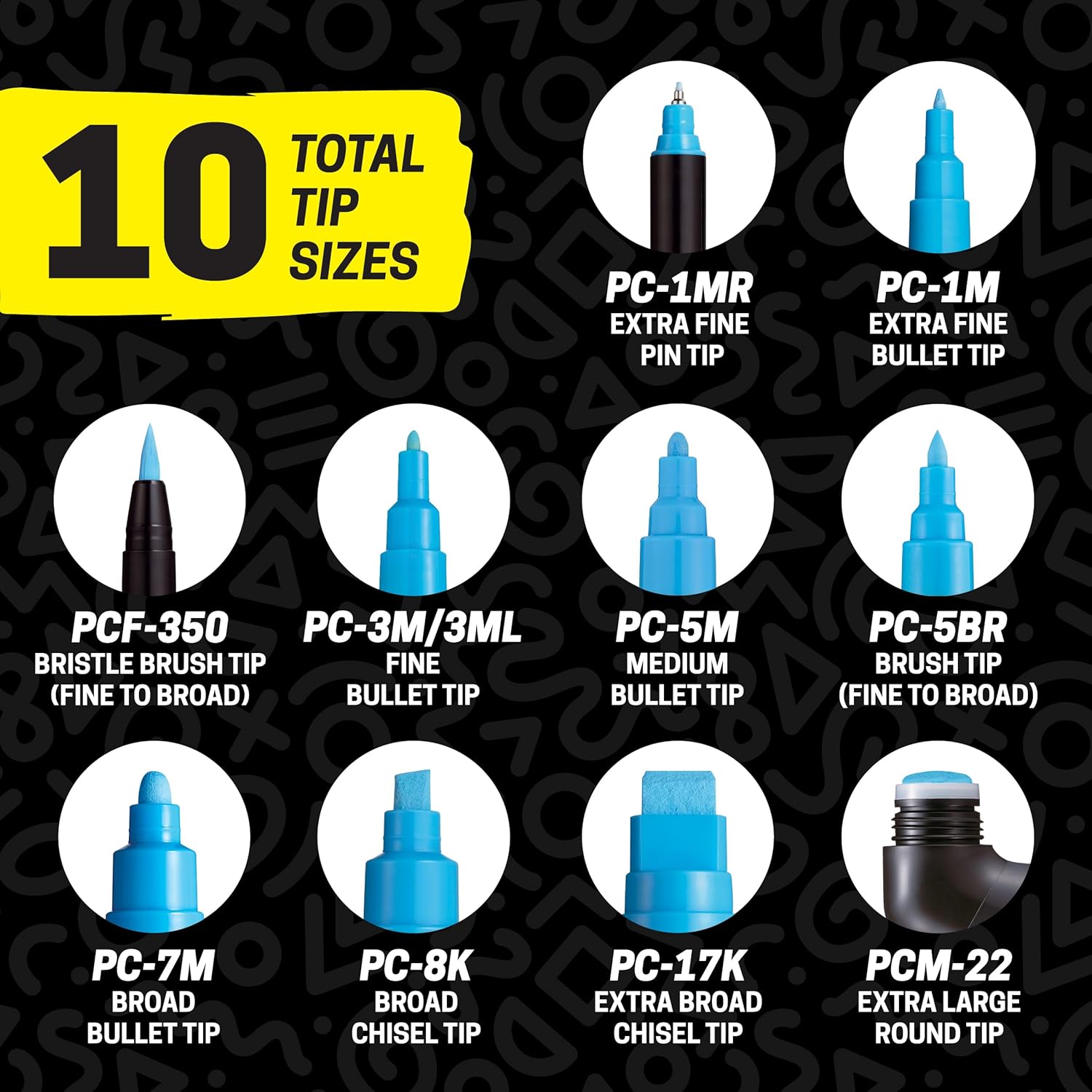
Image: A visual guide to 10 different Posca marker tip sizes, illustrating the variety available beyond the PC-1M.

Image: A comprehensive color chart showcasing 71 total Posca colors, demonstrating the extensive palette available.
Video: A comparison of Posca pen sizes (1M, 3M, 5M), illustrating the differences in tip thickness and barrel size for various artistic needs.
Warranty
Specific warranty information for uni Posca PC-1M Acrylic Paint Markers is not provided in this manual. Please refer to the manufacturer's official website or the product packaging for detailed warranty terms and conditions.
Support
For further assistance, product inquiries, or technical support regarding your uni Posca PC-1M Acrylic Paint Markers, please visit the official uni website or contact their customer service department directly. Contact information can typically be found on the manufacturer's website or product packaging.


