
1. Setup and Installation
Proper setup is crucial for the safe and optimal performance of your microwave oven. Follow these guidelines for installation.
1.1 Unpacking
- Remove all packaging materials from inside and outside the microwave oven.
- Inspect the oven for any damage, such as a misaligned or bent door, damaged door seals and sealing surface, broken or loose door hinges and latches, or dents inside the cavity or on the door. If any damage is present, do not operate the oven and contact customer service.
- Remove any protective film from the surface of the cabinet and door.
1.2 Placement
- Place the microwave oven on a flat, stable surface that can support its weight (approximately 30 pounds) and the heaviest food item likely to be cooked in it.
- Ensure adequate ventilation. Maintain a minimum of 4 inches (10 cm) of space above the oven, 4 inches (10 cm) at the rear, and 2 inches (5 cm) on both sides for proper airflow. Do not block any ventilation openings.
- Keep the oven away from heat and steam sources, such as ranges or ovens.
- This appliance is designed for countertop installation only. Do not build into a cabinet or use over a range.

Diagram showing the dimensions of the Frigidaire EMW953 Microwave Oven: 11.52" H x 18.90" W x 13.27" D.
1.3 Electrical Requirements
- The microwave oven operates on 90 Volts and consumes 900 watts of power.
- Ensure the electrical outlet is properly grounded and has the correct voltage and amperage. Do not use an extension cord.
1.4 Turntable Assembly
- Place the turntable ring inside the microwave cavity.
- Position the glass turntable plate securely on top of the turntable ring. Ensure it is centered and sits properly on the hub.
2. Operating Instructions
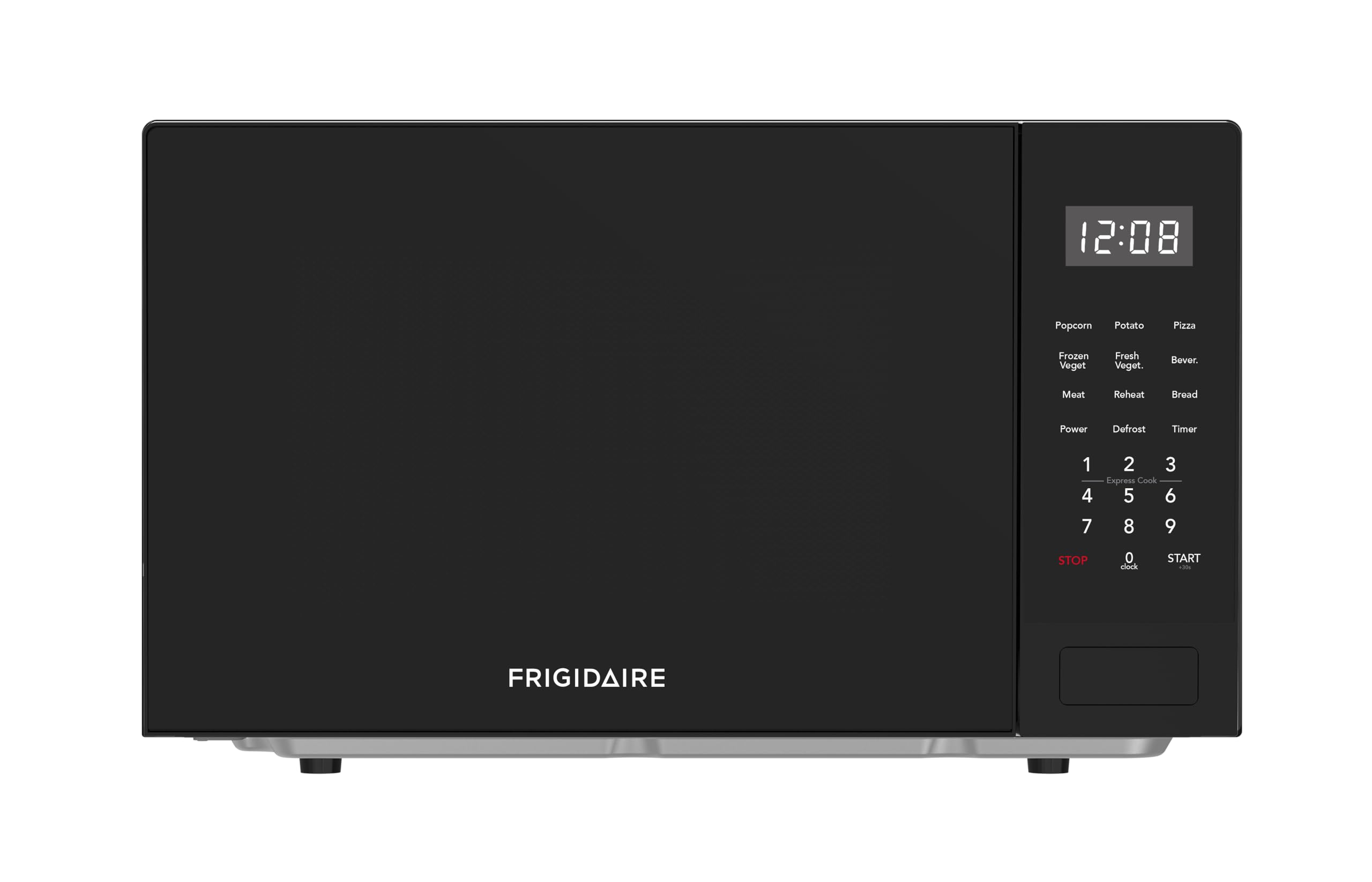
Your Frigidaire EMW953 microwave oven features a user-friendly touchpad control panel with various cooking options.

Close-up view of the Frigidaire EMW953 Microwave Oven's control panel, showing buttons for presets, power level, timer, and numeric keypad.
2.1 Setting the Clock
- Press the CLOCK button.
- Enter the current time using the numeric keypad.
- Press the CLOCK button again to confirm.
2.2 Basic Microwave Cooking
- Place food in a microwave-safe container on the turntable.
- Close the oven door.
- Enter the desired cooking time using the numeric keypad.
- To adjust power level (default is 100%): Press POWER LEVEL, then enter a number from 1 to 10 for the desired power percentage (e.g., 5 for 50%).
- Press START to begin cooking.
2.3 Pre-set Cooking Functions
The microwave includes 6 pre-set program settings for common food items:
- Popcorn: For popping popcorn.
- Beverage: For heating drinks.
- Baked Potato: For cooking potatoes.
- Frozen Dinner: For heating frozen meals.
- Pizza: For reheating pizza slices.
- Reheat: For general reheating of food.
To use a pre-set function, simply press the corresponding button. The oven will automatically set the cooking time and power level. Press START to begin.
2.4 Defrost Functions
The microwave offers two defrost options:
- Defrost by Weight: Press DEFROST BY WEIGHT, enter the weight of the food in pounds (e.g., 1.0 for 1 pound), then press START.
- Speed Defrost: Press SPEED DEFROST, enter the desired defrosting time, then press START.
2.5 Digital Timer
The digital timer can be used independently of cooking functions.
- Press the TIMER button.
- Enter the desired time using the numeric keypad.
- Press START. The timer will count down without activating the microwave.
3. Maintenance and Cleaning
Regular cleaning and maintenance will ensure the longevity and efficient operation of your microwave oven.
3.1 Interior Cleaning
- After each use, wipe the interior with a damp cloth to remove food splatters.
- For stubborn stains, place a bowl of water with lemon slices inside and microwave for 2-3 minutes. The steam will loosen the grime, making it easier to wipe clean.
- The glass turntable can be removed and washed with warm, soapy water or in a dishwasher.
3.2 Exterior Cleaning
- Wipe the exterior surfaces with a soft, damp cloth. Avoid abrasive cleaners or scouring pads.
- Clean the door and door seals regularly to ensure proper closure and prevent microwave energy leakage.
3.3 General Care
- Do not operate the oven when empty. This can damage the magnetron.
- Ensure the turntable is correctly positioned before operating the oven.
- Avoid placing heavy items on the door when it is open.
4. Troubleshooting
If you encounter issues with your microwave oven, refer to the following common problems and solutions.
4.1 Oven Not Starting
- Check if the power cord is securely plugged into a grounded electrical outlet.
- Ensure the oven door is completely closed and latched.
- Verify that a cooking time has been entered and the START button has been pressed.
- Check your household fuse or circuit breaker.
4.2 Food Not Heating Evenly
- Ensure the turntable is properly seated and rotating. If the turntable is not rotating, check for obstructions or if it is misaligned.
- Stir or rotate food halfway through cooking for more even heating.
- Use microwave-safe dishes that allow for proper heat distribution.
4.3 Unusual Noises During Operation
- A slight humming sound is normal during operation.
- If the noise is excessive or grinding, ensure the turntable and turntable ring are correctly assembled and free from debris.
4.4 Microwave Door Issues
- If the door does not close properly, check for food debris or obstructions around the door seals.
- If the microwave starts automatically when the door is closed without pressing START, immediately unplug the unit and contact customer service.
5. Specifications
Detailed technical specifications for the Frigidaire EMW953 0.9-Cubic-Foot Microwave Oven.
| Feature | Specification |
|---|---|
| Brand | Frigidaire |
| Model Number | EMW953 |
| Product Dimensions (D x W x H) | 16"D x 19"W x 11"H |
| Capacity | 0.9 Cubic Feet |
| Wattage | 900 watts |
| Voltage | 90 Volts |
| Material (Exterior) | Aluminum |
| Material (Inner) | Stainless Steel |
| Controller Type | Touch |
| Number of Power Levels | 10 |
| Number of Programs | 6 |
| Item Weight | 30 Pounds |
6. Warranty Information
Your Frigidaire EMW953 Microwave Oven comes with a limited warranty.
- This product is covered by a 1-year limited warranty from the date of purchase.
- The warranty covers defects in materials and workmanship under normal household use.
- For specific terms and conditions, please refer to the warranty card included with your product or contact customer support.
7. Support
For further assistance, technical support, or warranty claims, please contact the manufacturer.
- Manufacturer: CURTIS INTERNATIONAL LTD
- Please have your model number (EMW953) and proof of purchase ready when contacting support.


