
1. Introduction
The Fabtech FTS7002 Steering Stabilizer is designed to enhance vehicle handling and control by reducing steering wheel shimmy and vibration, especially in vehicles with larger tires or lifted suspensions. It helps absorb road shock and improves the overall driving experience by providing a more stable steering feel. This manual provides essential information for the proper installation, function, and maintenance of your steering stabilizer.
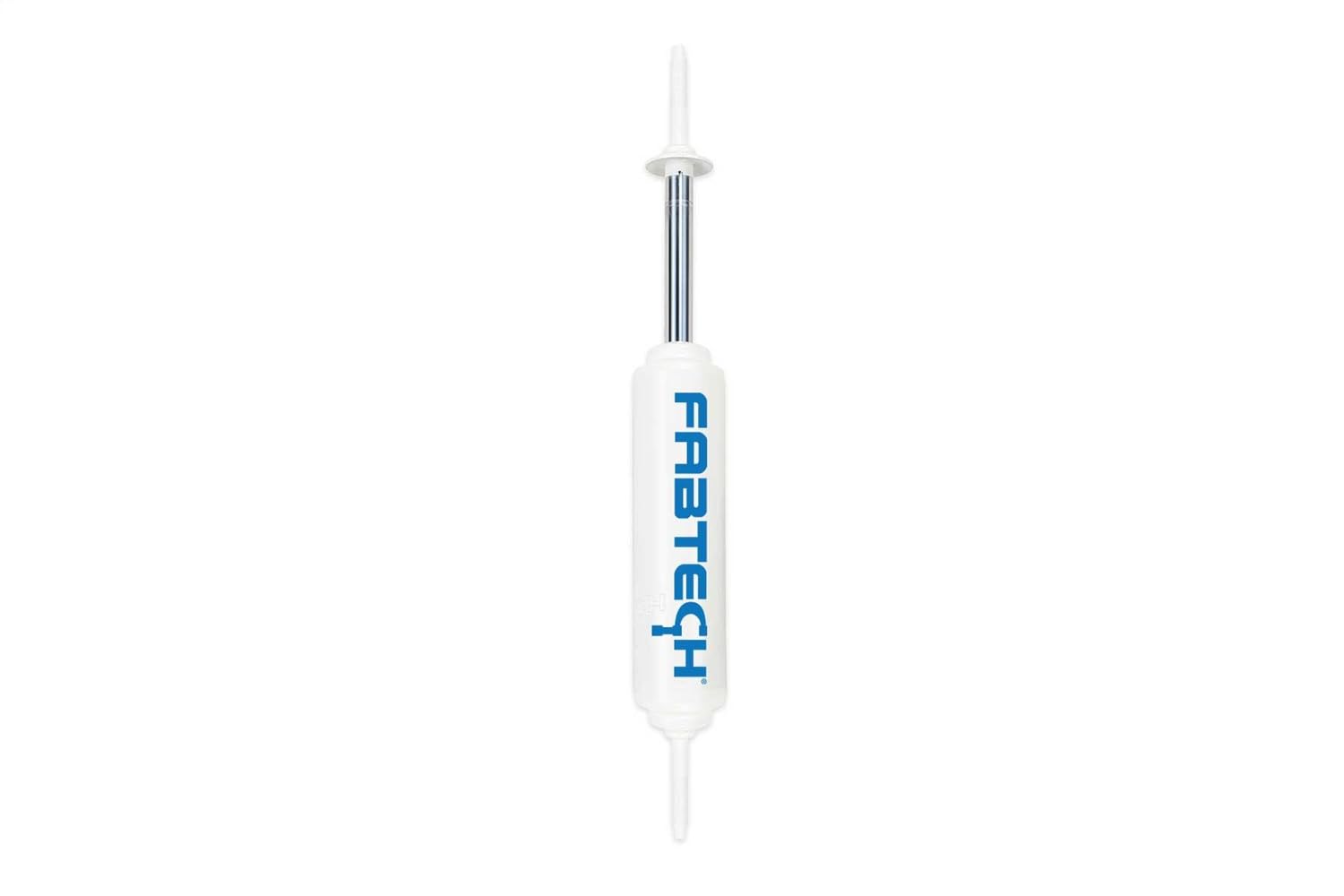
Image 1.1: Two Fabtech FTS7002 Steering Stabilizers. These units are designed to dampen steering vibrations and improve vehicle control.
2. Safety Information
Always prioritize safety when working on your vehicle. Improper installation or use of automotive components can lead to serious injury or vehicle damage. It is recommended that installation be performed by a qualified professional.
- Wear appropriate personal protective equipment (PPE) such as safety glasses and gloves.
- Ensure the vehicle is securely supported on jack stands before beginning any work.
- Do not modify the steering stabilizer or its components.
- Refer to your vehicle's service manual for specific torque specifications and procedures.

WARNING: This product may expose you to chemicals known to the State of California to cause cancer and birth defects or other reproductive harm. For more information, visit www.p65warnings.ca.gov.
3. Package Contents
Carefully unpack the box and verify that all components are present and undamaged. If any parts are missing or damaged, contact your retailer or Fabtech customer support immediately.
- Fabtech FTS7002 Steering Stabilizer unit(s)
- Mounting hardware (Note: Some kits may require separate purchase of specific mounting brackets. Verify your kit contents upon receipt.)
- Funnel (if included for specific applications)
Product Dimensions: 24 x 3.13 x 3.13 inches
Item Weight: Approximately 4.8 pounds
4. Installation Guide
This section provides general installation guidelines. Specific steps may vary depending on your vehicle's make, model, and existing suspension setup. Always consult a professional mechanic if you are unsure about any part of the installation process.
4.1. Tools Required
- Socket/Wrench Set
- Torque Wrench
- Jack and Jack Stands
- Safety Glasses
- Gloves
4.2. General Installation Steps
- Prepare Vehicle: Park the vehicle on a level surface, engage the parking brake, and block the wheels. Lift the front of the vehicle using a jack and support it securely with jack stands.
- Locate Mounting Points: Identify the factory or aftermarket mounting points for the steering stabilizer. These are typically on the tie rod and the frame or axle.
- Remove Old Stabilizer (if applicable): If replacing an existing stabilizer, carefully remove the old unit and its hardware.
- Install Brackets (if applicable): Attach any necessary mounting brackets to the vehicle's tie rod and frame/axle according to the bracket manufacturer's instructions. Ensure all bolts are hand-tightened initially.
- Mount Stabilizer: Position the Fabtech FTS7002 Steering Stabilizer between the mounting points. Insert the bolts through the stabilizer's eyelets and the brackets.
- Align and Torque: Ensure the stabilizer is not compressed or extended excessively at normal ride height. The stabilizer should be centered within its travel range. Torque all mounting hardware to the vehicle manufacturer's specifications or the bracket manufacturer's specifications.
- Final Check: Lower the vehicle. Turn the steering wheel lock-to-lock to ensure there is no binding or interference with other components. Re-check all fasteners after the first 50-100 miles of driving.
Important: Professional installation is highly recommended to ensure proper function and safety.
5. Function and Operation
The Fabtech FTS7002 Steering Stabilizer is a hydraulic dampening device. It operates by resisting rapid movements of the steering linkage, similar to how a shock absorber works in a suspension system. When the wheels encounter bumps, ruts, or uneven terrain, the stabilizer absorbs and dissipates the energy that would otherwise be transmitted directly to the steering wheel, causing vibrations or "death wobble." This results in a smoother, more controlled steering feel and reduced driver fatigue.
The stabilizer is a passive component and does not require any user interaction during vehicle operation. Its performance is continuous once installed correctly.
6. Maintenance
The Fabtech FTS7002 Steering Stabilizer is designed for durability and requires minimal maintenance. However, regular inspection is crucial to ensure its continued performance and safety.
- Visual Inspection: Periodically inspect the stabilizer for any signs of damage, leaks, or corrosion. Check the rubber bushings for cracks or excessive wear.
- Mounting Hardware: Ensure all mounting bolts are tight and secure. Loose hardware can lead to noise, reduced effectiveness, or component failure.
- Cleaning: Keep the stabilizer clean from excessive dirt, mud, and debris, especially around the shaft and seals, to prevent premature wear.
- Replacement: If the stabilizer shows signs of leakage, excessive play in the bushings, or a noticeable decrease in dampening effectiveness, it should be replaced.
7. Troubleshooting
If you experience issues after installing your Fabtech FTS7002 Steering Stabilizer, refer to the common problems and solutions below. If the problem persists, consult a qualified mechanic.
| Problem | Possible Cause | Solution |
|---|---|---|
| Steering still feels loose or unstable. |
|
|
| Noise (clunking, squeaking) from the stabilizer area. |
|
|
| Fluid leakage from the stabilizer. |
|
|
8. Specifications
- Model: FTS7002
- Brand: Fabtech
- Manufacturer: Fabtech
- Item Weight: Approximately 4.8 pounds
- Product Dimensions: 24 x 3.13 x 3.13 inches
- Exterior Finish: Painted
- Part Number: FTS7002
- ASIN: B001UR17GS
- First Available Date: March 6, 2009
9. Warranty and Customer Support
9.1. Warranty Information
Fabtech products are manufactured to high standards. For detailed warranty information regarding your FTS7002 Steering Stabilizer, please refer to the official Fabtech website or contact their customer service department. Warranty terms and conditions may vary and are subject to change.
9.2. Customer Support
If you have any questions, require technical assistance, or need to report a missing or damaged part, please contact Fabtech customer support directly. Contact information can typically be found on the official Fabtech website.
Website: www.fabtechmotorsports.com (This is a placeholder URL, please verify the actual Fabtech website for support.)


