1. Introduction
This manual provides essential information for the proper use and care of your Walimex 500/8.0 DSLR lens for Nikon F mount cameras. Please read these instructions carefully before using the lens to ensure optimal performance and longevity.
The Walimex 500/8.0 lens is a manual focus telephoto lens designed for DSLR cameras. It features a 500mm focal length and an adjustable aperture from f/8 to f/32. Its robust construction and high-quality optical elements are designed to deliver clear images.
2. Product Features
- Focal Length: 500mm fixed.
- Aperture Range: f/8.0 to f/32, manually adjustable.
- Focusing: Manual focus only.
- Mount Compatibility: Designed for Nikon F-bayonet, compatible with various other camera mounts using appropriate T2 adapters (e.g., Olympus OM, 4/3, micro 4/3, Canon AF, FD, Minolta AF, MD, Pentax, Leica R/SL, Praktica, Samsung, Sony A).
- Optical Construction: High-quality, coated glass lenses.
- Build Quality: Sturdy and elaborately manufactured metal casing.
- Exposure Modes: Can be used with aperture priority and manual exposure settings.
- Tripod Mount: Integrated stable tripod mounting bracket for balanced attachment.
- Minimum Focus Distance: Approximately 10 meters.
- Image Stabilization: Not included.
3. Package Contents
Please check that all items listed below are included in your package:
- 1x Walimex 500/8.0 Lens
- 1x T2 Adapter for Nikon F-mount
- 1x High-quality Storage Bag

Image: The high-quality storage bag included with the Walimex 500/8.0 lens, designed for protection and portability.
4. Setup
4.1 Attaching the T2 Adapter
- Locate the T2 adapter for Nikon F-mount.
- Align the T2 adapter with the rear thread of the Walimex 500/8.0 lens.
- Carefully screw the T2 adapter onto the lens until it is securely fastened. Do not overtighten.

Image: Diagram illustrating the Walimex 500/8.0 lens, the T2 adapter, and a DSLR camera body, showing how they connect.
4.2 Attaching the Lens to Your Camera
- Ensure your camera is turned off.
- Remove the rear lens cap from the T2 adapter and the body cap from your Nikon F-mount camera.
- Align the mounting index on the T2 adapter with the corresponding index on your camera body.
- Insert the lens into the camera mount and rotate it clockwise until it clicks into place.
- Remove the front lens cap.
Important Note for Nikon D40, D50, D70, D70s, D80, D90, D100 users: The built-in exposure measurement system on these specific Nikon models does not function with manual focus (MF) lenses. External exposure metering will be required for accurate exposure settings. All other analogue and digital Nikon models typically support exposure measurement and aperture priority with this lens.
5. Operating the Lens
5.1 Manual Focusing
The Walimex 500/8.0 lens features manual focus only. To achieve sharp images:
- Look through your camera's viewfinder or use Live View mode.
- Rotate the focusing ring on the lens until your subject appears sharp.
- For critical focus, especially at wider apertures, use your camera's focus assist features (e.g., focus peaking in Live View, magnified view).
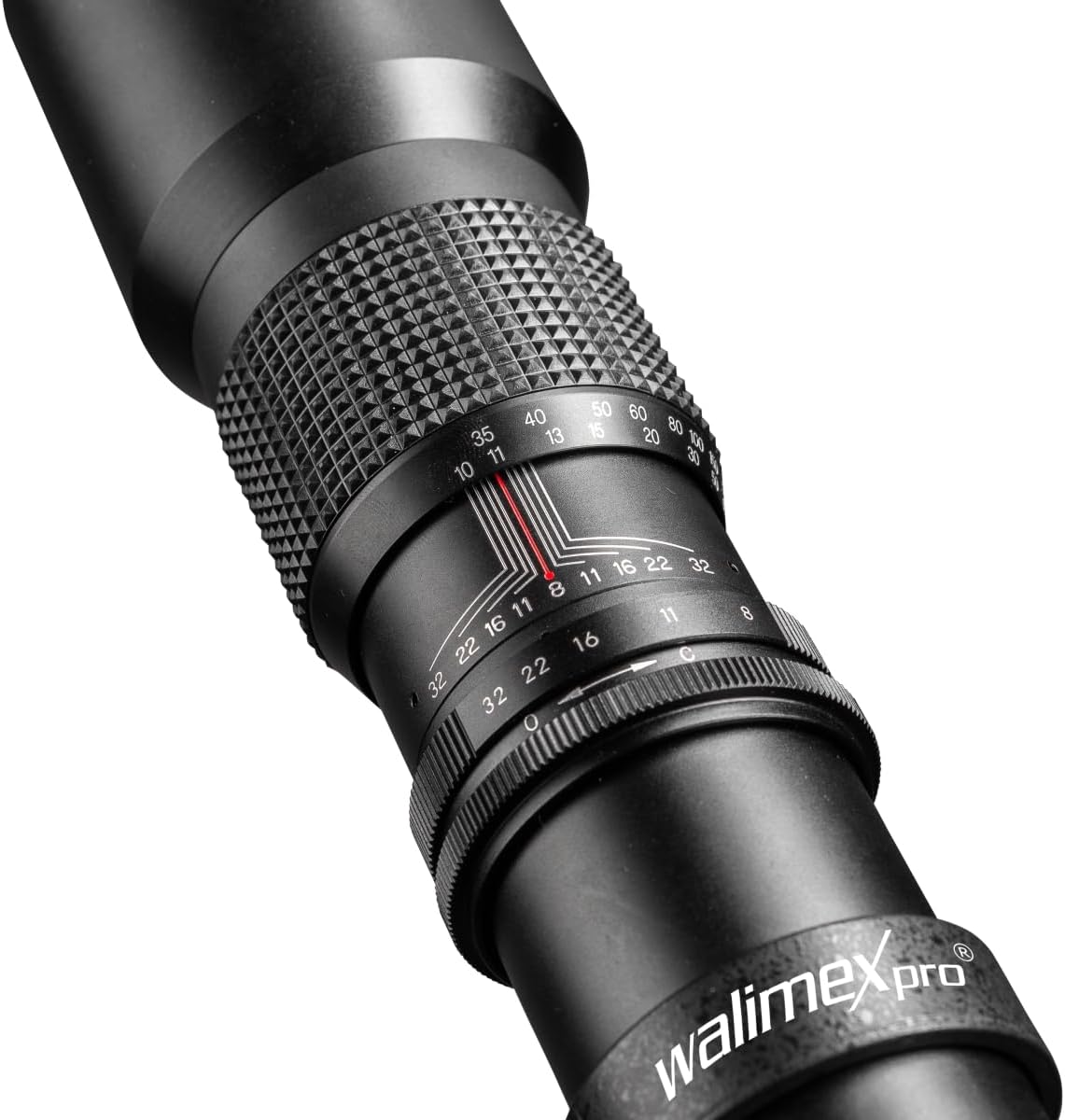
Image: Close-up view of the Walimex 500/8.0 lens showing the textured focusing ring and the aperture ring with f-stop markings.
5.2 Setting the Aperture
The aperture (f-stop) controls the amount of light entering the lens and the depth of field. To set the aperture:
- Rotate the aperture ring on the lens to select your desired f-stop (from f/8 to f/32).
- A smaller f-number (e.g., f/8) allows more light and creates a shallower depth of field. A larger f-number (e.g., f/32) allows less light and creates a greater depth of field.
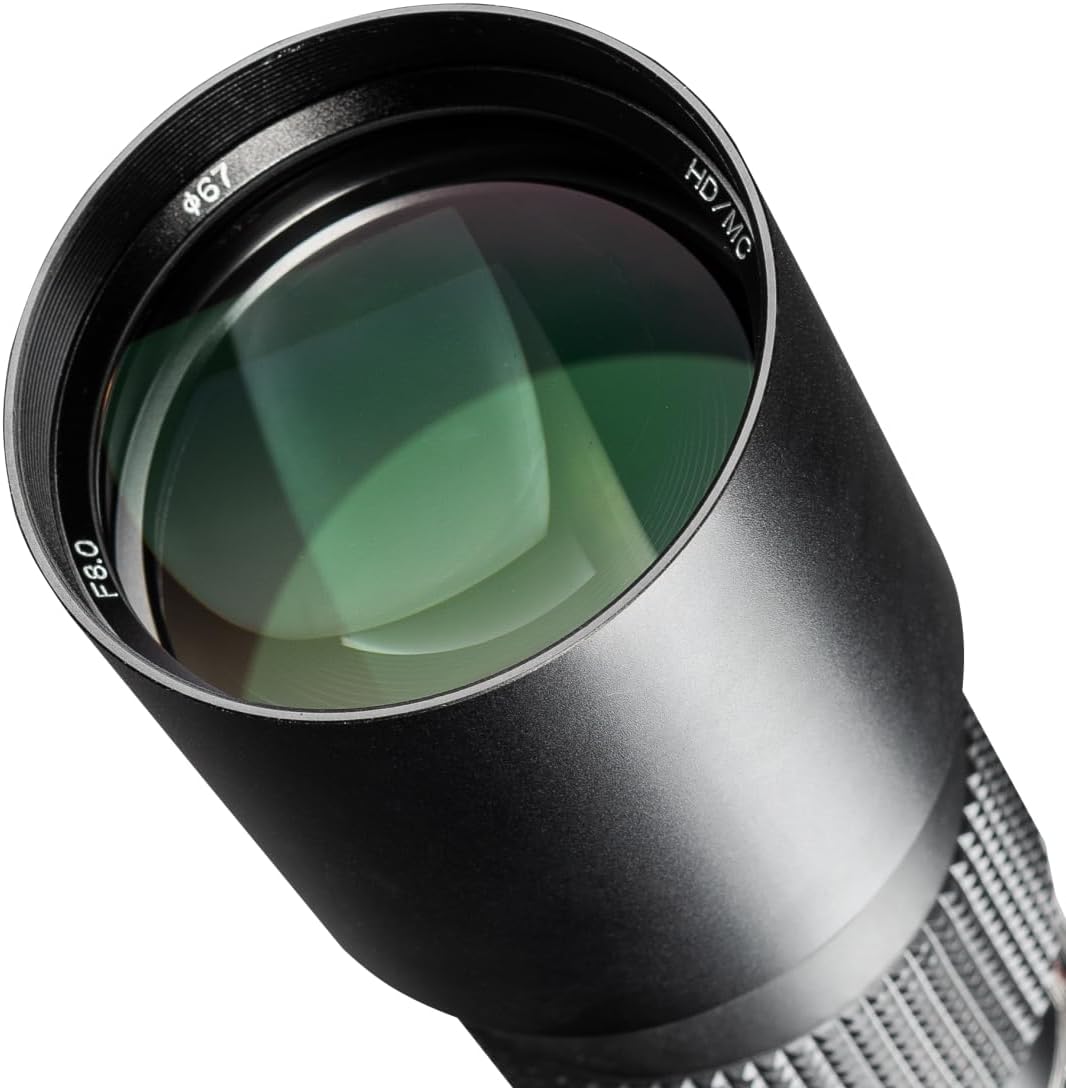
Image: Front view of the Walimex 500/8.0 lens, highlighting the f/8.0 marking and the multi-coated front element.
5.3 Using the Tripod Mount
Due to its telephoto nature, using a tripod is highly recommended for stable and sharp images, especially in low light or with slower shutter speeds. The lens includes a tripod mounting bracket:
- Attach your tripod's quick-release plate or screw directly into the tripod socket on the lens's mounting bracket.
- Ensure the lens is securely fastened to the tripod. The bracket allows for better balance compared to mounting the camera body directly.
6. Maintenance
6.1 Cleaning the Lens
- Use a soft, lint-free cloth or a lens brush to gently remove dust from the lens surfaces.
- For smudges or fingerprints, apply a small amount of lens cleaning fluid to a clean microfiber cloth and gently wipe the lens in a circular motion.
- Never use abrasive materials or harsh chemicals.
6.2 Storage
- When not in use, always attach the front and rear lens caps.
- Store the lens in the provided high-quality storage bag to protect it from dust, moisture, and physical damage.
- Store the lens in a cool, dry place, away from direct sunlight and extreme temperatures.
7. Troubleshooting
7.1 Underexposed Images on Specific Nikon Models
If you are using a Nikon D40, D50, D70, D70s, D80, D90, or D100 camera and your images appear underexposed, this is expected behavior. These camera models do not support built-in exposure metering with manual focus (MF) lenses. You will need to use an external light meter or rely on trial-and-error with manual exposure settings to achieve correct exposure.
7.2 Blurry Images
- Focus: Ensure you are manually focusing accurately. Use your camera's focus assist features if available.
- Camera Shake: This 500mm telephoto lens is highly susceptible to camera shake. Always use a sturdy tripod, especially with slower shutter speeds. Consider using a remote shutter release or your camera's self-timer to minimize vibration.
- Lighting: The f/8.0 maximum aperture means this lens requires ample light. In low-light conditions, you may need to increase ISO, use slower shutter speeds (with a tripod), or add external lighting.
8. Specifications
| Model Number | 12728 |
| Brand | Walimex Pro |
| Focal Length | 500 mm |
| Lens Type | Telephoto |
| Aperture Range | f/8.0 - f/32 |
| Focusing | Manual Focus |
| Minimum Focus Distance | Approx. 10 meters |
| Mount | Nikon F (via T2 adapter) |
| Product Dimensions | 0.39 x 0.39 x 0.39 inches (Note: This dimension from product data appears to be a placeholder. Actual lens dimensions are approximately 70mm diameter and 298mm length as shown in the diagram below.) |
| Item Weight | 1.41 pounds (approx. 640g) |
| Manufacturer | walimex |

Image: Diagram showing the physical dimensions of the Walimex 500/8.0 lens, including a filter thread of 67mm, a diameter of 70mm, and a length of 298mm.
9. Warranty and Support
For warranty information and technical support, please refer to the documentation provided with your purchase or contact Walimex Pro customer service. Keep your proof of purchase for warranty claims.


