
Introduction
This manual provides essential information for the setup, operation, and maintenance of your Sony Bravia KDL-32L5000 32-inch 720p LCD HDTV. This television features a 720p resolution display with a dynamic contrast ratio of 13,000:1. It includes multiple connectivity options such as three HDMI inputs and a PC input, allowing for versatile use with various devices. The BRAVIA Sync technology enables integrated control with compatible home theater components, and Dynamic Backlight Control contributes to energy efficiency.
Safety Information
Please read all safety instructions before operating your television. Keep this manual for future reference.
- Power Source: Connect the TV only to the power supply indicated on the label.
- Ventilation: Ensure adequate ventilation around the TV. Do not block ventilation openings.
- Liquids: Do not expose the TV to dripping or splashing liquids. Do not place objects filled with liquids, such as vases, on the TV.
- Cleaning: Unplug the TV from the wall outlet before cleaning. Use a soft, dry cloth. Do not use liquid cleaners or aerosol cleaners.
- Mounting: If wall-mounting, ensure the mount is compatible with the VESA 200 x 200 mm standard and installed by qualified personnel.
What's in the Box
Verify that all items are present in the packaging:
- Sony Bravia KDL-32L5000 Television
- Remote Control
- TV Stand
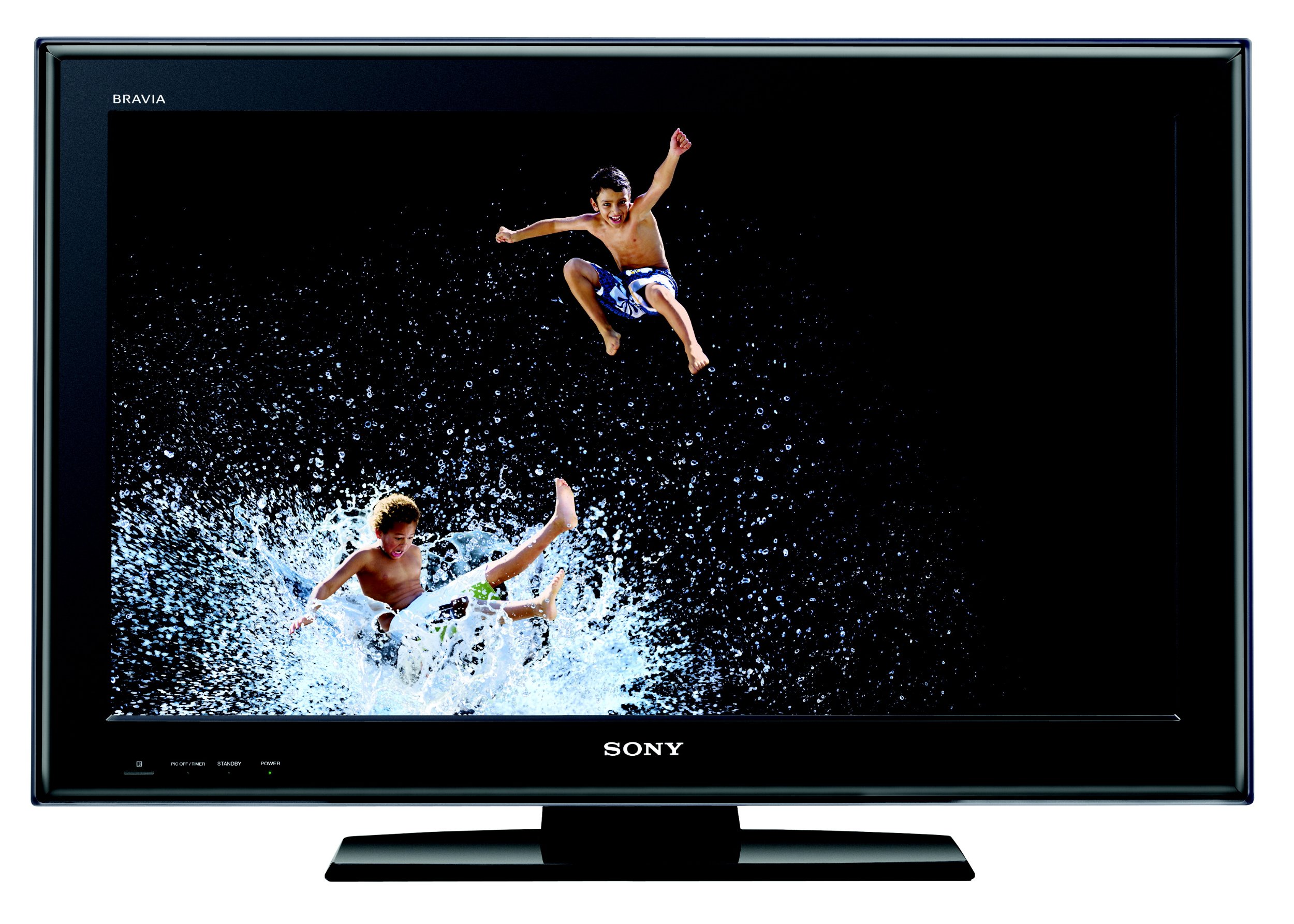
Image: Front view of the Sony Bravia KDL-32L5000 32-inch LCD HDTV, showing the screen and bezel.
Setup
1. Attaching the Stand
Carefully place the TV screen-down on a soft, clean surface. Attach the provided stand to the base of the television using the screws supplied. Ensure the stand is securely fastened before placing the TV upright.
2. Connecting Your TV
Connect your external devices to the appropriate input terminals on the rear or side of the TV.
- HDMI Connections: Use HDMI cables to connect devices such as Blu-ray players, game consoles, or cable/satellite boxes to the three HDMI input ports. HDMI transmits both video and audio digitally.
- Component Video Connections: For devices with component video output, connect the Y, Pb, Pr cables (green, blue, red) and the corresponding audio cables (red, white) to the two Component YPbPr inputs.
- PC Input: Connect a computer to the TV using a VGA (HD-15 pin) cable for video and a 3.5mm audio cable for sound.
- Antenna/Cable: Connect an antenna or cable TV coaxial cable to the ANT/CABLE input for receiving broadcast channels.
- Power: After all connections are made, plug the power cord into an electrical outlet.
3. Initial Setup
Upon first power-on, the TV will guide you through an initial setup process. This typically includes selecting your language, country/region, and scanning for available channels.
Operating Your TV
Basic Operation
- Power: Press the POWER button on the remote control or the TV to turn the unit on or off.
- Volume: Use the VOL +/- buttons to adjust the sound level.
- Channel Selection: Use the CH +/- buttons to change channels or enter channel numbers directly using the numeric keypad.
- Input Selection: Press the INPUT button to cycle through available input sources (HDMI1, HDMI2, HDMI3, Component1, Component2, PC, TV).
Picture and Sound Settings
Access the TV's menu to adjust picture and sound settings. The KDL-32L5000 features an Advanced Contrast Enhancer and Dynamic Backlight Control for optimizing image quality. Adjust brightness, contrast, color, and sharpness to your preference. Sound settings include various audio modes and equalizer options.
BRAVIA Sync
BRAVIA Sync allows for integrated control of compatible Sony devices connected via HDMI. With BRAVIA Sync, you can control multiple devices with a single remote control, simplifying your home theater experience.
PC Input
When connected to a computer via the PC input, the TV can function as a computer monitor. Adjust the display resolution on your computer for optimal viewing on the TV screen.
Picture-in-Picture (PIP)
The TV supports a Picture-in-Picture function, allowing you to view a secondary input source in a small window while watching the main program. This feature is available in PC mode.
Maintenance
Cleaning the TV
Always unplug the TV from the power outlet before cleaning.
- Screen: Gently wipe the screen with a soft, dry, lint-free cloth. For stubborn marks, lightly dampen the cloth with water or a specialized screen cleaner (ensure it is safe for LCD screens) and wipe carefully. Do not apply pressure.
- Cabinet: Wipe the TV cabinet with a soft, dry cloth. Avoid using abrasive pads, alkaline/acid cleaners, scouring powder, or volatile liquids such as alcohol or benzene.
Troubleshooting
If you encounter issues with your TV, refer to the following common solutions:
- No Power / TV Not Turning On:
- Ensure the power cord is securely plugged into both the TV and a working electrical outlet.
- Check the batteries in the remote control and replace them if necessary.
- Try unplugging the TV from the wall outlet for 30 seconds, then plug it back in.
- No Picture / Poor Picture Quality:
- Verify that the correct input source is selected.
- Check all video cables (HDMI, Component, PC) for secure connections.
- Adjust picture settings such as brightness, contrast, and sharpness in the TV menu.
- If using an antenna, check the antenna connection and try rescanning for channels.
- No Sound / Poor Sound Quality:
- Ensure the volume is not set to zero and the TV is not muted.
- Check audio cable connections for external devices.
- If using external audio equipment, ensure it is properly connected and selected as the audio output.
- Remote Control Not Working:
- Replace the batteries in the remote control.
- Ensure there are no obstructions between the remote and the TV's remote sensor.
- Point the remote directly at the TV.
Specifications
| Feature | Specification |
|---|---|
| Model Name | KDL-32L5000 |
| Screen Size | 32 Inches |
| Display Technology | LCD |
| Resolution | 720p |
| Refresh Rate | 60 Hz |
| Contrast Ratio | 13000:1 |
| HDMI Ports | 3 |
| Component Inputs | 2 |
| PC Input | 1 (HD-15 pin) |
| Tuner Type | ATSC |
| Product Dimensions (D x W x H) | 7.6"D x 7.6"W x 23.8"H |
| Item Weight | 25.1 Pounds |
| VESA Mount Standard | 200 x 200 mm |
| Power Consumption | Exceeds ENERGY STAR 3.0 standards |
Warranty and Support
Warranty Information
This Sony Bravia KDL-32L5000 television comes with a 1-year limited warranty from the date of purchase. This warranty covers manufacturing defects under normal use. Please retain your proof of purchase for warranty claims. For full details on warranty coverage, terms, and conditions, refer to the warranty card included with your product or visit the official Sony support website.
Customer Support
For technical assistance, troubleshooting beyond this manual, or warranty service, please contact Sony customer support. Contact information can typically be found on the official Sony website or in the documentation provided with your TV.


