
1. Product Overview
The Beurer Therapy EM41 is a digital TENS/EMS unit designed for electrical stimulation of nerves (TENS), muscle tissue (EMS), and providing a massage effect. It features two independent stimulation channels and four self-adhesive electrodes. This device offers versatile functions to enhance general well-being, alleviate pain, maintain physical fitness, aid relaxation, support muscle regeneration, and assist with fatigue control.
The principle of electrical stimulation devices is based on replicating the body's own impulses, which are transmitted via electrodes on the skin to nerve or muscle fibers. The electrical stimuli are generally painless and harmless. Regular use is typically required to observe the full effect.
Key Features:
- 3-in-1 Functionality: TENS (nerve stimulation for pain relief), EMS (muscle stimulation for training/regeneration), and Massage (for relaxation).
- 4 self-adhesive electrodes with 2 separately adjustable channels.
- 30 pre-programmed applications (TENS/EMS/massage).
- 20 individualized programs (TENS/EMS) for custom settings.
- "Doctor's Function": for ideal coordination with your personal therapy program.
- Adjustable treatment time (5 - 90 minutes).
- Background-illuminated, easy-to-read display.
- Ergonomic design with a belt clip.
- Safety switch-off feature.
- Output current: max. 180 mA p-p (500 Ohm).
- Output frequency: 1 - 120 Hz.
- Pulse width: 40 - 250 µs per phase.
- Pulse shape: biphasic square pulses.
- Power supply: 3x AAA batteries (included).

Image 1.1: The Beurer Therapy EM41 Digital TENS/EMS Unit, showing the device, electrode pads, and the included storage pouch.
2. Setup
2.1 Battery Installation
- Locate the battery compartment on the back of the device.
- Open the compartment cover.
- Insert 3 AAA batteries, ensuring correct polarity (+/-).
- Close the battery compartment cover securely.
Note: Always use fresh AAA batteries. Do not mix old and new batteries or different types of batteries.
2.2 Connecting Electrodes
- Connect the electrode cables to the output sockets on the top of the EM41 unit. The device has two independent channels.
- Attach the self-adhesive electrode pads to the ends of the electrode cables. Ensure a secure connection.

Image 2.1: Close-up view of the self-adhesive electrode pads, showing the snap connector for attaching to the cables.
3. Operating Instructions
3.1 Electrode Placement
Proper placement of the electrodes is crucial for effective treatment. Ensure the skin is clean, dry, and free of oils or lotions before applying the pads. Place electrodes on or around the target area, ensuring they do not overlap.

Image 3.1: Example of electrode placement on the abdominal muscles.

Image 3.2: Example of electrode placement on the arm muscles.

Image 3.3: Example of electrode placement on the knee area.

Image 3.4: Example of electrode placement on the upper back and shoulder.
3.2 Powering On and Program Selection
- Press the "ON/OFF" button to power on the device. The display will illuminate.
- Use the program selection buttons (usually labeled "P" or with arrows) to navigate through the 30 pre-programmed applications or the 20 individualized programs.
- Refer to the detailed program chart in the full user manual for specific program descriptions and recommended applications.

Image 3.5: The Beurer EM41 device in use, demonstrating the illuminated display for program and intensity settings.
3.3 Adjusting Intensity and Treatment Time
- After selecting a program, use the "+" and "-" buttons for each channel to adjust the intensity of the electrical impulses. Start with a low intensity and gradually increase until a comfortable, yet effective, sensation is felt. Avoid increasing intensity to a painful level.
- The treatment time can be adjusted from 5 to 90 minutes using the dedicated time setting buttons. The remaining time will be displayed on the screen.
3.4 Safety Switch-off
The device is equipped with a safety switch-off feature. If the electrodes lose contact with the skin or if the device detects an anomaly, it may automatically switch off. Ensure proper electrode adhesion for uninterrupted operation.
4. Maintenance
4.1 Cleaning the Device and Electrodes
- Device: Clean the EM41 unit with a soft, slightly damp cloth. Do not use abrasive cleaners or immerse the device in water.
- Electrodes: After each use, gently wipe the adhesive side of the electrodes with a damp cloth to remove any skin residue. Allow them to air dry completely before reattaching them to the protective film.
4.2 Storage
Store the device and electrodes in the practical storage pouch provided. Keep them in a cool, dry place, away from direct sunlight and extreme temperatures.
- Operating conditions: 10-40°C (50-104°F) with 30-85% relative humidity.
- Storage conditions: 10-50°C (50-122°F) with 10-95% relative humidity.
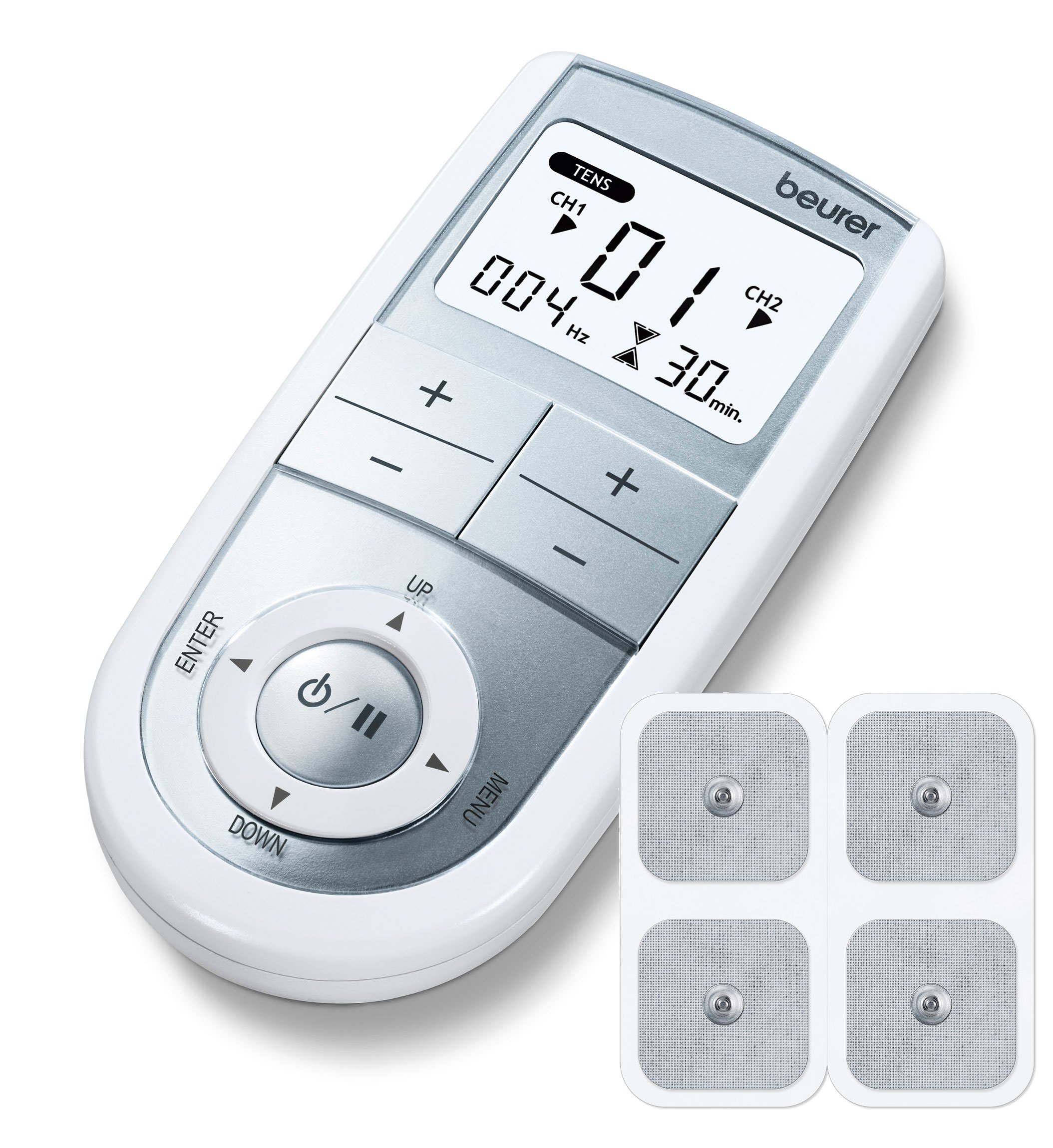
Image 4.1: The Beurer EM41 unit and accessories stored neatly in its protective pouch.
4.3 Electrode Pad Replacement
The self-adhesive electrode pads have a limited lifespan and will eventually lose their adhesiveness. Replace pads when they no longer stick well to the skin or if you notice a decrease in stimulation effectiveness. Replacement pads are available separately.
5. Troubleshooting
- No power/Device not turning on:
- Check if the batteries are correctly inserted with the right polarity.
- Replace with fresh AAA batteries.
- Ensure the battery compartment cover is securely closed.
- No sensation or weak sensation:
- Increase the intensity gradually using the "+" button for the active channel.
- Ensure the electrode pads are firmly adhered to clean, dry skin.
- Check if the electrode cables are securely connected to both the device and the pads.
- The electrode pads may have lost their adhesiveness; replace them if necessary.
- Irregular or uncomfortable sensation:
- Ensure both electrodes of a channel are making full contact with the skin.
- Check for any damage to the electrode cables or pads.
- Reduce the intensity if the sensation is too strong.
- Device switches off unexpectedly:
- This may be due to the safety switch-off. Re-check electrode contact with the skin.
- The treatment time may have expired.
- Batteries might be low; replace them.
If problems persist after attempting these troubleshooting steps, please contact customer support or consult the full user manual for more detailed guidance.
6. Technical Specifications
| Specification | Value |
|---|---|
| Model Number | 666.00 |
| Power Supply | 3 x AAA batteries (included) |
| Output Current | Max. 180 mA p-p (at 500 Ohm) |
| Output Voltage | Max. 90Vpp (at 500 Ohm) |
| Pulse Frequency | 1 - 120 Hz |
| Pulse Duration | 40 - 250 µs per phase |
| Pulse Shape | Biphasic square pulses |
| Treatment Time | Adjustable from 5 to 90 minutes |
| Operating Conditions | 10-40°C, 30-85% relative humidity |
| Storage Conditions | 10-50°C, 10-95% relative humidity |
| Product Dimensions | 1 x 1 x 1 cm (approximate, as per data) |
| Item Weight | 148 g |
7. Warranty and Support
The Beurer Therapy EM41 is a medical product. For warranty information and customer support, please refer to the warranty card included with your product or visit the official Beurer website. Keep your purchase receipt as proof of purchase.
For any technical issues, questions regarding program usage, or replacement parts (such as electrode pads), please contact Beurer customer service directly.


