
1. Product Overview
The Honeywell Home HC26P Whole House Humidifier Pad is a replacement component designed to optimize the performance of your whole-house humidifier. It facilitates the even and thorough distribution of moisture throughout your home, contributing to a comfortable indoor environment. This pad is specifically engineered to work with compatible Honeywell Home whole-house humidifiers, ensuring efficient operation and proper humidity levels.
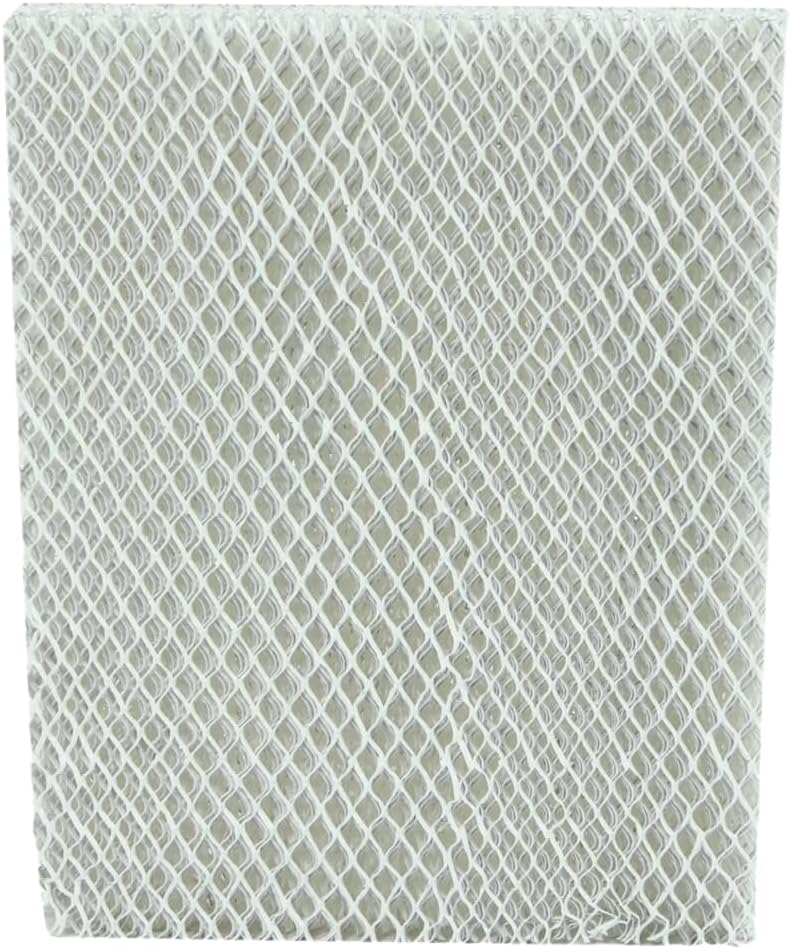
Figure 1.1: Packaging for the Honeywell Home HC26P Humidifier Pad. The packaging highlights the model number HC26P, indicates it contains one replacement pad, and mentions its antimicrobial properties to inhibit mold, bacteria, fungus, and algae growth. It also lists compatible Honeywell Home, Aprilaire, Idylist, Bestair, RPS, and General humidifier models.
2. Key Features
- Optimized Moisture Distribution: Designed to spread moisture evenly and thoroughly for enhanced home comfort.
- Antimicrobial Material: Helps inhibit the growth of molds, bacteria, fungus, and algae on the pad surface.
- Standard Dimensions: Measures 10 x 13 x 1.5 inches for a precise fit in compatible humidifier models.
- Durable Construction: Made from paper material, optimized for water retention and airflow.
3. Compatibility
The HC26P Humidifier Pad is compatible with a range of whole-house humidifier models. Verify your humidifier's model number against the list below to ensure proper fit and function.
Compatible Humidifier Models:
- Honeywell Home: HE200, HE250, HE260, HE265, HE280, HE300, HE360, HE365
- Aprilaire: 350, 360, 400, 560, 568, 600, 700, 760, 768
- Idylist, Bestair, RPS: A35, A35W
- General: G1042
4. Installation
Follow these general steps to install or replace your humidifier pad. Specific instructions may vary slightly depending on your humidifier model. Always refer to your humidifier's user manual for detailed guidance.
- Power Off: Before beginning, ensure your humidifier and HVAC system are powered off to prevent accidental operation.
- Locate Humidifier: Identify the whole-house humidifier unit, typically mounted on the furnace or ductwork.
- Access Pad: Open the humidifier's access panel or cover. This usually involves releasing latches or screws.
- Remove Old Pad: Carefully slide out the old humidifier pad and its frame. Dispose of the old pad responsibly.
- Inspect and Clean: While the pad is removed, inspect the humidifier's interior for mineral buildup or debris. Clean as necessary according to your humidifier's maintenance instructions.
- Insert New Pad: Place the new Honeywell Home HC26P pad into the pad frame, ensuring it is correctly oriented.
- Reassemble: Slide the pad and frame back into the humidifier unit. Secure the access panel or cover.
- Restore Power: Turn the power back on to your humidifier and HVAC system.
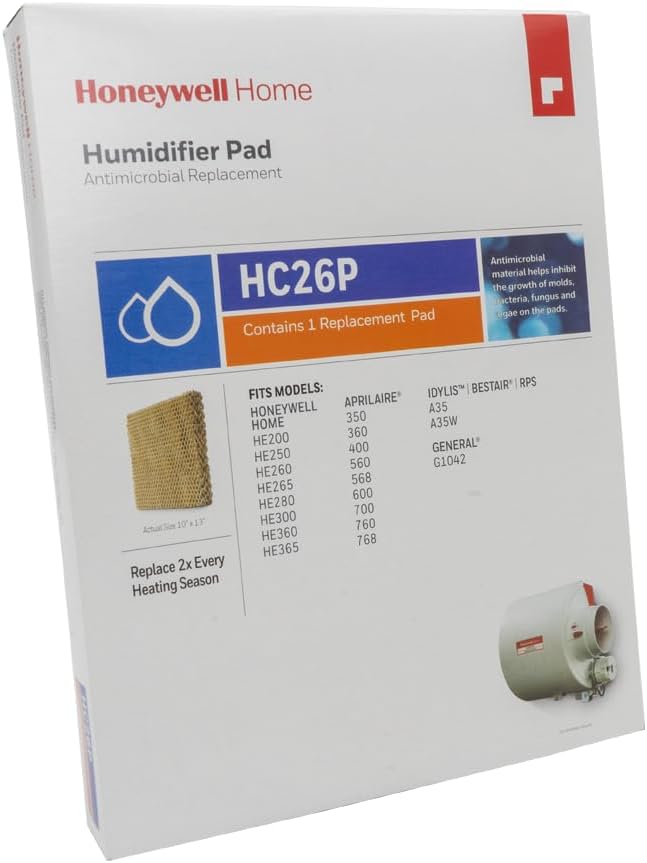
Figure 4.1: The Honeywell Home HC26P Humidifier Pad, ready for installation. This image shows the honeycomb structure of the pad, designed for efficient water absorption and evaporation.
5. Maintenance
Regular maintenance of your humidifier pad is crucial for optimal performance and air quality. The Honeywell Home HC26P Humidifier Pad should be changed periodically.
- Replacement Frequency: It is recommended to change the humidifier pad twice per heating season. This ensures maximum effectiveness and prevents excessive mineral buildup.
- Mineral Buildup: Over time, minerals from the water will accumulate on the pad. This can reduce the humidifier's efficiency and potentially affect air quality. Regular replacement prevents this issue.
- Inspection: Periodically inspect the pad for signs of heavy mineral deposits, discoloration, or damage. Replace immediately if these conditions are observed, even if it's not yet the recommended replacement interval.
6. Specifications
| Feature | Specification |
|---|---|
| Brand | Honeywell Home |
| Model Name | HC26P1002 |
| Item Dimensions (D x W x H) | 1.5"D x 10"W x 13"H |
| Item Weight | 6.4 ounces |
| Material | Paper |
| Filter Type | Humidifier Pad |
| Included Components | Humidifier Pad |
| UPC | 085267280594 |
7. Important Safety Information
Always prioritize safety when handling and maintaining your humidifier and its components.
- Power Disconnection: Always disconnect power to the humidifier and HVAC system before performing any maintenance or pad replacement.
- Proper Disposal: Dispose of old humidifier pads according to local regulations.
- Water Quality: The quality of your water can affect pad life and humidifier performance. Consider water treatment options if you have hard water.
- Manufacturer's Instructions: Always follow the specific instructions provided in your humidifier's user manual for safe operation and maintenance.
8. Warranty and Support
For information regarding product warranty, technical support, or replacement parts, please contact Honeywell Home customer service. Refer to the official Honeywell Home website or your product packaging for the most current contact details and warranty terms.
Online Resources: Visit the Honeywell Home official website for FAQs, troubleshooting guides, and additional product information.


