
1. Introduction
Thank you for choosing the Camelion BC-1001A Charger Plug. This manual provides essential information for the safe and efficient use of your charger. Please read these instructions carefully before first use and retain them for future reference.
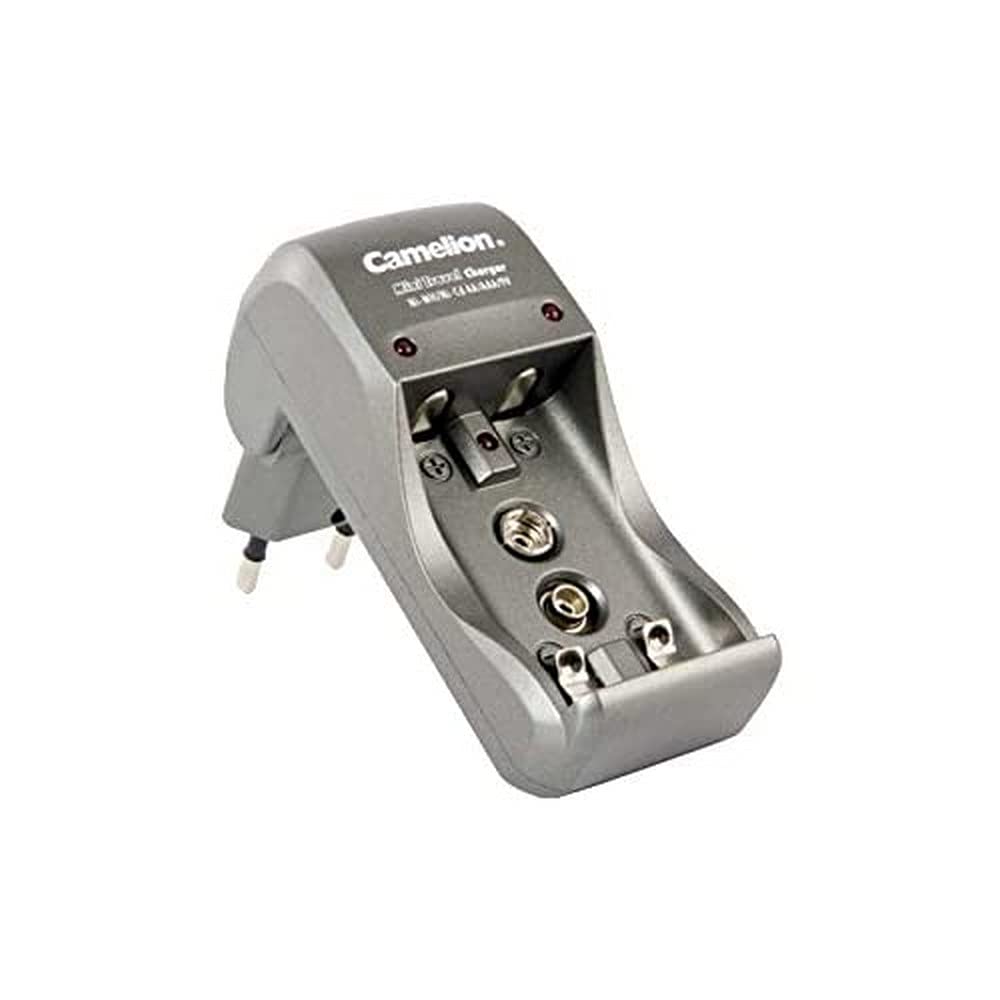
Image 1: Camelion BC-1001A Charger Plug. This image shows the compact grey charger with two slots for AA/AAA batteries and a foldable plug.
2. Important Safety Instructions
- Read all instructions before using the charger.
- Do not charge non-rechargeable batteries. This charger is designed exclusively for Ni-MH and Ni-Cd rechargeable batteries.
- Do not expose the charger to rain or moisture. Use in dry conditions only.
- Do not disassemble the charger. Refer servicing to qualified personnel.
- Avoid charging damaged or leaking batteries.
- Keep out of reach of children.
- Unplug the charger from the power outlet when not in use or before cleaning.
- Ensure proper ventilation during charging. Do not cover the charger.
3. Product Features
- Compact and portable design.
- Compatible with Ni-MH and Ni-Cd rechargeable batteries.
- Supports AA and AAA battery sizes.
- Integrated foldable plug for direct wall outlet connection.
- LED indicators for charging status.
4. Setup
- Unpack the charger: Remove the charger from its packaging.
- Inspect for damage: Check the charger for any visible damage. Do not use if damaged.
- Prepare batteries: Ensure the batteries you intend to charge are Ni-MH or Ni-Cd and are of AA or AAA size.
5. Operating Instructions
- Insert Batteries: Open the battery compartment cover (if applicable) or slide batteries into the charging slots. Ensure correct polarity (+ and -) as indicated on the charger. The charger typically has two slots for AA or AAA batteries.
- Connect to Power: Fold out the integrated plug and insert the charger directly into a standard wall power outlet.
- Charging Indication: The LED indicator(s) on the charger will illuminate to show that charging is in progress. The color or state of the LED may change when charging is complete. Refer to the specific markings on your charger for exact LED behavior (e.g., red for charging, green for charged).
- Charging Time: Charging times vary depending on the battery capacity (mAh) and the battery's current charge level. As a general guide:
- For 1000 mAh batteries: Approximately 5.5 hours.
- For 1500 mAh batteries or higher: Approximately 11 hours or more.
- Remove Batteries: Once charging is complete, unplug the charger from the wall outlet. Carefully remove the charged batteries from the slots.
6. Maintenance
- Cleaning: Disconnect the charger from the power outlet before cleaning. Use a dry, soft cloth to wipe the exterior of the charger. Do not use liquid cleaners or solvents.
- Storage: Store the charger in a cool, dry place away from direct sunlight and extreme temperatures when not in use.
- Inspection: Periodically inspect the charger for any signs of wear or damage.
7. Troubleshooting
| Problem | Possible Cause | Solution |
|---|---|---|
| Charger not working / LED not lighting up. | No power from outlet, incorrect battery insertion, non-rechargeable batteries. | Check power outlet, ensure batteries are inserted with correct polarity, confirm batteries are Ni-MH/Ni-Cd rechargeable type. |
| Batteries not charging fully or quickly. | Batteries are old/damaged, low capacity batteries, charger is slow by design. | Replace old/damaged batteries. Note that this charger has a standard charging speed, refer to charging times in section 5. |
8. Specifications
- Brand: Camelion
- Model: BC-1001A (20001001)
- Compatible Battery Types: Ni-MH, Ni-Cd
- Compatible Battery Sizes: AA, AAA
- Color: Grey
- Power Input: Standard AC wall outlet (specific voltage/amperage not provided in source, assume standard for region).
- Product Type: Charger Plug
9. Warranty and Support
The Camelion BC-1001A Charger Plug comes with a 1-year manufacturer's warranty. For warranty claims or technical support, please contact your retailer or the official Camelion customer service. Please retain your proof of purchase for warranty validation.
For further assistance, visit the official Camelion website or contact their support channels.