
MSD 6530
MSD 6530 Digital Programmable 6AL-2 Ignition Box User Manual
Model: 6530
1. Introduction
This manual provides comprehensive instructions for the installation, operation, and maintenance of the MSD 6530 Digital Programmable 6AL-2 Ignition Box. The 6AL-2 is a high-performance ignition control unit designed to deliver precise spark control and advanced features for automotive applications. It offers PC programmability for custom timing curves and rev limits, enhancing engine performance and protection.

Image 1.1: The MSD 6530 Digital Programmable 6AL-2 Ignition Box with its wiring harness connected.
2. Key Features
- Voltage Compatibility: Operates on 12-18 Volts, negative ground systems.
- Current Draw: Approximately 0.7 Amp per 1,000 RPM.
- PC Programmability: Utilizes Windows-based Pro-Data+ Software for custom settings.
- Rev Limiter: Programmable 3-Step Rev Limiter with 100 RPM increments.
- Emissions Compliance: EO # D-115-21 (verify local regulations).
3. Package Contents
Upon opening the package, ensure all components listed below are present and undamaged. If any items are missing or damaged, contact your retailer or MSD customer support immediately.
- MSD 6530 Digital Programmable 6AL-2 Ignition Box
- Main Wiring Harness
- Programming Cable (Serial)
- Mounting Hardware (screws, vibration mounts)
- Assorted Electrical Connectors and Terminals
- Instruction Manual (this document)

Image 3.1: Overview of the complete MSD 6530 kit, including the ignition box, wiring harnesses, programming cable, and various installation accessories.
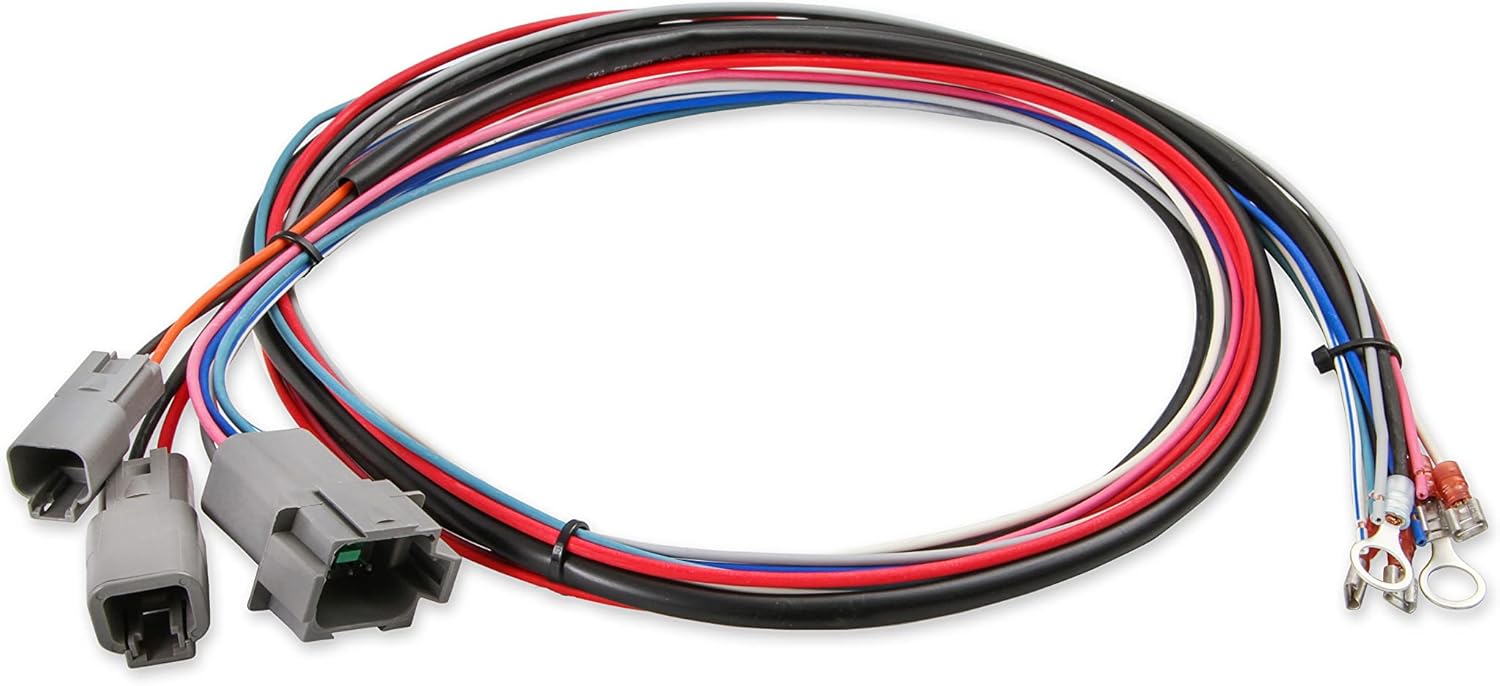
Image 3.2: The main wiring harness for the MSD 6530, showing multiple color-coded wires and connectors for various engine inputs and outputs.

Image 3.3: Detailed view of the connectors on the MSD 6530 wiring harness, designed for secure and reliable connections.

Image 3.4: The serial programming cable used to connect the MSD 6530 ignition box to a computer for configuration.
4. Safety Information
Always observe the following safety precautions during installation and operation:
- Disconnect the vehicle's battery before performing any electrical work.
- Ensure proper grounding of the ignition box to the vehicle chassis.
- Avoid contact with high-voltage ignition components when the engine is running.
- Wear appropriate personal protective equipment, including safety glasses.
- Consult a qualified automotive technician if you are unsure about any installation steps.
- This product contains chemicals known to the State of California to cause cancer and birth defects or other reproductive harm (Proposition 65 warning).
5. Setup and Installation
5.1 Mounting the Ignition Box
Select a mounting location that is away from direct engine heat, excessive vibration, and moisture. The unit should be securely fastened using the provided mounting hardware. Ensure adequate airflow around the unit for cooling.
5.2 Wiring Connections
Refer to the detailed wiring diagram provided in the separate MSD installation guide for specific connections. Key connections include:
- Power and Ground: Connect directly to the battery for optimal performance.
- Ignition Switch: Connect to a switched 12V source.
- Coil Connections: Ensure correct polarity to the ignition coil.
- Trigger Input: Connect to the distributor or crank trigger signal.
- MAP Sensor (Optional): For advanced timing control, a MAP sensor can be integrated. An extension cable may be required, as the sensor cable on the unit is short.
All connections should be crimped securely and insulated to prevent shorts and corrosion. Use the provided terminals where applicable.
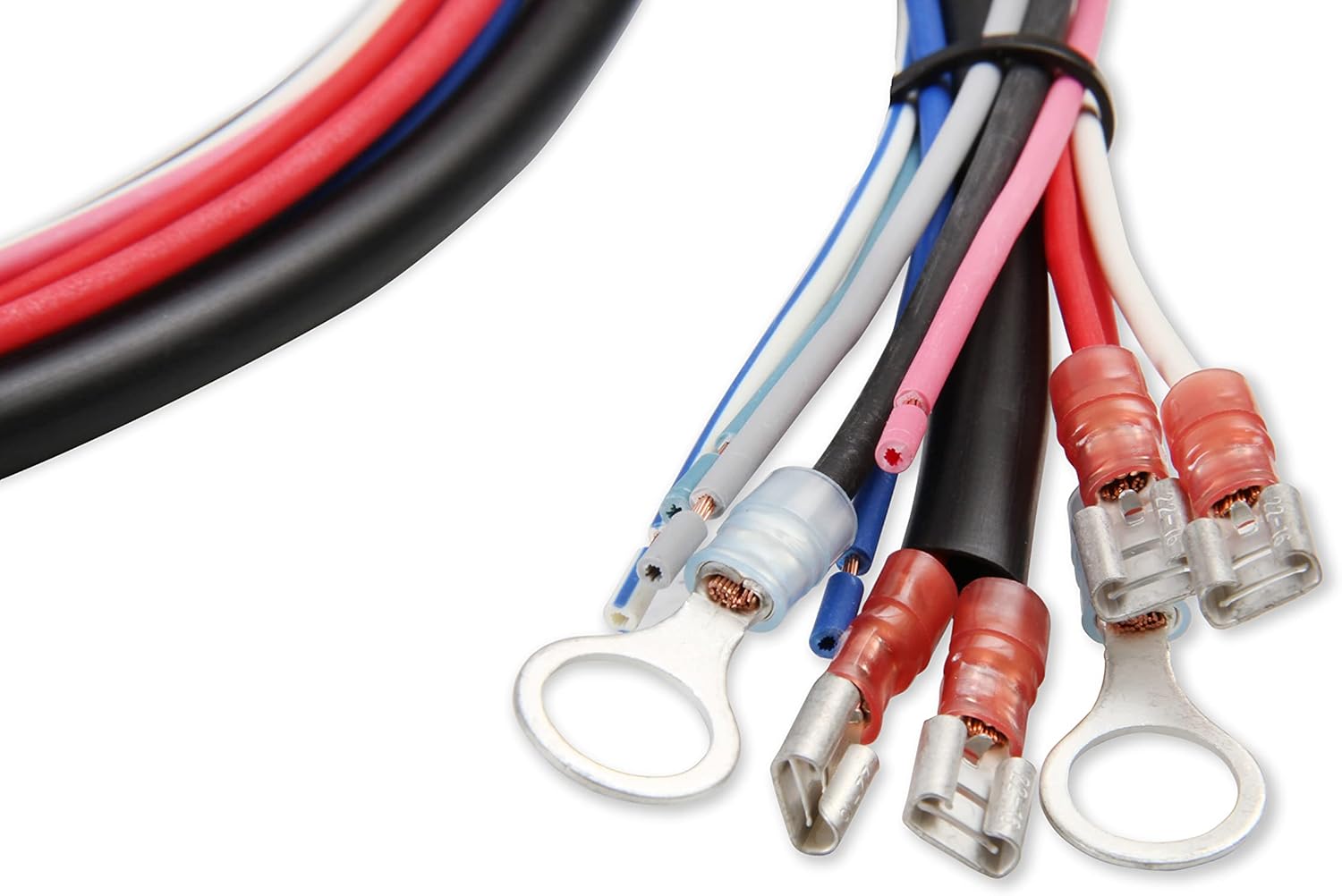
Image 5.1: Various electrical terminals and connectors included with the MSD 6530 for making secure wiring connections.
5.3 PC Connection for Programming
The MSD 6530 connects to a computer via a serial port for programming. Most modern laptops require a USB to serial adapter. Ensure the adapter is compatible and drivers are installed correctly. The Pro-Data+ Software is required for configuration.
6. Operating Instructions
6.1 Pro-Data+ Software Overview
The Pro-Data+ Software provides an interface to customize the ignition box settings. This includes:
- Timing Curves: Create custom ignition timing curves based on RPM and manifold pressure (if MAP sensor is used).
- Rev Limits: Set up to three distinct rev limits for launch, burnout, and maximum RPM.
- Launch Control: Configure launch RPM for consistent starts.
- Shift Light: Program an external shift light output.
Install the Pro-Data+ Software on your Windows-based computer. Connect the serial cable to the ignition box and your computer (via adapter if necessary). Launch the software and establish communication with the unit. Follow the on-screen prompts and software manual for detailed programming steps.
6.2 Adjusting Settings
Within the Pro-Data+ software, you can graphically adjust timing curves and numerical values for rev limits. Changes made in the software must be uploaded to the ignition box to take effect. This process typically takes 30-45 seconds. It is recommended to save your configuration files regularly.
7. Maintenance
The MSD 6530 Digital Programmable 6AL-2 Ignition Box is designed for durability and requires minimal maintenance. Periodically inspect the following:
- Wiring: Check all wiring connections for tightness, signs of wear, or corrosion.
- Mounting: Ensure the ignition box remains securely mounted and free from excessive vibration.
- Cleanliness: Keep the unit clean and free of dirt, oil, and moisture. Do not use harsh chemicals for cleaning.
8. Troubleshooting
If you encounter issues with your MSD 6530, review the following common problems and solutions:
| Problem | Possible Cause | Solution |
|---|---|---|
| No Spark / Engine Cranks but Won't Start |
|
|
| Engine Misfires |
|
|
| Cannot Connect to PC |
|
|
For further assistance, contact MSD Technical Support.
9. Specifications
| Attribute | Detail |
|---|---|
| Model Number | 6530 |
| Brand | MSD |
| Manufacturer | MSD Ignition |
| Voltage | 12-18 Volts |
| Item Weight | 3.08 pounds |
| Product Dimensions | 9.45 x 2.36 x 9.45 inches |
| Exterior Color | Red |
| PC Programmable | Yes, with Pro-Data+ Software |
| Rev Limiter | 3-Step, 100 RPM increments |
10. Warranty and Support
10.1 Warranty Information
Specific warranty details for the MSD 6530 Digital Programmable 6AL-2 Ignition Box are typically provided with the product packaging or available on the manufacturer's official website. Please refer to the documentation included with your purchase or visit MSD Performance for the most current warranty policy.
10.2 Technical Support
For technical assistance, installation questions, or troubleshooting beyond the scope of this manual, please contact MSD Technical Support. Contact information can be found on the official MSD Performance website.
Related documents6530


Ask a question about this manual
Ask about setup, troubleshooting, compatibility, parts, safety, or missing instructions. Manuals+ will review the question and use this page’s manual context to help answer it.