
Makita HK1820
Makita HK1820 SDS-PLUS Power Scraper Instruction Manual
Model: HK1820
1. Introduction and Overview
The Makita HK1820 SDS-PLUS Power Scraper is a robust tool designed for efficient scraping and tile removal tasks. It combines a powerful motor with user-friendly features to deliver reliable performance in demanding applications. This manual provides essential information for safe operation, proper setup, and effective maintenance of your power scraper.
Intended Use
This power scraper is intended for professional use in construction and renovation for tasks such as removing tile, linoleum, and other floor coverings, as well as scraping various materials from surfaces. Always use the tool for its intended purpose and with appropriate accessories.
2. Safety Information
Always observe basic safety precautions to reduce the risk of fire, electric shock, and personal injury. Read and understand all instructions before operating the tool.
General Power Tool Safety Warnings
- Work Area Safety: Keep your work area clean and well-lit. Cluttered or dark areas invite accidents. Do not operate power tools in explosive atmospheres, such as in the presence of flammable liquids, gases, or dust.
- Electrical Safety: Power tool plugs must match the outlet. Never modify the plug in any way. Avoid body contact with earthed or grounded surfaces. Do not expose power tools to rain or wet conditions.
- Personal Safety: Always wear eye protection. Use hearing protection when operating for extended periods. Dress properly; avoid loose clothing or jewelry. Stay alert and use common sense when operating a power tool.
- Tool Use and Care: Do not force the power tool. Use the correct power tool for your application. Disconnect the plug from the power source before making any adjustments, changing accessories, or storing power tools.
- Service: Have your power tool serviced by a qualified repair person using only identical replacement parts. This will ensure that the safety of the power tool is maintained.
3. Package Contents
Upon unpacking, ensure all items listed below are present and undamaged. If any items are missing or damaged, contact your dealer immediately.
- Makita HK1820 SDS-PLUS Power Scraper
- 10" Bull Point, SDS-PLUS (D-51144)
- 2" x 8-1/2" Scaling Chisel, SDS-PLUS (D-51166)
- 3/4” x 10” Cold Chisel, SDS-PLUS (D-51150)
- Tool Case (150640-5)
- Instruction Manual

Image: The Makita HK1820 SDS-PLUS Power Scraper shown with its teal carrying case.
4. Product Features
The Makita HK1820 is engineered with several features to enhance performance, durability, and user comfort.
- Powerful 5 AMP Motor: Delivers 0-3,200 BPM and 2.9 ft. lbs. of impact energy for demanding applications.
- 12 Adjustable Bit Positions: Allows for precise positioning of the chisel for various material removal tasks.
- Air Cushion Hammering: Designed to extend tool life.
- Quick Change Bit Retainer: Facilitates easy and rapid bit changes.
- Automatic Brush Cut-Off: Protects the commutator from damage, contributing to longer tool life.
- Ergonomic Barrel Grip Design: Provides a firm gripping surface for comfortable use during extended operations.
- Vibration Absorbing Handle: Helps reduce vibration transmitted to the user.
- Variable Speed Dial and Trigger: Enables the user to match the speed to the specific application.
- Lock-on Button: Conveniently located for continuous operation.

Image: Labeled diagram highlighting key features of the Makita HK1820, including the motor, bit positions, and handle design.
5. Setup
Before operating the power scraper, ensure it is properly set up and all accessories are securely attached.
Installing/Removing SDS-PLUS Bits
- Ensure the tool is unplugged from the power source.
- Pull back the quick-change bit retainer (chuck cover) and insert the SDS-PLUS bit into the chuck.
- Rotate the bit slightly until it engages with the locking mechanism.
- Release the bit retainer. The bit should be securely held but allow for slight axial movement, which is normal for SDS-PLUS systems.
- To remove, pull back the bit retainer and pull the bit out.
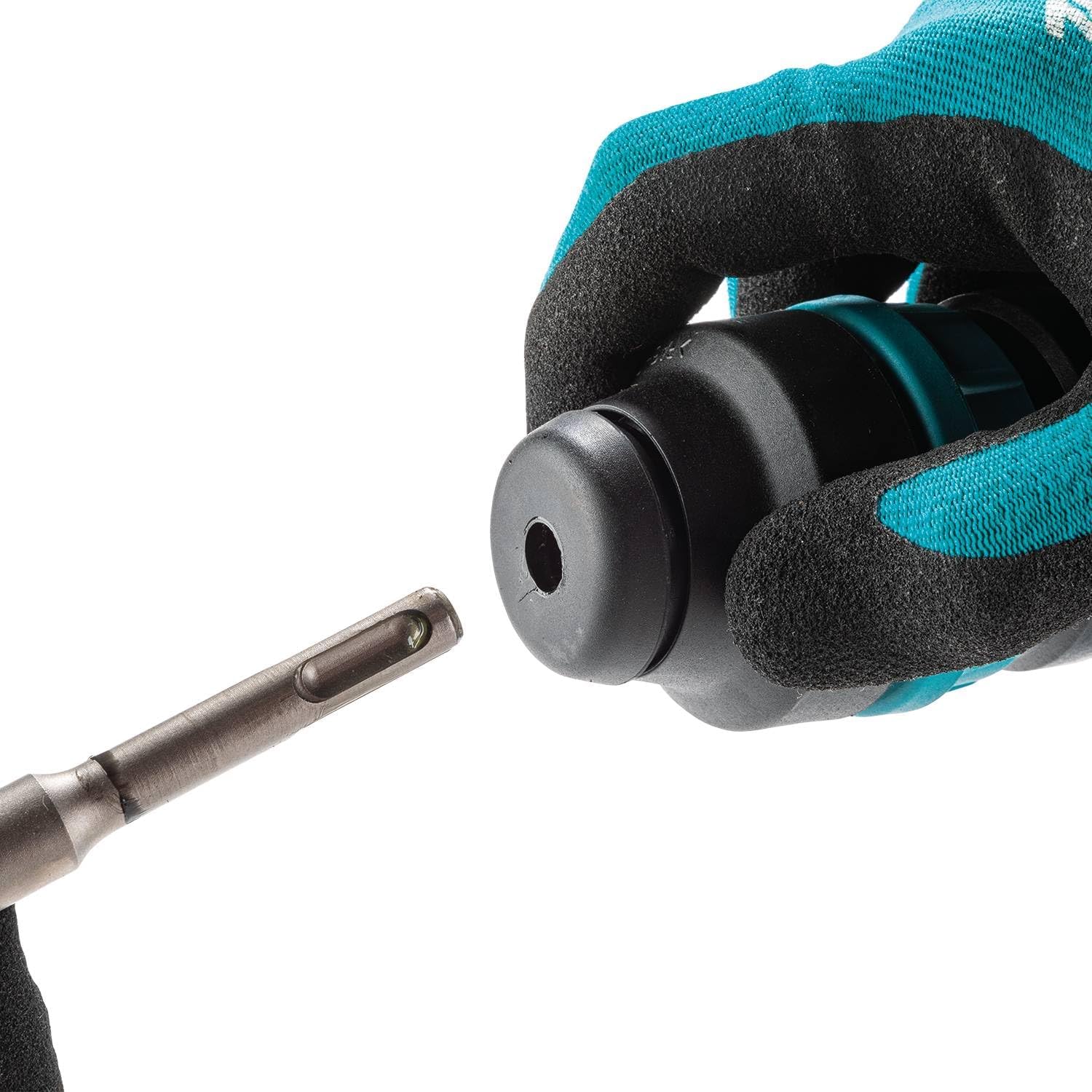
Image: A gloved hand demonstrating the insertion of an SDS-PLUS bit into the tool's chuck.

Image: A close-up view of an SDS-PLUS bit, highlighting its shank design.
Adjusting Bit Position
The tool offers 12 adjustable bit positions. To change the angle of the chisel, rotate the bit retainer to unlock the bit, adjust the bit to the desired angle, and then release the retainer to lock it in place.
6. Operating Instructions
Follow these steps for safe and effective operation of your Makita HK1820 Power Scraper.
Powering On/Off
- To start the tool, press the trigger switch.
- For continuous operation, press the lock-on button while the trigger is pressed.
- To stop the tool, release the trigger switch. If the lock-on button is engaged, press the trigger switch again to release the lock-on button.

Image: A hand demonstrating the proper grip on the tool's handle, with fingers positioned on the trigger.
Adjusting Speed
The variable speed dial allows you to adjust the impact rate (BPM) to suit the material and application. Rotate the dial to increase or decrease the speed. Start with a lower speed for delicate work and increase as needed.

Image: A close-up of a hand turning the red variable speed dial located on the side of the tool.
Scraping and Tile Removal
Position the chisel at the desired angle against the material to be removed. Apply firm, even pressure and allow the tool to do the work. Avoid excessive force, which can damage the tool or the work surface. Work systematically across the area.

Image: The Makita HK1820 Power Scraper with a chisel bit engaged in removing material from a floor.
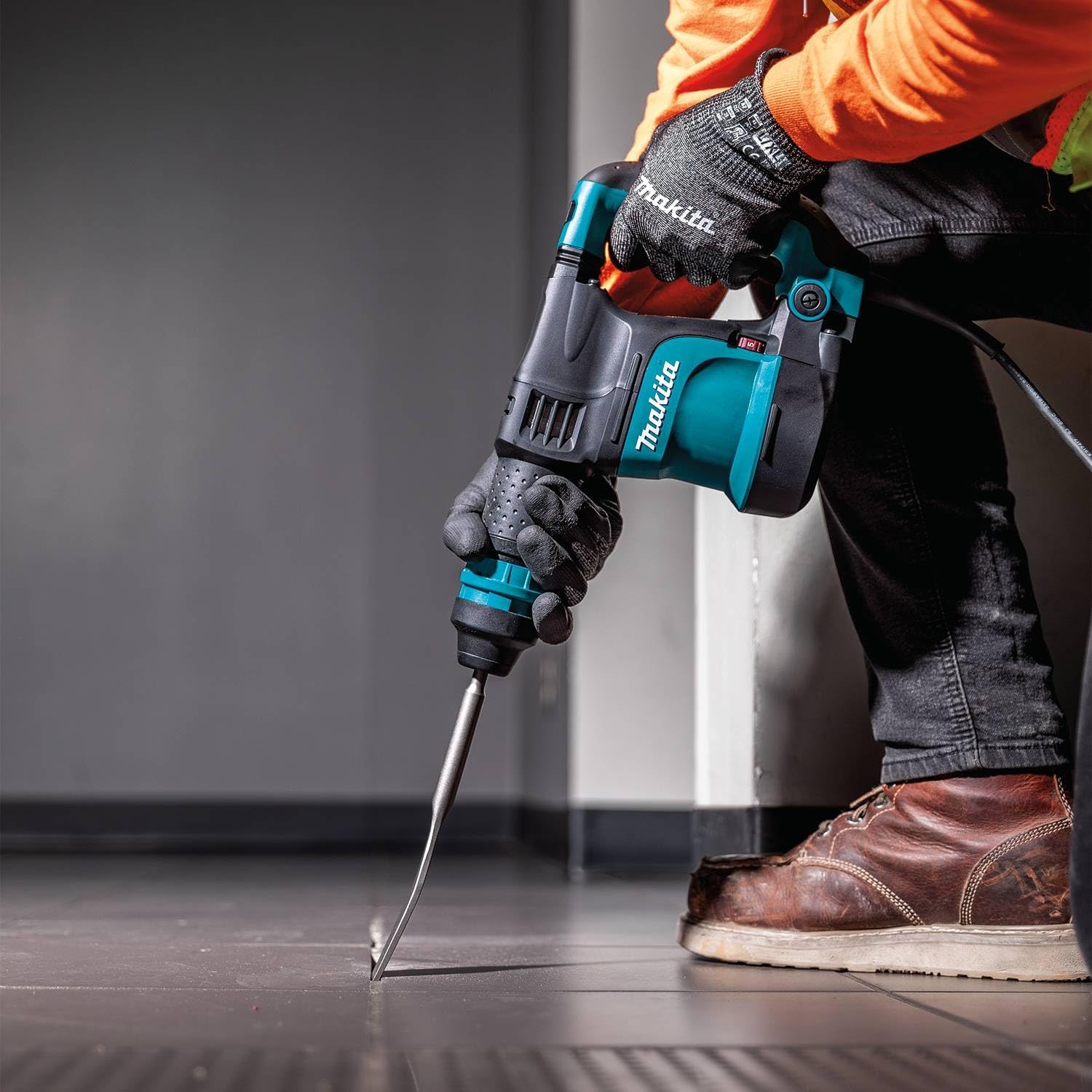
Image: A person wearing work gloves and safety gear operating the Makita HK1820 Power Scraper on a floor.
7. Maintenance
Regular maintenance ensures optimal performance and extends the lifespan of your tool. Always unplug the tool before performing any maintenance.
- Cleaning: Keep the tool's ventilation openings clean to prevent overheating. Wipe the exterior with a soft, damp cloth. Do not use harsh chemicals or abrasive cleaners.
- Brush Inspection: The automatic brush cut-off feature protects the commutator. When brushes wear down, the tool will stop. Have brushes replaced by an authorized service center.
- Lubrication: The tool is factory grease packed for reduced maintenance. Refer to an authorized service center for any internal lubrication needs.
- Cord Inspection: Regularly inspect the power cord for damage. Do not use the tool if the cord is damaged.
- Storage: Store the tool in its case in a dry, secure location, out of reach of children.
8. Troubleshooting
If you encounter issues with your Makita HK1820 Power Scraper, refer to the following common troubleshooting tips. For more complex problems, contact an authorized service center.
| Problem | Possible Cause | Solution |
|---|---|---|
| Tool does not start | No power supply; Worn carbon brushes; Damaged power cord | Check power connection; Replace carbon brushes (authorized service); Inspect/replace power cord (authorized service) |
| Reduced impact force | Worn bit; Insufficient lubrication; Internal component wear | Replace bit; Consult authorized service for lubrication/inspection |
| Excessive vibration | Damaged bit; Internal component issue | Replace bit; Consult authorized service |
| Bit not locking in chuck | Chuck mechanism dirty or damaged; Incorrect bit type | Clean chuck; Ensure SDS-PLUS bit is used; Consult authorized service |
9. Specifications
Detailed technical specifications for the Makita HK1820 SDS-PLUS Power Scraper.
| Specification | Value |
|---|---|
| Brand | Makita |
| Model Number | HK1820 |
| Power Source | Corded Electric |
| Motor | 5 AMP |
| Impact Energy | 2.9 ft. lbs. |
| Blows Per Minute (BPM) | 0-3,200 |
| Wattage | 550 watts |
| Voltage | 240 Volts |
| Chuck Type | SDS-PLUS |
| Item Weight | 7.5 pounds |
| Product Dimensions | 13.75"L x 4"W x 8"H |
| Sound Level | 94 Decibels |
| UPC | 088381088619 |
10. Warranty and Support
Makita products are manufactured under strict quality control standards. For warranty information, please refer to the warranty card included with your product or visit the official Makita website. For technical support, service, or replacement parts, please contact an authorized Makita service center.
You can find more information and support resources on the official Makita website: www.makitatools.com
Related documentsHK1820


Ask a question about this manual
Ask about setup, troubleshooting, compatibility, parts, safety, or missing instructions. Manuals+ will review the question and use this page’s manual context to help answer it.