
Introduction
The Escali US180B Ultra Slim Digital Bathroom Scale is designed for accurate body weight measurement with a sleek, modern aesthetic. Its ultra-slim profile and instant-on technology provide a convenient and reliable weighing experience. The large blue backlit display ensures clear readability in various lighting conditions.

Figure 1: Escali US180B Ultra Slim Digital Bathroom Scale.
What's in the Box
- Escali US180B Ultra Slim Digital Bathroom Scale
- 4 AAA Batteries (pre-installed or included separately)
Key Features
- Ultra Slim Design: Easy to step on and provides a low center of gravity for enhanced stability.
- Instant On Technology: Automatically activates the scale the moment you step onto the platform.
- Easy-to-Read Backlit Display: The bright blue backlight ensures clear visibility of weight measurements in any light condition.
- Display Hold Feature: Keeps the weight measurements visible for 10 seconds after they are first displayed, allowing ample time to read.
- Automatic Shut-off: Conserves and extends battery life by turning off the scale when not in use.
- High Capacity: Supports up to 400 lb (180 kg).

Figure 2: Overview of key features.
Setup
1. Battery Installation
The scale requires 4 AAA batteries. These are typically included. Open the battery compartment on the underside of the scale and insert the batteries, ensuring correct polarity (+/-) as indicated.
2. Placement
For accurate readings, place the scale on a hard, flat surface. Avoid placing it on carpet or uneven flooring, as this can affect measurement accuracy.
3. Initial Use / Calibration
Before the first use or after moving the scale, it is recommended to calibrate it. Simply step onto the scale briefly, then step off. The display will show '0.0' or similar, indicating it's ready for use. This process ensures the scale is properly zeroed.
Operating Instructions
1. Taking a Measurement
- Ensure the scale is on a hard, flat surface.
- Gently step onto the center of the scale platform. The scale will automatically turn on.
- Stand still until your weight is displayed and locks on the screen. The display will hold the reading for approximately 10 seconds before automatically turning off.
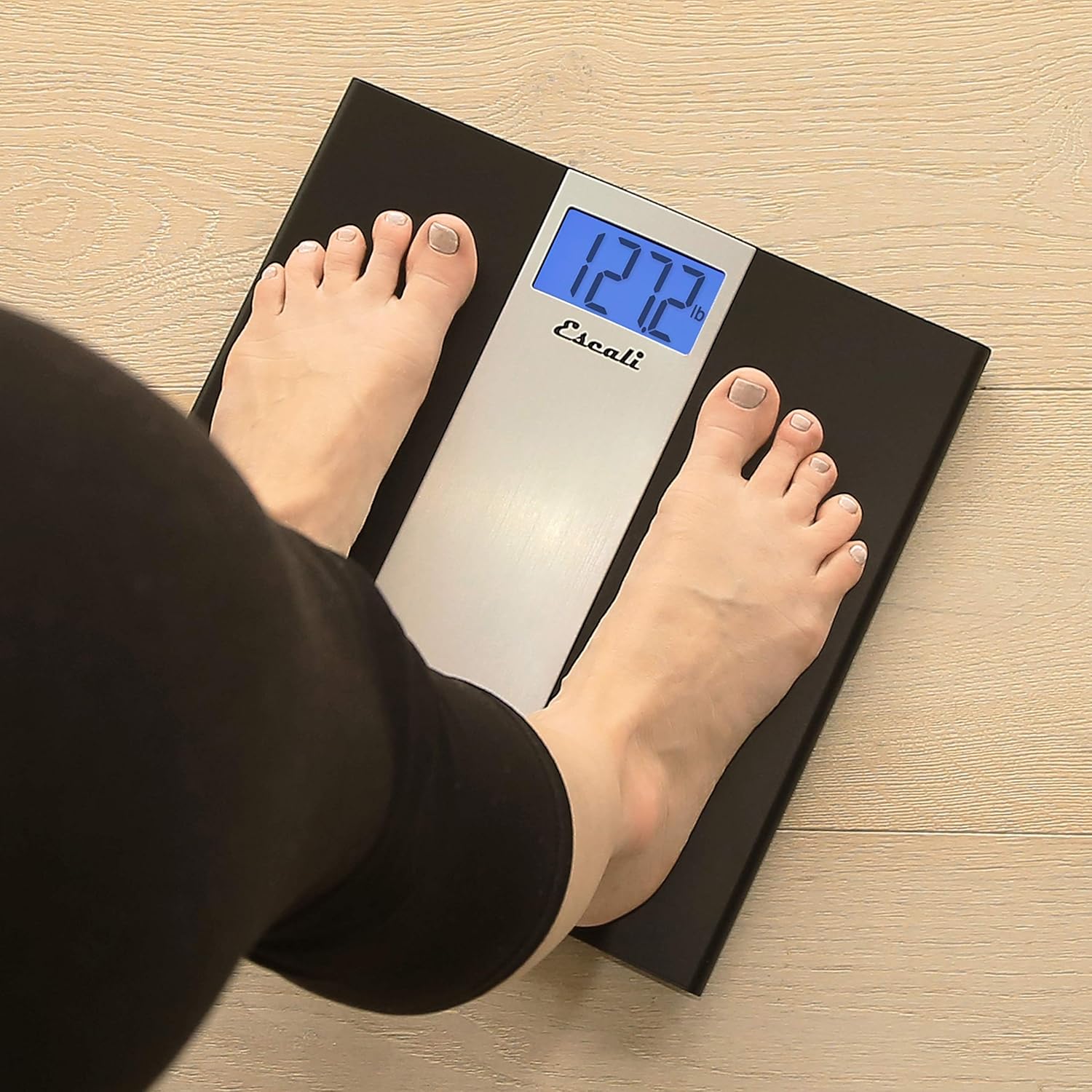
Figure 3: Taking a weight measurement.
2. Changing Units
The Escali US180B scale can display weight in pounds (lb), kilograms (kg), or stones (st). To change the unit, locate the unit conversion button on the underside of the scale (usually near the battery compartment). Press this button to cycle through the available units.

Figure 4: Display showing available measuring units.
3. Product Overview Video
Video 1: An overview of the Escali US180B Ultra Slim Bathroom Scale, demonstrating its features and ease of use.
Maintenance
1. Cleaning
Clean the scale with a damp cloth and mild detergent. Do not use abrasive cleaners or immerse the scale in water. Wipe dry immediately after cleaning.
2. Battery Care
If the scale is not going to be used for an extended period, remove the batteries to prevent leakage and damage. Replace batteries when the display indicates low power or becomes dim.
3. Storage
Store the scale in a cool, dry place. Avoid extreme temperatures and direct sunlight. Do not store anything on top of the scale, as this can affect its calibration.
Troubleshooting
| Problem | Possible Cause | Solution |
|---|---|---|
| Inaccurate or inconsistent readings | Scale on uneven surface (e.g., carpet); Scale not calibrated; User movement during measurement. | Place scale on a hard, flat surface. Step on and off the scale to re-calibrate. Stand still and centered on the scale. |
| Display not turning on | Low or dead batteries; Incorrect battery installation. | Replace all 4 AAA batteries. Ensure batteries are inserted with correct polarity. |
| "Lo" or "Err" message on display | Low batteries ("Lo"); Overload or error ("Err"). | Replace batteries. Ensure weight does not exceed 400 lb (180 kg). Step off the scale and try again. |
Specifications
| Feature | Detail |
|---|---|
| Model Number | US180B |
| Brand | Escali |
| Product Dimensions | 13 x 1.5 x 13 inches |
| Weight | 2 Pounds |
| Capacity | 400 lb (180 kg) |
| Display Type | Backlit Digital LCD |
| Power Source | 4 AAA batteries (included) |
| Color | Black with Stainless Steel Accent |

Figure 5: Product Dimensions.
Warranty & Support
Escali products are designed for durability and accuracy. For specific warranty information, product registration, or technical support, please visit the official Escali website or refer to the documentation included with your purchase.
You can also refer to the official PDF user manual for more detailed information: Official User Manual (PDF)
