
Dorcy 41-4299
Dorcy 41-4299 USB Rechargeable Aluminum LED Flashlight User Manual
Model: 41-4299 | Brand: Dorcy
Introduction
The Dorcy 41-4299 USB Rechargeable Aluminum LED Flashlight is a durable and versatile lighting tool designed for various applications, from household use to professional and outdoor activities. It features a powerful LED light source, multiple brightness settings, and a built-in power bank function for charging other devices. Constructed from aircraft-grade anodized aluminum, this flashlight is built to withstand demanding conditions.
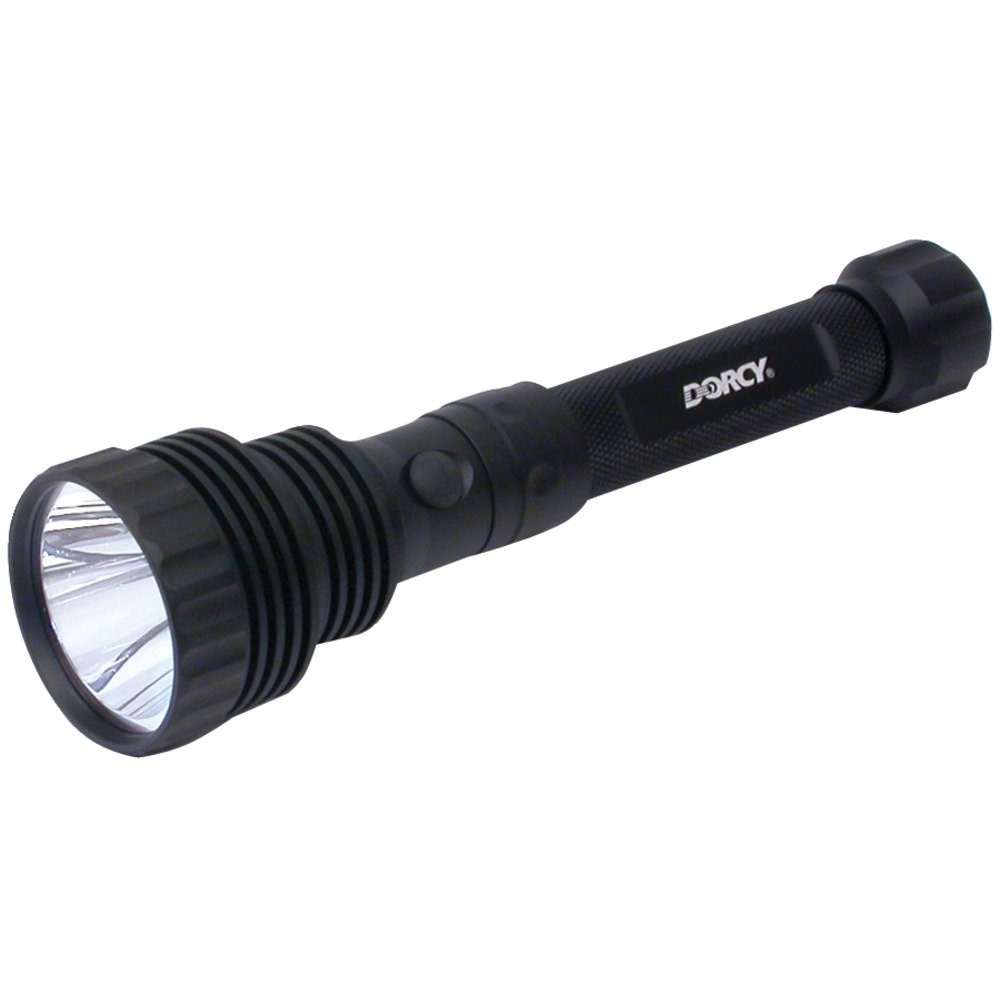
Figure 1: Dorcy 41-4299 USB Rechargeable Aluminum LED Flashlight
Important Safety Information
WARNING: This product can expose you to chemicals including Lead, which is known to the State of California to cause cancer and birth defects or other reproductive harm. For more information go to www.P65Warnings.ca.gov.
- Do not look directly into the LED light. The intense brightness can cause temporary vision impairment or eye damage.
- Keep out of reach of children. This is not a toy.
- Use only the provided USB charging cable. Do not use chargers with higher voltage than recommended.
- Disconnect the charger once the battery is fully charged (approximately 4 hours). Overcharging can damage the battery and shorten its lifespan.
- Do not submerge the flashlight in water. While it has an IPX4 water-resistant rating, it is not designed for underwater use.
- Avoid exposing the flashlight to extreme temperatures or direct sunlight for prolonged periods.
- If the flashlight becomes excessively hot during charging or operation, disconnect it immediately and allow it to cool down.
Product Overview
Key Features
- Intense 1600 lumens through bright LED Bulb
- Charges via USB
- Aircraft grade anodized aluminum construction
- High, Low settings
- USB Rechargeable and Power Bank function
Components
The Dorcy 41-4299 flashlight typically includes the following components:
- Dorcy 41-4299 LED Flashlight
- USB Charging Cable
- 12V USB Car Charger (may vary by package)
- Built-in Lithium-Ion Battery

Figure 2: Angled view of the Dorcy 41-4299 Flashlight, highlighting its robust design.
Setup
Initial Charging
- Locate the USB-C charging port on the flashlight.
- Connect the provided USB charging cable to the flashlight's USB-C port.
- Plug the other end of the USB cable into a compatible USB power source (e.g., computer USB port, wall adapter, or car charger).
- The charging indicator light will illuminate. Allow approximately 4 hours for a full charge.
- Once fully charged, disconnect the charging cable to prevent overcharging.
Note: The flashlight is equipped with a built-in Lithium-Ion battery and does not require separate battery installation.
Operating Instructions
Power On/Off and Mode Selection
- To turn the flashlight ON, press the power button located on the side of the flashlight.
- To cycle through brightness modes (High, Low, Strobe), press the power button repeatedly.
- To turn the flashlight OFF, press the power button until the light extinguishes, or hold the button down for a few seconds in any mode.
Power Bank Function
The Dorcy 41-4299 can also function as a power bank to charge other USB-powered devices.
- Locate the USB-A output port on the flashlight (typically near the charging port).
- Connect your device's charging cable to the USB-A output port on the flashlight.
- Connect the other end of your device's charging cable to your device.
- The flashlight will begin charging your device. Monitor your device's charging status.
Note: Using the power bank function will consume the flashlight's battery. Ensure the flashlight has sufficient charge before using it as a power bank.
Maintenance
- Cleaning: Wipe the flashlight with a soft, damp cloth. Do not use abrasive cleaners or solvents.
- Storage: Store the flashlight in a cool, dry place away from direct sunlight and extreme temperatures. If storing for extended periods, charge the battery periodically to maintain its health.
- Battery Care: Avoid fully discharging the battery frequently. Recharge when the light becomes dim.
Troubleshooting
| Problem | Possible Cause | Solution |
|---|---|---|
| Flashlight does not turn on or light is dim. | Low battery charge. | Recharge the flashlight fully. |
| Flashlight turns off unexpectedly. | Low battery; internal connection issue. | Ensure battery is fully charged. If problem persists, contact customer support. |
| Charging port is loose or charging is inconsistent. | Wear and tear on the port; improper cable insertion. | Ensure the USB cable is inserted correctly and gently. If the port is damaged, contact customer support. |
| Flashlight overheats during charging/use. | Overcharging; internal malfunction. | Disconnect immediately. Ensure charging duration does not exceed 4 hours. If overheating continues, discontinue use and contact customer support. |
Technical Specifications
| Feature | Detail |
|---|---|
| Brand | Dorcy |
| Model Number | 41-4299 |
| Light Source Type | LED |
| Brightness | 1600 Lumens (High setting) |
| Material | Aircraft Grade Anodized Aluminum |
| Power Source | Battery Powered (Lithium Ion) |
| Battery Type | 1 Lithium Ion battery (included) |
| Runtime | Approx. 2.5 hours (High), 13.5 hours (Low) |
| Light Path Distance | 340 meters (from description) / 365 meters (from specs) |
| Water Resistance Level | IPX4 (Water Resistant) |
| Item Weight | 0.9 Pounds / 14.4 ounces |
| Product Dimensions | 8.81 x 2 x 2 inches |
Warranty and Support
The Dorcy 41-4299 USB Rechargeable Aluminum LED Flashlight comes with a Lifetime Warranty, ensuring long-term reliability and support for your product.
For further assistance, detailed instructions, or to access additional resources, please refer to the official documentation:
For direct support, please visit the official Dorcy website or contact their customer service.
Related documents41-4299


Ask a question about this manual
Ask about setup, troubleshooting, compatibility, parts, safety, or missing instructions. Manuals+ will review the question and use this page’s manual context to help answer it.