
Tamron B003
Tamron 18-270mm Di II VC NIK B003 Lens for Nikon Instruction Manual
Model: B003 (Item Model Number: 5571)
1. Introduction
Thank you for purchasing the Tamron 18-270mm Di II VC NIK B003 lens. This high-performance zoom lens is designed for Nikon F-mount digital SLR cameras, offering a versatile 15x optical zoom range from wide-angle 18mm to telephoto 270mm. It features Tamron's Vibration Compensation (VC) mechanism for stable handheld shooting and a compact design for portability. This manual provides essential information for the safe and effective use of your lens.
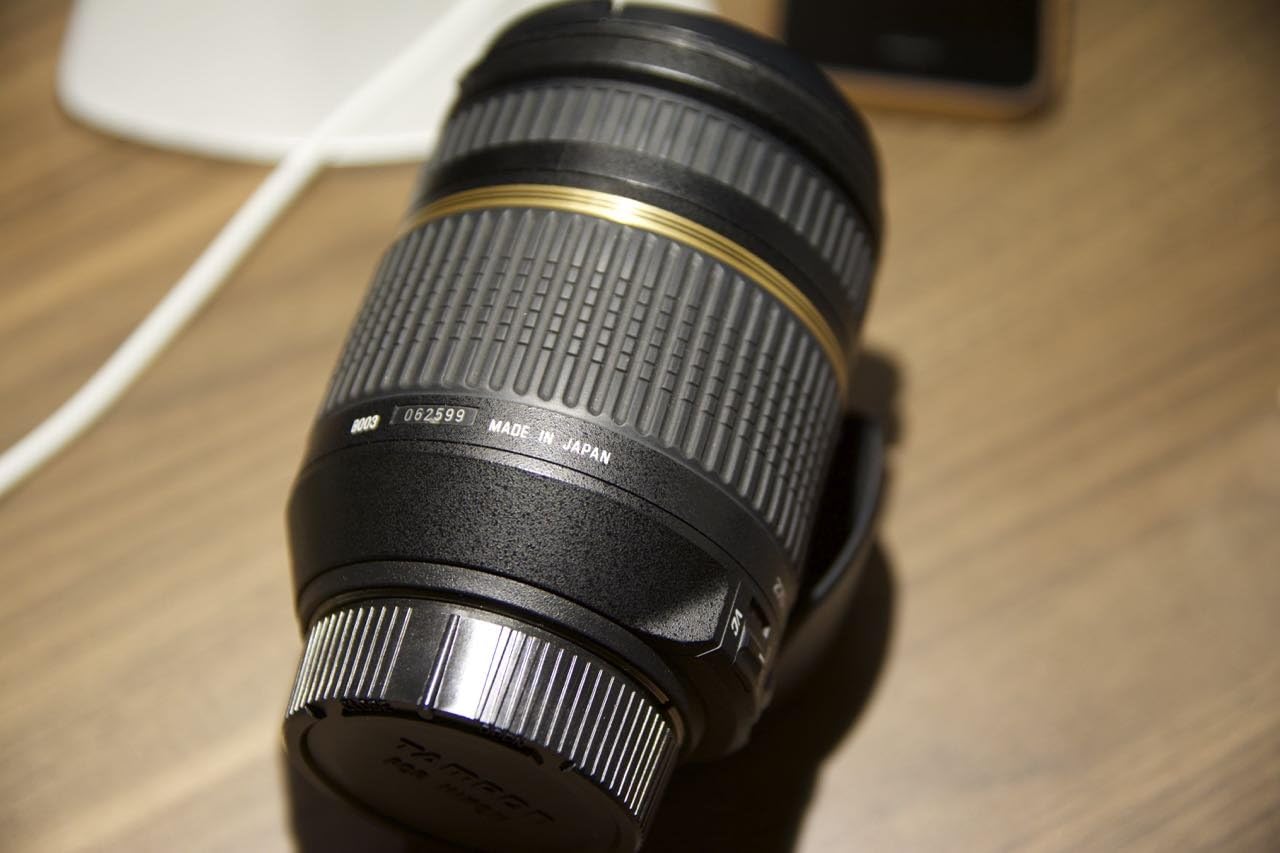
Figure 1: Tamron 18-270mm Di II VC NIK B003 Lens (Side View)
This image displays the Tamron 18-270mm Di II VC NIK B003 lens from a side angle, showcasing its black barrel, zoom ring, and focus ring. The lens features a gold band near the mount, indicating its premium construction. Markings for focal length and other specifications are visible on the barrel.
2. Safety Information
- Do not look at the sun or other strong light sources through the lens, as this may cause vision impairment.
- Keep the lens away from direct sunlight when not in use to prevent fire hazards.
- Avoid dropping or subjecting the lens to strong impacts.
- Do not disassemble or modify the lens. Repairs should only be performed by authorized service personnel.
- Keep out of reach of children.
- Avoid exposing the lens to extreme temperatures, high humidity, or dust.
3. Part Names and Functions
Familiarize yourself with the various parts of your lens:
- A. Front Lens Element: The optical glass at the front of the lens.
- B. Filter Ring: For attaching filters (72mm diameter).
- C. Focus Ring: Used for manual focusing.
- D. Zoom Ring: Used to adjust the focal length (18mm to 270mm).
- E. Zoom Lock Switch: Locks the lens at 18mm to prevent zoom creep during transport.
- F. AF/MF Switch: Toggles between Autofocus (AF) and Manual Focus (MF) modes.
- G. VC ON/OFF Switch: Activates or deactivates the Vibration Compensation function.
- H. Lens Mount Index: Alignment mark for attaching the lens to the camera.
- I. Lens Mount: The part that connects to the camera body.
- J. Lens Hood Mount: For attaching the dedicated lens hood.

Figure 2: Side view of the lens showing AF/MF and VC ON/OFF switches.
This image provides a closer view of the lens barrel, highlighting the AF/MF switch and the VC ON/OFF switch, which control the focus mode and vibration compensation respectively. The textured zoom and focus rings are also clearly visible.

Figure 3: Rear view of the lens showing the Nikon F-mount.
This image shows the rear of the Tamron 18-270mm lens, focusing on the Nikon F-mount. The metallic mount and electronic contacts are visible, which facilitate communication between the lens and the camera body.

Figure 4: Front view of the lens showing the front optical element.
This image displays the front of the Tamron 18-270mm lens, with a clear view of the front optical element. The inner barrel extends slightly, indicating the zoom mechanism, and the filter thread is visible around the front element.
4. Setup
4.1 Attaching the Lens
- Remove the rear lens cap and camera body cap.
- Align the lens mount index mark on the lens with the corresponding mark on your Nikon F-mount camera body.
- Insert the lens into the camera mount and rotate it clockwise until it clicks into place.
- Ensure the lens is securely locked before use.
4.2 Detaching the Lens
- Turn off the camera.
- While pressing the lens release button on the camera body, rotate the lens counter-clockwise until it stops.
- Carefully remove the lens from the camera body.
- Attach the rear lens cap to protect the lens mount and elements.
4.3 Attaching the Lens Hood
Align the lens hood with the lens hood mount on the front of the lens. Rotate the hood clockwise until it locks into position. The lens hood helps to prevent stray light from entering the lens and causing flare.
5. Operating the Lens
5.1 Zooming
Rotate the zoom ring to adjust the focal length between 18mm (wide-angle) and 270mm (telephoto). For transport, you can engage the zoom lock switch at the 18mm position to prevent the lens from extending.
5.2 Focusing (AF/MF)
- Autofocus (AF): Set the AF/MF switch on the lens to "AF". The camera will automatically focus when the shutter button is pressed halfway.
- Manual Focus (MF): Set the AF/MF switch on the lens to "MF". Rotate the focus ring to manually adjust the focus.
5.3 Vibration Compensation (VC)
The VC (Vibration Compensation) mechanism helps reduce blur caused by camera shake, especially useful in low light or at longer focal lengths. Set the VC ON/OFF switch to "ON" to activate the function. Turn it "OFF" when using a tripod or in situations where VC is not required.
6. Maintenance
6.1 Cleaning the Lens
- Use a blower brush to remove dust from the lens surface.
- For smudges or fingerprints, use a clean, soft lens cloth and a small amount of lens cleaning fluid. Wipe gently in a circular motion from the center outwards.
- Never use organic solvents like paint thinner or benzene to clean the lens.
6.2 Storage
- Store the lens in a cool, dry, and well-ventilated place, away from direct sunlight.
- Avoid storing the lens with mothballs or other chemicals that may damage coatings.
- If storing for an extended period, consider using a desiccant to prevent mold growth.
7. Troubleshooting
| Problem | Possible Cause | Solution |
|---|---|---|
| Lens does not focus (AF) | AF/MF switch set to MF; insufficient light; dirty contacts. | Set AF/MF switch to AF; use flash or brighter conditions; clean lens and camera contacts. |
| Images are blurry | VC OFF; camera shake; incorrect focus; slow shutter speed. | Set VC switch to ON; use faster shutter speed; ensure correct focus; use a tripod. |
| Zoom ring is stiff or loose | Normal wear; zoom lock engaged. | Ensure zoom lock is disengaged. If persistent, contact service. |
If you encounter issues not listed here or if solutions do not resolve the problem, please contact Tamron customer support.
8. Specifications
| Product Description | Tamron B003 - zoom lens - 18 mm - 270 mm |
| Lens System | Zoom lens |
| Intended For | Digital SLR |
| Mounting Type | Nikon F |
| Lens Aperture | F/3.5-6.3 |
| Focal Length | 18 mm - 270 mm |
| Optical Zoom | 15 x |
| Minimum Focus Range | 49 cm |
| Focus Adjustment | Automatic, manual |
| Lens Construction | 13 group(s) / 18 element(s) |
| Special Functions | Zoom |
| Filter Size | 72 mm |
| Length | 10.1 cm (approx. 3.98 inches) |
| Weight | 0.55 kg (approx. 1.21 pounds) |
| Item Model Number | 5571 |
| Product Dimensions | 6 x 3 x 3 inches |
| Date First Available | August 8, 2012 |
9. Warranty and Support
For information regarding warranty coverage, service, or technical support, please refer to the warranty card included with your product or visit the official Tamron website. You can also contact Tamron customer service directly for assistance.
Note: The provided product information indicates a legal disclaimer regarding a used item and differential taxation. This manual pertains to the general use and specifications of the Tamron 18-270mm Di II VC NIK B003 lens. Specific warranty terms may vary based on purchase condition and region.
10. Important Information
This product is intended for use as a camera lens. Any other use is considered improper. Tamron is not responsible for any damage or injury caused by improper use.
Please note that this manual provides general instructions. For detailed information specific to your camera model, refer to your camera's instruction manual.
Related documentsB003


Ask a question about this manual
Ask about setup, troubleshooting, compatibility, parts, safety, or missing instructions. Manuals+ will review the question and use this page’s manual context to help answer it.