
1. Introduction
This manual provides essential information for the safe and efficient installation, operation, and maintenance of the Supco OL2 Solid State Overload. The OL2 is designed as a direct replacement motor protector, ensuring reliable performance in various applications. Please read this manual thoroughly before installation and operation.
2. Safety Information
WARNING: Electrical shock hazard. Disconnect power before installing or servicing this device. Installation should be performed by qualified personnel only.
- Always follow local electrical codes and regulations.
- Ensure the power supply matches the device's specifications.
- Do not operate the device if it appears damaged.
- Keep children and unauthorized personnel away from electrical installations.
3. Product Overview
The Supco OL2 is a solid-state overload protector designed to safeguard motors from damage due to excessive current. It offers a reliable and durable solution for motor protection.
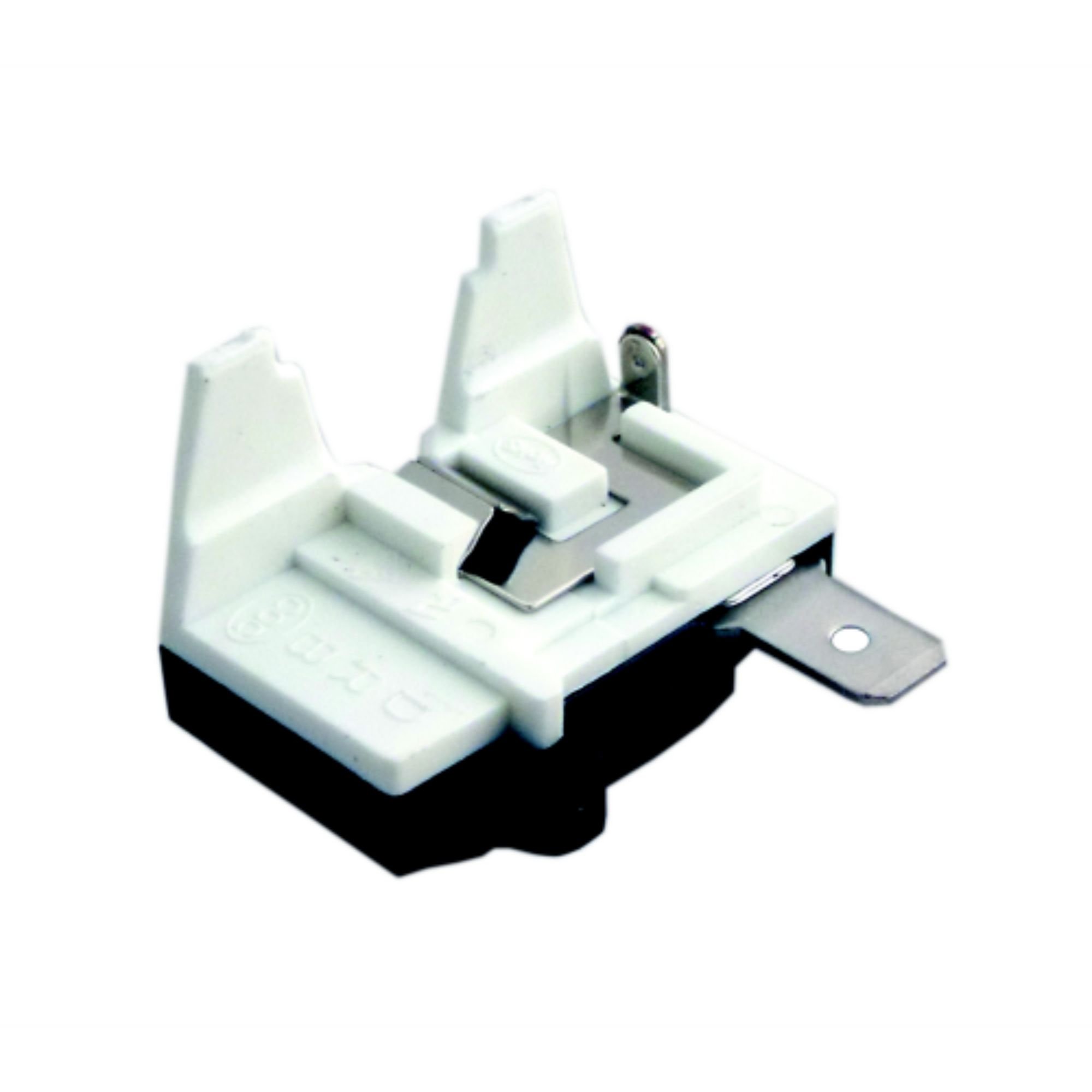
Figure 1: Supco OL2 Solid State Overload. This image shows the compact design of the OL2 unit, typically used for motor protection.
Key Features:
- Direct replacement for numerous Original Equipment Manufacturers (OEMs).
- Designed for use with IC series, PO series, and UR115 components.
- Engineered by Supco for reliable performance.
4. Specifications
| Manufacturer | SUPCO |
| Part Number | OL2 |
| Product Dimensions | 1 x 0.75 x 1.25 inches |
| Item Model Number | OL2 |
| Material | Copper |
| Included Components | Overload |
| Batteries Required | No |
| First Available Date | August 29, 2008 |
5. Setup and Installation
Proper installation is crucial for the safe and effective operation of the OL2 Solid State Overload. Refer to the motor's wiring diagram and local electrical codes.
- Disconnect Power: Ensure all power to the motor and associated circuits is completely disconnected at the main breaker or fuse box. Verify with a voltage tester.
- Identify Replacement Location: Locate the existing overload protector or the designated installation point for the OL2.
- Wiring: Connect the OL2 according to the motor manufacturer's specifications. The OL2 is designed to be a direct replacement for many OEM units. Ensure all connections are secure and properly insulated.
- Mounting: Securely mount the OL2 in a suitable location, away from excessive heat or moisture, if not directly integrated into the motor assembly.
- Verify Connections: Double-check all wiring connections for correctness and tightness.
- Restore Power: Once installation is complete and verified, restore power to the circuit.
Note: If you are unsure about any step, consult a qualified electrician.
6. Operating Instructions
The Supco OL2 Solid State Overload operates automatically to protect the motor. It continuously monitors the current drawn by the motor. If the current exceeds a safe threshold for a prolonged period, indicating an overload condition, the OL2 will trip, disconnecting power to the motor to prevent damage.
Normal Operation:
- Under normal operating conditions, the OL2 remains in a closed state, allowing power to flow to the motor.
- No user intervention is typically required during normal operation.
Overload Condition:
- If an overload occurs, the OL2 will open the circuit.
- After the overload condition is resolved and the OL2 has cooled, it will typically reset automatically. Some applications may require manual reset of the main power supply.
7. Maintenance
The Supco OL2 Solid State Overload is designed for minimal maintenance. However, periodic inspection can help ensure its longevity and proper function.
- Visual Inspection: Periodically inspect the OL2 and its connections for any signs of physical damage, corrosion, or loose wiring.
- Environmental Conditions: Ensure the operating environment remains within specified temperature and humidity ranges to prevent premature failure.
- Cleaning: If necessary, gently clean the exterior of the unit with a dry, soft cloth. Do not use solvents or abrasive cleaners.
Always disconnect power before performing any inspection or cleaning.
8. Troubleshooting
If the motor is not operating or the OL2 appears to be tripping frequently, consider the following:
| Problem | Possible Cause | Solution |
|---|---|---|
| Motor does not start. | No power to the circuit; OL2 tripped; faulty motor. | Check power supply; inspect OL2 for signs of tripping (e.g., open circuit); test motor independently. |
| OL2 trips frequently. | Motor overload; incorrect OL2 rating; motor fault; low voltage. | Reduce motor load; verify OL2 is correctly rated for the motor; inspect motor for issues; check power supply voltage. |
| OL2 is hot to the touch. | Operating under high load; poor ventilation. | Ensure adequate ventilation around the unit; verify motor load is within limits. |
If troubleshooting steps do not resolve the issue, contact a qualified technician.
9. Warranty and Support
Supco products are manufactured to high-quality standards. For specific warranty information, please refer to the documentation provided with your purchase or visit the official Supco website. For technical support or inquiries, please contact Supco customer service.
Supco Contact Information:
Please visit www.supco.com for the latest support resources and contact details.