
Introduction
This manual provides essential instructions for the safe and effective operation of your Microlife WS100 Digital Body Fat Analyzer Weight Scale. Please read this manual thoroughly before using the device and retain it for future reference. The Microlife WS100 is designed to measure body weight, body fat percentage, and muscle mass.
Safety Information
- Do not use this device if you have a pacemaker or other electronic medical implant.
- Pregnant women should consult their doctor before using this device.
- Ensure the scale is placed on a hard, flat surface for accurate measurements. Avoid carpets or uneven floors.
- Do not use the scale on wet or slippery surfaces to prevent falls.
- Keep the device out of reach of children.
- Do not disassemble or attempt to repair the device yourself. Contact customer support if issues arise.
Setup
1. Unpacking and Initial Inspection
Carefully remove the Microlife WS100 scale from its packaging. Inspect the device for any signs of damage. If any damage is observed, do not use the scale and contact your retailer.
2. Battery Installation
The Microlife WS100 scale comes with batteries included. Locate the battery compartment on the underside of the scale. Open the compartment cover and ensure the batteries are correctly inserted according to the polarity indicators (+/-). Close the battery compartment securely.
3. Initial Calibration
Before first use or after moving the scale, it is recommended to perform an initial calibration. Place the scale on a hard, flat surface. Briefly step onto the scale, then step off. The display will show "0.0" or a similar indication, confirming calibration.
4. User Profile Setup (for Body Fat Analysis)
To utilize the body fat and muscle mass analysis features, you must set up a user profile. Refer to the detailed instructions in the "Operating Instructions" section for setting up user profiles, including age, gender, and height.
Operating Instructions
1. Basic Weight Measurement
- Place the scale on a firm, flat surface.
- Step onto the scale barefoot and stand still.
- Your weight will be displayed on the screen. The scale will automatically turn off after a few seconds.
2. Body Fat and Muscle Mass Measurement
For body composition analysis, ensure your user profile is set up.
- Press the "SET" button to enter user selection mode.
- Use the arrow buttons to select your user number (P1, P2, etc.).
- Step onto the scale barefoot, ensuring your feet are positioned on the metal electrodes.
- Stand still until the measurements (weight, body fat percentage, muscle mass percentage) are displayed sequentially.
- The scale will automatically store the data and turn off.
3. Switching Measurement Units
The unit switch button (usually located on the underside of the scale) allows you to toggle between kilograms (kg) and pounds (lb). Press this button to select your preferred unit before taking a measurement.
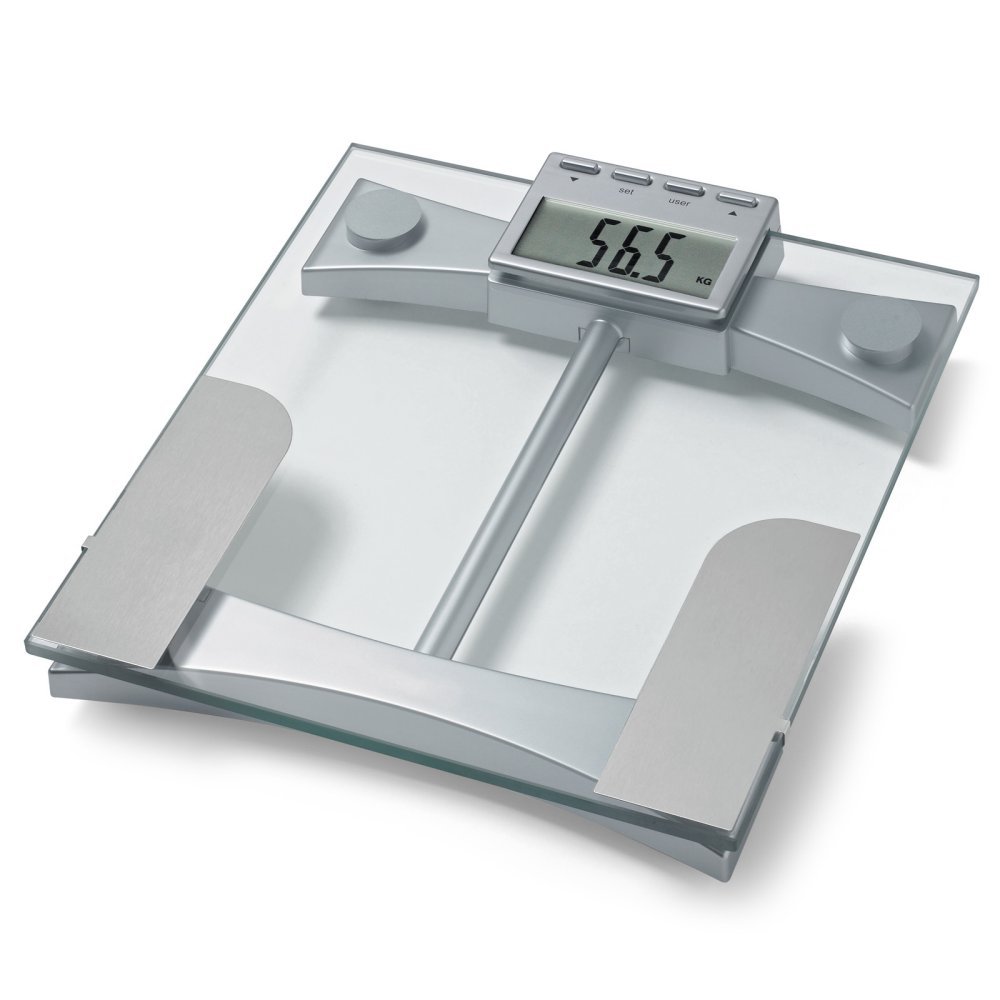
Figure 1: Top view of the Microlife WS100 scale. Note the display area and the metallic electrodes for body composition analysis. Ensure feet are placed correctly on these electrodes for accurate readings.
Maintenance
1. Cleaning the Scale
Wipe the scale surface with a soft, damp cloth. Do not use abrasive cleaners or immerse the scale in water. Avoid harsh chemicals that may damage the surface or electronic components.
2. Storage
Store the scale in a cool, dry place, away from direct sunlight and extreme temperatures. Avoid placing heavy objects on the scale when not in use.
3. Battery Replacement
When the display shows a "Lo" indicator, it is time to replace the batteries. Open the battery compartment on the underside of the scale, remove the old batteries, and insert new ones of the same type, observing correct polarity. Dispose of old batteries responsibly.
Troubleshooting
| Problem | Possible Cause | Solution |
|---|---|---|
| "Lo" displayed | Low battery power. | Replace the batteries with new ones. |
| "Err" displayed | Overload or measurement error. | Ensure the scale is not overloaded. Step off and then back on the scale. Ensure stable footing. |
| Inaccurate readings | Scale on uneven surface, not calibrated, or user profile incorrect. | Place scale on a hard, flat surface. Perform initial calibration. Verify user profile settings (age, height, gender). |
| No display | Batteries incorrectly installed or completely drained. | Check battery polarity. Replace batteries if necessary. |
Specifications
- Model: WS100
- Brand: Microlife
- Display Type: Digital
- Special Features: Body Fat, Bodyweight, Muscle Mass
- Material: Plastic
- Color: Black
- Power Source: Batteries (included)
- Product Dimensions: 31.75 x 7.62 x 37.47 cm (12.5 x 3 x 14.75 inches)
- Item Weight: 2.99 kg (6.59 lbs)
- GTIN/UPC: 642632841233
Warranty and Support
For warranty information or technical support, please refer to the warranty card included with your product or visit the official Microlife website. Do not attempt to repair the device yourself, as this may void the warranty.