1. Product Overview
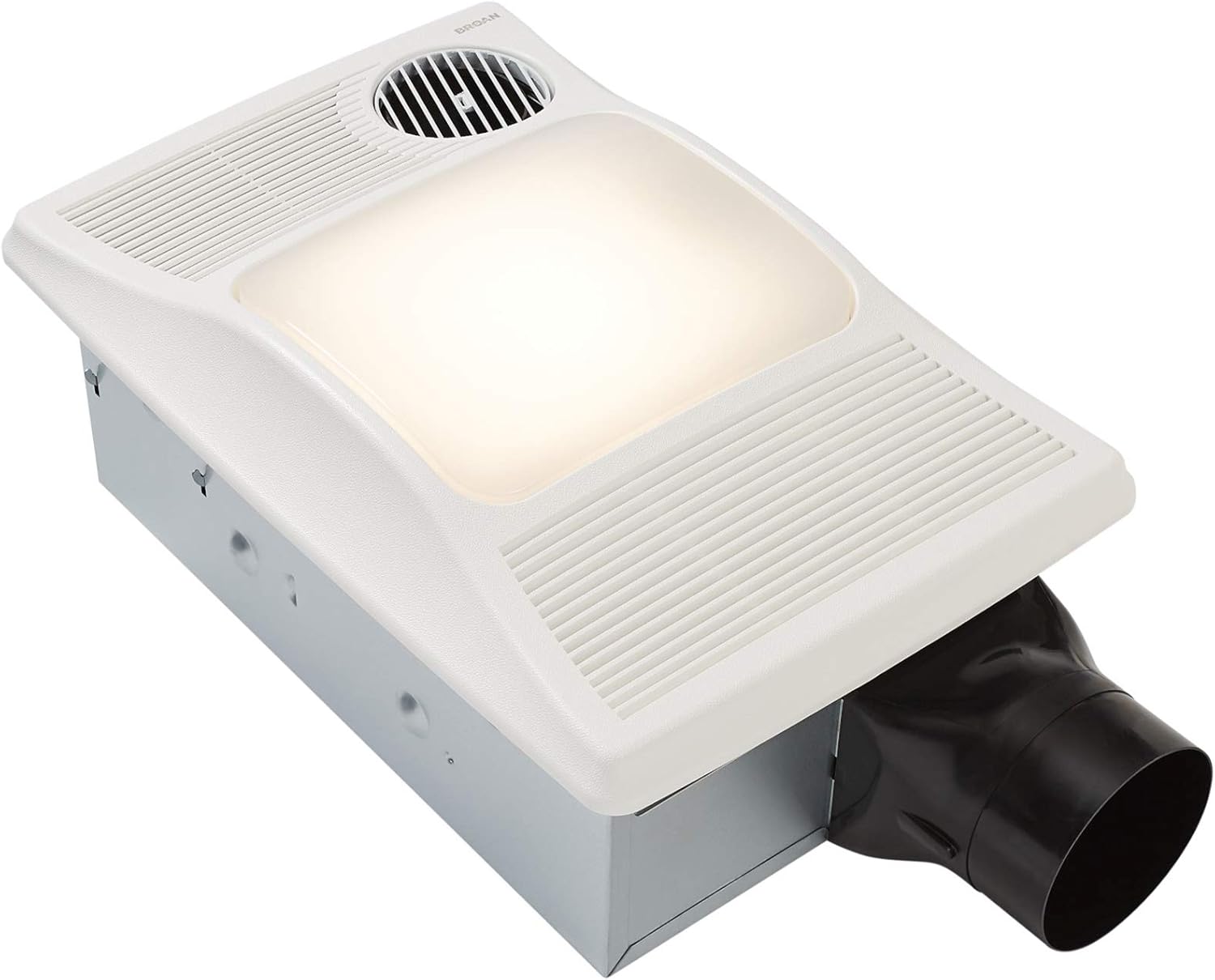
The Broan 100HL is a versatile ventilation fan designed for bathrooms, integrating a fan, light, and heater into a single unit. It eliminates the need to heat an entire house for a comfortable bathroom experience, providing instant warmth. This model delivers powerful heating, ventilation, and illumination, all controllable with a switch. Its 360-degree directionally adjustable heat outlet ensures efficient heat distribution where it's most needed. Broan-NuTone offers this model as a comprehensive solution for various home styles and budgets.
2. Key Features
- Heater/Fan/Light Combination: Provides convenient and comforting warmth to your bathroom.
- Quiet Operation: Operates at 2.0 sones with a 100 CFM (Cubic Feet per Minute) ventilation fan.
- High-Output Heater: Features a quiet, 1500-watt heater with an exclusive directionally adjustable design for targeted warmth.
- Ducting: Designed for 4-inch ducting, suitable for both new construction and retrofit installations.
- Electrical Requirements: Requires a dedicated 20 amp circuit for proper operation.
- Ceiling Compatibility: Fits within 2" x 6" ceiling construction.
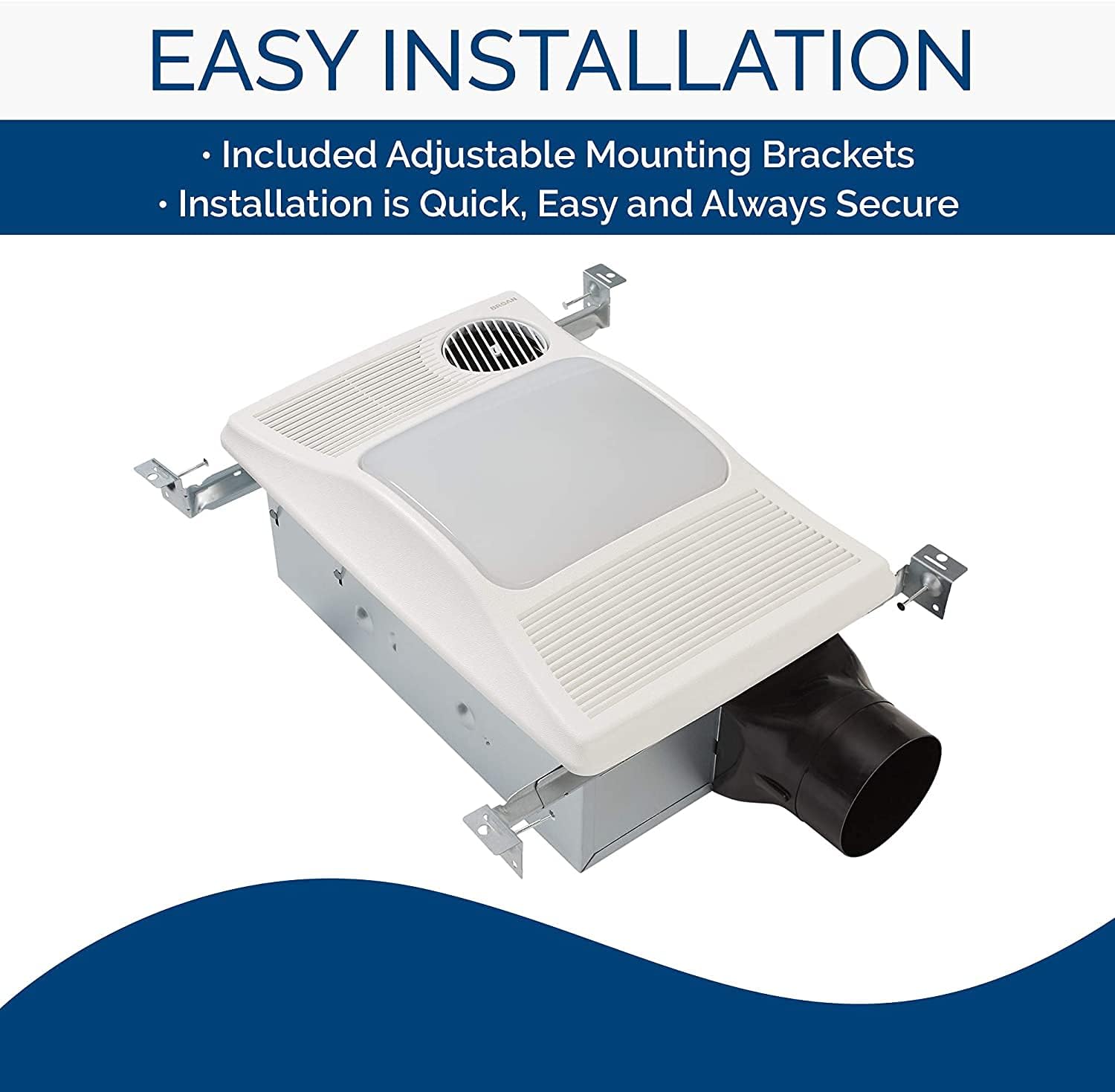
- Easy Installation: Includes new hanger bars for simplified installation.
- HVI Certified: Certified by the Home Ventilating Institute, ensuring performance standards.
- Lighting: Provides bright incandescent lighting, using one 100-watt (maximum) bulb (not included).


3. Specifications
| Specification | Value |
|---|---|
| Brand | Broan-NuTone |
| Model Name | 100HL |
| Color | White |
| Electric Fan Design | Exhaust Fan |
| Power Source | Corded Electric |
| Product Dimensions | 10.25"D x 16"W x 5.87"H |
| Room Type | Bathroom |
| Wattage | 1500 watts (Heater) |
| Air Flow Capacity | 100 Cubic Feet Per Minute (CFM) |
| Voltage | 120 Volts |
| Item Weight | 16 Pounds |
| Control Method | Touch (via wall switches, sold separately) |
| Blade Material | Plastic |
| HVI Certified | Yes |
4. Setup and Installation
Proper installation is crucial for the safe and efficient operation of your Broan 100HL Bathroom Fan. This unit is designed for easy installation, including adjustable mounting brackets. However, due to the electrical and ventilation requirements, professional installation is recommended.
Important Considerations:
- Ensure the installation location can accommodate the unit's dimensions (10.25"D x 16"W x 5.87"H) and fits within 2" x 6" ceiling construction.
- A dedicated 20 amp circuit is required for the unit's electrical connection. Consult a qualified electrician if you are unsure about your home's electrical capacity.
- The unit uses 4-inch ducting. Ensure proper ducting is in place or installed to vent air outdoors.
- Multi-function wall switches for controlling the fan, light, and heater are sold separately and must be wired correctly.
For detailed, step-by-step installation instructions, please refer to the official Installation Manual:
Download Installation Manual (PDF)
5. Operating Instructions
The Broan 100HL provides three primary functions: ventilation fan, heater, and light. Each function is typically controlled by separate wall switches (sold separately), allowing for independent operation.
Using the Fan:
Activate the fan switch to begin ventilation. The 100 CFM fan will remove humidity and odors from your bathroom, improving air quality. It operates quietly at 2.0 sones.
Using the Heater:
Turn on the heater switch for instant warmth. The 1500-watt heater is designed to quickly warm the bathroom. The heat outlet is directionally adjustable, allowing you to direct the warmth where it's most desired. Ensure the room is not excessively humid when using the heater to prevent condensation issues.
Using the Light:
Engage the light switch to illuminate your bathroom. The unit accommodates one 100-watt (max) incandescent light bulb (not included). Ensure the correct bulb type and wattage are used to prevent damage to the fixture.

6. Maintenance
Regular maintenance ensures the longevity and optimal performance of your Broan 100HL Bathroom Fan. Always disconnect power to the unit at the circuit breaker before performing any maintenance.
Cleaning the Grille:
- Periodically remove the grille cover.
- Wash the grille with mild soap and water.
- Rinse thoroughly and dry completely before reattaching.
Cleaning the Fan Blower and Motor:
- With power disconnected, carefully remove the fan blower wheel.
- Clean any dust or debris from the blower wheel and motor housing using a soft brush or vacuum cleaner.
- Do not immerse the motor in water.
- Reassemble all components securely.
Light Bulb Replacement:
- Ensure power is off and the bulb has cooled.
- Remove the light cover and replace the incandescent bulb with a new one of the same type and maximum 100-watt rating.
- Securely reattach the light cover.
7. Troubleshooting
This section provides solutions to common issues you might encounter with your Broan 100HL Bathroom Fan. Always disconnect power before inspecting the unit.
| Problem | Possible Cause | Solution |
|---|---|---|
| Fan/Heater/Light does not operate. | No power, tripped circuit breaker, loose wiring, faulty switch. | Check circuit breaker. Ensure power is on. Verify wiring connections. Test wall switch. |
| Fan operates, but no heat. | Heater element failure, thermal fuse tripped. | Inspect heater element for damage. A tripped thermal fuse may require replacement of the heater assembly. Contact customer support if needed. |
| Fan is noisy. | Dirty blower wheel, loose mounting, obstruction in ducting. | Clean blower wheel. Ensure unit is securely mounted. Check ducting for obstructions. |
| Poor ventilation. | Clogged grille, obstructed ducting, undersized unit for room. | Clean grille and blower. Check ducting for kinks or blockages. Ensure proper duct size. |
| Light does not work. | Burned out bulb, loose connection, faulty light socket. | Replace bulb. Check bulb connection. If issue persists, professional inspection may be required. |
8. Official Product Video
Watch the official Broan-NuTone product line video for an overview of their ventilation solutions, including features and benefits.
Video: Broan Bath Ventilation Fans Product Line. This video provides a general overview of Broan-NuTone's ventilation fan offerings.
9. Warranty and Support
For information regarding product warranty, technical support, or to purchase replacement parts, please visit the official Broan-NuTone website or contact their customer service department.
You can also refer to the Broan-NuTone Store on Amazon for additional product information and resources.
For specific warranty details, please consult the documentation included with your product or the official Broan-NuTone website.


