Introduction
This manual provides essential instructions for the proper installation and use of the Tripp Lite SRSCREWS Rack Enclosure Server Cabinet Threaded Hole Hardware Kit. Please read these instructions carefully before proceeding with installation to ensure safe and effective use of the product.
Product Overview
The Tripp Lite SRSCREWS kit is designed to securely fasten equipment within rack mount rails that feature #12-24 threaded holes. This hardware kit includes all necessary components for mounting standard rack equipment.

Image: Contents of the Tripp Lite SRSCREWS hardware kit, showing the #12-24 screws and accompanying washers.
The kit is specifically compatible with all rack systems utilizing #12-24 threaded holes, providing a reliable solution for securing various server, network, and telecommunications equipment.
What's in the Box
Upon opening the Tripp Lite SRSCREWS package, you will find the following components:
- 50 pcs #12-24, 5/8" long cylindrical head screws
- 50 pcs PVC white flat washers
- 50 pcs PVC black flat washers
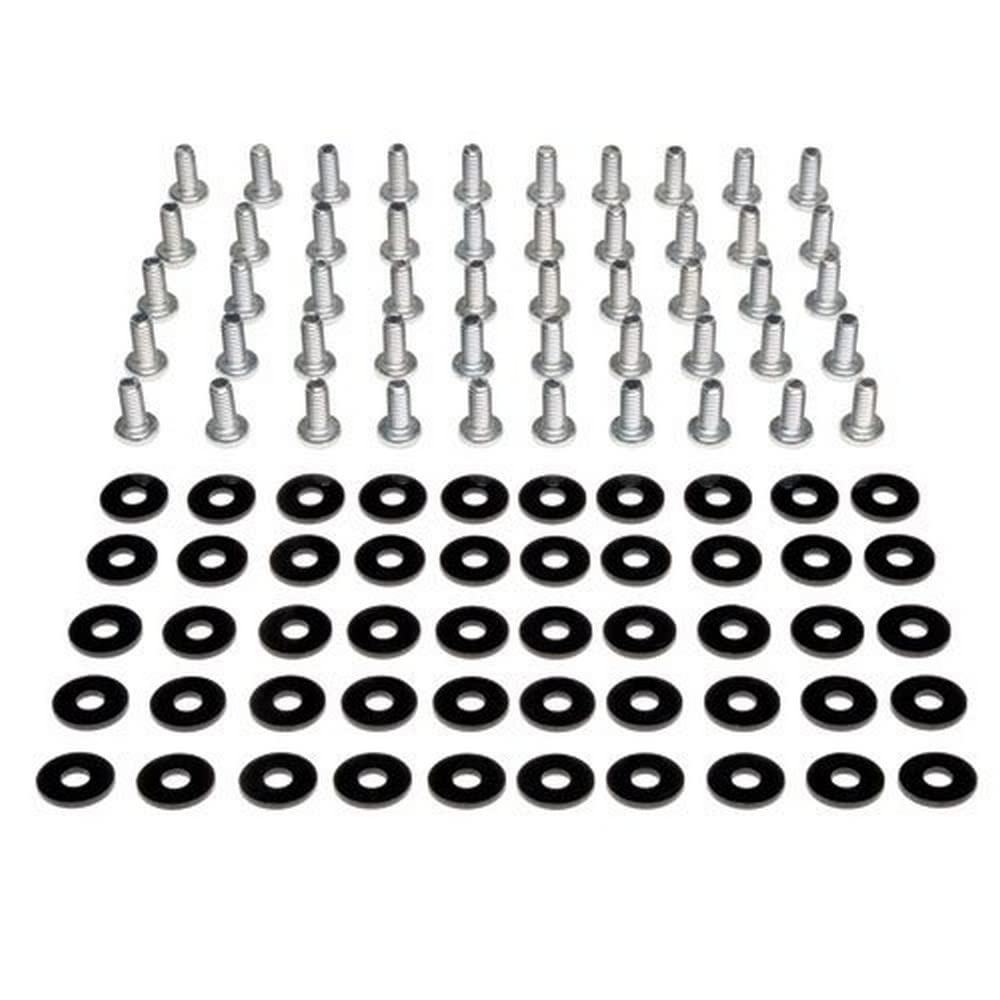
Image: The retail packaging for the Tripp Lite SRSCREWS hardware kit.
Setup and Installation
Follow these steps to properly install your equipment using the SRSCREWS hardware kit:
- Identify Rack Type: Ensure your rack enclosure features #12-24 threaded mounting holes. This kit is not suitable for square-hole racks, which require cage nuts.
- Position Equipment: Carefully align your equipment's mounting ears with the desired threaded holes on the rack rails.
- Attach Washers: Place a flat washer (either white or black, depending on preference or existing hardware) onto each #12-24 screw. The washer helps distribute pressure and protect the equipment's finish.
- Insert and Tighten Screws: Insert the screw with the washer through the equipment's mounting ear and into the threaded hole on the rack rail. Hand-tighten initially to ensure proper alignment and prevent cross-threading.
- Secure Equipment: Once all screws are hand-tightened, use an appropriate screwdriver to firmly secure the equipment. Do not overtighten, as this can strip the threads or damage the equipment/rack.
Always ensure the equipment is level and fully supported before releasing it.
Operating Instructions
The SRSCREWS kit provides a static mounting solution. Once installed, no further 'operation' is required beyond ensuring the screws remain tight and the equipment is securely fastened. Periodically check the tightness of the screws, especially after moving the rack or performing maintenance on adjacent equipment.
Maintenance
This hardware kit requires minimal maintenance. To ensure longevity and proper function:
- Regular Inspection: Periodically inspect the screws and washers for any signs of wear, corrosion, or loosening.
- Cleaning: If necessary, wipe the screws and washers with a dry, lint-free cloth to remove dust or debris. Avoid using harsh chemicals.
- Storage: Store unused screws and washers in a dry, cool place to prevent corrosion.
Troubleshooting
If you encounter issues during installation or use, consider the following:
- Screws Not Fitting: Verify that your rack has #12-24 threaded holes. This kit is not compatible with square-hole racks or racks with different thread sizes. Do not force screws into incompatible holes.
- Screws Stripping: Ensure you are not overtightening the screws. If a screw strips, it may need to be replaced. Avoid using power tools for final tightening to prevent stripping.
- Washers Interfering: If the washers are too large and interfere with adjacent equipment, ensure they are correctly seated. If issues persist, consider alternative washers of appropriate size, though the included washers are designed for general compatibility.
- Equipment Not Secure: Double-check that all screws are properly tightened and that the equipment's mounting ears are fully engaged with the rack rails.
Specifications
| Model Number | SRSCREWS |
| Screw Type | #12-24 Threaded |
| Screw Length | 5/8 inches |
| Quantity | 50 screws, 50 white washers, 50 black washers |
| Compatibility | All #12-24 threaded hole racks |
| Product Dimensions | 4 x 4 x 1 inches (packaging) |
| Item Weight | 6.4 ounces |
| ASIN | B001DW4CIA |
| Internal Identifier (AC7025) | AC7025 |
| Internal Identifier (2322CY0AC702500001) | 2322CY0AC702500001 |
| UPC (0037332143181) | 0037332143181 |
Warranty Information
For detailed warranty information regarding the Tripp Lite SRSCREWS hardware kit, please refer to the official Tripp Lite website or the warranty documentation included with your purchase. Warranty terms and conditions may vary.
Support
If you require further assistance or have questions not covered in this manual, please contact Tripp Lite customer support. Visit the official Tripp Lite website for contact information and additional resources.
Tripp Lite Official Website: www.tripplite.com


