
1. Introduction
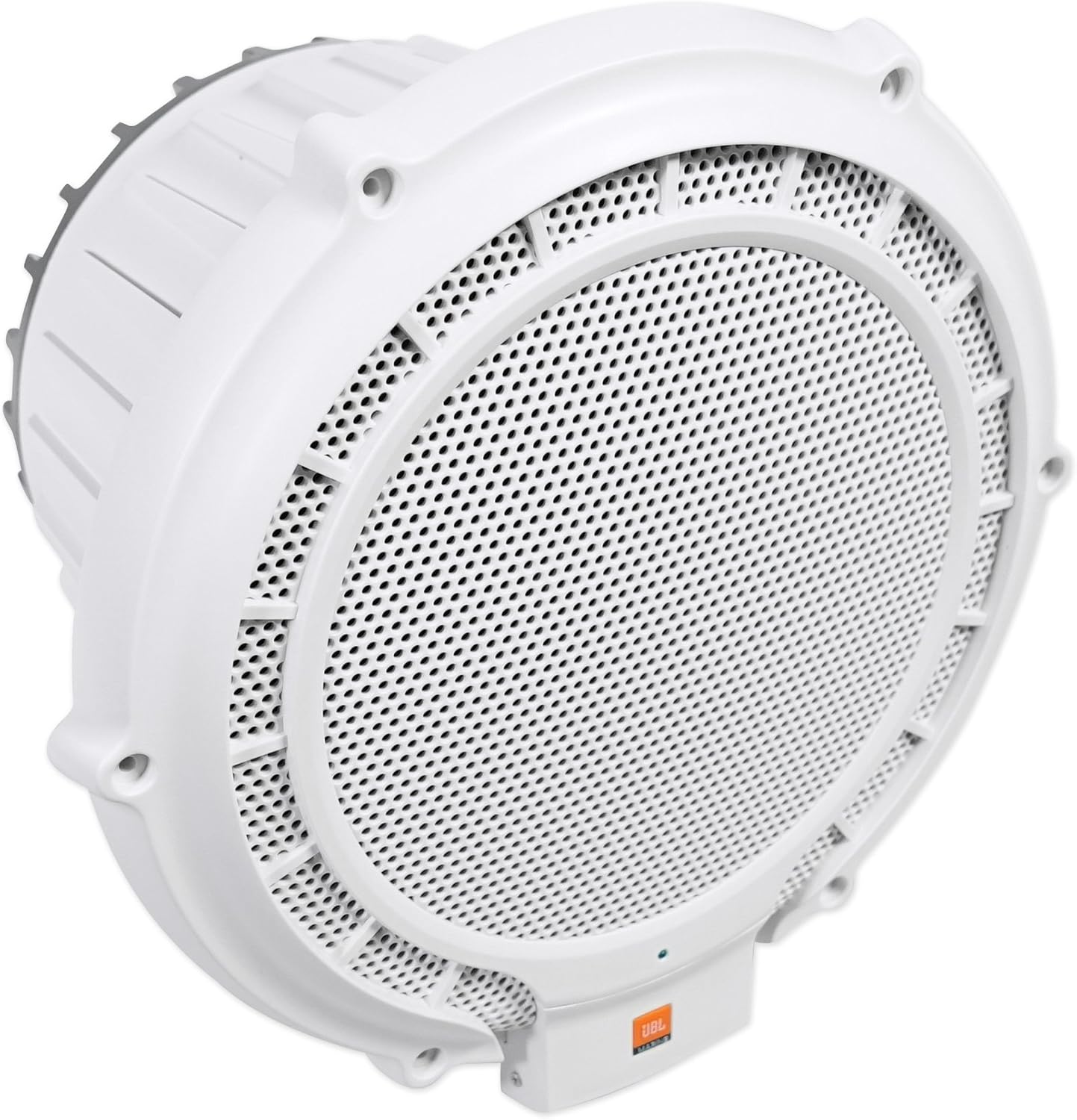
The JBL MPS1000 is a high-performance 10-inch powered marine subwoofer designed to deliver robust bass in challenging marine environments. This manual provides essential information for proper installation, operation, and maintenance of your subwoofer, ensuring optimal performance and longevity.
2. Safety Information
- Always disconnect the battery before performing any electrical work to prevent electrical shock or damage.
- Ensure all wiring connections are secure and properly insulated to prevent short circuits and potential fire hazards.
- Consult a professional for installation if you are unsure about any steps or electrical procedures.
- This product is designed for marine use; however, proper installation is crucial to prevent water damage to electrical components.
- Do not expose the subwoofer to extreme temperatures or direct sunlight for prolonged periods.
3. Package Contents
Verify that all items are present in the package:
- JBL MPS1000 10-Inch 250-Watt Powered Marine Subwoofer
- Mounting Template
- Owner's Manual (this document)
- Mounting Hardware (screws, fuse)

4. Features
The JBL MPS1000 subwoofer incorporates several key features for superior marine audio performance:
- 10-inch, 250-Watt Powered Design: Delivers powerful bass output suitable for marine environments.
- Integrated Amplifier and Enclosure: Simplifies installation and optimizes performance.
- Built-in 12dB Electronic Crossover: Adjustable between 70Hz and 170Hz for seamless integration with other speakers.
- Built-in Bass EQ: Provides 40Hz adjustment between -6dB and +3dB to fine-tune bass response.
- Watertight Protective Cover: Controls are protected from marine elements.
- Marinized Circuit Board: Engineered to withstand harsh salt air and corrosion.
- Polypropylene Cone: Durable and resistant to moisture.
- Stainless Steel Hardware: Ensures longevity in marine conditions.
5. Installation
The MPS1000 is designed for flexible installation in various marine vessels. Its compact size and low heat sink facilitate placement in tight spaces. Use the provided mounting template for accurate cutout dimensions.
5.1 Placement Considerations
- Ensure the chosen location allows for adequate air circulation around the subwoofer, despite its low heat sink design.
- Consider the subwoofer's dimensions: 13-1/16 inches (width) by 7-15/16 inches (height) by 13 inches (depth) for the main subwoofer unit. The overall product dimensions are 12 x 10 x 12 inches.
- Mounting should be secure to prevent movement during vessel operation.

6. Wiring
Proper wiring is essential for the safety and performance of your JBL MPS1000 subwoofer.
6.1 Power Connection
- A heavy gauge dedicated power wire must be run directly from the vessel's battery to the subwoofer.
- Install a special type of fuse (as specified in the owner's manual, not included in the box) near the battery terminal. This fuse is critical for protecting the system from overcurrent.
- The maximum current draw for the unit is 14A.
6.2 Signal Input
The MPS1000 supports two types of audio input:
- Line-Level Input: Accepts signals from 100mV to 6V. Use RCA cables for this connection.
- Speaker-Level Input: Accepts signals from 1V to 13V. Connect directly to your existing speaker wires.

7. Operation
Once the JBL MPS1000 is correctly installed and wired, it is ready for operation. Ensure your audio source is connected and powered on. The subwoofer will automatically activate when an audio signal is detected.
8. Tuning and Adjustments
The MPS1000 provides several controls to optimize its performance for your specific audio system and listening preferences. These controls are located on the front panel, protected by a watertight cover.
8.1 Electronic Crossover Adjustment
- The built-in 12dB electronic crossover allows you to set the upper frequency limit for the subwoofer.
- Adjust this control between 70Hz and 170Hz to ensure a smooth transition between the subwoofer and your main speakers. A lower setting will focus on deeper bass, while a higher setting will allow the subwoofer to play higher bass notes.
8.2 Bass EQ Adjustment
- The variable bass-boost circuit, or Bass EQ, provides adjustment at 40Hz.
- You can adjust this setting between -6dB and +3dB to enhance or reduce the bass impact at this specific frequency. This is particularly useful for compensating for acoustic characteristics of your vessel or limited placement options.

9. Maintenance
To ensure the longevity and optimal performance of your JBL MPS1000 subwoofer, follow these maintenance guidelines:
- Regular Cleaning: Wipe the exterior of the subwoofer with a soft, damp cloth. Avoid using abrasive cleaners or solvents, which can damage the finish or protective coatings.
- Inspect Connections: Periodically check all wiring connections for corrosion or looseness. Ensure they remain secure and properly insulated.
- Watertight Cover: Always ensure the watertight protective cover over the controls is securely closed when not making adjustments.
- Cone Inspection: Visually inspect the polypropylene cone for any signs of damage, tears, or deterioration.
- Hardware Check: Verify that all stainless steel mounting hardware remains tight and free from corrosion.
10. Troubleshooting
If you encounter issues with your JBL MPS1000 subwoofer, refer to the following common troubleshooting steps:
| Problem | Possible Cause | Solution |
|---|---|---|
| No Sound Output | No power, loose connections, blown fuse, no audio signal. | Check power wire, ground wire, and remote turn-on lead. Verify fuse integrity. Ensure audio source is playing and connected correctly. |
| Distorted Sound | Gain set too high, incorrect crossover settings, damaged cone. | Reduce gain level. Adjust electronic crossover frequency. Inspect the subwoofer cone for physical damage. |
| Subwoofer Not Turning On | No remote turn-on signal, power issue. | Check remote turn-on wire connection to head unit. Verify main power and ground connections. |
If these steps do not resolve the issue, contact JBL customer support or a qualified marine audio technician.
11. Specifications
Detailed technical specifications for the JBL MPS1000:
| Specification | Value |
|---|---|
| Model Name | MPS1000 |
| Speaker Type | Subwoofer |
| Speaker Size | 10 Inches |
| Woofer Diameter | 10 Inches |
| Speaker Maximum Output Power | 250 Watts |
| Audio Output Mode | Stereo |
| Signal-to-Noise Ratio | 81.1dB |
| Maximum Current Draw | 14A |
| Input Sensitivity (Line-Level) | 100mV to 6V |
| Input Sensitivity (Speaker-Level) | 1V to 13V |
| Product Dimensions | 12 x 10 x 12 inches |
| Item Weight | 0.01 Ounces |
| Manufacturer | Harman Kardon |
| UPC | 050667034979, 066510875798 |
| Mounting Type | Marine Subwoofer, Car Mount, Boat Mount |
12. Warranty and Support
The JBL MPS1000 10-Inch Powered Marine Subwoofer is covered by a one-year limited warranty from the date of purchase. This warranty covers defects in materials and workmanship under normal use.
For warranty service, technical support, or to obtain replacement parts, please contact JBL customer service through their official website or authorized service centers. Keep your proof of purchase for warranty claims.


