
1. Introduction
This manual provides detailed instructions for the installation, operation, and maintenance of the TayMac MX3200 RaynGuard Extra Duty 1-Gang Vertical Weatherproof In-Use Cover. Designed for outdoor electrical outlets, this cover offers superior protection against weather elements, ensuring safety and durability. It features a robust die-cast metal construction and is UL listed for wet and damp locations, meeting or exceeding Extra Duty specifications.
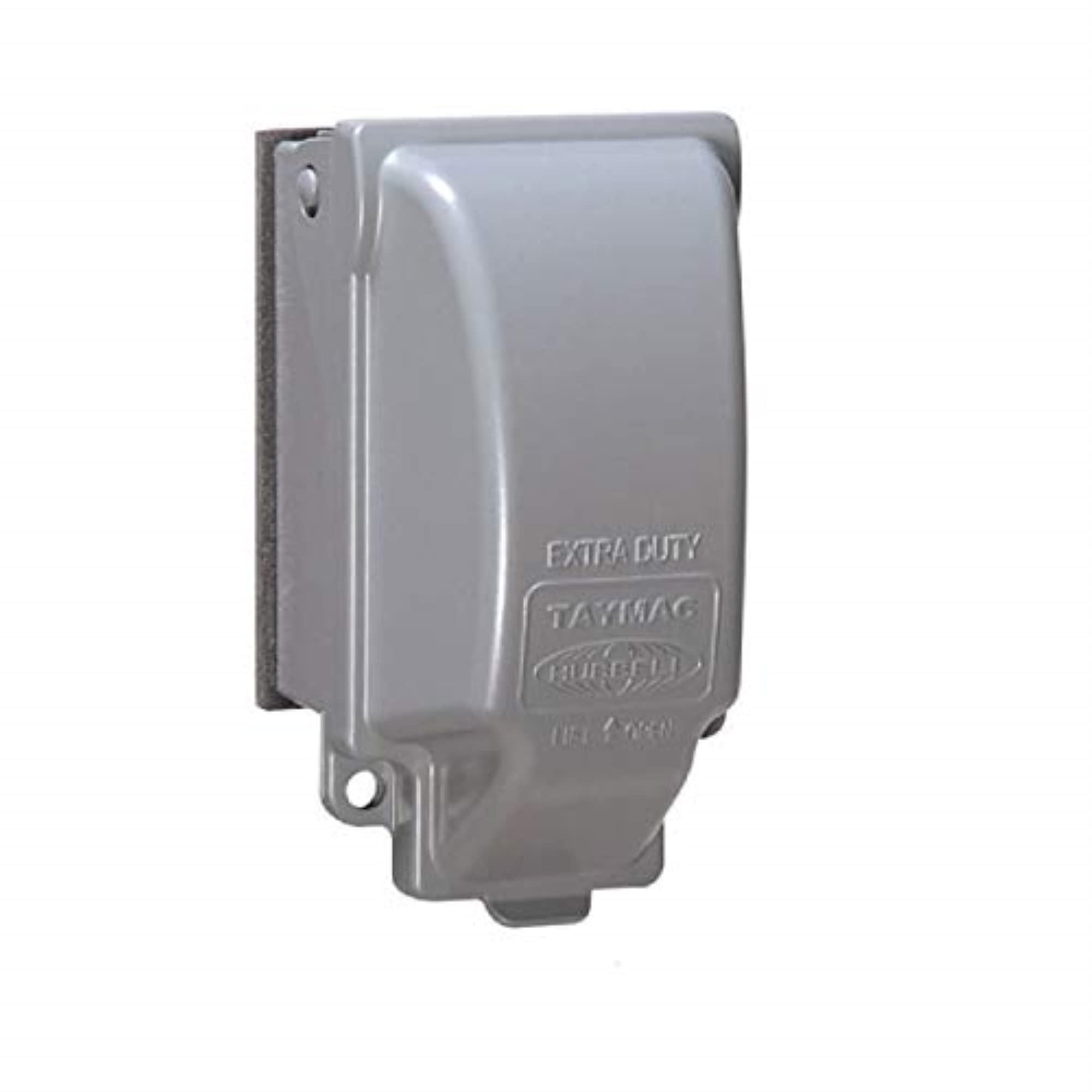
Image 1: TayMac MX3200 RaynGuard Extra Duty 1-Gang Vertical Weatherproof In-Use Cover.
2. Safety Information
Always prioritize safety when working with electrical components. Failure to follow these instructions may result in electric shock, fire, or serious injury.
- WARNING: Disconnect power at the circuit breaker or fuse box before installing or servicing this product.
- Ensure all wiring connections are secure and comply with local electrical codes.
- This product is designed for outdoor use in wet and damp locations. Ensure proper sealing to maintain weatherproof integrity.
- Do not modify the product. Any modifications may void the warranty and create safety hazards.
- If you are unsure about any part of the installation process, consult a qualified electrician.
3. Key Features
The TayMac MX3200 RaynGuard In-Use Cover is engineered with several features to provide reliable outdoor electrical protection:
- Extra-Duty Rated: UL listed for wet and damp locations, ensuring maximum toughness and protection.
- Durable Construction: Built from heavy-duty die-cast aluminum for long-lasting performance.
- Easy Installation: Features a Quick-Fit keyhole mounting system and patented EZ Change Pin for quick vertical or horizontal mounting.
- 8 Custom Configurations: Universal Fit Adapter system Technology allows for 8-in-1 device configurations, accommodating duplex, switch, or GFCI outlets.
- Secure: Includes a lockable tab compatible with a full-size padlock for protection against tampering.
- Ample Space: Provides sufficient room for electrical cords to remain plugged in while the cover is closed.

Image 2: Diagram illustrating the 8-in-1 universal fit adapter system for various device configurations.
4. Package Contents
Verify that all components are present before beginning installation:
- TayMac MX3200 Metal In-Use Cover (1-Gang, Vertical)
- Gasket
- Mounting Hardware (screws)
- Universal Fit Adapter System (various inserts for different device types)
- Instruction Guide (this document)
5. Setup
Before installation, ensure the power to the outlet is turned off at the circuit breaker. Prepare the mounting surface and the cover for installation.
- Power Disconnection: Locate the circuit breaker controlling the outdoor outlet and switch it to the OFF position. Verify power is off using a voltage tester.
- Surface Preparation: Clean the area around the electrical box to ensure a proper seal with the cover's gasket. For rough surfaces, apply a 1/4-inch bead of silicone caulk between the gasket and the wall surface for enhanced weatherproofing.
- Adapter Selection: The cover comes pre-configured for a GFCI-sized opening. If installing a different device (e.g., duplex receptacle, toggle switch, or round outlet), select the appropriate adapter from the included Universal Fit Adapter System and snap it into place within the cover.
6. Installation
Follow these steps to install your TayMac MX3200 In-Use Cover:
- Loosen Device Screws: Partially back out the device mounting screws on your electrical outlet or switch by about half an inch. These screws will be used to secure the cover.
- Position the Cover: Align the patented keyhole slots on the back of the cover with the loosened device screws. Slide the cover down into place, ensuring the screws engage with the narrow part of the keyholes.
- Secure the Cover: Tighten the device screws until snug. Be careful not to overtighten, as this can damage the electrical device or the cover. The gasket should compress evenly against the mounting surface to create a weatherproof seal.
- Restore Power: Once the cover is securely installed, return to the circuit breaker and switch the power back to the ON position.
Video 1: Official installation guide for TayMac Metallic Extra Duty Weatherproof In-Use Device covers, demonstrating the quick and easy mounting process.

Image 3: The TayMac MX3200 cover installed on an outdoor electrical post, protecting a plugged-in cord.
7. Operating Instructions
The TayMac MX3200 cover is designed for continuous use, even with a cord plugged in.
- Opening the Cover: To access the outlet, simply lift the cover upwards.
- Closing the Cover: After plugging in a device, route the cord through the designated opening at the bottom of the cover. Close the cover firmly until it latches securely. The design allows the cover to close completely, providing full weather protection while the cord is in use.
- Locking Feature: For added security and tamper resistance, a padlock can be inserted through the lockable tab at the bottom of the cover. This tab can be swiveled to accommodate locking in both collapsed and expanded positions.
8. Maintenance
Regular maintenance helps ensure the longevity and effectiveness of your weatherproof cover.
- Cleaning: Periodically clean the exterior of the cover with a damp cloth to remove dirt, dust, and debris. Avoid abrasive cleaners that could damage the finish.
- Gasket Inspection: Annually inspect the gasket around the perimeter of the cover for any signs of wear, cracking, or damage. A compromised gasket can reduce the weatherproof seal. Replace if necessary.
- Screw Tightness: Occasionally check the tightness of the mounting screws. If they have loosened over time, gently retighten them to maintain a secure fit.
9. Troubleshooting
If you encounter issues with your TayMac MX3200 cover, consider the following:
- Cover Not Closing Securely:
- Ensure the electrical cord is properly routed through the bottom opening and not obstructing the cover's closure.
- Check for any debris or foreign objects preventing the cover from latching.
- Verify that the internal adapter is correctly seated and not interfering with the cover mechanism.
- Water Intrusion:
- Inspect the gasket for damage or improper seating. Ensure it forms a continuous seal against the mounting surface.
- If caulk was used, check for gaps or cracks in the caulk bead and reapply if necessary.
- Confirm that the cover is fully closed and latched when in use.
- Difficulty with Adapter Fit:
- Ensure the correct adapter for your specific electrical device (GFCI, duplex, switch) is installed.
- Verify the adapter is snapped firmly into the cover's frame.
10. Specifications
| Attribute | Detail |
|---|---|
| Model Number | MX3200 |
| Brand | TayMac |
| Material | Die-cast Aluminum |
| Color | Gray |
| Product Dimensions (W x H) | 3.23" x 4.63" |
| Configuration | 1-Gang, Vertical |
| Installation Type | Screw-In (Quick-Fit Keyhole Mounting) |
| Item Weight | 1.6 ounces |
| Certification | UL Listed, NEMA 3R Compliant, 2011 NEC Compliant |
| Included Components | Metal In-Use Cover, Gasket, Mounting Hardware, Universal Fit Adapters |

Image 4: Detailed dimensions of the TayMac MX3200 cover.
11. Warranty and Support
Warranty: This TayMac product comes with a Limited Warranty. For specific terms and conditions, please refer to the warranty information provided with your purchase or visit the official TayMac website.
Customer Support: For technical assistance, troubleshooting, or inquiries regarding your TayMac MX3200 cover, please contact TayMac customer support. You can find contact information on the official TayMac website or through your retailer.
Online Resources: Additional product information, FAQs, and support resources may be available on the TayMac Brand Store.