
1. Introduction
This manual provides detailed instructions for the proper use and maintenance of your LEXON NEO 8 Optical Watch, model LM88-O. Please read this manual thoroughly before using your watch to ensure optimal performance and longevity.
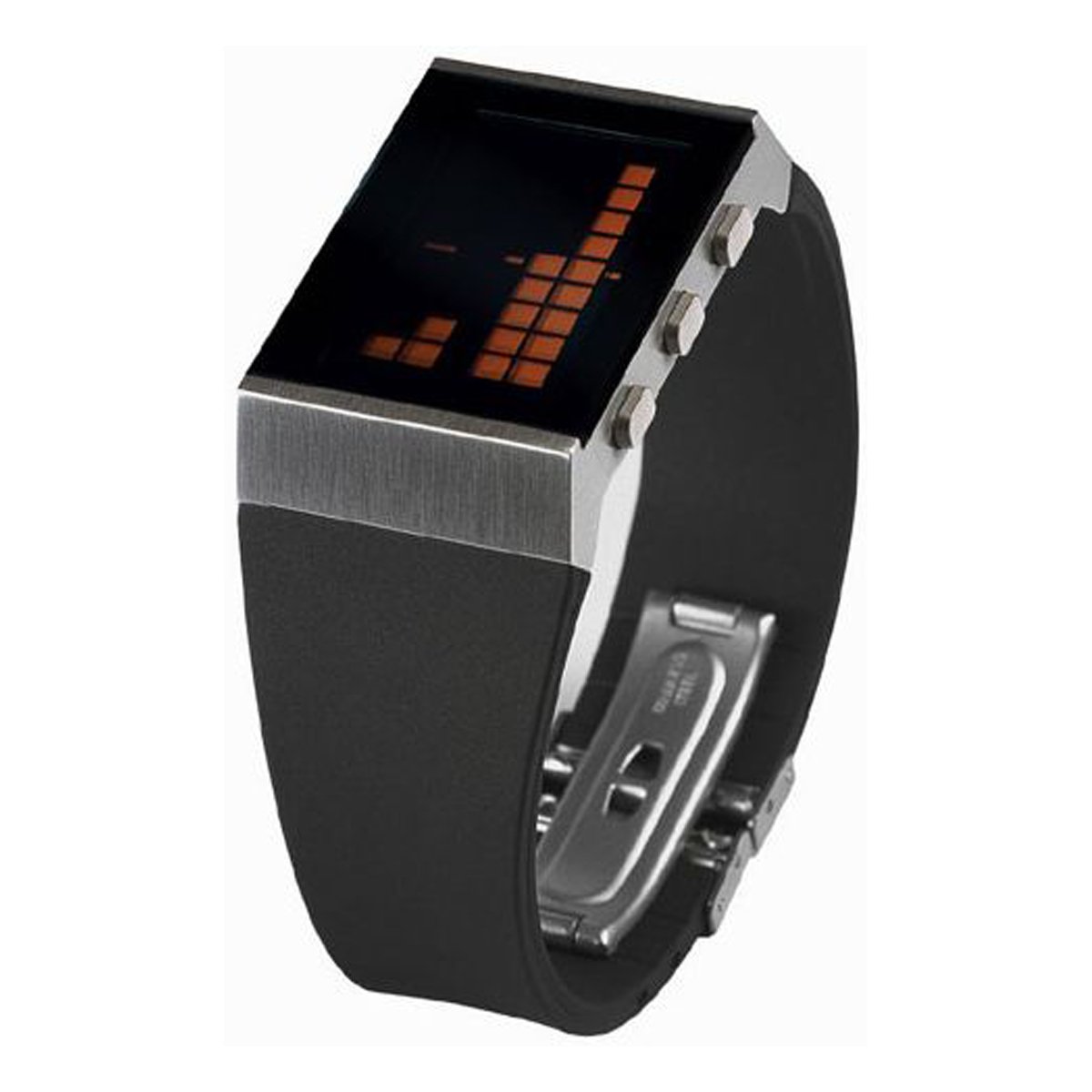
Figure 1: The LEXON NEO 8 Optical Watch, featuring a matte chrome casing and a black rubber strap with orange details.
2. Setup
2.1 Battery Installation
The LEXON NEO 8 Optical Watch requires one CR2016 battery for operation. If the display is blank or dim, the battery may need to be installed or replaced.
- Carefully remove the back cover of the watch using a small screwdriver.
- Insert one CR2016 battery with the positive (+) side facing up.
- Replace the back cover, ensuring it is securely fastened to maintain water resistance.
2.2 Initial Time Setting
After battery installation, set the current time and date.
- Press and hold the 'MODE' button (usually located on the side) until the time display begins to flash.
- Use the 'ADJUST' button to change the flashing digits (hours, minutes, year, month, day).
- Press 'MODE' again to move to the next setting.
- Once all settings are correct, press 'MODE' one last time to exit the setting mode.
3. Operating Instructions
3.1 Basic Time Display
In normal mode, the watch displays the current time. Pressing the 'LIGHT' button will illuminate the LCD display for better visibility in low light conditions.
3.2 12/24 Hour Format
To switch between 12-hour (AM/PM) and 24-hour (military) time formats:
- In time setting mode (refer to Section 2.2), navigate to the hour setting.
- Press the 'ADJUST' button until the desired format appears (e.g., 'PM' for 12-hour or no indicator for 24-hour).
- Confirm by pressing the 'MODE' button.
3.3 Alarm Function
To set and activate the alarm:
- Press the 'MODE' button repeatedly until the alarm setting screen appears (often indicated by an alarm icon).
- Use the 'ADJUST' button to set the desired alarm time.
- Press 'MODE' to confirm the alarm time.
- To turn the alarm on or off, press the 'ADJUST' button while on the alarm setting screen. An alarm icon will typically appear on the main display when the alarm is active.
3.4 Day Display
The watch automatically displays the current day of the week. This is typically shown alongside the date. Ensure the date is set correctly for accurate day display.
3.5 Light Function (LCD)
Press the 'LIGHT' button (usually located on the top left or right side) to briefly illuminate the LCD display. This feature is useful for checking the time in dark environments.
4. Maintenance
4.1 Cleaning
To clean your watch, wipe it gently with a soft, dry cloth. For stubborn dirt, a slightly damp cloth can be used, followed by immediate drying. Avoid using chemical cleaners or abrasive materials, as these can damage the watch's finish and components.
4.2 Battery Replacement
When the display becomes dim or the watch stops functioning, it is time to replace the CR2016 battery. Refer to Section 2.1 for battery installation instructions. It is recommended to have battery replacement performed by a qualified technician to ensure proper sealing and water resistance.
4.3 General Care
- Avoid exposing the watch to extreme temperatures (hot or cold) or sudden temperature changes.
- Do not expose the watch to strong magnetic fields.
- While the watch may have some water resistance, avoid prolonged submersion or operating buttons underwater unless specifically stated otherwise for your model.
- Protect the watch from impacts and drops.
5. Troubleshooting
| Problem | Possible Cause | Solution |
|---|---|---|
| Display is blank or dim. | Low or dead battery. | Replace the CR2016 battery (refer to Section 2.1). |
| Time is incorrect. | Time not set correctly or accidental reset. | Reset the time and date (refer to Section 2.2). |
| Alarm does not sound. | Alarm is not activated or set incorrectly. | Ensure the alarm is turned ON and the time is set correctly (refer to Section 3.3). |
| Buttons are unresponsive. | Battery issue or internal malfunction. | Try replacing the battery. If the issue persists, contact customer support. |
6. Specifications
- Manufacturer Model Number: 2910215
- Size: Approximately 4 cm (Length) x 3 cm (Width) x 1.2 cm (Thickness) (Based on 1.6 x 1.2 x 0.5 inches)
- Weight: 0.73 kg (1.7 lbs)
- Material: Matte chrome casing, black rubber strap
- Country of Origin: China
- Functions: Alarm, 12/24 hour display, Day display, LCD Light function
- Power Supply: CR2016 x 1
7. Warranty and Support
Specific warranty information for the LEXON NEO 8 Optical Watch, model LM88-O, is not provided in this manual. Please refer to the product packaging or the retailer's website for details regarding warranty coverage and customer support contact information.